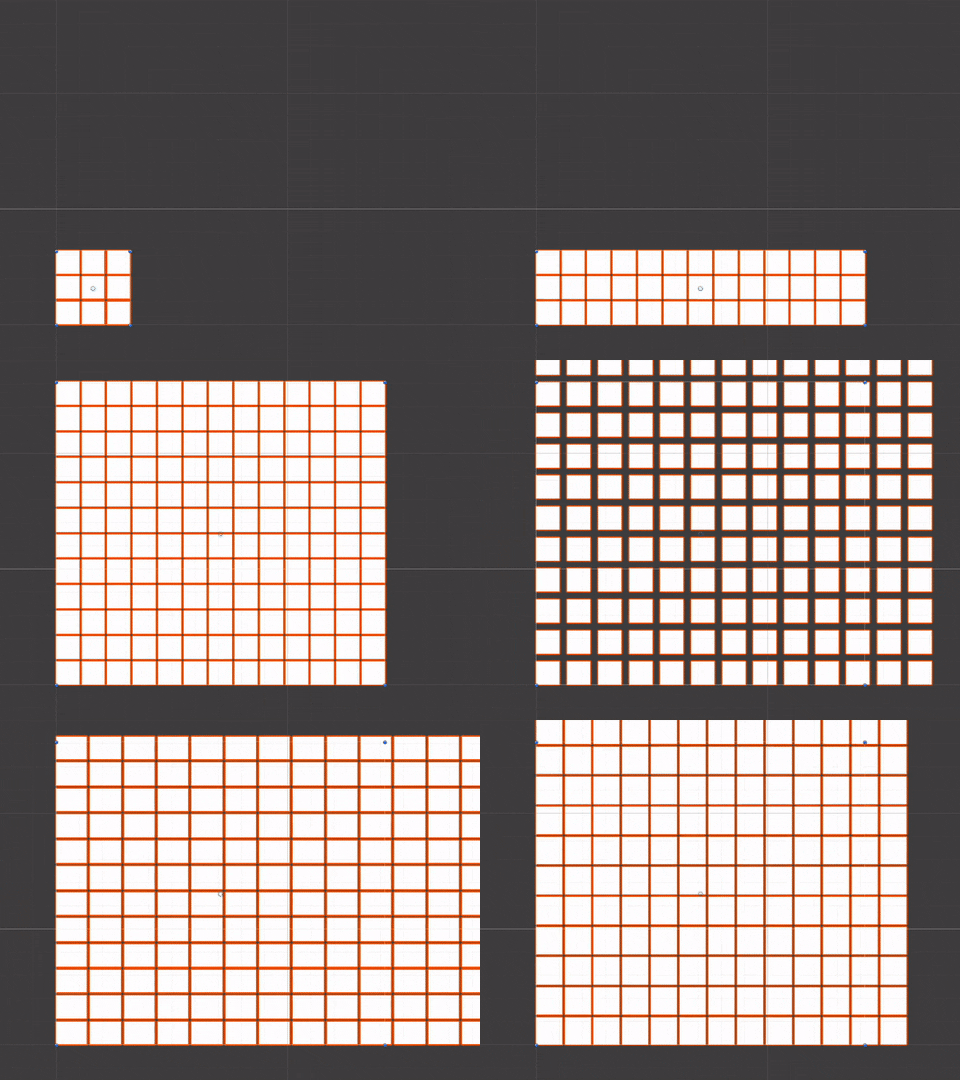
A procedurally generated grid for Unity, rendered as a single vertex-colored mesh. Every cell is four vertices in one mesh rather than a GameObject, so even a very large grid is one object and one draw call. Each node carries an occupancy flag and a color, which makes it a good base for pathfinding visualisation.
In the Package Manager choose Add package from git URL and paste:
https://github.com/tomicz/unity-procedurally-generated-grid.git
Or copy the repository into your project's Packages folder. Requires Unity 2021.3 or newer.
Add the GridGenerator component to an empty GameObject. It adds the MeshFilter and MeshRenderer it needs, builds the mesh, and rebuilds it whenever you change a value in the inspector. Assign Materials/GridMaterial to its material field, or any material that reads vertex colors.
The included Custom/VertexColor shader is unlit and the mesh carries no normals. A lit material would need normals added.
Node colors and occupancy set through the component are serialized with the scene and survive regeneration. When you resize the grid, the overlapping region keeps its state and new nodes start empty and white.
using TOMICZ.Grid;
using UnityEngine;

public class Example : MonoBehaviour
{
    [SerializeField] private GridGenerator _grid;

    private void Start()
    {
        _grid.SetNodeOccupied(3, 4, true);
        _grid.SetNodeColor(3, 4, Color.red);

        bool blocked = _grid.IsNodeOccupied(3, 4);
    }
}OptimizedGrid is a plain C# class with no scene dependencies. Use it directly when you want to drive your own mesh or run it outside a MonoBehaviour.
using TOMICZ.Grid;

var grid = new OptimizedGrid(gridWidth: 50, gridHeight: 50, nodeWidth: 1f, nodeHeight: 1f, spacing: 0.1f);
grid.GenerateGrid(isHorizontal: true);   // XZ plane facing up; false for the XY plane
grid.LoadMeshData(mesh);                 // uploads vertices, triangles and colors

grid.SetNodeColor(10, 12, Color.green);
grid.LoadMeshColors(mesh);               // uploads only the color buffer
Nodes are indexed by y * GridWidth + x. GetNodeIndex, IsInBounds, Occupied and NodeColors are public for pathfinding code that wants raw array access.
NodeToWorld(x, y) returns the world-space center of a node, and WorldToNode(position, out x, out y) maps a world position back to a node, returning false outside the grid. A position that lands in a spacing gap belongs to the node before the gap. The plain OptimizedGrid offers the same in local space as GetNodeCenter and TryGetNode.
In play mode, colors set through the component are uploaded to the mesh once at the end of the frame, so painting a whole path costs a single upload. Call ApplyColors() to flush sooner, and SetAllNodeColors to reset the grid before repainting. With the plain OptimizedGrid, check ColorsDirty and call LoadMeshColors when you are done changing colors.
GetNeighbors(x, y, buffer, includeDiagonals, skipOccupied) fills an int[] of node indices and returns the count, without allocating. Occupied nodes are skipped by default, and a diagonal is only offered when both orthogonal nodes beside it are free, so a path can never squeeze between two obstacles. GetNodeCoordinates turns an index back into x and y.
GridPathfinder runs A* over the occupancy array with a binary-heap open set. It sizes its buffers to the grid on the first search and reuses them, so later searches do not allocate.
var pathfinder = new GridPathfinder(grid, allowDiagonals: true);
var path = new List<int>();

if (pathfinder.FindPath(0, 0, 20, 15, path))
{
    foreach (int node in path)
        grid.SetNodeColor(node, Color.yellow);
}
The path is a list of node indices from start to goal inclusive. WasVisited(index) and LastVisitedCount describe the nodes the search expanded, which is handy for drawing the explored area.
Occupancy and colors are saved with the scene, but a GridLayoutAsset lets you keep a layout as its own asset, share it between scenes, or swap layouts at runtime. Create one with Assets > Create > Procedural Grid > Layout, then call SaveLayout(asset) to snapshot the current grid and LoadLayout(asset) to apply it. Loading resizes the grid to the asset's dimensions if they differ.
The GridGenerator inspector shows node and vertex counts with the mesh's memory footprint, and warns when a grid is large enough that rebuilding on every inspector change gets slow. Buttons regenerate the mesh, clear occupancy, reset colors, and save or load a layout asset. With the object selected, occupied nodes are drawn as red gizmos in the Scene view. Turn that off with Draw Occupied Gizmos on the component.
Examples/GridExampleScene has a grid with a GridPainter component attached. Press Play and click or drag on the grid in the Game view to toggle nodes between free and occupied. Dragging paints or erases depending on the first node you touch. Right-click once to place a start marker and again to place the goal, and the GridPathDemo component draws the A* path in yellow with the explored area in grey, refreshing whenever you paint. Both scripts pick nodes by intersecting the mouse ray with the grid's plane, so no collider is needed, and both use the legacy Input Manager.
Edit-mode tests live under Tests/Editor. To see them in the Test Runner of a project that installs this package, list the package in that project's Packages/manifest.json:
"testables": ["com.tomicz.procedural-grid"]A node is four vertices and six indices, about 90 bytes of mesh data. The mesh switches to 32-bit indices automatically once it passes 65,535 vertices, so there is no hard cap on grid size beyond memory.
MIT. See LICENSE.md.