The Google Docs of Markdown — except your files live on your Mac. Free, native, Apple Silicon.
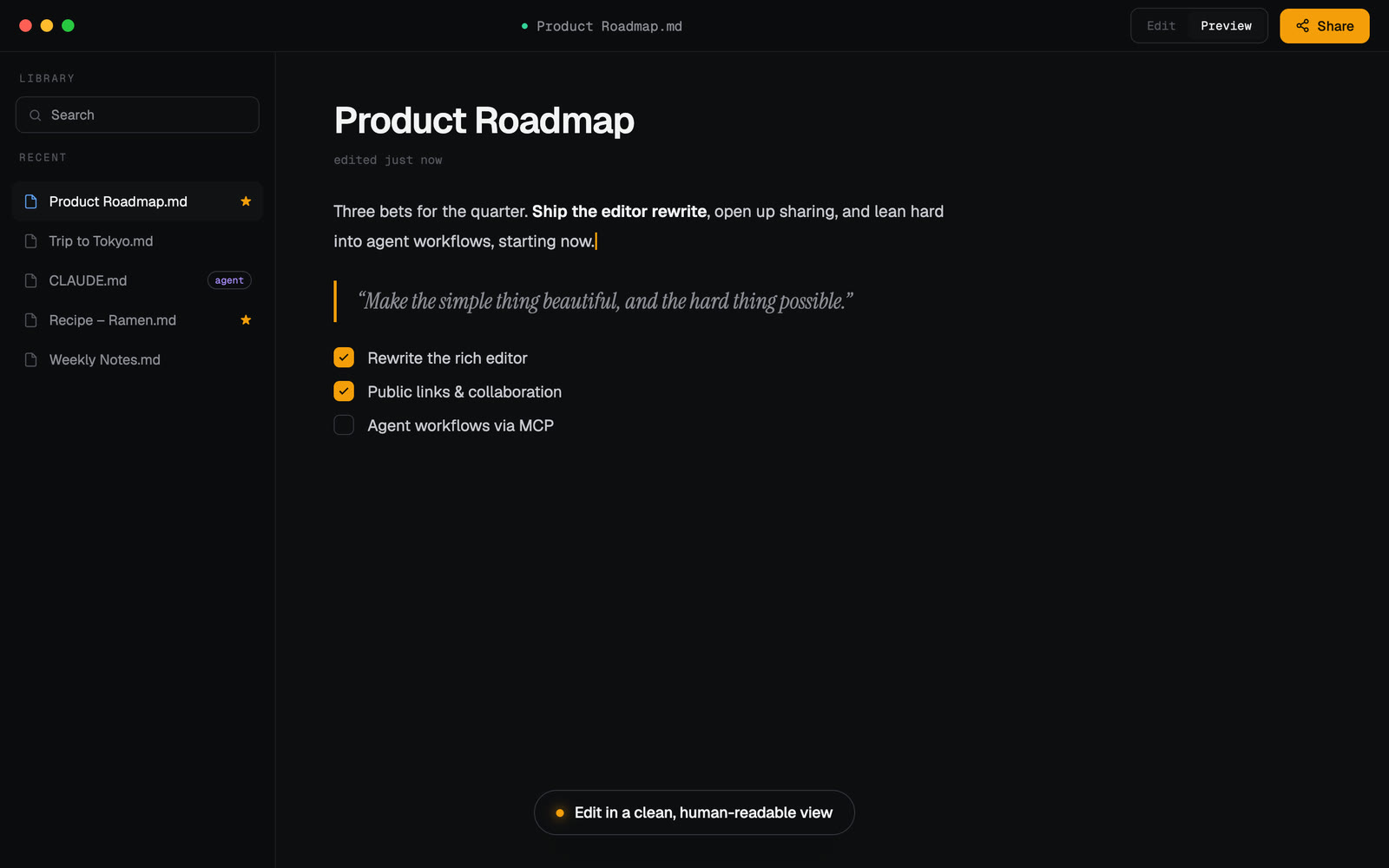
Markie is a desktop markdown app that gets out of your way: a clean editor with live preview, a device-wide index of every markdown file you own, painless sharing, and a built-in MCP server so any AI agent — Claude Code, Codex, or a local model — can find, read, and write your markdown right alongside you.
- Editor + live preview — edit, preview, or split view; GitHub-flavored markdown, tables, code highlighting, and KaTeX math.
- Browse — a device-wide index of every
.mdon your Mac, so your notes and docs are one search away. - Agent & skill files — surfaces
CLAUDE.md,AGENTS.md,GEMINI.md,~/.claude/skills,~/.codex, and Cursor rules, grouped by tool. - Sharing — share a doc via a public link or by email; recipients open it in one click, no account required.
- Markie MCP — let Claude Code / Codex work with your markdown (see below).
Download for Apple Silicon macOS (M-series). The app is signed and notarized by Apple, and updates itself automatically.
Apple Silicon only. Intel Macs are not supported.
Markie ships a dependency-free MCP server that
gives an AI agent a markdown workspace on your machine: markie_find_md,
markie_read_md, markie_write_md, markie_list_skills, and
markie_open_in_markie. It runs entirely locally — no cloud, no API key.
Reads/writes are fenced to markdown under your home folder (symlink-guarded), so an
agent can "find my notes and add a section" and actually do it.
Claude Code — plugin (easiest):
/plugin marketplace add zvndev/markie
/plugin install markie@markie
Codex or any other MCP client — point it at the bundled server. The installed app's Agents dialog shows the exact command; it looks like:
# ~/.codex/config.toml
[mcp_servers.markie]
command = "node"
args = ["/Applications/Markie.app/Contents/Resources/mcp/markie-mcp.mjs"]
(Running from source instead? Use node /path/to/markie/mcp/markie-mcp.mjs.)
Requires Node ≥ 22.
npm install
npm run electron:dev     # run the app in development
npm run electron:pack    # build an unsigned .app into dist/mac-arm64/
Other scripts: npm run build (Next static export), npm test (renderer +
Electron unit tests), node --test mcp/lib.test.mjs (MCP tests).
Electron · Next.js (static export) · React · TypeScript · Tailwind · TipTap · CodeMirror · a unified/remark/rehype render pipeline.
MIT © ZVN