

The most complete IntelliJ IDEA / JetBrains Git experience for VS Code and Cursor. Includes Git graph visualization, IDEA-style commit panel with shelf and stash, branch management with context menus, cherry-pick, rebase, merge, 3-way merge editor, nested repo auto-discovery, hover action buttons, and full Chinese localization. Works like WebStorm, PyCharm, GoLand, and Rider's Git tooling.
Based on aotemj/jetbrains-git-graph (fork of zhyc9de/jet-git), with full IntelliJ IDEA-style context menus, UI enhancements, and additional features by ziop.
v0.5.0 Enhancements:
- 🌐 Full Chinese localization (全面中文汉化)
- 📁 Nested git repo auto-discovery with repo selector (子仓库自动发现)
- 🖱️ Hover action buttons on files & directories (悬停操作按钮)
- 📋 Simplified file grouping: Staged + Changes (简化文件分组)
- 🏷️ SCM-style collapsible layout for Source Control panel (源代码管理面板可折叠卡片布局)
- 🔍 GitLens-style blame: inline decorations, status bar, hover tooltips (Git Blame 行内装饰)
- ⚡ One-click stage/unstage all in group headers (分组一键暂存/取消暂存)
English · 简体中文
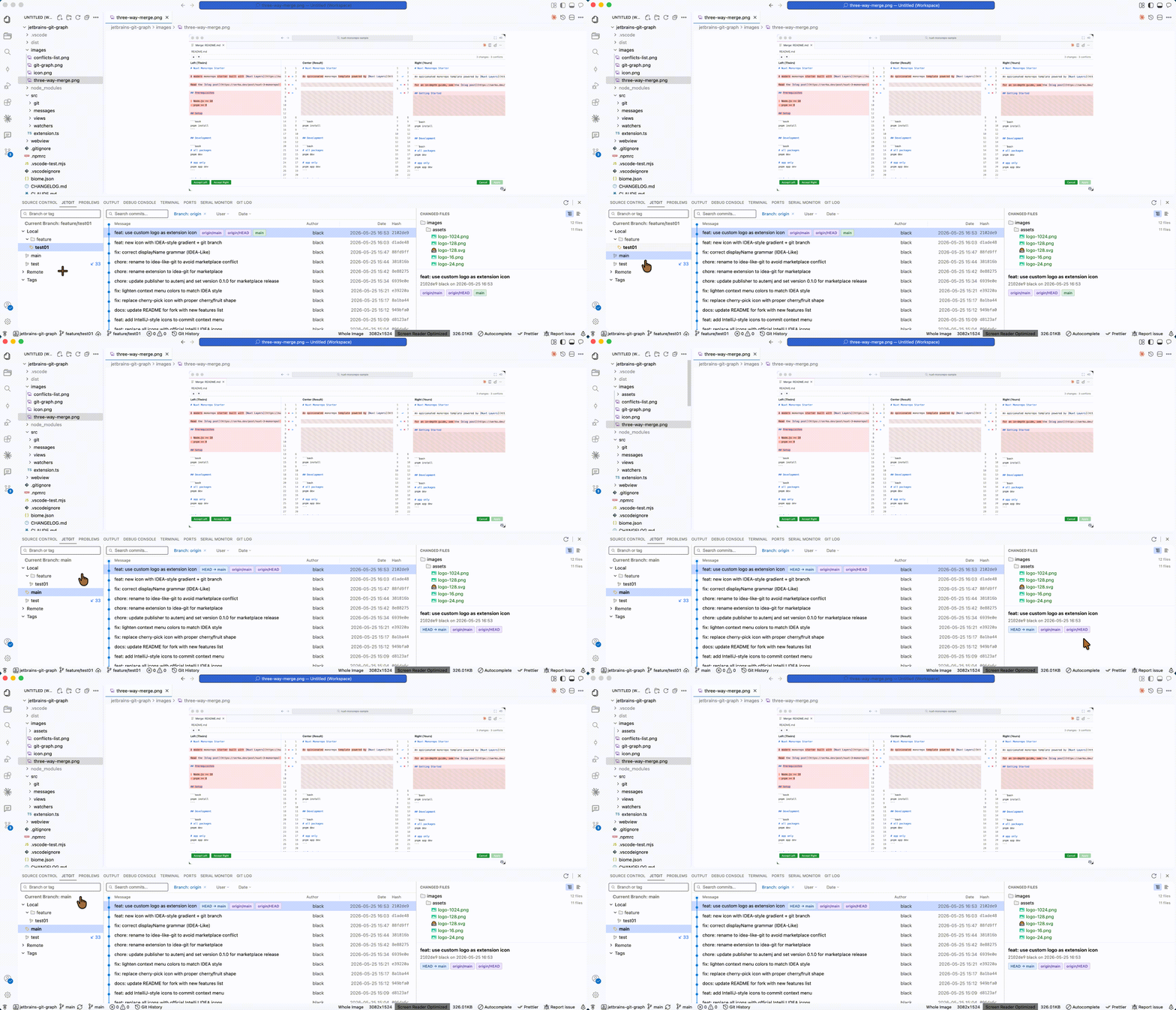
Right-click any branch to checkout, create, merge, rebase, rename, delete, push, or pull — just like IntelliJ IDEA.
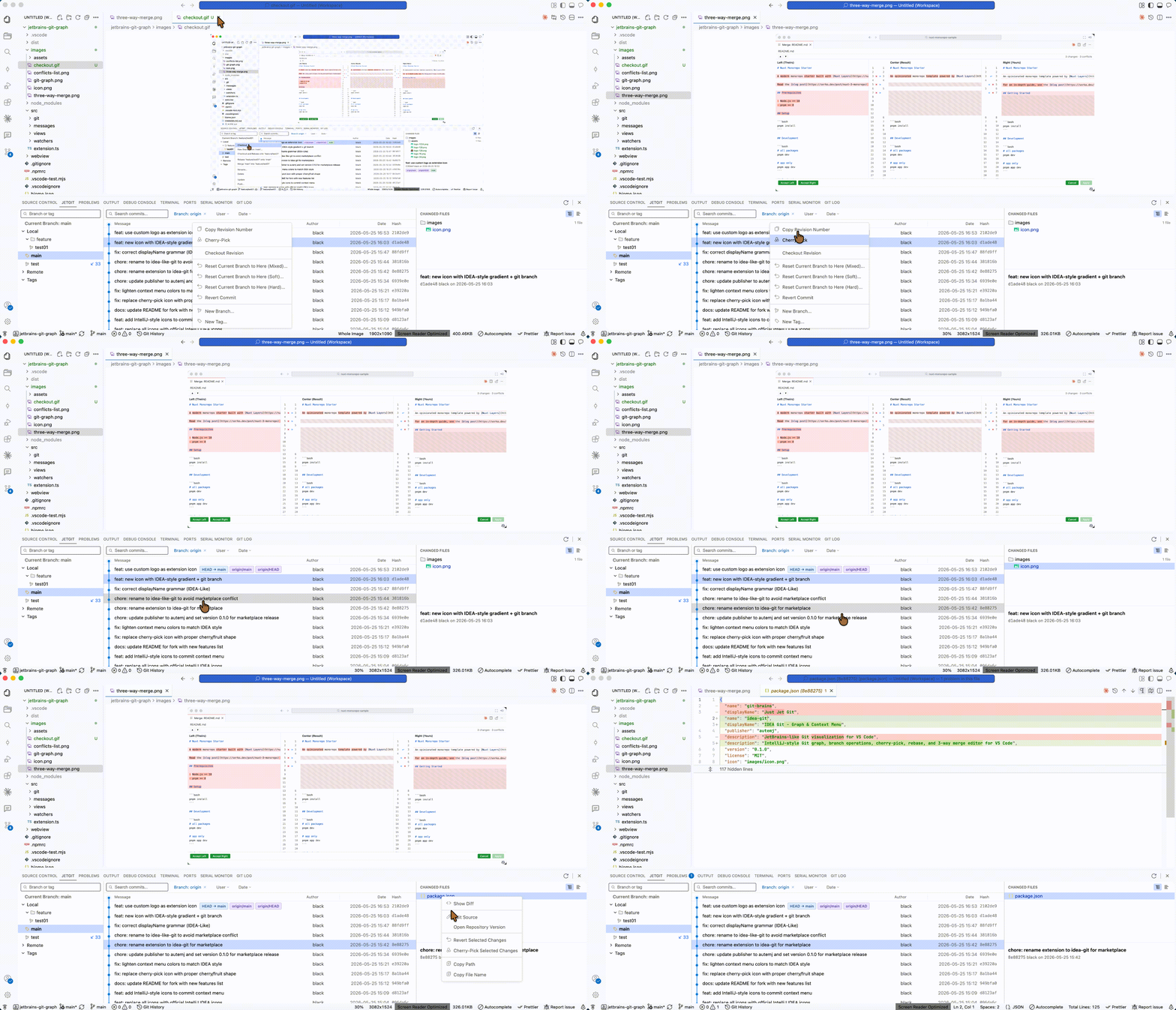
Right-click any commit to copy hash, cherry-pick, checkout revision, reset, revert, create branch or tag.
Right-click files in the Changed Files panel: show diff, edit source, open repository version, revert/cherry-pick file changes, copy path.
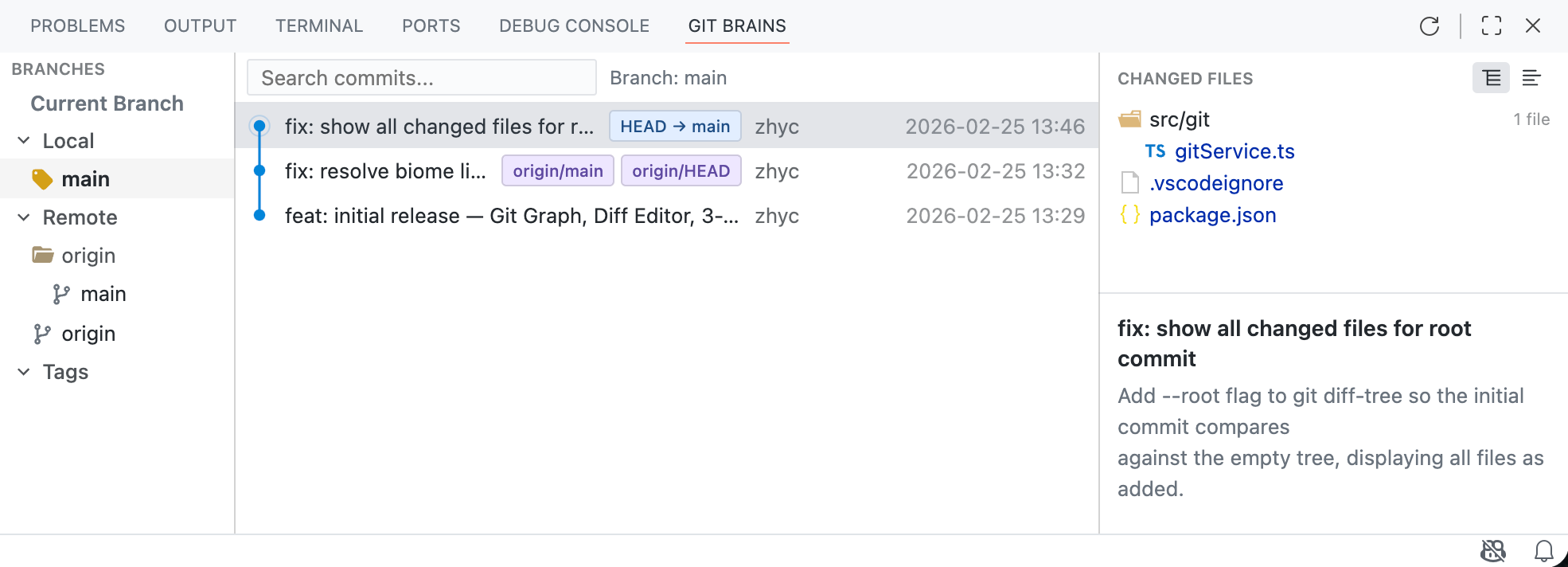
- Branch Tree — branches organized by Local / Remote / Tags with search filter
- Commit List — color-coded branch lines, resizable columns (Message, Author, Date, Hash)
- Detail Panel — commit message and changed file tree
- Filters — filter by Branch, User, Date range
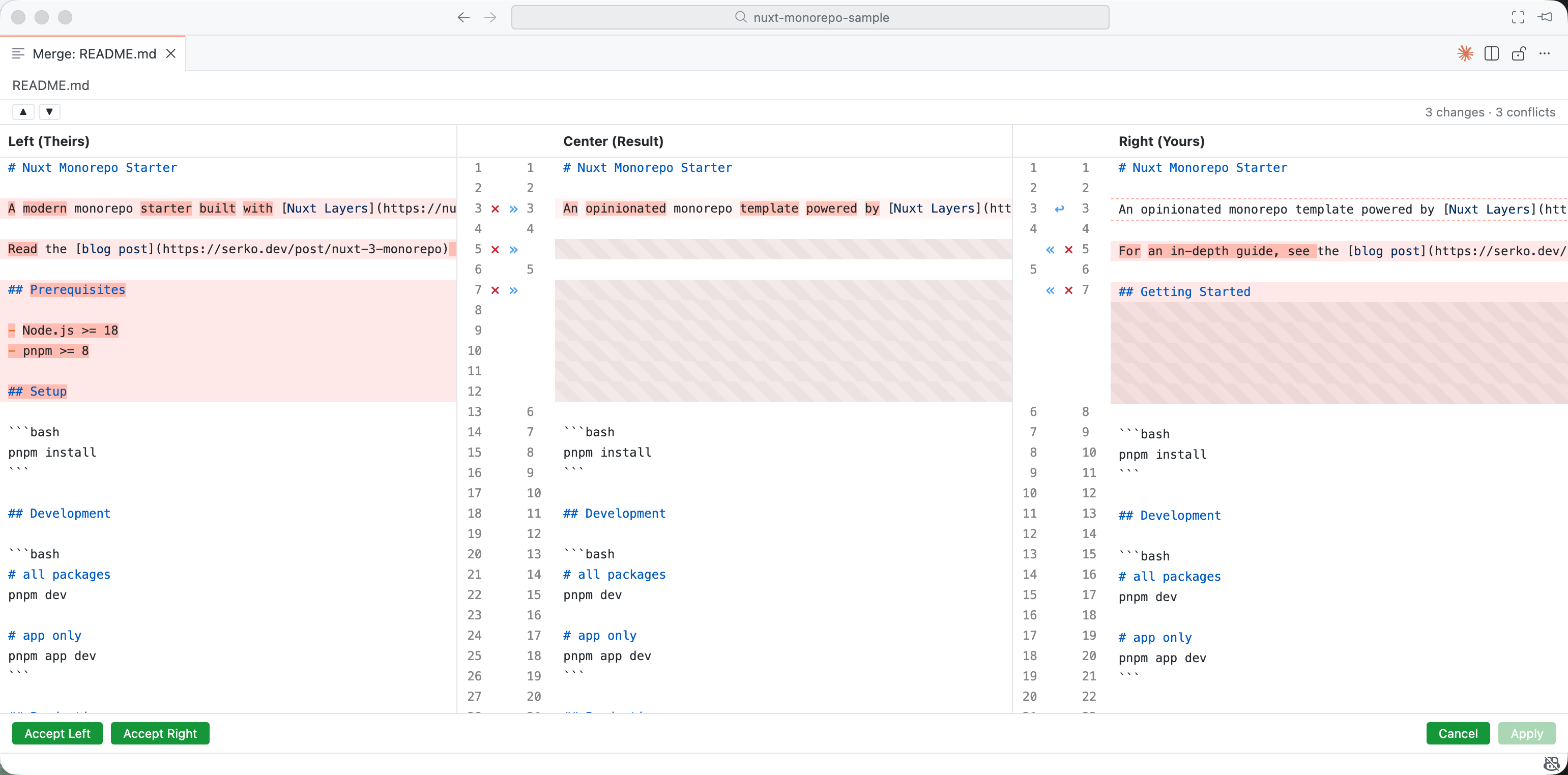
- Three-column layout: Theirs | Result | Yours
- Conflict highlighting with per-block action buttons
- Full syntax highlighting
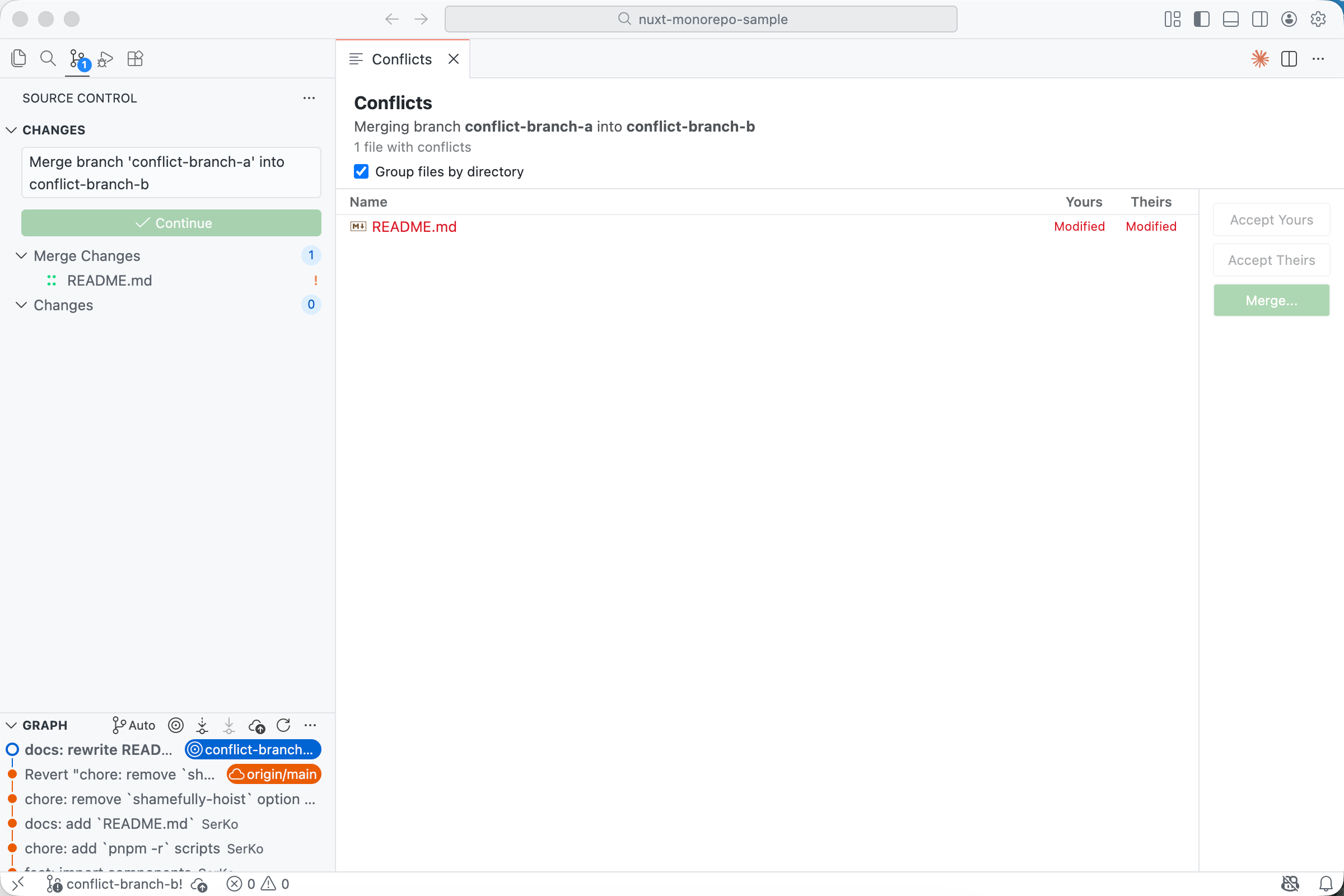
- Quick actions: Accept Yours / Accept Theirs / Merge
- Integration with VS Code Source Control panel
IDEA-style commit panel redesigned as VS Code-native Source Control layout:
- Collapsible sections — Changes, Shelf, and Stash as independent foldable cards
- Repo selector — switch between discovered repos from the toolbar
- Hover action buttons — stage/unstage and open file buttons appear on hover (like VS Code SCM)
- One-click stage all — plus/minus button in group headers
- Compact rows — 22px line height matching VS Code native
- Commit area pinned at bottom — always accessible while scrolling files
- Inline decorations — current line shows author · relative time · commit message
- Status bar — shows blame for the cursor line
- Hover tooltip — full commit details with author, date, and commit hash
- Smart repo matching — automatically finds the correct git repo for each file
- Uncommitted lines skipped — no blame shown for unstaged changes
Branch (right-click)
- Checkout
- New Branch from...
- Checkout and Rebase onto current
- Rebase current onto branch
- Merge into current
- Rename (local only)
- Delete (with force-delete fallback)
- Update (pull)
- Push
Commit (right-click)
- Copy Revision Number
- Cherry-Pick
- Checkout Revision
- Reset Current Branch to Here (Mixed/Soft/Hard)
- Revert Commit
- New Branch...
- New Tag...
Changed Files (right-click)
- Show Diff
- Edit Source
- Open Repository Version
- Revert Selected Changes
- Cherry-Pick Selected Changes
- Copy Path
- Copy File Name
From Marketplace:
Search for "JetGit" (ziop.jetgit) in VS Code Extensions.
From .vsix:
- Download the latest
.vsixfrom releases Cmd+Shift+P→ "Extensions: Install from VSIX..."
- VS Code 1.85.0+
- Git installed and in PATH
git clone https://github.com/wangpi26/jetbrains-git-graph.git
cd jetbrains-git-graph
pnpm install
cd webview && pnpm install && cd ..
Press F5 to launch Extension Development Host.
pnpm run watch          # Watch mode
pnpm run build          # Production build
pnpm run vsce:package # Package as .vsix- Original project: zhyc9de/jet-git
- Fork: aotemj/jetbrains-git-graph
- Enhanced & maintained by: ziop
- Icons: IntelliJ IDEA Icons (Apache 2.0)