Capture your expressions on any character of your choosing
This adds a Face Tracker tool, which contains a client websocket to the included Face Tracker websocket Python server.
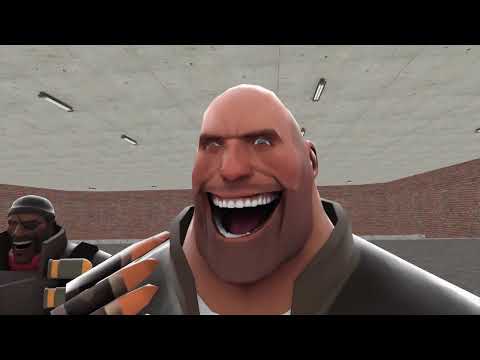
- Face pose capture
- Expression parsing with MathParser to map ARKit Blendshape values into facial flex values
- Preset saving and loading system to load settings across models with flex standards, such as FACS, ARKit, or HWM.
- Python 3.9 – 3.12
- MediaPipe only runs in these Python versions
- GWSockets by FredyH: the client version (rename the dll from gmsv to gmcl)
- This addon requires Visual C++ Redistributable 2017. See the above repository, which provides a link to the resource
- Webcam
- You may need to change your webcam's privacy settings so the Python server can access it
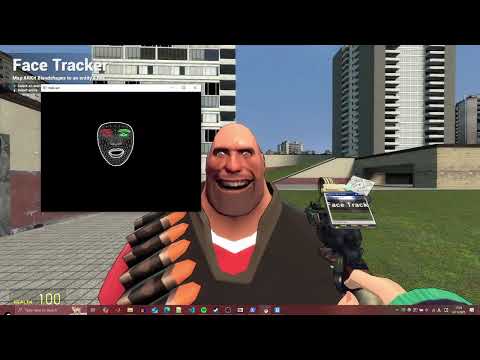
Follow the video tutorial. If the video doesn't load, you can follow the tutorial below instead.
Set up the server with steps 1 to 3. Once this is done, follow Steps 4 to 7 to use this tool.
- Download zip (click the <> Code button) (or
git clone) this repository into your GMod addons folder.- The path to this addon would end up like this:
garrysmod/addons/face-trackerorgarrysmod/addons/face-tracker-main
- The path to this addon would end up like this:
- Download the MediaPipe face landmarker model and install it in the
serverfolder- The
MODEL_PATHvariable inserver/gmod_facetracker.pymay be modified to accomodate for this location.
- The
- Open a terminal in the
serverfolder and runpip install requirements.txt - Ensure a webcam is plugged into your system. While the terminal from the last step is on, start the python server with
python.exe gmod_facetracker.py.- If the model has been installed in the correct location and the terminal runs from the same location, you should see a window of a black screen with the landmarked face. If this window freezes, don't worry about it, as it will run once the client websocket connects
- If you want to see your face in the window, find
image[:] = 0in thegmod_facetracker.pycode and comment that out:#image[:] = 0
- Go into a GMod map in Sandbox mode and in singleplayer, find Face Tracker tool under Pose tab, and click
Connect - If successful, the webcam window with the landmarked face will unfreeze. MediaPipe will be tracking your face!
- Follow the instructions to select an entity and load in a preset and play around... or make your own!
As far as I am aware, there only two cases of face motion capture in GMod: FlexPoser and GPoser. The former addon, however, is limited by the type of expressions one can make, and the facial motion capture only applies to a playermodel. While GPoser uses MediaPipe for both facial and body capture, it is also limited to the playermodel.
This addon addresses these two limitations with a customizable system for mapping ARKit blendshapes into facial flexes, and can extend to any entity. These ARKit blendshapes are obtained from the current state-of-the-art of face pose estimation, thanks to MediaPipe's Face Landmarker solution.
Naturally, as face pose capture implies acting performance capture abilities, this tool can be used to bake a facial performance into any GMod animation tool, particularly with Stop Motion Helper's Physics Recorder.
Despite outputting values from 52 ARKit blendshapes, only a few of them are unusable. tongueOut, and the noseSneer (left and right) blendshapes are one of those unusable values, as they are zeroed out. This unofficial issue on Google's MediaPipe repo summarizes some of these same problems with Blendshape Model V2.
This tool is limited to facial performance only. There are no plans to integrate MediaPipe's pose estimation solution (like in GPoser).
This tool has been tested in singleplayer. Although this tool may function in multiplayer, please expect bugs and report any that you observe in the issue tracker.
This tool was tested in a Windows-10 64 bit environment, in the 64-bit branch of GMod's x86/64 Chromium branch. Please let me know if you have tested this in other operating systems.
When making a pull request, make sure to confine to the style seen throughout. Try to add types for new functions or data structures. I used the default StyLua formatting style.