   _     _     __  __  ____  ____
  | |__ | |__ |  \/  |/ ___||  _ \
  | '_ \| '_ \| |\/| | |    | |_) |
  | | | | |_) | |  | | |___ |  __/
  |_| |_|_.__/|_|  |_|\____||_|
  Harbour's Reference Implementation
                      for MCP.
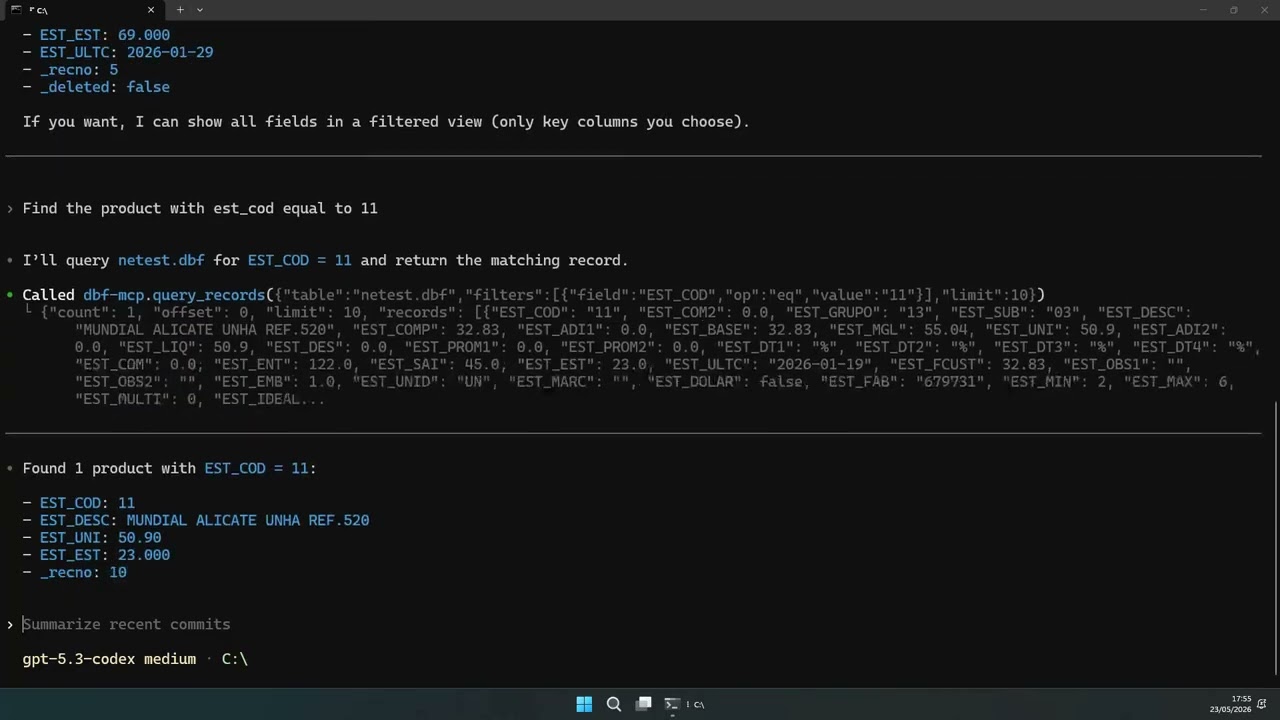
Watch the demo: https://youtu.be/WWVnEWFp_mU
Pure-Harbour library that turns any Harbour application into an MCP server (Model Context Protocol), exposing tools to LLM clients such as Claude Desktop, MCP Inspector, MCP-aware IDEs, etc.
- Language: Harbour 3.2-dev
- Transport: stdio (JSON-RPC 2.0, newline-delimited)
- Role: MCP server (exposes tools/resources)
- Platforms: Windows, Linux (hbmk2 cross-compile)
- Status: stable - lib + 6 didactic samples + tests passing, MT
hbmk2 hbmcp.hbpProduces hbmcp.lib (Windows MSVC) or libhbmcp.a (Linux/MinGW).
#include "hbmcp.ch"

PROCEDURE Main()

   MCPSetServerInfo( "my-app", "1.0.0" )            // server identity

   MCPRegisterTool( ;
      "sum", ;                                      // name
      "Adds two integers.", ;                       // description
      { ;
         "type"       => "object", ;                // JSON Schema
         "properties" => { ;
            "a" => { "type" => "integer" }, ;
            "b" => { "type" => "integer" } }, ;
         "required"   => { "a", "b" } }, ;
      {| hArgs | hb_NToS( hArgs[ "a" ] + hArgs[ "b" ] ) } )  // callback

   MCPRun()    // blocking stdin loop
   RETURN
Server build file (see samples/echo_server.hbp):
-incpath=../include
-L..
-lhbmcp
-mt
-gtcgi
-o${hb_name}

echo_server.prg
IMPORTANT:
-gtcgiis mandatory. Without it, Harbour attaches a windowed GT and breaks the MCP stdio transport.-mtis mandatory. The library callshb_threadStart/hb_mutexCreate. Single-thread builds will not link.
Linux/macOS:
printf '%s\n%s\n%s\n' \
  '{"jsonrpc":"2.0","id":1,"method":"initialize","params":{}}' \
  '{"jsonrpc":"2.0","id":2,"method":"tools/list"}' \
  '{"jsonrpc":"2.0","id":3,"method":"tools/call","params":{"name":"sum","arguments":{"a":40,"b":2}}}' \
  | ./samples/echo_server.exe
Windows (PowerShell):
@'
{"jsonrpc":"2.0","id":1,"method":"initialize","params":{}}
{"jsonrpc":"2.0","id":2,"method":"tools/list"}
{"jsonrpc":"2.0","id":3,"method":"tools/call","params":{"name":"sum","arguments":{"a":40,"b":2}}}
'@ | .\samples\echo_server.exe
Expected: 3 valid JSON-RPC responses (the last one carrying "text":"42").
Suggested reading order (details in samples/README.md):
| # | Sample | What it shows |
|---|---|---|
| 1 | echo_server |
Tool registration, JSON schema basics, minimal callback. |
| 2 | fs_tools |
Real I/O, optional args, enum in schema. |
| 3 | dbf_query |
DBF as data source (DbCreate/DbSkip/Eof), array-of-hash returns. |
| 4 | mini_erp |
Two related DBFs, aggregation, sort, date math. |
| 5 | slow_demo |
Deliberately slow tools to observe MT in action. |
| 6 | error_demo |
Crashing tools. Shows RTE trap + Clipper-style report. |
Every .prg opens with a narration block explaining what it teaches and
how to run it.
npx @modelcontextprotocol/inspector samples/echo_server.exeEdit %APPDATA%\Claude\claude_desktop_config.json (Windows) or
~/Library/Application Support/Claude/claude_desktop_config.json (macOS):
{
  "mcpServers": {
    "hbmcp-demo": {
      "command": "G:\\Projetos\\hbmcp\\samples\\echo_server.exe"
    }
  }
}
Restart Claude Desktop. The echo and sum tools become available in
the chat.
Add the server using Codex CLI:
codex mcp add hbmcp-demo --command "G:\\Projetos\\hbmcp\\samples\\echo_server.exe"
codex mcp list
Equivalent manual config (~/.codex/config.toml):
[mcp_servers.hbmcp-demo]
command = 'G:\Projetos\hbmcp\samples\echo_server.exe'For quick visual debugging of any sample server, use samples\inspect.bat.
It launches MCP Inspector and validates common prerequisites (.exe exists,
Node.js present, Node >= 18, npx available).
samples\inspect.bat echo_serverYou can pass the sample name with or without .exe.
hbmcp/
+-- hbmcp.hbp              # library build
+-- hbmcp.hbc              # component file (reserved for future use)
+-- include/hbmcp.ch       # public defines
+-- src/
|   +-- mcp_jsonrpc.prg    # JSON-RPC 2.0 parse/encode
|   +-- mcp_registry.prg   # tool registry
|   +-- mcp_protocol.prg   # initialize / tools / ping handlers
|   +-- mcp_server.prg     # public API + stdin loop
+-- samples/
|   +-- README.md          # didactic reading order
|   +-- compile_all.bat    # builds every .hbp in this folder
|   +-- echo_server.{prg,hbp}   # minimal MVP (echo, sum)
|   +-- fs_tools.{prg,hbp}      # I/O and schema enum
|   +-- dbf_query.{prg,hbp}     # DBF as data source
|   +-- mini_erp.{prg,hbp}      # ERP: customers + invoices
|   +-- slow_demo.{prg,hbp}     # MT demo (sleep / busy / tick)
|   +-- error_demo.{prg,hbp}    # RTE trap demo (Clipper-style report)
|   +-- inspect.bat        # MCP Inspector launcher
|   +-- data/              # DBFs generated at runtime
+-- tests_disabled/
|   +-- test_jsonrpc.prg (disabled)
|   +-- test_jsonrpc.hbp (disabled)
+-- plans/                 # implementation plans
| Function | Description |
|---|---|
MCPRegisterTool( cName, cDesc, hSchema, bCallback ) |
Register a tool. Callback receives hArgs and returns a value (string/hash/number/array), or a hash with a "content" key for a full MCP response. |
MCPSetServerInfo( cName, cVersion ) |
Sets the serverInfo returned in the initialize handshake. Defaults to "hbmcp" + library version. |
MCPRun() |
Blocking loop. Reads stdin line-by-line, dispatches JSON-RPC, writes stdout. |
MCPLog( nLevel, cMsg ) |
Structured log to stderr. Levels: MCP_LOG_DEBUG/INFO/WARN/ERROR. |
MCPSetLogLevel( nLevel ) |
Sets the minimum level. Returns the previous level. |
Implemented:
initialize+notifications/initializedhandshaketools/list,tools/callping- Standard JSON-RPC errors (-32700/-32600/-32601/-32602/-32603)
- Structured stderr logging (stdout reserved for the protocol)
Callback error trap:
- A crashing tool never brings the server down. The library wraps every
Eval(callback)inBEGIN SEQUENCE / RECOVER. - The response follows the MCP execution-failure shape:
result.isError = truewithcontent[0].textcarrying a multi-line, Clipper-style report (reconstructed expression, human description, arguments, stack with[lib]tag, Harbour error codes). Inspector and Claude Desktop render the full text in the tool result panel. - See
samples/error_demo.prgfor covered cases (undeclared variable, division by zero, array out of bounds, NIL arithmetic).
Concurrency:
- MT build (
-mt) is mandatory for the library and for every executable that links it. tools/callruns in its own thread (hb_threadStart). The stdin reader keeps servingping,tools/list, and newtools/callrequests. Responses may arrive out of order; the client correlates byid.mcp_writeLineandMCPLogare mutex-protected to prevent output interleaving.- Contract: call
MCPRegisterToolandMCPSetServerInfoonly BEFOREMCPRun. Callbacks must open and close their own DBF workareas - a workarea opened in thread A is invisible to thread B.
MIT. See LICENSE.