



Full terms: DISCLAIMER.md
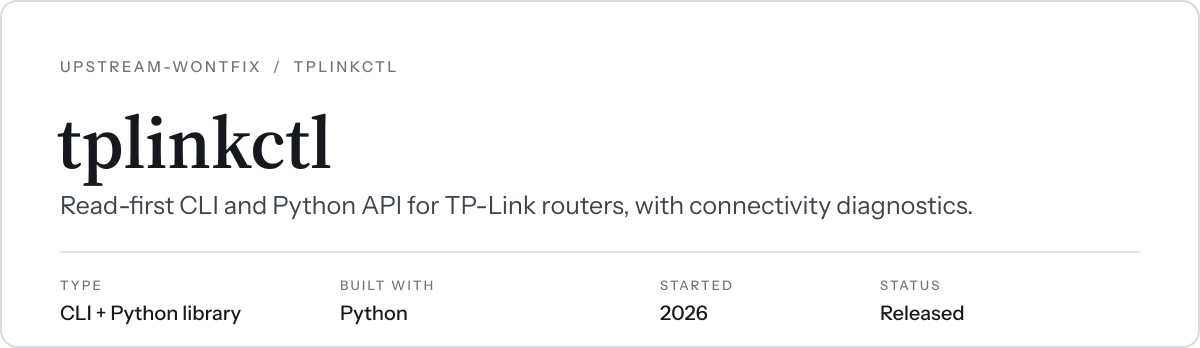
A read-first command-line tool and Python library for TP-Link routers, plus a
diagnose command that finds common reasons devices can't connect.
It's built on tplinkrouterc6u,
which handles the encrypted RSA/AES login for many TP-Link router families
(Archer C/AX series, Deco, MR/VR/EX, and others) but has no CLI. This project
adds:
- a CLI with table or JSON output
- password-file handling
- a guard against accidental writes
- raw endpoint access and endpoint discovery
- plain-English error messages
- the diagnosis checks
Tested on: Archer AX55 v1 (firmware 1.3.x). Other models may work but are untested.
From PyPI (the package is tplinkctl; the command it installs is tplink):
pipx install tplinkctl        # or: uv tool install tplinkctl
pip install tplinkctl         # as a library in an existing environment
From source:
git clone https://github.com/upstream-wontfix/tplinkctl && cd tplinkctl
uv tool install .             # or: pipx install .
Then store the router's admin password:
tplink set-password # stores the admin password in ~/.config/tplinkctl/password (mode 600)Optional config file at ~/.config/tplinkctl/config.ini:
[router]
host = 192.168.0.1
username = admin
; password_file = ~/.config/tplinkctl/password
; timeout = 30
; verify_ssl = true
The password is never accepted as a command-line flag. It comes from, in order:
$TPLINK_PASSWORD--password-file,$TPLINK_PASSWORD_FILE, orpassword_filein the config file~/.config/tplinkctl/password
The host can also be set with --host or $TPLINK_HOST.
- One session at a time. TP-Link routers allow one admin session, so every command, even a read, logs out anyone using the web UI.
- Login lockout. A wrong password counts toward the router's lockout, typically 10 attempts. The tool tells you how many attempts are left and never retries a failed login on its own.
- Writes. Only
write(orallow_write=Truein Python) can change settings. It asks for confirmation and refuses to run unattended without--yes.
tplink info                       # model, firmware, detected client type
tplink status                     # WAN/LAN/Wi-Fi summary
tplink devices                    # connected clients
tplink leases                     # DHCP leases
tplink reservations               # DHCP reservations
tplink arp --by-mac               # which MAC answers for which IPs
tplink wifi [--show-secrets]      # per-band Wi-Fi settings (passwords redacted by default)
tplink logs -n 100 --type DHCPC   # system log, filterable (--level, --grep)
tplink diagnose [-v] [--probe-dns] [--save snap.json]
tplink diagnose --from snap.json  # re-check a saved snapshot offline
tplink snapshot -o snap.json      # everything diagnose reads, as JSON (secrets redacted)
tplink endpoints --grep wireless  # list every settings endpoint the web UI uses (no login)
tplink read 'admin/dhcps?form=setting'
tplink read 'admin/syslog?form=log' --op load
tplink write 'admin/...' --op write key=value   # the only command that changes anything
Notes:
- Add
--jsonto any command for machine-readable output. - Options can go before or after the command.
--debugshows the raw error behind a friendly message.diagnoseexits with code 1 if it finds any errors, so it works in scripts or cron.
| Check | Example finding |
|---|---|
| ARP hoarding | 00-00-5E-00-53-01 claims 118 IPs: one machine answering for many addresses, so new devices reject their DHCP address |
| Address conflicts | 192.168.0.120 is leased to 00-00-5E-00-53-10 but answered by 00-00-5E-00-53-01 |
| DHCP pool usage | free vs. leased/reserved/in-use addresses; static IPs sitting inside the pool |
| DHCP server | disabled |
| Access Control | allowlist mode (blocks every new device) or blocked devices |
| Parental Controls | devices under time limits |
| Wi-Fi schedule | radios turned off on a schedule |
| Wi-Fi security | band disabled, hidden SSID, WPA3-only, WPA2/WPA3 mixed mode |
| DNS | DHCP hands out a LAN host as DNS (single point of failure); --probe-dns tests that it answers |
| IP-MAC binding | binding enabled |
| WAN | no internet address |
| Router log | warning/error entries |
- Placeholder 6 GHz band. Some dual-band routers (seen on the Archer AX55)
return a 6 GHz Wi-Fi configuration even though they have no 6 GHz radio. When
the router's status shows the band is absent,
tplink wifidrops it and prints a note to stderr.diagnosereports it as an informational note, not as a disabled band. In JSON output it is listed underignored_bands. - Endpoint names vary by model and firmware. Raw endpoint features
(
read,write,arp,logs,wifi, mostdiagnosechecks) work on the LuCI-style web UI used by Archer models. Runtplink endpointsto see what your router exposes. The typed commands (info,status,devices,leases,reservations) work on every client type the underlying library supports.
from tplinkctl import Router, resolve_settings, collect, diagnose

with Router.from_settings(resolve_settings()) as r:   # same config/password resolution as the CLI
    print(r.firmware())
    for d in r.devices():
        print(d["hostname"], d["ipaddr"], d["macaddr"])
    print(r.read("admin/dhcps?form=setting"))
    for f in diagnose(collect(r)):
        print(f.severity, f.title)

# Writes must be explicit:
#   r.request("admin/...", op="write", params={...}, allow_write=True)
# Without allow_write=True this raises WriteNotAllowed.
All methods return plain JSON-serialisable data. Failures raise RouterError.
str(e) gives a short explanation, and e.raw holds the original exception.
uv venv .venv && uv pip install --python .venv/bin/python -e '.[dev]'
.venv/bin/pytestCopyright (C) 2026 Amol Venkataraman.
This program is free software: you can redistribute it and/or modify it under the terms of the GNU General Public License as published by the Free Software Foundation, either version 3 of the License, or (at your option) any later version. It is distributed WITHOUT ANY WARRANTY; without even the implied warranty of MERCHANTABILITY or FITNESS FOR A PARTICULAR PURPOSE. See LICENSE and DISCLAIMER.md.
Not affiliated with or endorsed by TP-Link. TP-Link and Archer are trademarks of their respective owners.