Marketplace — is an extensible one-click modules and themes installer with command line and Magento backend interfaces. It allows to add unlimited number of custom software update channels and install modules and themes from any third-party vendor including official Magento Marketplace.
composer require swissup/module-marketplace
bin/magento setup:upgrade-
Activate update channel and enter access keys:
bin/magento marketplace:channel:enable
bin/magento marketplace:auth:key:add <channel>
Use
marketplace:channel:listto see the registered channels, andmarketplace:auth:show/marketplace:auth:checkto inspect and verify the stored credentials. -
Install the package(s) you need:
# Download and enable module:
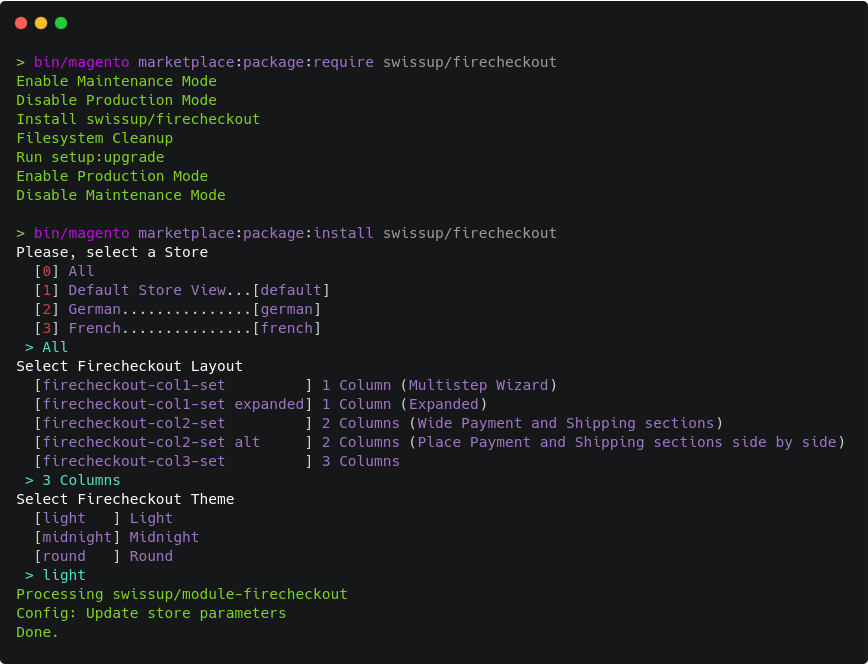
bin/magento marketplace:require <package/name>
# Run one-click installer (if module provides it):
bin/magento marketplace:install <package/name>
-
That's all. Check your store frontend now!
Some modules requires additional configuration after installation. Please refer to the module documentation.
Composer is never executed from the backend - running it through Magento is not reliable. Instead, the backend shows the command to copy and run in your terminal. The one-click installer does not use composer and is still available right in the backend.
Channels and access keys are managed from the command line only - see Command line interface above.
-
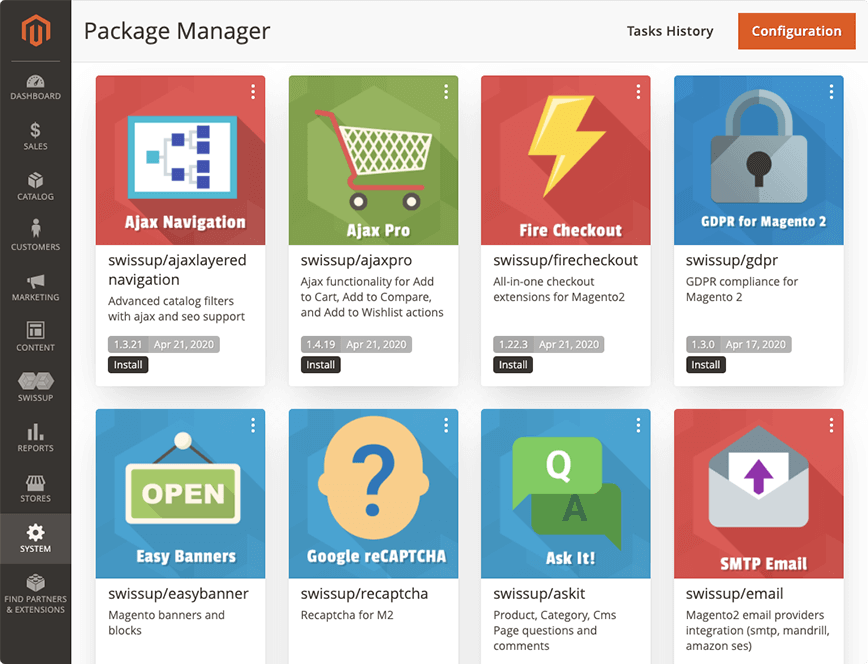
Navigate to System > Tools > Marketplace page.
-
Search for the module you'd like to install, and press Install button. Copy the suggested command and run it:
bin/magento marketplace:require <package/name>
-
Reload the page and press Run Installer button, if the module provides a one-click installer.
-
That's all. Check your store frontend now!
Some modules requires additional configuration after installation. Please refer to the module documentation.
One-click installer is registered with etc/marketplace/installer.xml file.
See following examples:
Yes. But via CLI only.
Yes. But via CLI only. Here is an example:
# 1. Add your private repository to the composer.json
composer config repositories.<id> vcs https://github.com/repo/url.git

# 2. Setup auth data. Get token at https://github.com/settings/tokens/new?scopes=repo
bin/magento marketplace:auth github-oauth.github.com <token>

# 3. Use marketplace to download the module and run installer (if any)
bin/magento marketplace:require <package/name>
bin/magento marketplace:install <package/name>