



Getting Started | Config | Hooks | Browser Automation | Testing | API & Server
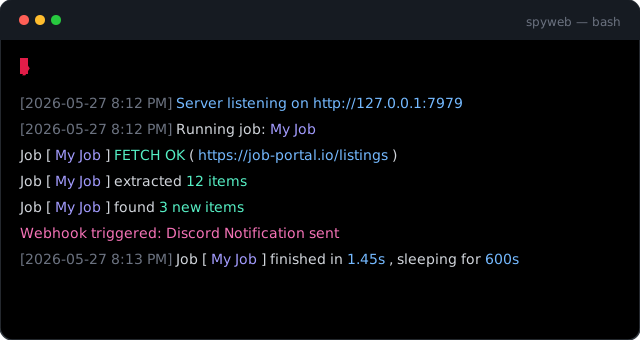
SpyWeb is a zero-dependency web scraping & monitoring automation engine built for speed, efficiency and simplicity. Track listings, job boards, classifieds, price drops, restocks, public records, and anything that lives on an HTML page with simple TOML configs. Inject custom Lua logic for advanced workflows, and receive real-time alerts via desktop or webhooks, all packaged as two self-contained binaries (~8MB) that use under 10MB of RAM at idle.
UPTYME - a full production app running entirely on the SpyWeb engine: self-hosted website/API uptime monitoring with alerts, public status pages, and multi-location consensus. Vue/TypeScript dashboard.
Live demo (API key:
demo)
[[jobs]]
name = "HN Front Page"
url = "https://news.ycombinator.com"
selector = ".athing"
fields = ["title:.titleline > a", "link:.titleline > a@href"]
keywords = ["rust", "linux", "open source"]
See the Job Configuration docs for every option.
| Feature | Description |
|---|---|
| Zero Dependencies | ~8MB self-contained binary. Completely portable, no runtime required. |
| Scheduler | Interval-based job scheduling - enable a job and SpyWeb loops it at its configured interval. |
| Lua Scripting | 10 hook stages plus persistent Lua storage for counters, cursors, and shared state. |
| Hot Reload | Save a config or Lua script and SpyWeb respawns the job instantly. |
| Internal DB | Choice of KV (redb, default) or SQL (SQLite, queryable) backends for storage and deduplication. |
| Dual Binary | Choice of a headless CLI or a silent system tray app for background runs. |
| Concurrency | Async-first engine; slow proxies or large jobs never block others. |
| Fault Tolerant | Lua hook errors are caught and logged without stopping the job, preventing process crashes. |
| Hybrid Engine | Falls back to a spec-compliant DOM parser for broken or complex HTML. |
| CDP Automation | Launch or connect to any Chromium browser for JS rendering, clicking, waiting, screenshots. |
| Alerting | Integrated desktop notifications and customizable webhooks for monitoring. |
| Lua Testing | Co-located test_* functions run in fresh Lua VMs with isolated temporary databases. |
| Pipeline Telemetry | Stage-by-stage tracking of execution time, memory usage, and active browsers. |
| Multi-Worker | Per-job concurrency with URL queue mode and shared Lua state. |
| Programmable API Server | Lua-defined REST endpoints at /api/v/* via server/init.lua. |
Download the latest archive from the Release Page and extract it. Two variants are available - KV (redb, default) and SQL (SQLite, queryable). See Getting Started for details and File Structure for what every file does.
Or download via terminal:
To get the SQL version, append
-sqlto the download URL (e.g.https://dl.spyweb.app/linux-sql).
# Linux
curl -L -o spyweb.tar.gz https://dl.spyweb.app/linux && tar -xf spyweb.tar.gz && rm spyweb.tar.gz

# macOS (Intel)
curl -L -o spyweb.tar.gz https://dl.spyweb.app/mac-intel && tar -xf spyweb.tar.gz && rm spyweb.tar.gz

# macOS (Apple Silicon)
curl -L -o spyweb.tar.gz https://dl.spyweb.app/mac-arm && tar -xf spyweb.tar.gz && rm spyweb.tar.gz

# Windows (CMD, Windows 10 or later)
curl -L -o spyweb.tar.gz https://dl.spyweb.app/windows && tar -xf spyweb.tar.gz && del spyweb.tar.gz

# Windows (PowerShell)
Invoke-WebRequest -Uri https://dl.spyweb.app/windows -OutFile spyweb.tar.gz; tar -xf spyweb.tar.gz; Remove-Item spyweb.tar.gz
spyweb/
├── spyweb           # Terminal executable
├── spyweb-tray      # Background tray executable
├── data             # Internal database file (Created on first run)
├── ui/              # Dashboard UI files (Required for web dashboard)
├── jobs.toml        # Single-file config for simple jobs (Optional)
├── jobs/            # Folder for advanced per-job configs (Optional)
├── docs/            # Offline documentation (Safe to delete)
└── examples/        # Sample configurations and Lua hooks (Safe to delete)
SpyWeb ships as two separate binaries to provide the best experience for your environment:
Best for headless servers, VPS, and cloud environments. Runs in the terminal and outputs real-time logs for monitoring and debugging.
./spyweb startPress Ctrl+C or send SIGTERM to quit - SpyWeb shuts down gracefully: jobs stop first, browsers close, then the database is checkpointed.
Best for desktop use. Runs in the background without a terminal window and provides quick access via a system tray icon.
# Windows
spyweb-tray.exe
Right-click the tray icon to open the web UI or quit the app.
A typical workflow is to use the Terminal Version for your initial setup, debugging Lua hooks, and verifying selectors. Once you are happy with the results, switch to the Tray Version to let it run silently in the background without cluttering your taskbar or terminal.
Both binaries serve the admin dashboard at http://127.0.0.1:7979 and will loop each enabled job at its configured interval.
Tip: You can customize the port with
--portor theSPYWEB_PORTenvironment variable:
# Linux / macOS
./spyweb start --port 9000

# Or:
SPYWEB_PORT=9000 ./spyweb start

# Windows (PowerShell)
.\spyweb.exe start --port 9000

# Or:
$env:SPYWEB_PORT=9000; .\spyweb.exe start
Other useful flags:
-q/-qq- reduce log output (warnings / errors only), or setSPYWEB_LOGtoinfo,warn, orerror--no-server(orSPYWEB_DISABLE_SERVER) - run scraping/monitoring only, without the dashboard/API
./spyweb check [config|update]       # Health check or targeted validation
./spyweb version                     # Print version and active engine
./spyweb types                       # Generate Lua LSP type definitions
./spyweb update [--check|--force|--keep [suffix]|--overwrite]  # Self-update
./spyweb profile <check|list> [job]  # Browser profile status
./spyweb profile clear <target>      # Wipe a profile (cookies/cache, keeps directory)
./spyweb profile delete <target>     # Delete a profile directory entirely
./spyweb test [<job> [<pattern>]]    # Run Lua tests (`spyweb test server` for the API suite)
./spyweb debug "<job>"               # Run a single job with debug output
See CLI & Operations for the full reference.
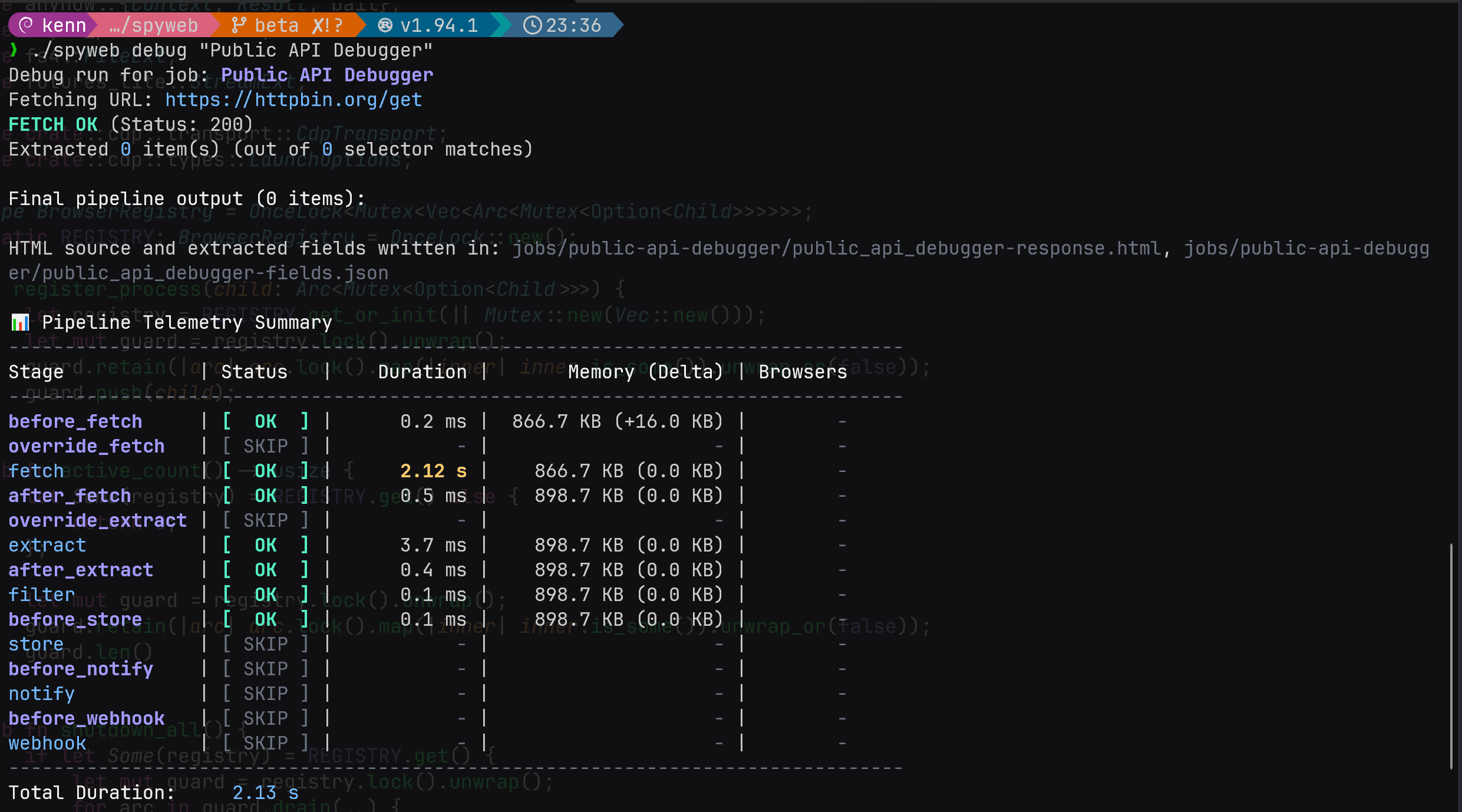
Place a hooks.lua next to your config to customize the pipeline. SpyWeb provides persistent storage to track state (like page numbers or failure counts) across restarts. For multi-worker jobs, define on_finished() to run logic after all workers complete each iteration - see the Hook Reference for all 10 stages, the lifecycle order, and the multi-worker docs for details.
store_get/set/delete(key): Scoped to the individual job. Safe for standard logic because hooks for a single job are sequential.global_store_incr(key, default, delta): Atomic. Use this when you need to mutate shared state across multiple jobs simultaneously to avoid race conditions.global_store_get/set/delete(key): Shared across all jobs.
See Storage for the full reference.
function before_fetch(request)
    local page = tonumber(store_get("page") or "1")

    if page > 100 then
        log("[!] Page limit reached")
        return nil
    end

    request.url = request.url .. "?page=" .. page
    store_set("page", tostring(page + 1))

    return request
end
Check the Examples for more Lua hook examples.
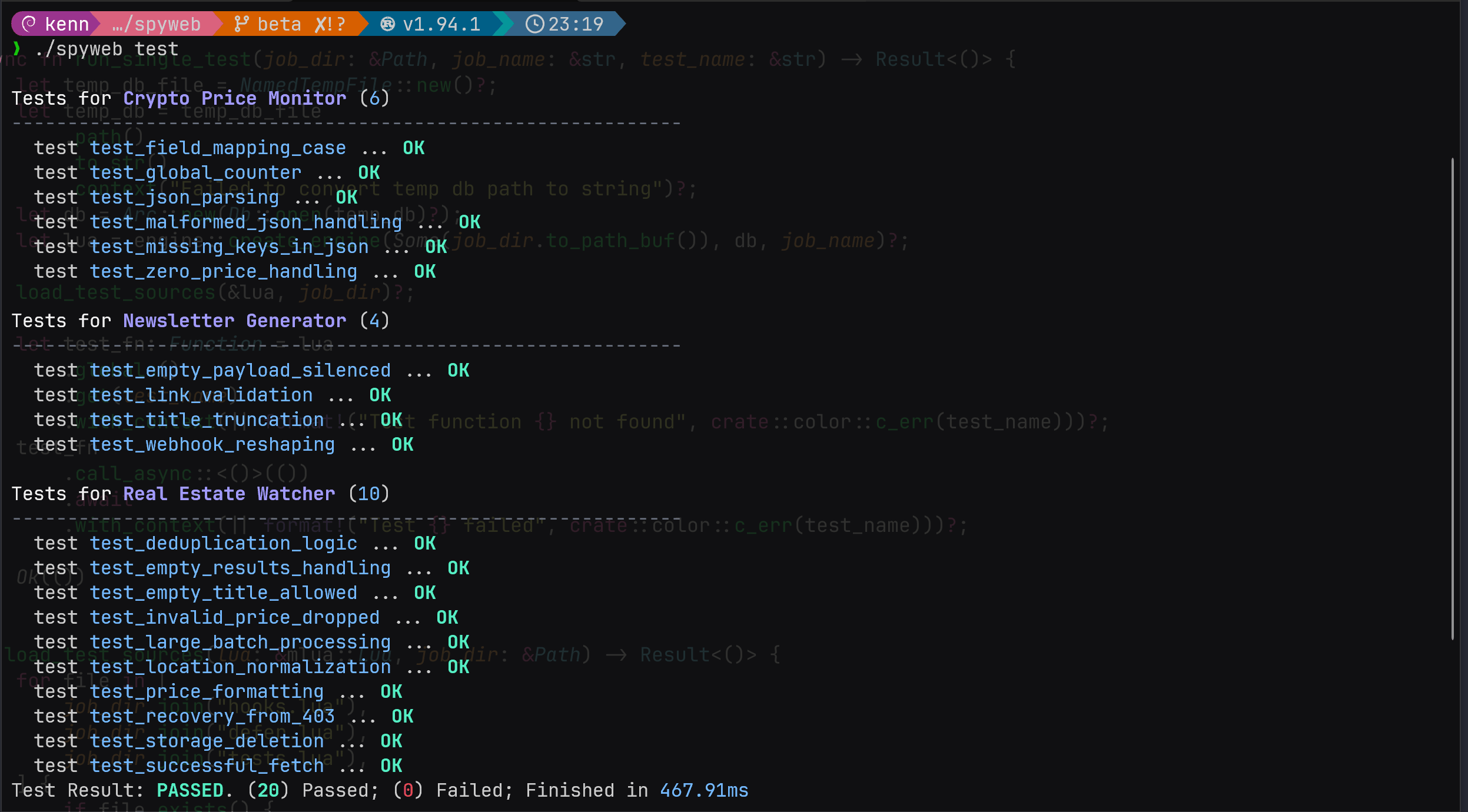
SpyWeb supports co-located Lua tests for jobs. Define global functions that start with test_ in hooks.lua or tests.lua, and run them with the spyweb test command.
Tests run in isolated Lua VMs with temporary databases, so global state and database changes do not leak between cases. The programmable API server has its own suite - spyweb test server auto-starts the server on a random port, runs the tests against it, and shuts it down when done.
See the Lua Testing docs for the full testing workflow, file layout, and examples.
SpyWeb does not bundle a browser. Instead, the built-in CDP module launches or connects to a Chromium-based or CDP-compatible browser already installed on your system (Chrome, Edge, Brave, Lightpanda, etc.) and controls it via the Chrome DevTools Protocol, all from your Lua hooks.
function override_fetch(request)
    local browser = cdp.launch({})
    defer(function() browser:close() end)

    local page = browser:attach()
    page:open(request.url)
    page:wait_for_selector(".dynamic-content", 10000)
    return { status = 200, body = page:content(), url = request.url }
end
See the Browser Automation docs for the full API - browser management, page navigation, click/wait/inject, cookies, screenshots, and a complete hybrid-recovery pattern that falls back to a visual browser on bot detection.
Beyond the built-in dashboard and JSON API, SpyWeb serves custom Lua-defined REST endpoints at /api/v/* via server/init.lua - define routes, handlers, and public (keyless) endpoints entirely in Lua. Build dashboards, integrations, or health endpoints on top of your scraping data.
The server runs alongside the engine by default; use --no-server (or SPYWEB_DISABLE_SERVER) for scraping-only mode.
See REST API & Custom Server for route definitions, authentication, and deployment.
- Do not hammer sites: Set a reasonable, modest
intervalin your configurations. Scraping a page every 5 seconds is almost never necessary and costs the site owner money. Furthermore, aggressive abuse is the fastest way to get your connection throttled, flagged, or permanently IP banned. - Respect resources: If you are monitoring a small independent site, be extra gentle with your request frequency.
- Honor the web: SpyWeb is a tool built for personal monitoring and automation; it is not a weapon for Denial of Service or aggressive data harvesting. Be modest when scraping.
See Sandboxing & Security for how SpyWeb isolates Lua scripts and filesystem access.
Dual-licensed under MIT or Apache-2.0.