



I listen to musicforprogramming.net while I work, and the mix always lived in a browser tab - one to lose among thirty others, or close along with the window. So this is the player I wanted instead: a daemon that owns the audio and outlives every client, a key for everything and a subcommand behind every key, a cached catalog, and a Herdr plugin, because that is where I spend the day.
All credit for the music and the curation goes to the people behind the site. This is an unofficial, independent client, not affiliated with or endorsed by musicforprogramming.net.
curl -fsSL https://pivoshenko.dev/mfp.sh | shbrew install pivoshenko/tap/musicforprogrammingRequires a Rust toolchain matching rust-toolchain.toml (stable, 1.96+), and libasound2-dev on Linux.
cargo install --path crates/mfp-daemon
cargo install --path crates/mfp-tui
Both binaries must be on PATH: mfp autostarts mfp-daemon when nothing is listening on the socket, looking for it beside itself and then on PATH. $MFP_DAEMON overrides that.

plugins/herdr/mfp.player is a Herdr plugin that opens the interface as a pane and puts the transport on actions.
herdr plugin install pivoshenko/musicforprogramming/plugins/herdr/mfp.playerEach action runs the player's own CLI and then reports where it left it, so a keypress is answered without opening anything: one key plays or stops, others move between episodes or say what is playing. See the plugin's own README for what it provides and for the keybindings to copy, which a plugin cannot ship itself.
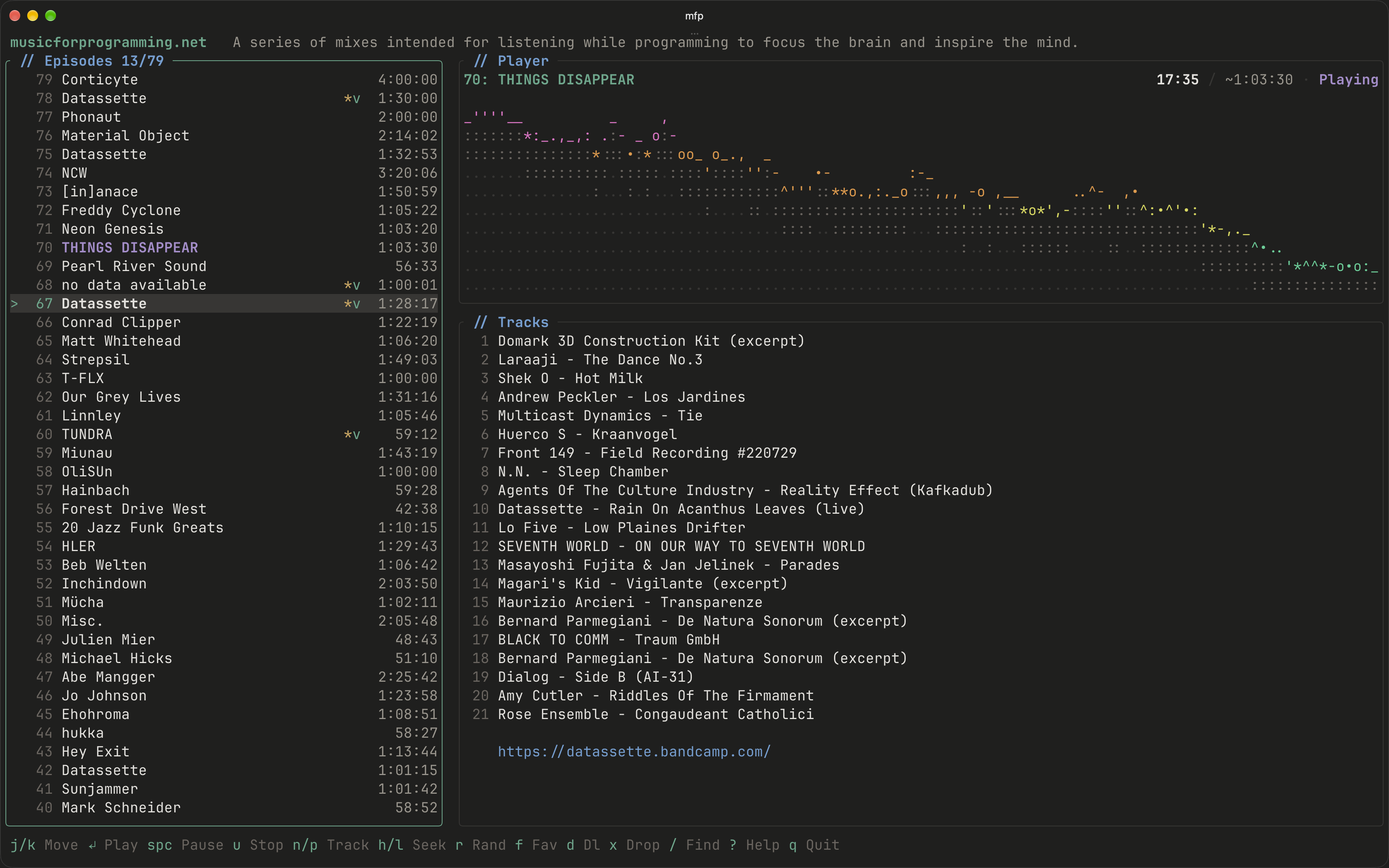
Run mfp with no arguments for the TUI and with a subcommand it prints one line and exits, so it composes with anything:
mfp play
mfp toggle
mfp next / mfp prev
mfp seek +30
mfp download <slug>
mfp list --json
mfp status --json
mfp shutdown
Exit codes: 0 ok, 1 the daemon rejected the command, 2 usage error, 3 the daemon was unreachable.
mfp self update          # replace both binaries with the latest release
mfp self update --check  # report whether one exists, install nothing
mfp self update --json   # the same as a document
self update downloads the release archive for this target, verifies it against the release's
checksums.txt, and replaces mfp and mfp-daemon as a pair. It refuses when Homebrew or cargo
installed this copy, naming the command that belongs to that install instead. The running daemon is
left alone - it outlives every client on purpose - so mfp shutdown is what restarts it on the new
version.
Once a day, in the background, mfp asks GitHub what the latest release is and records the answer
under ~/.cache/mfp. A later run mentions it: on stderr after a subcommand, and in the header of the
interface. MFP_NO_UPDATE_CHECK=1 turns the check and the notice off.
| Key | Action |
|---|---|
space |
Play / pause |
u |
Stop |
n / p |
Next / previous episode |
h / l |
Seek back / forward |
H / L |
Seek back / forward, longer |
j / k |
Move the selection |
g / G |
Jump to the top / bottom |
ctrl+d / ctrl+u |
Half-page down / up |
r |
Play a random episode |
f |
Favourite the selection |
d / x |
Download / delete the selection |
/ |
Search |
? |
Help |
q |
Quit the player, stopping it |
ctrl+c |
Leave it, keep playing |
config.toml is optional - every setting has a default, and a missing file is not an error. A file that exists but does not parse is.
# Seconds the daemon may idle with nothing playing, nothing downloading, and no client
# attached before it exits. Omitted, it idles indefinitely
idle_timeout_secs = 900

# Downloads that may transfer at once; the rest queue
max_concurrent_downloads = 2| What | Where | Override |
|---|---|---|
config.toml |
~/.config/mfp |
$MFP_CONFIG_DIR |
| Catalog cache, audio, update check | ~/.cache/mfp |
$MFP_CACHE_DIR |
state.json and daemon.log |
~/.local/state/mfp |
$MFP_STATE_DIR |
| Daemon socket | $XDG_RUNTIME_DIR/mfp/daemon.sock, else $TMPDIR/mfp-$UID/daemon.sock |
$MFP_SOCKET |