Astro integration that adds Vite DevTools
to astro dev, with Astro-specific panels and a read-only
MCP endpoint for coding agents.
Warning
This package is experimental; expect breaking changes in any release.
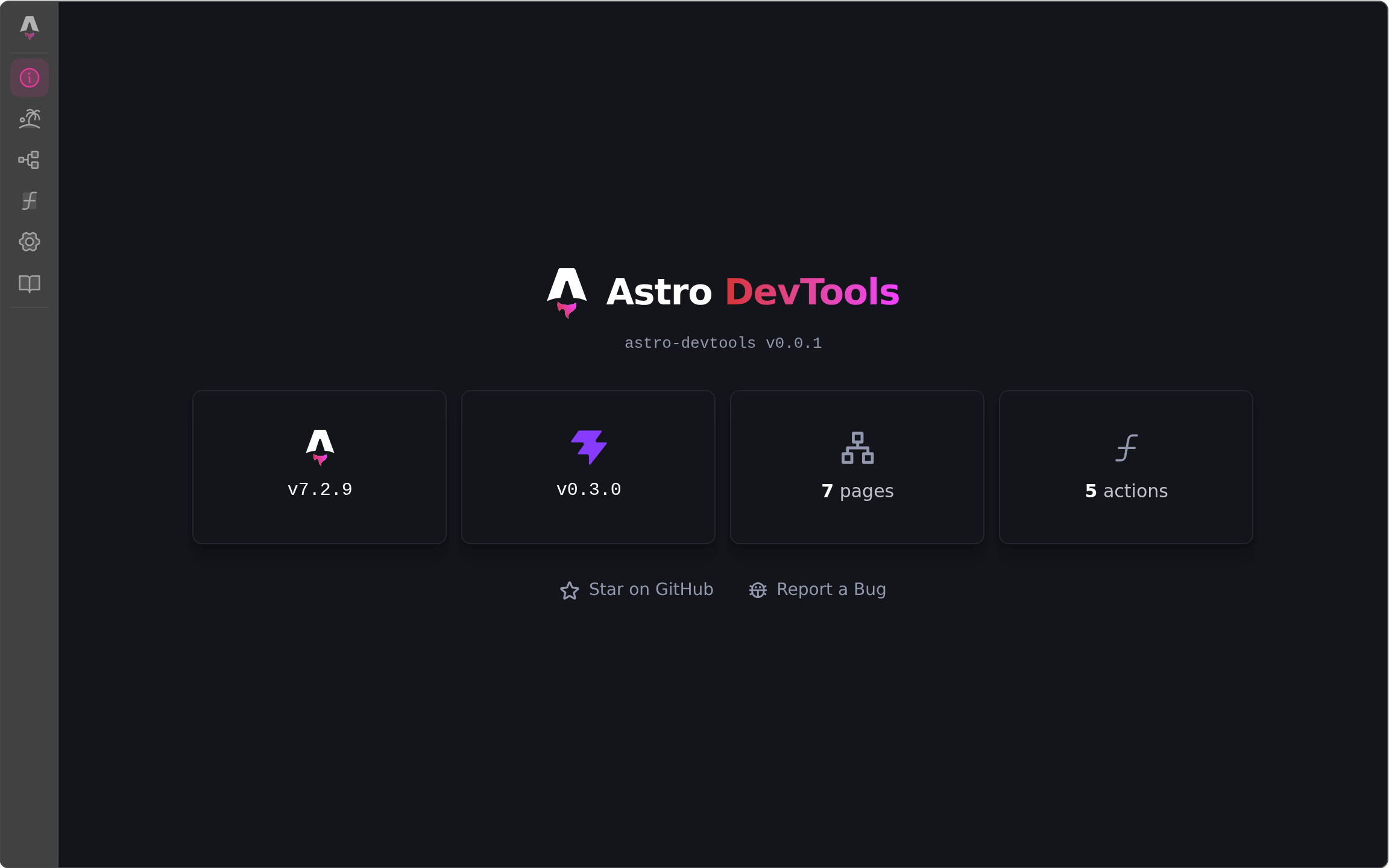
While astro dev runs, you get:
- An Astro dock group with six entries:
- Overview — versions and live project stats, with links to the other panels
- Islands — the client islands on the current page (directive, props, hydration state) with on-page highlighting and open-in-editor, plus server islands that are still pending or failed
- Routes — every resolved route and how
astro builddelivers it - Actions — the project's Astro Actions, callable from a
schema-generated form (raw JSON is used when fields can't be generated;
actions with
Fileinputs can't be called) - Config — a read-only summary of the resolved Astro config
- Docs — docs.astro.build, embedded next to your running app
- An MCP endpoint on the dev server exposing routes, actions, and project metadata to coding agents, with an installable Agent Skill that teaches them to use it.
pnpm add -D astro-devtools @vitejs/devtools// astro.config.mjs
import { defineConfig } from "astro/config";
import astroDevtools from "astro-devtools";
export default defineConfig({
integrations: [astroDevtools()],
});Requires Astro 7 on Vite 8.3 or newer — Astro 7 itself also accepts Vite
8.0–8.2, where the integration logs an error and leaves the dock off. Vite
registers Vite DevTools from its own devtools option, which the
integration configures for you, and loads @vitejs/devtools from your
project, so it has to be a direct dependency there rather than one of this
package. The other peer dependency, @vitejs/devtools-kit, only provides
types (see Extending); add it as well if your package manager
does not install peers automatically.
DevTools can reach your dev server, filesystem, and terminals, so each browser needs a one-time authorization: open the dock and, when it asks for a code, enter the six-digit one the dev server prints.
Every option is optional — astroDevtools() alone uses the defaults below.
- Type:
boolean - Default:
true
Inject the embedded dock into every page during astro dev. Set to false
to only use the standalone UI at /__devtools/.
- Type:
boolean - Default: unset — served on loopback hosts only
Mount an MCP endpoint with read-only Astro project queries. The endpoint is unauthenticated, so what an unset option means depends on the address the dev server binds to: see MCP endpoint for the three settings.
// Standalone UI only, no MCP endpoint.
astroDevtools({ inject: false, mcp: false });The DevTools host itself — the dock, branding, client authentication — is
configured through Vite's own
devtools option, set
under vite in the Astro config. See the Vite and
Vite DevTools docs for what it accepts.
export default defineConfig({
  integrations: [astroDevtools()],
  vite: {
    devtools: { embeddedVisibility: "passive" },
  },
});
Whatever you set there wins; the integration only fills in what you leave unset:
apply: "serve"mcp: false— the DevTools hub's own MCP route, not the integration'smcpoption (see MCP endpoint)- the Astro DevTools
branding(name, logo, accent color), merged field by field beneath yours - a
bannerthat prints the one-time access code through Astro's logger
vite: { devtools: false } turns the DevTools host off, dock included; the
MCP endpoint keeps working without it. Registering DevTools() from
@vitejs/devtools in vite.plugins yourself is not supported: Vite would
register DevTools twice. The integration then warns and leaves
vite.devtools untouched, so none of the defaults above apply.
Point an MCP client at /__astro-devtools/__mcp on the dev server's
origin — http://localhost:4321/__astro-devtools/__mcp on Astro's default
port (Streamable HTTP; discoverable via
/__astro-devtools/__connection.json). It gets three read-only tools
answering with data only the running dev server has:
astro-devtools_overview_get, astro-devtools_routes_list, and
astro-devtools_actions_list.
When developing this repository, start the playground dev server, then run
vp run inspect in another terminal to open the
MCP Inspector web UI
with http://localhost:4321/__astro-devtools/__mcp as its Streamable HTTP
target. The task uses @modelcontextprotocol/inspector@latest, so there is
no pinned Inspector version to update. If the dev server uses a different
port, change the server URL in the Inspector UI.
The endpoint has no authentication or origin checks: native MCP clients
send no Origin header and cannot complete the interactive one-time-code
flow. Anyone who can reach the dev server's address can therefore run the
(read-only) tools. The endpoint shares Astro's bind address, so the
mcp option gates it by host:
- unset — served only while the server binds to a loopback host; under
--host(or any other non-loopbackserver.host) the integration disables the endpoint and logs why mcp: true— served on every host, with a warning logged on a non-loopback onemcp: false— off everywhere
This is the only MCP endpoint the dev server serves: the integration
sets mcp: false in vite.devtools so the DevTools hub's own aggregate
route (/__devtools/__mcp) stays off. That route would otherwise be
mounted automatically, and expose every tool the hub knows (terminals
included) without authentication to any page on a loopback origin, or any
local process that sends such an Origin header. Setting mcp to anything
but false in vite.devtools yourself turns it back on.
Coding agents can install the repository's Agent Skill, which teaches them to find the MCP endpoint, call its tools with or without an MCP client, read the answers, and troubleshoot the integration:
npx skills add morinokami/astro-devtools --skill astro-devtoolsAny Vite plugin with a
devtools.setup hook can
put a panel next to the built-in ones; from an Astro integration, inject
it with updateConfig({ vite: { plugins: [...] } }). To join the Astro
dock group, use the id exported from astro-devtools/kit:
import { ASTRO_DOCK_GROUP_ID, type PluginWithDevTools } from "astro-devtools/kit";

const plugin: PluginWithDevTools = {
  name: "my-extension",
  devtools: {
    setup(context) {
      const renderer = context.createJsonRenderer({
        root: "root",
        elements: {
          root: { type: "Text", props: { text: "Hello!", variant: "heading" } },
        },
      });
      context.docks.register({
        id: "my-extension:hello", // convention: "<package>:<entry>"
        title: "Hello",
        icon: "ph:puzzle-piece-duotone",
        type: "json-render",
        view: renderer.view,
        groupId: ASTRO_DOCK_GROUP_ID, // omit for a top-level entry
      });
    },
  },
};
json-render panels are described entirely on the server and validated at
dev-server boot; to ship your own UI, register a type: "iframe" entry
instead (see the Kit's
dock system docs).
The PluginWithDevTools type is re-exported from the
@vitejs/devtools-kit installed in your project (a peer dependency, like
@vitejs/devtools itself), not from a copy pinned by this package, so
extensions type-check against the same kit version that serves your dock.
A complete example with e2e coverage:
playground/devtools-extension.ts.
MIT