I wrote this AWS Lambda-based script to manage my Powerwalls with a bit more fine-grained control than what the Tesla app offers. Because of my power company's higher export rate that I've locked into for 10 years (10.45c/kWh), and the low cost of off-peak electricity on my current plan (5.23c/kWh), I can leverage this arbitrage to use my system to my cost-advantage to only use the Powerwalls during peak time (peak shaving) and use solar/grid at all other times.
I accept the fact that this is not the most environmentally friendly option; one with solar+storage should probably aim to be as self-reliant as possible. But I'm tired of the monopoly of the power companies with their less than desirable renewable energy stance when they don't control it, so I'm leveraging this loophole to recoup my investment sooner.
Tesla's app doesn't have a mode that suits my needs - namely - only use the Powerwall during peak times. It does have some advanced time-of-use (TOU) settings (which this script actually utilizes), but they don't go far enough. Using Tesla's out-of-the-box TOU control, my Powerwalls still get used overnight, on weekends and on power company holidays. Thus, this script provides the following improvements:
- Leverages Tesla's TOU settings to change the battery reserve to a reasonable value at peak time, and 100% at all other times
- Configurable reserve during peak time
- Notifications of failures to adjust reserve
- Holiday support where holidays are off-peak all day
First you'll want to head over to your Tesla app and configure Advanced Time-based control, editing the Price Schedule to properly reflect your peak period. This script currently uses Tesla's peak period setup and therefore only works with a single Peak period.
If you don't already have an Amazon Web Services cloud account, sign-up for one. This script will run free for the first year, and be pennies (if that) per month afterwards.
If you want to toy with this locally, you'll need to install the following:
- Docker
- AWS CLI
- AWS SAM CLI
- Node v14
- Any other associated requirements for the tools above
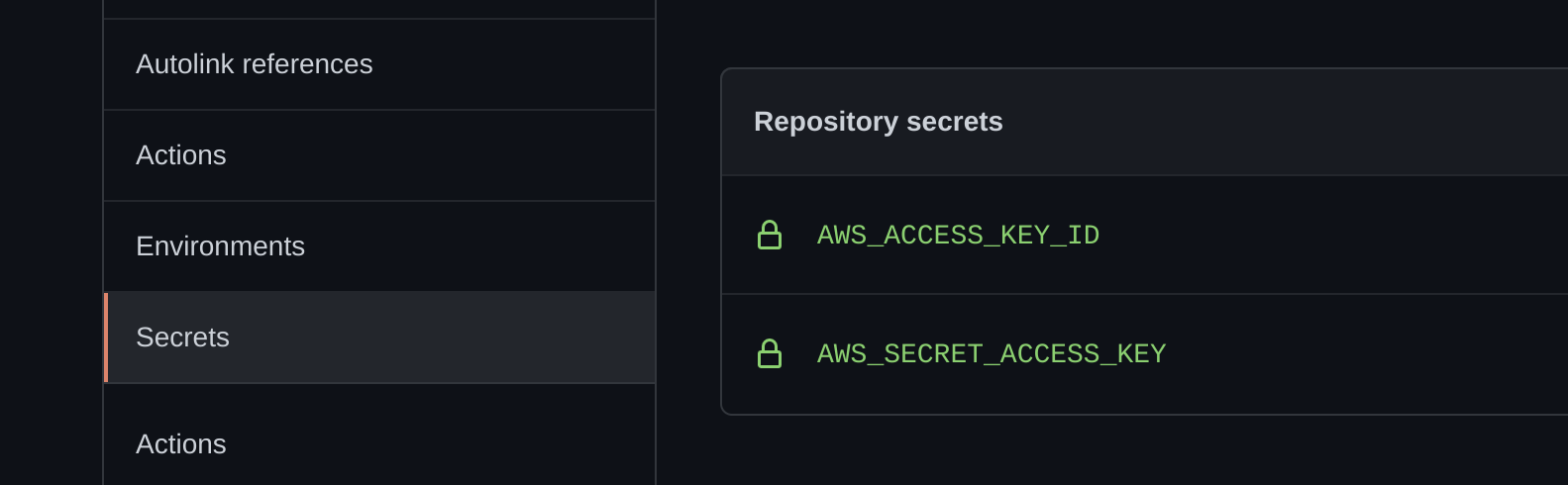
This script uses Github actions to deploy to AWS, the only thing you need to do is log into the AWS Console and generate an access key and secret key and store those in your Secrets in Github.
You'll also want to update the samconfig.toml and change the parameter overrides as necessary. Once the script successfully deploys, you can begin remote configuration. View the output from the deploy in Github actions to see the AWS API Gateway endpoint in the npm run deploy step.
Use a tool like httpie (used below) or cURL to remotely call the login endpoint. This is the bare minimum for this to simply start working.
$ http POST http://endpoint.execute-api.us-east-1.amazonaws.com/login username=AzureDiamond@gmail.com password=hunter2 mfaPassCode=000000The default Peak Reserve is set to 20% during peak time. If you'd like to change that, a simple API call can adjust that like so:
$ http POST https://endpoint.execute-api.us-east-1.amazonaws.com/settings/reserve PeakReserve=30If you'd like to get an email notification if the script fails to adjust the peak reserve, you'll want to call this API endpoint to subscribe to the notification topic. Be sure to check your email afterwards to confirm the subscription. Note that if something causes the adjustment to fail, and it's not a temporary failure, you'll receive an email alert every 15 minutes when it continues to try.
$ http POST https://endpoint.execute-api.us-east-1.amazonaws.com/settings/notify email=AzureDiamond@gmail.comIf you'd like to configure/add holidays where the entire day is off-peak, you can add them like so:
$ http POST https://endpoint.execute-api.us-east-1.amazonaws.com/settings/holiday holiday:='["2021-07-04", "2021-09-06", "2021-11-11", "2021-11-25", "2021-12-25"]'If you accidentally add a holiday you want to remove, it's easy as well:
$ http POST https://endpoint.execute-api.us-east-1.amazonaws.com/settings/holiday holiday:='["2021-12-25"]' remove:=trueYou can view individual settings by doing a GET call to the setting's endpoint, or you can get all settings like so:
$ http https://endpoint.execute-api.us-east-1.amazonaws.com/settings/all