
A Custom TextView with trim text
allprojects {
  repositories {
    ...
    maven { url 'https://jitpack.io' }
  }
}

dependencies {
  implementation 'com.github.lmy4080:ReadMoreTextView:1.0.0'
}
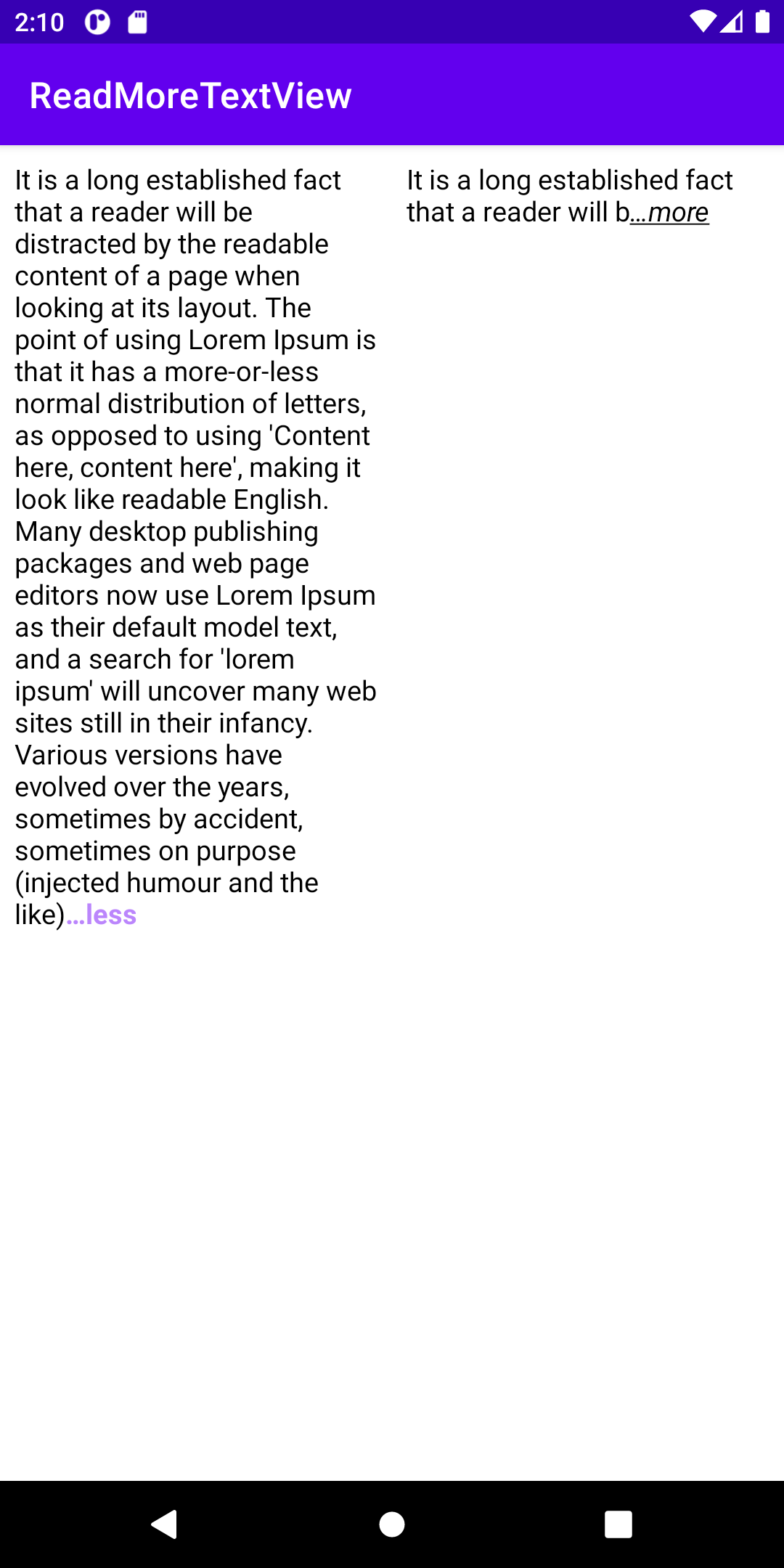
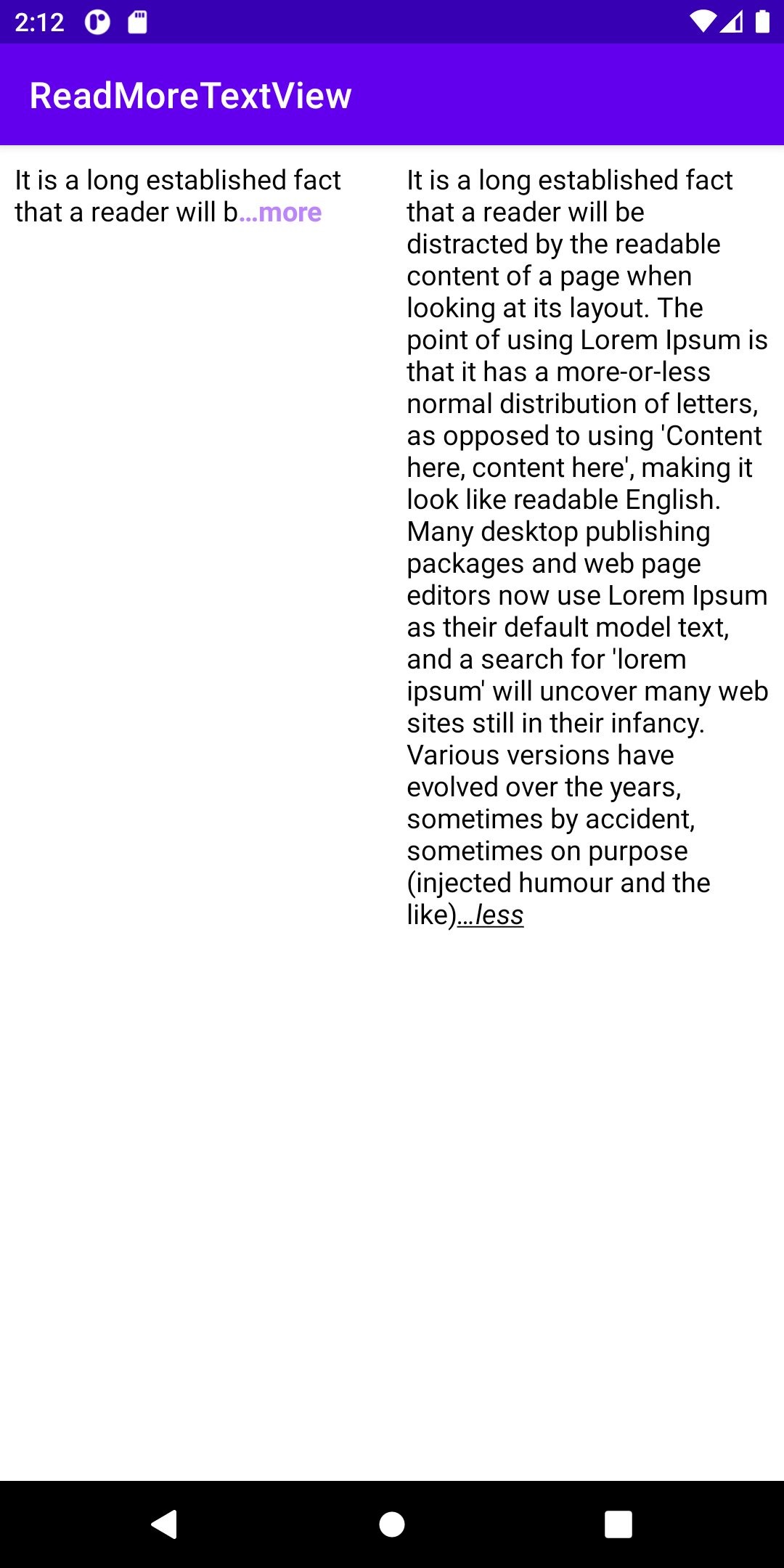
To use the ReadMoreTextView on your app, add the following code to your layout:
<com.lmy.readmore_textview.ReadMoreTextView
        android:layout_width="match_parent"
        android:layout_height="match_parent"
        app:suffixMoreText="@string/moreText"
        app:suffixLessText="@string/lessText"
        app:textColor="@color/purple_200"
        app:suffixTextStyle="bold"
        app:isUnderLine="false"
        app:collapsedMaxLine="2"
        app:isCollapsed="false"/>
You can customize ReadMoreTextView with:
- app:suffixMoreText: Text that appears when the view is collapsed.
- app:suffixLessText: Text that appears when the view is expanded.
- app:suffixTextStyle: TextStyle of both suffixMoreText and suffixLessText
- app:textColor: TextColor of both suffixMoreText and suffixLessText
- app:collapsedMaxLine: MaxLine when the view is collapsed
- app:isUnderLine: Set whether to underline
- app:isCollapsed: Set the default state
You can observe state change using listener
private val longText: String = "It is a long established fact that a reader will be distracted by the readable content of a page when looking at its layout. The point of using Lorem Ipsum is that it has a more-or-less normal distribution of letters, as opposed to using 'Content here, content here', making it look like readable English. Many desktop publishing packages and web page editors now use Lorem Ipsum as their default model text, and a search for 'lorem ipsum' will uncover many web sites still in their infancy. Various versions have evolved over the years, sometimes by accident, sometimes on purpose (injected humour and the like)"

readMoreTextView.setupText(longText)
readMoreTextView.setOnChangeListener(object: ReadMoreTextView.ChangeListener {
            override fun onStateChanged(state: ReadMoreTextView.State) {
                when(state) {
                    ReadMoreTextView.State.COLLAPSED -> {
                        // Todo
                    }
                    ReadMoreTextView.State.EXPANDED -> {
                        // Todo
                    }
                }
            }
})Copyright 2022 MinYoung Lee
Licensed under the Apache License, Version 2.0 (the "License");
you may not use this file except in compliance with the License.
You may obtain a copy of the License at
http://www.apache.org/licenses/LICENSE-2.0
Unless required by applicable law or agreed to in writing, software
distributed under the License is distributed on an "AS IS" BASIS,
WITHOUT WARRANTIES OR CONDITIONS OF ANY KIND, either express or implied.
See the License for the specific language governing permissions and
limitations under the License.