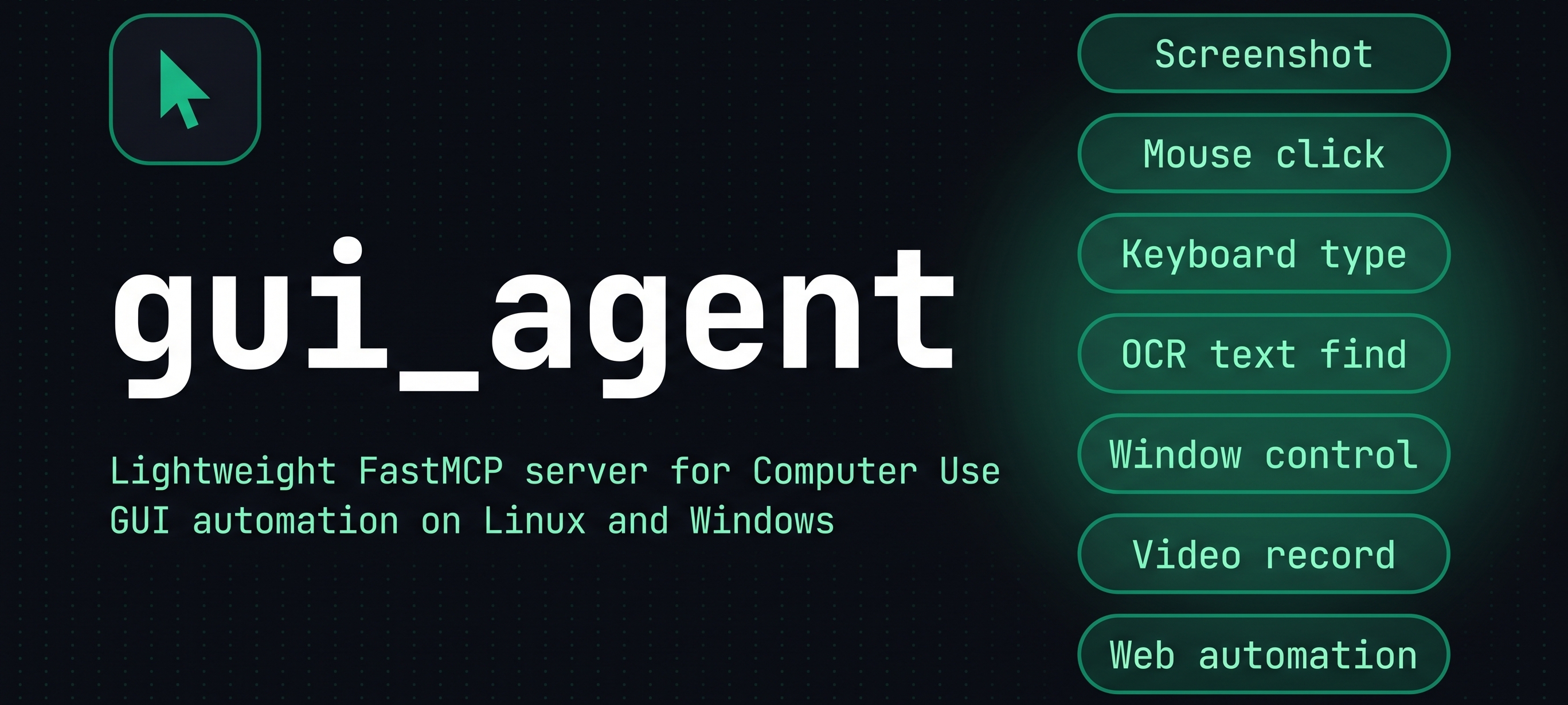

Monolithic FastMCP Server for Linux & Windows Desktop Computer Use








Autonomous AI agents interacting with modern graphical user interfaces are frequently burdened by fragmented architectures, high latency, and fragile computer vision loops. Traditional automation setups force models to perceive operating systems exclusively through repetitive raster screenshots, incurring prohibitive round-trip times (RTT) of 2 to 5 seconds per motor action. This reductionist approach causes severe spatial misalignments under fractional scaling, loses transient UI components like disappearing toasts or click-away menus, and quickly exhausts context windows with redundant image payloads.
gui-agent redefines desktop interaction by aligning agent decisions with the actual ontology of modern operating systems: structured processes in RAM, accessibility trees (AT-SPI2 / D-Bus), window compositors (X11 / Wayland), and kernel event subsystems (uinput, evdev). Built on two foundational pillars—Progressive Escalation (L3/L2/L1) and the CodeAct Local REPL Engine—the server enables models to actuate targets in RAM within 50 ms via native Rust mediation (gui-agent-atspi), fallback to local RapidOCR or calibrated Cartesian grids when needed, and execute entire multi-step action sequences locally in host memory with sub-5ms latency.
Operating through a single, resilient standard input/output (stdio) FastMCP connection, gui-agent functions with a lean baseline memory footprint below 50 MB RAM, fully preserving dual-core host responsiveness without external cloud vision dependencies or persistent background daemons. Platform implementations reside in dedicated, sealed root directories (linux/, windows/, macos/) with dynamic XDG Base Directory path resolution, zero hardcoded user paths, and full continuous screen video recording preservation (gui_start_video_recording, gui_stop_video_recording) for deterministic auditing.

The table below outlines the Target Architecture v1.0 (15 unified primitives) specifying the target contract across the modular roadmap, alongside the active MCP tools currently exposed by the Linux runtime under their operational gui_* and AT-SPI2 namespaces.
| Tool Name | Domain | Description | Status |
|---|---|---|---|
execute_action_batch |
 |
Executes local Python/Bash scripts with preloaded mcp_core (Open Interpreter model), running multi-action batches without RTT (Phase 2). |
 |
process_run |
 |
Spawns interactive shell commands via PTY to inject credentials and bypass Polkit/sudo security dialogs (Phase 3). | |
process_list |
|
Inspects the /proc filesystem in read-only mode to probe active processes without altering desktop state (Phase 3). |
|
activate_window |
|
Switches focus at the display compositor level using unique Window IDs (active runtime alias: gui_window_focus). |
|
get_app_state |
 |
Inspects the AT-SPI2 accessibility tree via native Rust mediation (gui-agent-atspi) directly in RAM. |
 |
perform_action |
|
Triggers semantic actions directly in RAM via D-Bus IPC in sub-50ms without physical pointer movements. | |
set_value |
|
Mutates text or numerical values directly into component memory variables without physical keystrokes. | |
find_text |
 |
Discovers on-screen text coordinates via local OCR without sending image payloads (active runtime alias: gui_find_text). |
|
screen_capture |
 |
Captures raw framebuffer with calibrated Cartesian grid overlays for opaque surfaces (active runtime alias: gui_take_screenshot). |
|
mouse_click_at |
|
Injects physical mouse click events (left, right, middle, double) at target (x, y) coordinates (active runtime alias: gui_mouse_click). |
|
mouse_drag_smooth |
|
Dispatches continuous kinematic mouse trajectory interpolation to overcome UI drag thresholds (active runtime alias: gui_mouse_drag). |
|
mouse_scroll |
|
Executes hardware wheel scrolls to materialize virtualized DOM elements (active runtime alias: gui_mouse_scroll). |
|
key_tap |
|
Injects standard keystrokes, navigation hotkeys, and chord combinations (active runtime aliases: gui_keyboard_press, gui_keyboard_type). |
|
gui_start_video_recording |
 |
Starts background low-overhead screen video recording via FFmpeg (x11grab / H.264 ultrafast). |
|
gui_stop_video_recording |
|
Cleanly halts the active FFmpeg recording, flushes the MP4 container, and prevents descriptor leaks. | |
gui-agent operates as a closed-loop Computer Use bridge between frontier LLM reasoning engines and the host operating system, combining semantic RAM actuation, local script execution, and visual-motor feedback.

- Pillar I : Progressive Escalation & Layered Actuation: Rather than enforcing a single interaction mode, the architecture prioritizes cognitive and execution efficiency across layered stages: Level L3 accesses the OS accessibility tree (AT-SPI2 / D-Bus via the compiled Rust mediator
gui-agent-atspi) directly in RAM for deterministic sub-50ms actuation with zero image tokens; Level L2 runs decoupled local OCR (RapidOCR/Tesseract) on typography without model inference overhead; Level L1 operates as the ultimate hardware safety net using calibrated Cartesian grid screenshots with native input dispatchers (with direct kerneluinput/evdevdrivers scheduled on the roadmap); and an interactive PTY shell layer provides seamless handling of privileged commands. - Pillar II : High-Efficiency Execution Architecture: Paving the way to eliminate multi-turn network round-trip time (RTT) latency, the project architecture designs an isolated local execution environment (
execute_action_batchviacore/repl.py). Models will project multi-step inspection and action logic directly as Python code executed in host memory via the unifiedmcp_coreSDK. Complex condition checking, kinematic drag calculations, and dynamic polling resolve in a single cognitive round-trip with sub-5ms execution speed and less than 15 MB RAM consumption (slated for Phase 2 roadmap). - Sub-second Screen Ingestion & Cartesian Grid Overlay: When an agent requests visual state via
gui_take_screenshot, the server captures the raw framebuffer through MSS, with automatic fallback to KDE Spectacle or Scrot on XWayland surfaces. The engine overlays a millimeter Cartesian coordinate grid with adaptive contrast-buffered labels at configurable intervals (e.g., 100px), allowing models to infer target coordinates with mathematical certainty. - Dual Coordinate Normalization Engine: The server accepts coordinates in either absolute physical pixels
(x, y)or normalized ratios[0, 1000]across any display geometry or multi-monitor setup. An automatic converter handles boundary clamping, DPI scaling, and coordinate translation transparently. - Native OS Input & Window Dispatcher: Keystrokes, hotkeys, mouse clicks, and drag operations are routed through low-latency native drivers (
xdotoolandpython-xlibunder Linux, Win32 API under Windows). Humanized delays and micro-jitter emulate natural user interaction. Window management commands (wmctrl/xprop) inspect and manipulate window states without window manager locks. - Local Vision, OCR & Playwright Automation: Template matching (
cv2.matchTemplate) enables robust icon detection even under theme variations. Text discovery combines Tesseract OCR with RapidOCR ONNX fallback. Web automation leverages Playwright to inspect ARIA trees and manipulate DOM nodes directly without visual ambiguity.
The codebase organizes platform implementations into dedicated root directories with zero hardcoded filesystem paths:
linux/: Complete Linux implementation featuring the core server (server.py), native Rust AT-SPI2 / D-Bus mediator (linux/crates/atspi_mediatorcompiled togui-agent-atspi), automated install/uninstall scripts (install.sh,uninstall.sh), dedicated tests and examples, and dynamic XDG Base Directory path resolution (paths.py).windows/: Dedicated Windows directory (install.ps1,uninstall.ps1, native UI Automation backend in active development).macos/: Dedicated macOS directory reserved for upcoming NSAccessibility and Quartz Event Taps implementations. All runtime paths—including screenshots ($XDG_CACHE_HOME/gui-agent/screenshotsorGUI_AGENT_SCREENSHOTS_DIR), persistent continuous video captures ($XDG_CACHE_HOME/gui-agent/videosorGUI_AGENT_VIDEOS_DIR), and data storage ($XDG_DATA_HOME/gui-agent)—are resolved dynamically at runtime.
For detailed OS-specific instructions, troubleshooting matrices, and offline setups, see the Detailed Installation Guide (INSTALL.md).
Run the automated installer to check dependencies, install Astral uv, build the native Rust mediator, and register the MCP server:
# Download and execute the automated installer via curl
curl -fsSL https://raw.githubusercontent.com/leandre755/gui_agent/7a49514/linux/install.sh | bash

# Or execute locally from a cloned repository
./linux/install.shLaunch PowerShell (standard user or administrator) and execute the automated setup script:
# Download and execute the installation script
Invoke-WebRequest -Uri "https://raw.githubusercontent.com/leandre755/gui_agent/7a49514/windows/install.ps1" -OutFile "install.ps1"
powershell -ExecutionPolicy Bypass -File .\install.ps1

# Or execute locally from a cloned repository
.\windows\install.ps1 -LocalInstall gui-agent directly into an isolated environment with global CLI entrypoints:
# Install from PyPI
uv tool install gui-agent

# Or install from GitHub repository
uv tool install "git+https://github.com/leandre755/gui_agent.git"

# Upgrade to latest release
uv tool upgrade gui-agentUnder Linux, install the native window management, OCR, multimedia, AT-SPI accessibility, and Rust build libraries:
# Debian / Ubuntu / Linux Mint
sudo apt-get update && sudo apt-get install -y \
  xdotool wmctrl spectacle ffmpeg xclip tesseract-ocr libgl1 libatspi-dev cargo rustc

# Fedora / RHEL
sudo dnf install -y \
  xdotool wmctrl spectacle ffmpeg xclip tesseract libglvnd-glx at-spi2-core-devel cargo rust

# Arch Linux / Manjaro
sudo pacman -S --needed \
  xdotool wmctrl spectacle ffmpeg xclip tesseract at-spi2-core cargo rust
Register the server with Claude Code CLI in a single command:
# If installed via uv tool
claude mcp add gui-agent -- gui-agent

# Direct on-the-fly execution via uvx (zero pre-installation)
claude mcp add gui-agent -- uvx --from gui-agent gui-agentAdd the server definition to your Antigravity global MCP configuration:
- Linux / macOS:
~/.gemini/config/mcp_config.json - Windows:
%USERPROFILE%\.gemini\config\mcp_config.json
{
  "mcpServers": {
    "gui-agent": {
      "command": "gui-agent",
      "args": [],
      "env": {
        "DISPLAY": ":0"
      }
    }
  }
}
(Note: The alias binary mcp-gui-server can also be used as the command target).
Add the following entry to your Cursor mcp.json (~/.cursor/mcp.json or .vscode/mcp.json):
{
  "mcpServers": {
    "gui-agent": {
      "command": "uvx",
      "args": ["--from", "gui-agent", "gui-agent"]
    }
  }
}
 Target Architecture v1.0 Primitives (13 tools)
Executes multi-step Python or Bash action blocks directly in host memory with preloaded mcp_core SDK (Open Interpreter paradigm), eliminating network RTT.
- Parameters:
language(str, default"python"): Execution runtime environment ("python"or"bash").code(str): Multi-step script containing conditional logic, loops, and rapid polling routines.timeout(float, default30.0): Execution deadline in seconds before terminating the runner process.
- Returns:
dictcontaining executionstatus, capturedstdout,stderr, and executionelapsed_seconds.
Executes shell commands in a pseudo-terminal (PTY) session, allowing credential injection to bypass security modals.
- Parameters:
command(str|list[str]): Command line string or argument list to execute.background(bool, defaultFalse): Spawns detached in background (True) or waits synchronously (False).sudo_password(str | None, defaultNone): Password injected into PTYstdinfor Polkit/sudo escalation.
- Returns:
dictcontaining executionstatus, exit codereturncode,stdout, andstderr.
Inspects the /proc filesystem in read-only mode to probe active desktop processes and hierarchy without mutation.
- Parameters: None.
- Returns:
list[dict]containing active system process entries withpid,name, and status metadata.
Switches desktop focus directly at the display compositor level using unique Window IDs, avoiding PID collision (active alias: gui_window_focus).
- Parameters:
window_id(str|int): Target compositor Window ID to raise and focus.
- Returns:
dictcontaining operationstatusand confirmed active window identifier.
Inspects the accessibility tree via native Rust mediation (gui-agent-atspi) directly in RAM with zero image tokens.
- Parameters:
include_screenshot(bool, defaultFalse): Attaches an optional visual framebuffer capture.
- Returns:
dictcontaining structured tree nodes, numericelement_index, bounds, states, andsnapshot_id.
Invokes semantic actions directly in target application memory via D-Bus IPC in sub-50ms without pointer motion.
- Parameters:
element_id(str|int): Node identifier or cache index from the activesnapshot_id.action(str, default"activate"): Semantic action name ("activate","click","press").
- Returns:
dictcontaining executionstatus, target identifier, and action verification response.
Mutates text or numerical values directly into component memory variables without emitting physical keystrokes.
- Parameters:
element_id(str|int): Target editable field or widget identifier.value(str): Text or numerical value to assign directly into component memory.
- Returns:
dictcontaining mutationstatus, target identifier, and assigned value confirmation.
Discovers on-screen text coordinates via decoupled local OCR engines (RapidOCR / Tesseract; active alias: gui_find_text).
- Parameters:
text(str): Target text string to identify across the desktop screen.confidence(float, default0.85): Minimum detection confidence score (0.0 to 1.0).
- Returns:
dictcontaining detected text centroid{"x": int, "y": int}, bounding box, and matchconfidence.
Captures the raw display framebuffer with an optional calibrated Cartesian coordinate grid overlay (active alias: gui_take_screenshot).
- Parameters:
show_grid(bool, defaultTrue): Overlays a Cartesian coordinate grid with adaptive contrast labels.grid_step(int, default100): Pixel distance between coordinate grid lines (minimum 20px).output_path(str | None, defaultNone): Output destination path with atomic reservation protection.
- Returns:
dictcontaining resolvedscreenshot_path, image dimensions, format, and grid status.
Injects physical mouse click events directly via low-level input subsystems at exact target coordinates (active alias: gui_mouse_click).
- Parameters:
x(int|float): Absolute X pixel coordinate.y(int|float): Absolute Y pixel coordinate.button(str, default"left"): Mouse button identifier ("left","right","middle").double(bool, defaultFalse): Dispatches a consecutive double-click sequence when enabled.
- Returns:
dictconfirming click execution status, target coordinates, and dispatched button.
Dispatches an interpolated continuous mouse trajectory to overcome GUI drag-and-drop breakaway thresholds (active alias: gui_mouse_drag).
- Parameters:
from_x(int|float): Starting horizontal X coordinate.from_y(int|float): Starting vertical Y coordinate.to_x(int|float): Terminating horizontal X coordinate.to_y(int|float): Terminating vertical Y coordinate.duration(float, default0.5): Total animation interpolation duration in seconds.
- Returns:
dictconfirming kinematic drag completion across the spatial trajectory.
Simulates hardware mouse wheel movements to force dynamic rendering of virtualized lists (active alias: gui_mouse_scroll).
- Parameters:
x(int|float): Horizontal position where the scroll event is injected.y(int|float): Vertical position where the scroll event is injected.direction(str, default"down"): Scroll direction axis ("up","down","left","right").amount(int, default5): Step count of scroll ticks to dispatch.
- Returns:
dictconfirming scroll action dispatch, coordinate target, and step count.
Sends hardware-level keyboard keypresses, system hotkeys, and chord sequences directly to focused window (active aliases: gui_keyboard_press, gui_keyboard_type).
- Parameters:
key(str): Key identifier (e.g.,"Return","Escape","Tab","space").modifiers(list[str] | str | None, defaultNone): Key modifiers (e.g.,["ctrl"],["alt"],"super").
- Returns:
dictconfirming keystroke injection status and dispatched chord combination.
 Display & Cursor Tools (10 tools)
Retrieves display parameters, monitor topologies, active resolution, and session variables.
- Parameters: None.
- Returns:
dictcontainingresolution,width,height,monitorslist,display_env, andfailsafe_enabled.
Captures full-screen or cropped images with an optional Cartesian coordinate grid overlay.
- Parameters:
monitor_index(int, default1): Target monitor index (0for virtual canvas).crop_box(list[int] | None, defaultNone): Sub-region[x, y, width, height].apply_grid(bool, defaultTrue): Overlays the Cartesian coordinate grid.grid_interval(int, default100): Interval in pixels between grid lines (minimum 20).format(str, default"png"): Output image format ("png"or"jpeg").quality(int, default80): Compression quality (1-100) for JPEG output.output_path(str | None, defaultNone): Destination file path. Relative paths are resolved to absolute paths and missing parent directories are created. Empty paths and existing directories are rejected. If the path lacks an extension, the extension corresponding toformatis automatically appended. Incompatible extensions are rejected. If the target file already exists, atomic reservation with incremental suffixes such as(1)and(2)protects existing files from overwrite.screenshot_pathreturns the actual resolved absolute path used. If omitted, defaults to a timestamped image in the screenshots directory.include_base64(bool, defaultFalse): Returns Base64-encoded string representation.
- Returns:
dictcontainingscreenshot_path(resolved absolute path),raw_screenshot_path,format,resolution,cropped,grid_applied,grid_interval,renamed_due_to_conflict,message, andbase64_data(present wheninclude_base64is enabled).
Smoothly translates the mouse cursor to target coordinates.
- Parameters:
x(float): Target X position.y(float): Target Y position.duration(float, default0.2): Movement interpolation duration in seconds.normalized(bool, defaultFalse): Set toTruewhen using[0, 1000]coordinates.monitor_index(int, default1): Reference monitor for coordinate calculations.
Executes single, double, or multi-clicks at specific coordinates.
- Parameters:
x(float): Target X position.y(float): Target Y position.button(str, default"left"): Mouse button ("left","right","middle").clicks(int, default1): Number of clicks to perform.normalized(bool, defaultFalse): Set toTruefor[0, 1000]coordinates.monitor_index(int, default1): Reference monitor.
Performs a smooth click-and-drag gesture between two spatial locations.
- Parameters:
x1(float): Starting X position.y1(float): Starting Y position.x2(float): Ending X position.y2(float): Ending Y position.duration(float, default0.5): Drag animation duration in seconds.normalized(bool, defaultFalse): Set toTruefor[0, 1000]coordinates.monitor_index(int, default1): Reference monitor.
Simulates mouse wheel scrolling along vertical or horizontal axes.
- Parameters:
clicks(int): Number of scroll ticks (positive integer).direction(str, default"down"): Direction ("up","down","left","right").
Types text sequentially with natural human-like timing variations.
- Parameters:
text(str): String content to type.delay(float, default0.06): Base delay between keystrokes in seconds.
Simulates individual key presses or complex modifier combinations.
- Parameters:
key(str): Key identifier or chord (e.g.,"Return","Escape","ctrl+c","alt+tab","super").
Reads current textual content from the system clipboard.
- Parameters: None.
- Returns:
dictcontaining clipboardtext, characterlength, and retrievalmethod.
Writes string content into the OS clipboard.
- Parameters:
text(str): Text content to store in the clipboard.
 Window & Process Control (5 tools)
Enumerates all active desktop windows with metadata.
- Parameters: None.
- Returns:
dictwithwindowsarray containing windowid,title,pid, andwm_class.
Activates and brings a specified window to the front.
- Parameters:
window_id(int): Numeric window ID obtained fromgui_window_list.
Reposition and resize an application window in a single atomic operation.
- Parameters:
window_id(int): Target numeric window ID.x(int): New top-left X coordinate.y(int): New top-left Y coordinate.width(int): New window width in pixels.height(int): New window height in pixels.
Sends an orderly close request to a target window.
- Parameters:
window_id(int): Target numeric window ID.
Spawns an operating system process or binary.
- Parameters:
command(str): Shell command line or binary path to launch.background(bool, defaultTrue): Run asynchronously detached (True) or wait synchronously (False).
 Vision & OCR Automation (3 tools)
Performs normalized template matching via OpenCV to locate graphical elements.
- Parameters:
template_path(str): File path to the reference template image.threshold(float, default0.8): Confidence threshold (between 0.01 and 1.0).monitor_index(int, default1): Monitor index to inspect.
- Returns:
dictcontaining match center coordinates(x, y)and matchingconfidence.
Extracts text bounding boxes via OCR (Tesseract / RapidOCR) and calculates centroid coordinates.
- Parameters:
text(str): Target string to discover.confidence(float, default0.6): Minimum OCR confidence score (0.0 to 1.0).monitor_index(int, default1): Monitor index to search.
- Returns:
dictcontainingtext_found, centroid(x, y),confidence, and bounding box[x, y, w, h].
Executes an OCR search and dispatches a mouse click directly to the centroid of the discovered text.
- Parameters:
text(str): Target text string to locate and click.button(str, default"left"): Mouse button to click ("left","right","middle").clicks(int, default1): Number of clicks to perform.monitor_index(int, default1): Target monitor.
 Web & Multimedia Recording (3 tools)
Interacts directly with web pages via headless Chromium powered by Playwright.
- Parameters:
url(str): Web address or local file URL to navigate to.action(str, default"aria_tree"): Action to perform ("aria_tree","click","type","screenshot").selector(str | None, defaultNone): CSS or XPath selector forclickandtypeactions.text(str | None, defaultNone): Text payload to input whenaction="type".viewport_width(int, default1280): Browser viewport width.viewport_height(int, default720): Browser viewport height.timeout_ms(int, default30000): Navigation and locator timeout in milliseconds.
Launches an asynchronous screen recording sub-process using FFmpeg with minimal CPU overhead.
- Parameters:
output_path(str | None, defaultNone): Destination file path (defaults to timestamped MP4 in videos dir).fps(int, default5): Video capture frame rate (1 to 30 FPS).monitor_index(int, default1): Target monitor index.duration(int | None, defaultNone): Optional automatic duration limit in seconds.
Cleanly terminates the ongoing FFmpeg recording and validates the generated MP4 file container.
- Parameters: None.
- Returns:
dictcontainingoutput_path,file_exists, andfile_size_bytes.
 Environment Variables (Configuration)
| Variable | Description | Default Value |
|---|---|---|
DISPLAY |
Target X11 display server identifier. | :0 |
GUI_AGENT_SCREENSHOTS_DIR |
Directory where screenshots and cropped frames are saved. | $XDG_CACHE_HOME/gui-agent/screenshots |
GUI_AGENT_VIDEOS_DIR |
Directory where continuous MP4 screen video recordings are saved. | $XDG_CACHE_HOME/gui-agent/videos |
GUI_AGENT_ATSPI_BIN |
Custom filesystem path to the native gui-agent-atspi Rust mediator binary. |
Auto-discovered |
To cleanly purge gui-agent, delete isolated environments, and remove registered MCP configurations:
# Download and execute the automated uninstaller
curl -fsSLO https://raw.githubusercontent.com/leandre755/gui_agent/7a49514/linux/uninstall.sh
chmod +x uninstall.sh && ./uninstall.sh --purge-data --yes

# Or local uninstall with full data and cache purge
./linux/uninstall.sh --purge-data --yes# Download and execute the automated uninstaller
Invoke-WebRequest -Uri "https://raw.githubusercontent.com/leandre755/gui_agent/7a49514/windows/uninstall.ps1" -OutFile "uninstall.ps1"
powershell -ExecutionPolicy Bypass -File .\uninstall.ps1 -PurgeData -Yes
# Or local uninstall with full data and cache purge
.\windows\uninstall.ps1 -PurgeData -Yes- Removes
gui-agent,mcp-gui-server, andgui-agent-atspibinaries from standard binary paths (~/.local/binor virtualenv). - Unregisters the MCP server from Claude Code CLI configuration.
- Cleans JSON entries from Antigravity
mcp_config.json. - Purges temporary runtimes and optionally deletes all screenshots and recordings (
--purge-data/-PurgeData).

The project enforces strict software engineering standards, verified by an 8-layer pre-commit quality-gate pipeline and full test coverage.
# Clone the repository
git clone https://github.com/leandre755/gui_agent.git
cd gui_agent

# Initialize virtual environment with Astral UV
uv venv
source .venv/bin/activate

# Install editable package with development dependencies and build native Rust extensions (requires Cargo)
uv pip install -e ".[dev]"# Run unit and integration tests across platform layers
pytest -v linux/tests/Every commit is gated through 8 strict static validation layers to eliminate technical debt and security vulnerabilities:
# Run the 8-layer quality-gate validation hook locally
ALLOW_CONFIG_EDIT=1 ./.githooks/pre-commit| Layer | Validator | Scope & Quality Invariants Enforced |
|---|---|---|
| 1 | anti-leak |
Blocks secret tokens, private keys, and .env credentials from staged files. |
| 2 | pip-audit |
Audits Python dependency tree against known CVE vulnerability databases. |
| 3 | ruff check |
Enforces zero lint warnings, PEP 8 standards, and modern Python 3.10+ idioms. |
| 4 | ruff format |
Verifies deterministic, uniform code formatting across all Python sources. |
| 5 | mypy |
Strict static type checking with zero untyped definitions permitted. |
| 6 | sonar/smells |
Checks cognitive complexity (McCabe C90 <= 25), bug hazards, and simplifications. |
| 7 | bandit |
Static AST security analysis preventing insecure subprocess calls and patterns. |
| 8 | semgrep |
SAST security scanner detecting code injection and system boundary risks. |

This project is licensed under the terms of the MIT License.
Copyright (c) 2026 Leandre. All rights reserved.