
Most "AI UI builders" hand you dead code or a flat raster. Buildev hands you a living scene graph. Chat to design it. Drag to refine it. Paste a screenshot to reverse-engineer it. Export it as real React + Tailwind. Same model end-to-end.






If you came here looking for a polished SaaS — leave a star and check back in six months. If you came here to see how an AI-native UI editor can be designed and shipped honestly, you are in the right place.
- Honest Project Status
- Demo Video
- What is Buildev
- Product Positioning
- Core Features
- System Architecture
- The Scene Graph
- AI Pipeline
- Reverse UI Engineering Pipeline
- Editor UI Flow
- Export Pipeline
- Tech Stack
- Repository Layout
- Getting Started
- Environment Variables
- Available Scripts
- Roadmap
- Known Issues & Limitations
- Architecture Decision Records (ADRs)
- Contributing
- License
Warning
Buildev is an early preview. Not production. Not finished. Has bugs.
Let me get the bad news out of the way before you find it yourself:
- There are bugs. The repo carries TypeScript drift from a recent monorepo migration. Some legacy panels reference store fields that no longer exist.
- The AI is a mock by default. Until you wire
OPENAI_API_KEYandBUILDEV_AI_MODE=provider, every chat response comes from a small deterministic planner. That is on purpose — the UI must never hang on an external call — but you should know it. - Reverse UI has no OCR. It detects layout regions and types them as
Navbar,Grid,Card. It does not yet read the text inside them. - The exporter is honest-MVP. Output is layout-faithful but uses arbitrary Tailwind values and absolute positioning. It compiles. It is not yet what you would push to a senior dev's PR review.
- No real persistence. State lives in
localStorage. The Dexie scaffolding exists but is not wired in. - No multiplayer, no auth, no billing. Out of scope.
So why open the repo? Because the part that is hard to design later — the canonical model, the validated action boundary between AI and editor, the package layout, the three pipelines that share one source of truth — is already built and reusable. That is the part worth seeing today.
The demo video below shows the working slice end-to-end. The rest of this README explains the architecture honestly enough that a senior engineer can decide in five minutes whether this is interesting to them.
A walkthrough of the current features — chat-to-canvas, manipulation, screenshot import, and code export — is available on YouTube:
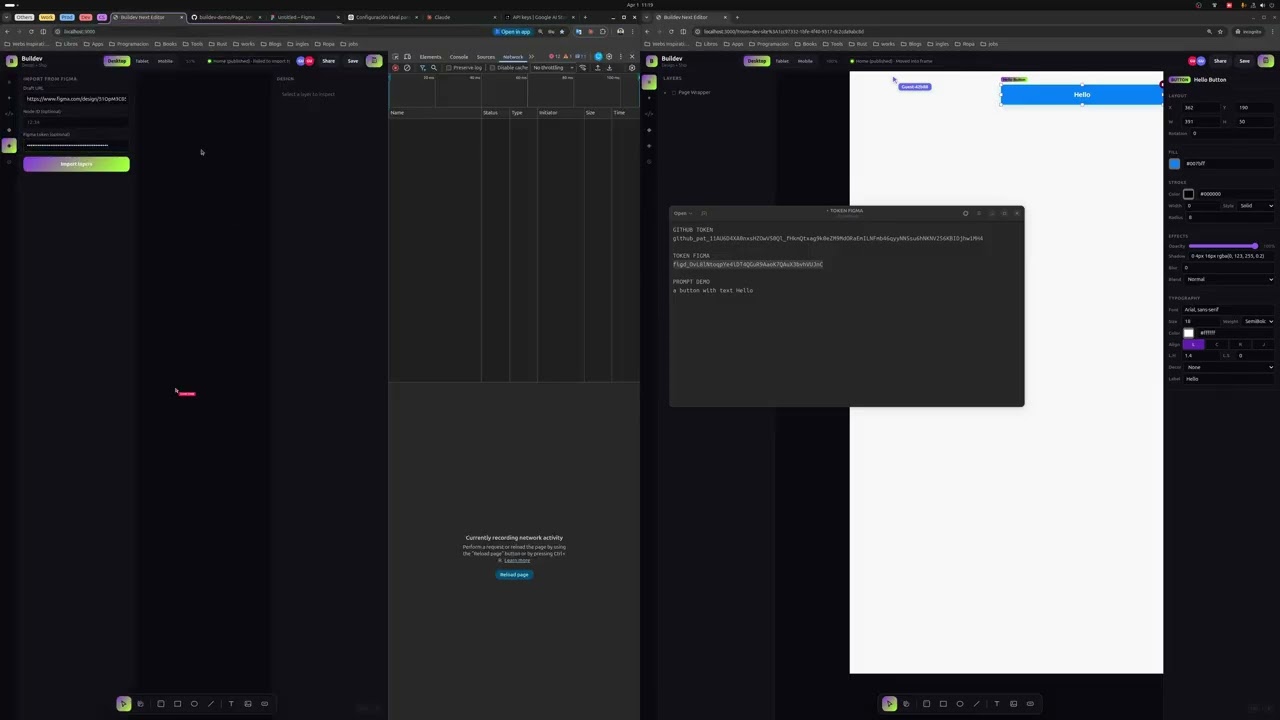
▶ Watch on YouTube: https://www.youtube.com/watch?v=K9jyzxcf4hk
Buildev is an open-source platform for AI-assisted UI design with an editable canvas and real code export. The product is built around three pipelines that share a single canonical model:
- Chat → Canvas. A prompt becomes a set of validated editor actions that mutate a semantic scene graph.
- Screenshot → Canvas. An uploaded image is decoded into editable layers and components, not just pixels.
- Canvas → Code. The scene graph compiles into clean React + Tailwind output.
Everything you see, drag, group, or edit lives inside the same scene graph. The canvas, the AI, and the exporter all read and write the same structure, so changes round-trip without going through a lossy translation layer.
- Engineers evaluating how to design an AI-native editor around a single canonical model instead of a flat codegen prompt.
- Designers curious about a canvas where AI edits and manual edits are the same primitive under the hood.
- Contributors comfortable working on unfinished software with strong opinions about what it should become.
If you are looking for a hosted "design with AI" SaaS, this is not that — yet.
Buildev is not intended to be "another Figma clone." It is intentionally framed as:
| Frame | Meaning |
|---|---|
| AI UI Compiler / Decompiler | Prompts and screenshots compile down to a semantic scene graph; that scene graph decompiles back to code. |
| Reference → Editable Canvas | A reference image (mockup, competitor screenshot, dashboard photo) is reconstructed as a directly-editable canvas, not as a flat raster or a one-shot codegen. |
| Screenshot → Editable Semantic UI | Detected regions are typed as Navbar, Grid, Card, Text and so on, not as anonymous <div>s. |
| Living Canvas Synced with Code | The scene graph is the single source of truth. Visual edits, AI edits, and exports all operate on the same model. |
| Surface | What it does today | Status |
|---|---|---|
| Editable canvas | Select, move, resize, group/ungroup, z-order, duplicate, delete, inline text edit | Working |
| Layers panel | Tree of nodes, visibility, lock, reorder | Working |
| Properties inspector | Position, size, fill, radius, typography, layout | Working |
| AI chat (mock) | Deterministic prompt → editor actions planner | Working |
| AI chat (provider) | OpenAI-compatible JSON-mode provider returning validated actions | Working (requires API key) |
| Reverse UI (screenshot) | Heuristic block + column detection → editable frame + nodes | Working, low fidelity |
| React + Tailwind export | Generates a self-contained App.tsx with extracted repeated components |
Working, MVP quality |
| Local persistence | Editor state persisted via localStorage (buildev-editor-state-v1) |
Working |
| Undo / Redo | Action-based history in editor-core |
Working |
| Responsive preview | Device frames (desktop/tablet/mobile) | Partial |
| Monaco code editor | Live code/canvas round-trip | Not implemented |
| Multiplayer / auth / billing | — | Out of scope for this phase |
Buildev is organized as a pnpm monorepo with one Next.js application and a set of domain packages. Each package has a focused responsibility and a typed contract, which is the unit that makes the AI and export surfaces composable instead of tangled.
flowchart TB
    subgraph App["apps/web — Next.js 16 App Router"]
        UI[Editor Shell<br/>TopBar · Layers · Canvas · Properties · Chat · Export]
        Store[(Zustand Store<br/>useEditorStore)]
        API1[/api/ai/chat/]
        API2[/api/reverse-ui/]
        UI <--> Store
        UI --> API1
        UI --> API2
    end

    subgraph Pkgs["packages/* — Domain Layer"]
        SG[scene-graph<br/>Canonical Model]
        EC[editor-core<br/>Actions · Undo · Reducers]
        AI[ai<br/>Providers · Planner]
        VIS[vision<br/>Reverse UI · CV Heuristics]
        EXP[exporters<br/>React + Tailwind]
        UIPKG[ui<br/>Shared primitives]
        SHARED[shared<br/>IDs · Utils · Types]
    end

    Store --> EC
    EC --> SG
    API1 --> AI
    AI --> EC
    AI --> SG
    API2 --> VIS
    VIS --> SG
    UI --> EXP
    EXP --> SG
    UIPKG -.-> UI
    SHARED -.-> SG
    SHARED -.-> EC
    SHARED -.-> AI
    SHARED -.-> VIS
    SHARED -.-> EXP

    classDef app fill:#0d0d0d,stroke:#B8FF5A,color:#fff
    classDef pkg fill:#1a1a1a,stroke:#666,color:#fff
    class App app
    class Pkgs pkg
Why this shape?
- The scene graph is the canonical model. Everything else is a transformation on it.
- The editor-core package owns mutations through validated actions (Zod schemas), so AI-generated edits and user-generated edits go through the same pipe.
- The AI and vision packages produce actions and nodes that conform to the scene graph contract — they cannot break it.
- The exporters package reads the scene graph and emits code. It does not introspect React components.
The scene graph is the single source of truth for everything the user sees and edits. Each node carries layout, style, semantic role, and provenance (was it created manually, by AI, or reconstructed from a screenshot?). That provenance is what makes auditable round-tripping possible.
classDiagram
    class SceneDocument {
        +string id
        +string name
        +Record~ScenePage~ pages
        +string[] pageOrder
        +Record~SceneNode~ nodes
        +string activePageId
    }

    class ScenePage {
        +string id
        +string name
        +string[] rootIds
        +number width
        +number height
    }

    class SceneNode {
        +string id
        +SceneNodeType type
        +string name
        +string|null parentId
        +string[] children
        +number x, y, width, height
        +number rotation, opacity, zIndex
        +ColorFill fill
        +StrokeStyle stroke
        +number borderRadius
        +ShadowStyle[] shadows
        +TypographyStyle typography
        +SpacingStyle spacing
        +LayoutStyle layout
        +ConstraintsStyle constraints
        +boolean visible, locked
        +string semanticRole
        +Record variantProps
        +ExportMetadata exportMeta
        +SourceProvenance provenance
        +string textContent
        +string imageSrc
    }

    class SourceProvenance {
        +ProvenanceSource source
        +string prompt
        +string screenshotName
        +number confidence
        +string[] notes
    }

    SceneDocument "1" --> "*" ScenePage
    SceneDocument "1" --> "*" SceneNode
    SceneNode "1" --> "0..1" SceneNode : parent
    SceneNode "1" --> "*" SceneNode : children
    SceneNode "1" --> "1" SourceProvenance
Page · Frame · Group · Rectangle · Ellipse · Line · Text · Image · Icon · Button · Input · Textarea · Checkbox · Radio · Switch · Select · Tabs · Badge · Card · Modal · Navbar · Sidebar · List · Grid · Table · Chart · Container
Each node is validated through Zod schemas (see packages/scene-graph/src/index.ts) so corrupt data — including AI-generated mistakes — cannot enter the document.
The AI surface follows a "plan → validate → apply" model. The model never mutates the document directly; it returns actions that the editor-core validates and applies. This gives Buildev a single audit point for everything the AI does.
sequenceDiagram
    participant U as User
    participant CP as ChatPanel
    participant API as /api/ai/chat
    participant P as AI Provider
    participant V as editor-core<br/>(Zod validator)
    participant S as Zustand Store
    participant C as Canvas

    U->>CP: Types prompt ("add a pricing section")
    CP->>API: POST { prompt, document, selectedIds }
    API->>P: getAIProvider().planEditorActions(ctx)
    alt BUILDEV_AI_MODE=provider
        P->>P: Call OpenAI-compatible chat completion<br/>(JSON mode)
    else default
        P->>P: MockAIProvider — deterministic heuristics
    end
    P-->>API: { summary, actions[], mode }
    API-->>CP: Response
    CP->>V: applyAction(action) for each
    V->>V: editorActionSchema.parse(action)
    V->>S: Commit validated mutation
    S->>C: Re-render canvas
    C-->>U: Visible update + summary in chat
The AI can emit (and the user can replay) any of:
createNode— add a new typed node under a parent.setStyles— patch fill, typography, radius, shadows, layout.generateComponent— bulk-create a coherent group (e.g. a pricing grid).replaceSubtree— atomic swap of a subtree (used for "make this a table", screenshot import, full landing seeds).
If the prompt does not match a richer command, the mock provider falls back to leaving a labeled Text note on the canvas — so the user always gets a visible, auditable response instead of a silent failure.
Reverse UI is the most differentiated surface. Pure LLM guessing is too unreliable for layout; pure heuristics cannot infer semantics alone. Buildev uses a staged hybrid pipeline (see ADR-0003):
flowchart LR
A[Screenshot<br/>data: URL] --> B[Decode<br/>Jimp.read]
B --> C[Preprocess<br/>greyscale + contrast]
C --> D[Row Density Scan<br/>detect horizontal sections]
D --> E[Column Density Scan<br/>detect cards / columns per section]
E --> F{Section type?}
F -->|h<140 & first| G[Navbar]
F -->|cols≥3| H[Grid + Cards]
F -->|index=1| I[Card]
F -->|else| J[Container + Text]
G --> K[SceneNode]
H --> K
I --> K
J --> K
K --> L[Wrap in Frame<br/>provenance: screenshot]
L --> M[POST to store<br/>importScreenshotNodes]
M --> N[Editable canvas]
classDef stage fill:#1a1a1a,stroke:#B8FF5A,color:#fff
classDef decision fill:#2a2a2a,stroke:#FFB85A,color:#fff
class A,B,C,D,E,K,L,M,N stage
class F decision
Why this design?
- Determinism + debuggability. Heuristics are inspectable; a failure mode is reproducible.
- Graceful degradation. Works with no LLM access at all.
- Explicit upgrade path. OCR (for real text), CV upgrades (for icon detection), and an optional LLM normalization pass can be slotted in as stages without rewriting the pipeline.
What it does NOT do yet:
- No OCR — detected text blocks carry placeholder content.
- No icon/glyph recognition.
- No font matching.
- No color extraction beyond palette defaults.
Treat the output as a layout-faithful editable skeleton, not as a 1:1 reconstruction.
The editor is a three-column workspace over a top bar. Every panel reads from and writes to the same Zustand store, and the store is the only thing that talks to editor-core.
flowchart TB
    TB[TopBar<br/>Undo · Redo · Toggle Chat · Toggle Code · Reset]
    LP[Layers Panel<br/>tree · select · lock · visibility]
    CV[Canvas Panel<br/>select · drag · resize · text edit]
    EX[Export Panel<br/>generated React + Tailwind]
    PR[Properties Panel<br/>position · size · fill · text · radius]
    CH[Chat Panel<br/>AI prompt · summary · history]

    TB --> LP
    TB --> CV
    TB --> PR
    LP -.selection.-> CV
    CV -.selection.-> PR
    CH -.actions.-> CV
    CV -.scene graph.-> EX

    classDef panel fill:#0d0d0d,stroke:#444,color:#fff
    classDef top fill:#1a1a1a,stroke:#B8FF5A,color:#fff
    class LP,CV,PR,CH,EX panel
    class TB top
Source: apps/web/components/editor/editor-app.tsx
The exporter walks the scene graph, detects repeated sibling subtrees (same type + same child-type signature + same size), and extracts them into reusable components. The output is a single App.tsx plus supporting files.
flowchart LR
    SG[SceneDocument] --> WALK[Walk active page<br/>depth-first]
    WALK --> SIG[Compute node signatures<br/>type:childTypes:w:h]
    SIG --> DUP{≥2 matching<br/>siblings?}
    DUP -->|yes| EXTRACT[Extract as<br/>named component]
    DUP -->|no| INLINE[Inline markup]
    EXTRACT --> RENDER
    INLINE --> RENDER[renderNode<br/>per type]
    RENDER --> JSX[Generated JSX<br/>+ Tailwind classes]
    JSX --> FILE[App.tsx]

    classDef stage fill:#1a1a1a,stroke:#B8FF5A,color:#fff
    classDef decision fill:#2a2a2a,stroke:#FFB85A,color:#fff
    class SG,WALK,SIG,EXTRACT,INLINE,RENDER,JSX,FILE stage
    class DUP decision
What is clean about it: Repeated cards become a real component, not three duplicated blocks.
What is not clean yet: Layout still relies on absolute positioning and arbitrary Tailwind values (w-[384px], left-[48px]). A future pass needs to translate flex layouts in the scene graph into idiomatic Tailwind utility classes.
| Layer | Choice | Why |
|---|---|---|
| Monorepo | pnpm workspaces | Fast, strict, plays well with Next.js + TS project references |
| App framework | Next.js 16 (App Router) | Server actions, route handlers, RSC where it helps |
| Language | TypeScript 5.8 (strict) | The scene graph is heavily typed; strict mode catches AI-generated mistakes at validation time |
| Styling | Tailwind CSS 4.1 | Direct match for the exporter target |
| State | Zustand 5 | Single store, no provider hell, easy to persist |
| Validation | Zod 3.24 | All editor actions and node types validated at the boundary |
| CV / vision | Jimp | Pure-JS image processing, no native deps |
| AI | OpenAI-compatible (configurable base URL/model) + deterministic mock | Works offline and online |
| Testing | Vitest 3 + jsdom | Fast unit tests for editor-core and exporters |
| Lint / format | ESLint 9 + Prettier 3 | — |
| Icons | lucide-react | — |
buildev/
├── apps/
│   └── web/                        # Next.js 16 App Router shell
│       ├── app/
│       │   ├── api/
│       │   │   ├── ai/chat/        # AI planner endpoint
│       │   │   └── reverse-ui/     # Screenshot → scene endpoint
│       │   ├── globals.css
│       │   ├── layout.tsx
│       │   └── page.tsx            # Mounts <EditorApp />
│       ├── components/editor/
│       │   ├── editor-app.tsx
│       │   ├── top-bar.tsx
│       │   ├── layers-panel.tsx
│       │   ├── canvas-panel.tsx
│       │   ├── properties-panel.tsx
│       │   ├── chat-panel.tsx
│       │   └── export-panel.tsx
│       ├── lib/store.ts            # Zustand store + hydration
│       └── public/                 # Logos, marketing assets
│
├── packages/
│   ├── scene-graph/                # Canonical SceneDocument / SceneNode types
│   ├── editor-core/                # Actions, reducers, undo/redo
│   ├── ai/                         # Mock + OpenAI-compatible providers
│   ├── vision/                     # Reverse-UI heuristic pipeline (Jimp)
│   ├── exporters/                  # React + Tailwind codegen
│   ├── ui/                         # Shared UI primitives
│   └── shared/                     # IDs, utils, common types
│
├── docs/
│   ├── product/brief.md
│   ├── architecture/
│   │   ├── system-overview.md
│   │   ├── roadmap.md
│   │   └── progress-log.md
│   └── adr/
│       ├── 0001-adopt-monorepo-and-domain-packages.md
│       ├── 0002-scene-graph-as-canonical-model.md
│       └── 0003-hybrid-reverse-ui-pipeline.md
│
├── pnpm-workspace.yaml
├── tsconfig.base.json
├── vitest.config.ts
└── README.md
- Node.js ≥ 20
- pnpm ≥ 10.30 (
npm install -g pnpm)
git clone https://github.com/isjunrod/Buildev.git
cd Buildevpnpm installcp .env.example .envThe defaults work for the mock AI mode out of the box — no API keys required to see the editor running.
pnpm devOpen http://localhost:3000. The editor seeds itself with a fintech landing template on first load.
pnpm build
pnpm startpnpm test
pnpm typecheck
pnpm lint| Variable | Default | Purpose |
|---|---|---|
NEXT_PUBLIC_APP_URL |
http://localhost:3000 |
Public-facing app URL |
NEXT_PUBLIC_ENABLE_AI_FEATURES |
true |
UI toggle for AI surfaces |
NEXT_PUBLIC_ENABLE_AUTH |
false |
Auth currently out of scope |
BUILDEV_AI_MODE |
mock |
Set to provider to use a real OpenAI-compatible model |
OPENAI_API_KEY |
— | Required when BUILDEV_AI_MODE=provider |
OPENAI_BASE_URL |
https://api.openai.com/v1 |
Override for OpenAI-compatible gateways |
OPENAI_MODEL |
gpt-4.1-mini |
Model name used by the provider |
Note: When the provider returns invalid JSON or the API call fails, Buildev silently falls back to the deterministic mock so the UI never hangs. Check the response
modefield ("mock"vs"provider") to confirm which path served the request.
| Script | What it does |
|---|---|
pnpm dev |
Run the Next.js dev server (apps/web) |
pnpm build |
Production build of the web app |
pnpm start |
Start the production server |
pnpm lint |
ESLint over apps/web and packages/* |
pnpm test |
Vitest run across all packages |
pnpm typecheck |
tsc --noEmit for the web app |
The phases below match docs/architecture/roadmap.md.
gantt
    title Buildev Roadmap
    dateFormat YYYY-MM-DD
    section Phase 0 — Foundation
    Repo audit & ADRs                :done,    p0a, 2026-03-25, 2d
    Domain packages + scene graph    :done,    p0b, after p0a, 2d
    section Phase 1 — Stabilization
    Type-safe store contract         :active,  p1a, 2026-05-01, 14d
    Unify AI surfaces                :         p1b, after p1a, 10d
    Export MVP polish                :         p1c, after p1b, 10d
    section Phase 2 — Experience
    Dexie persistence                :         p2a, 2026-06-15, 14d
    Real Monaco code mode            :         p2b, after p2a, 14d
    Design tokens + constraints      :         p2c, after p2b, 14d
    section Phase 3 — Product
    Multi-file export                :         p3a, 2026-08-01, 21d
    Component library reuse          :         p3b, after p3a, 14d
    Observability for AI flows       :         p3c, after p3b, 14d
P0 — Foundation: Editable canvas, chat → canvas, screenshot → canvas, React+Tailwind export, credible UI. P1 — Stabilization: Additional exporters, parser improvements, design tokens, undo/redo polish, local versioning. P2 — Experience: Recovery from physical photos/posters, real-time collaboration, design systems, plugin system.
Out of initial scope: billing · complex auth · enterprise infra · full multiplayer · admin panels · plugin marketplace · cosmetic features.
Be aware of these before filing bugs — they are tracked, not surprises:
- TypeScript drift. Some panels in legacy folders (
app/,components/at repo root, predating the monorepo migration) reference store fields that no longer exist.pnpm typecheckmay surface errors there. - Two parallel app trees. The repo currently contains both the pre-monorepo
app/+components/directories at the root and the newapps/web/...tree. The active runtime is onlyapps/web. The root copies will be removed once the migration concludes. - Mock AI is the default. Until you set
BUILDEV_AI_MODE=providerand a validOPENAI_API_KEY, all chat responses come from a small deterministic planner. That is intentional — the UI must never hang waiting on an API. - Reverse UI has no OCR. Text in detected sections is a placeholder. Hooking up Tesseract or a vision LLM is on the P2 roadmap.
- Exporter uses arbitrary Tailwind values. Positions and sizes are emitted as
left-[NNNpx]etc. Translating flex layouts to idiomatic utility classes is a known follow-up. - No real persistence layer. State is kept in
localStorageonly. Dexie scaffolding exists inlib/db/but is not wired into the editor flow. - No multiplayer, no auth, no billing. Intentionally out of scope.
If you hit something not on this list, please open an issue.
Buildev documents non-obvious design choices as ADRs so future contributors can trace the why, not just the what:
| # | Title | Status |
|---|---|---|
| 0001 | Adopt monorepo and domain packages | Accepted |
| 0002 | Scene graph as canonical model | Accepted |
| 0003 | Hybrid heuristic + AI reverse-UI pipeline | Accepted |
Additional design notes live in docs/architecture/system-overview.md and docs/architecture/roadmap.md.
Buildev is open to contributors who are comfortable working on unfinished software with strong architectural opinions. The contribution loop:
- Fork the repository.
- Create a feature branch:
git checkout -b feat/your-feature. - Make focused changes. Run
pnpm typecheck,pnpm test,pnpm lintbefore pushing. - Use Conventional Commits:
feat:,fix:,refactor:,chore:,docs:. - Open a PR with a clear description of the why.
When in doubt, prefer:
- Editing the canonical model (scene graph) over inventing a parallel one.
- Adding an editor action over mutating the store directly.
- Writing a failing test before a fix.
MIT — see LICENSE.
Buildev — a living UI canvas synced with code.
Early preview. Honest about it.