


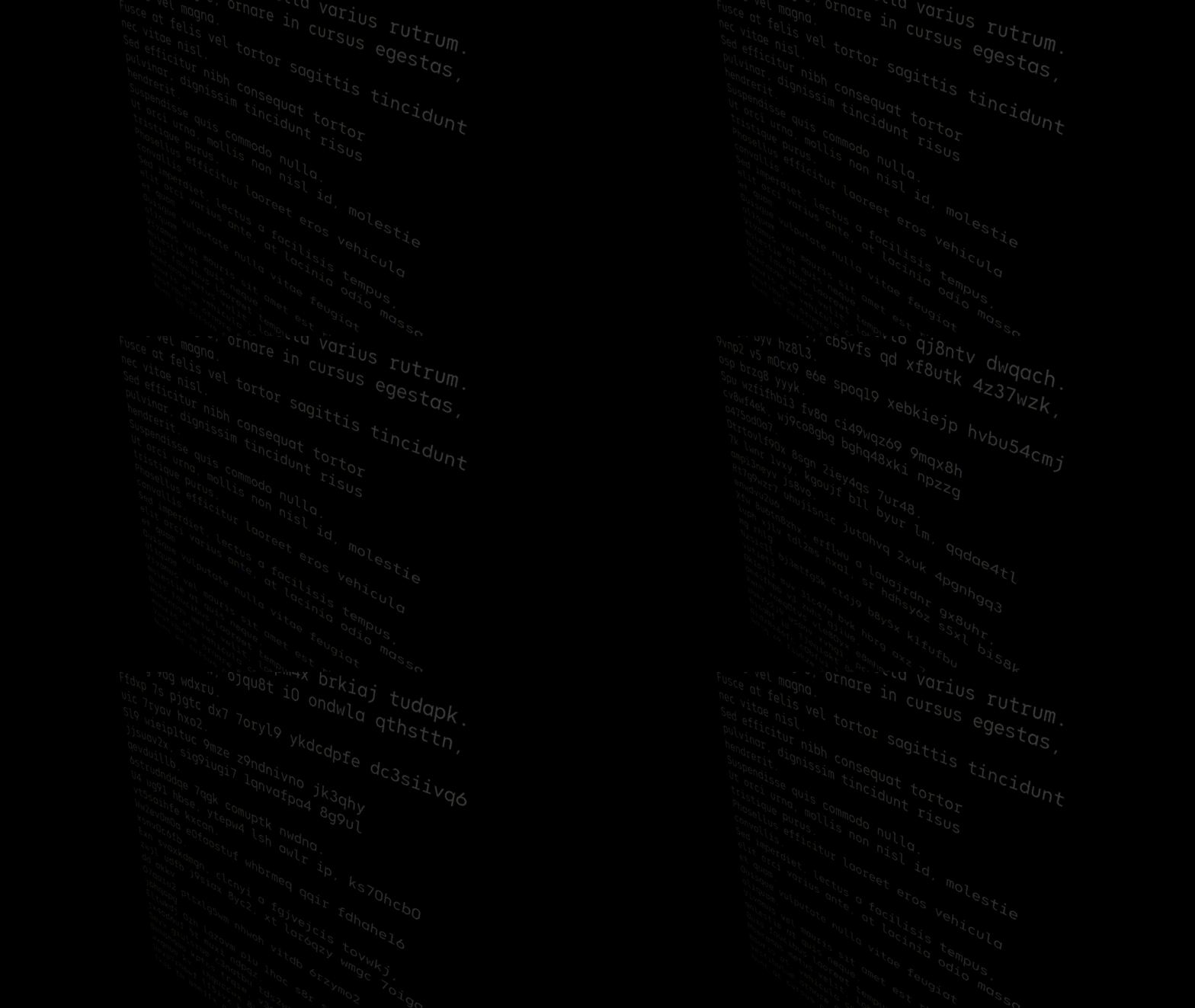
The port of the JavaScript versions of three-bmfont-text, layout-bmfont-text, load-bmfont, and word-wrapper to Pure Typescript, this library enables fast text rendering with Three.js and bitmap font.
The difference in rendering speed is noticeable when animations are enabled, and it runs 10x faster than canvas texture based text rendering.
v6.0 ships as ESM only. The TSL (Three Shading Language) based node materials introduced in v4.0 work with both WebGLRenderer and WebGPURenderer.
- Three.js 0.172.0 or later
- React 19 or later
- React Three Fiber 9 or later
- Node.js 22 or later (22.12 or later is required to
require()the package;importworks on any Node 22)
$ npm install three-text-geometry three react @react-three/fiber
$ pnpm add three-text-geometry three react @react-three/fiber
$ yarn add three-text-geometry three react @react-three/fiber
Note:
three,react, and@react-three/fiberare peer dependencies and must be installed alongsidethree-text-geometry.
For detailed information, read the documentation and check the demo.
TextGeometry supports word wrapping, text aligning, letter spacing, kerning. See the list for all available options.
three-text-geometry provides first-class support for React Three Fiber.
TextGeometry is automatically registered with the R3F catalog when the library is imported. No manual setup is required.
import 'three-text-geometry'
// <textGeometry ... /> is now available
Factory pattern (R3F v9)
Alternatively, use R3F v9's extend to create a component directly.
import { extend } from '@react-three/fiber'
import TextGeometry from 'three-text-geometry'

const TextGeometryEl = extend(TextGeometry)
// Now you can use <TextGeometryEl ... />The useFont hook loads a BMFont file and its texture asynchronously. Combined with <textGeometry>, you can render bitmap text in just a few lines.
import * as THREE from 'three'
import { Canvas } from '@react-three/fiber'
import { TextAlign, useFont } from 'three-text-geometry'

function TextMesh() {
  const { font, texture, isLoading } = useFont(
    'https://example.com/font.json',
    'https://example.com/font.png'
  )

  if (isLoading || !font || !texture) return null

  return (
    <mesh rotation={[Math.PI, 0, 0]}>
      <textGeometry args={['Hello World', { font, align: TextAlign.Left, width: 800, flipY: texture.flipY }]} />
      <meshBasicMaterial map={texture} transparent side={THREE.DoubleSide} />
    </mesh>
  )
}

function App() {
  return (
    <Canvas camera={{ fov: 45, position: [0, 0, 500] }}>
      <TextMesh />
    </Canvas>
  )
}Importing three-text-geometry automatically augments R3F's ThreeElements interface, enabling type completions for <textGeometry> in TypeScript projects.
import 'three-text-geometry' // Adds textGeometry to ThreeElementsYou can also use TextGeometry directly without React Three Fiber.
import * as THREE from 'three'
import TextGeometry, { BMFont, BMFontJsonParser, TextAlign } from 'three-text-geometry'

// Load font and texture
const res = await fetch('https://example.com/font.json')
const font: BMFont = new BMFontJsonParser().parse(await res.json())
const texture = await new THREE.TextureLoader().loadAsync('https://example.com/font.png')

// Create geometry and mesh
const geometry = new TextGeometry('Hello World', {
  font,
  align: TextAlign.Left,
  width: 800,
  flipY: texture.flipY,
})
const material = new THREE.MeshBasicMaterial({
  map: texture,
  side: THREE.DoubleSide,
  transparent: true,
})
const mesh = new THREE.Mesh(geometry, material)
  .rotateY(Math.PI)
  .rotateZ(Math.PI)
scene.add(mesh)three-text-geometry provides TSL-based node materials for text rendering. These materials work with both WebGLRenderer and WebGPURenderer.
They are published from the three-text-geometry/tsl subpath, not the root entry, because they import three/webgpu and three/tsl. An app that only uses TextGeometry, the parsers or the React Three Fiber helper does not bundle the WebGPU renderer.
Samples a font texture and multiplies by color and opacity. Suitable for standard bitmap fonts.
import { BasicTextNodeMaterial } from 'three-text-geometry/tsl'

const material = new BasicTextNodeMaterial({
  map: texture,
  color: new THREE.Color(0xffffff),
  opacity: 1,
})For SDF (Signed Distance Field) fonts. Uses screen-space derivatives for anti-aliased edges.
import { SDFTextNodeMaterial } from 'three-text-geometry/tsl'

const material = new SDFTextNodeMaterial({
  map: texture,
  color: new THREE.Color(0xffffff),
})For MSDF (Multi-channel Signed Distance Field) fonts. Computes a median from RGB channels for high-quality rendering.
import { MSDFTextNodeMaterial } from 'three-text-geometry/tsl'

const material = new MSDFTextNodeMaterial({
  map: texture,
  color: new THREE.Color(0xffffff),
  negate: true, // Invert RGB channels (default: true)
})For multi-texture fonts. Selects the correct texture atlas per vertex using a page attribute. Requires multipage: true in TextGeometryOption.
import { MultiPageTextNodeMaterial } from 'three-text-geometry/tsl'

const material = new MultiPageTextNodeMaterial({
  textures: [texture0, texture1, texture2],
  color: new THREE.Color(0xffffff),
})

const geometry = new TextGeometry('Hello', {
  font,
  multipage: true,
})v6 makes the package ESM only and normalizes BMFontInfo.charset.
ESM only. dist-cjs/ is gone, package.json is "type": "module", and exports no longer carries a require condition. require('three-text-geometry') keeps working on Node 22.12 and later through require(esm), but a CommonJS bundler or test runtime that cannot load ESM will now fail. This is the same wall three.js put in front of consumers when r186 made itself ESM-only.
BMFontInfo.charset is string[] from every parser. It was string | string[], so a caller had to branch on the source format: an ASCII .fnt gave "ANSI", XML gave ['ANSI'], binary gave [], and JSON passed through whatever it held. All four are normalized now — an array is kept, a string is read as the comma-separated charset names the BMFont spec describes, and an absent value gives [].
// v5
const names = Array.isArray(font.info.charset) ? font.info.charset : font.info.charset.split(',')
// v6
const names = font.info.charset
The JSON schema still accepts both shapes, because it validates the input rather than the parsed result.
v5 moves the node materials and their option types out of the root entry into three-text-geometry/tsl. Nothing else changed; update the import path:
// v4
import { MSDFTextNodeMaterial } from 'three-text-geometry'
// v5
import { MSDFTextNodeMaterial } from 'three-text-geometry/tsl'
This applies to BasicTextNodeMaterial, SDFTextNodeMaterial, MSDFTextNodeMaterial, MultiPageTextNodeMaterial, TextMaterialOption, MSDFTextMaterialOption and MultiPageTextMaterialOption.
v4 removes the legacy GLSL shader modules. If you were using MultiPageShaderMaterial or the GLSL shader sources from three-text-geometry/shaders, migrate to the new TSL-based node materials:
| v3 (Removed) | v4 (Replacement) |
|---|---|
shaders/basic |
BasicTextNodeMaterial |
shaders/sdf |
SDFTextNodeMaterial |
shaders/msdf |
MSDFTextNodeMaterial |
MultiPageShaderMaterial |
MultiPageTextNodeMaterial |
The demo is built with React Three Fiber. Clone the repository and run:
git clone https://github.com/futamura/three-text-geometry.git
cd three-text-geometry/demo
corepack enable
pnpm install
pnpm dev
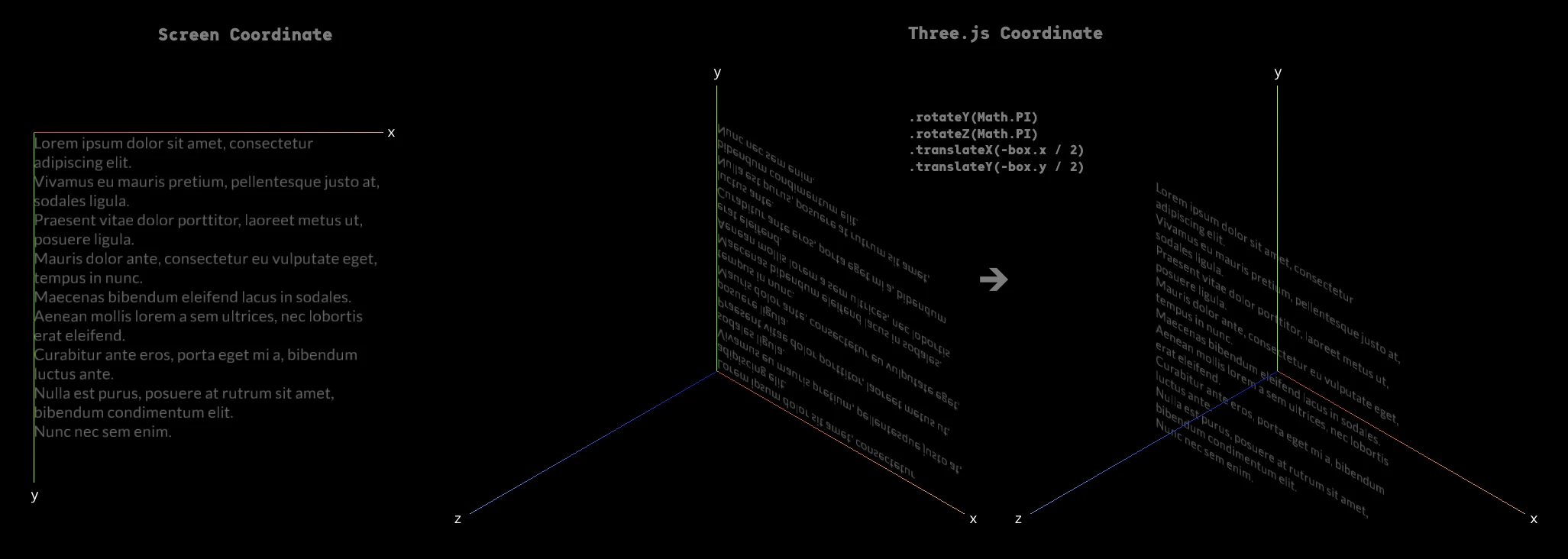
TextGeometry places text based on the screen coordinate system.
Therefore, when THREE.Mesh is added to the scene, the text will be placed inverted when viewed from the positive direction of the Z axis.
To make the text visible from the positive z-axis, you need apply transformation.
Parse font data in JSON format
import { BMFontJsonParser } from 'three-text-geometry'
const font: BMFont = new BMFontJsonParser().parse(/** `string` or `object` data JSON format */)
Parse font data in XML format
import { BMFontXMLParser } from 'three-text-geometry'
const font: BMFont = new BMFontXMLParser().parse(/** `string` data in XML format */)
Parse font data in ASCII format
import { BMFontAsciiParser } from 'three-text-geometry'
const font: BMFont = new BMFontAsciiParser().parse(/** `string` data in ASCII format */)
Parse font data in Binary format
import { BMFontBinaryParser } from 'three-text-geometry'
const font: BMFont = new BMFontBinaryParser().parse(/** `Uint8Array` (including a Node.js `Buffer`) or `ArrayBuffer` data in Binary format */)| key | type | description | default | required |
|---|---|---|---|---|
| font | BMFont |
The BMFont definition which holds chars, kernings, etc | undefined | ✔ |
| width | number |
The desired width of the text box, causes word-wrapping and clipping in WordWrapMode mode. Leave as undefined to remove word-wrapping (default behaviour) |
undefined | |
| mode | WordWrapMode |
A mode for word-wrapper; can be WordWrapMode.Pre (maintain spacing), or WordWrapMode.NoWrap (collapse whitespace but only break on newline characters), otherwise assumes normal word-wrap behaviour (collapse whitespace, break at width or newlines) |
undefined | |
| align | TextAlign |
This can be TextAlign.left, TextAlign.center or TextAlign.right |
TextAlign.left |
|
| letterSpacing | number |
The letter spacing in pixels | 0 | |
| lineHeight | number |
The line height in pixels | font.common.lineHeight |
|
| tabSize | number |
The number of spaces to use in a single tab | 4 | |
| start | number |
The starting index into the text to layout | 0 | |
| end | number |
The ending index (exclusive) into the text to layout | text.length |
|
| flipY | boolean |
Whether the texture will be Y-flipped | true | |
| multipage | boolean |
Whether to construct this geometry with an extra buffer containing page IDs. This is necessary for multi-texture fonts | false |
The following tools can be used to convert fonts to a bitmap font:
- msdf-bmfont-web (Online Tool)
- msdf-bmfont-xml (Commandline Tool)
- Hiero (Desktop App, Windows Only)
Read the Three.js documentation about a bitmap font.
Install msdf-bmfont-xml
$ npm install msdf-bmfont-xml -g
Generate a bitmap font
$ msdf-bmfont \
    --output-type json \
    --filename 'OdudoMono-Regular-128' \
    --font-size 128 \
    --texture-size 1024,1024 \
    --field-type 'sdf' \
    'OdudoMono-Regular.otf'
Punycode is released under MIT license, which means you can modify it, redistribute it or use it however you like.