
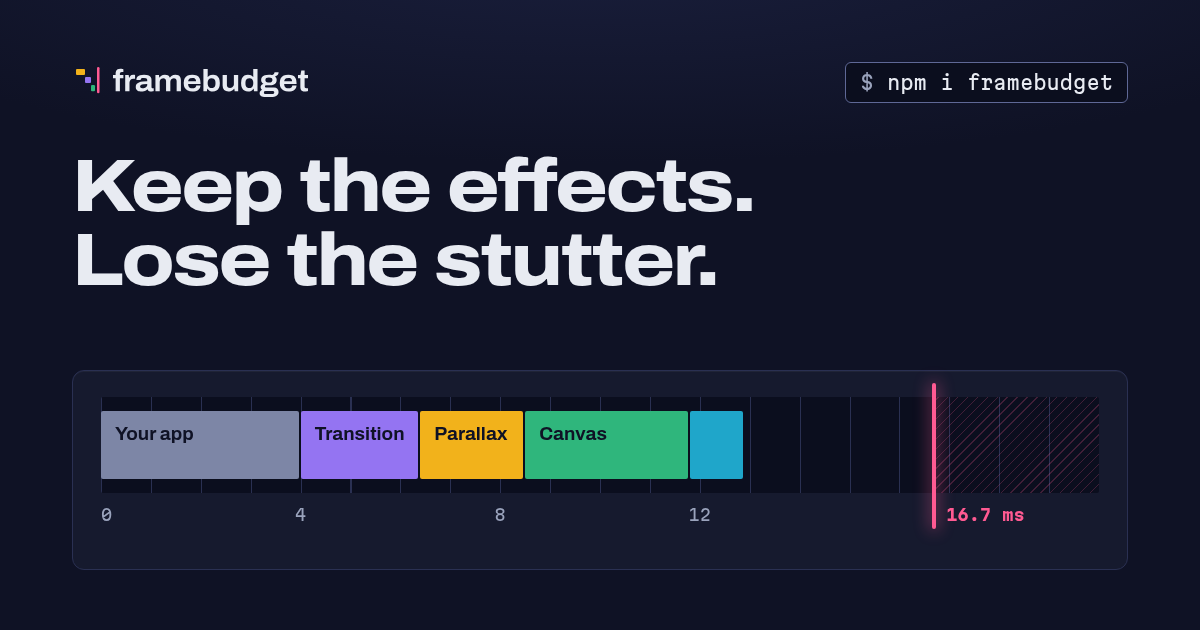
Keep the effects. Lose the stutter.
At 60 Hz every frame has a 16.7 ms budget. Each visual effect (parallax, page transitions, canvas animations, sounds, blur) spends part of it. framebudget measures how much budget a device really has and allows only the effects that fit, so slow phones never stutter and fast phones keep everything.
- A small inline boot script decides before the first paint, so an animation never starts only to freeze.
- A fixed-time CPU benchmark gives a score where 100 is the reference phone.
- Each effect has its own threshold with hysteresis, instead of one global tier.
- A runtime governor counts late frames against the display's own cadence, steps down the effects the page actually uses, and turns a step back on when it did not help.
- Local learning remembers which effects stuttered on this device, and forgives a passing hitch. Nothing leaves the device.
- Optional, anonymous telemetry is off by default and is enabled by the site developer, never by default. When enabled, reports go to framebudget.dev to calibrate framebudget on real devices.
The reference rates and thresholds are provisional. They come from one desktop Chrome measurement scaled down to stand for a mid-range phone, and they will change once they are calibrated on real devices.
npm install framebudgetThat installs the core, without any framework: the budget, the boot script and the diagnostics panel (framebudget, framebudget/boot and framebudget/panel). ESM only, with type declarations. Its one dependency is @framebudget/core, the same code under the org scope.
For React, Vue or Angular, add the package for your framework. Each one brings the core with it, and has its framework as a peer dependency:
npm install @framebudget/react     # React 18 or later: useBudget, useTier, BudgetProvider
npm install @framebudget/vue       # Vue 3.3 or later: useBudget, useTier, provideBudget
npm install @framebudget/angular # Angular 18 or later: injectBudget, injectTier, provideBudget| Package | Contains | Entries |
|---|---|---|
framebudget |
the core under its short name: re-exports @framebudget/core |
framebudget, framebudget/boot, framebudget/panel |
@framebudget/core |
the core, without any framework | @framebudget/core, @framebudget/core/boot, @framebudget/core/panel |
@framebudget/react |
the React hooks; brings @framebudget/core with it |
@framebudget/react |
@framebudget/vue |
the Vue composables; brings @framebudget/core with it |
@framebudget/vue |
@framebudget/angular |
the Angular signals; brings @framebudget/core with it |
@framebudget/angular |
The code exists once: framebudget only re-exports @framebudget/core, and every framework package depends on @framebudget/core, so a page has a single budget whichever of them it imports. The examples below import the core from framebudget; @framebudget/core exports the same names.
Until 0.7.0, framebudget also re-exported the framework packages as framebudget/react, framebudget/vue and framebudget/angular. Those entries are gone: import from @framebudget/react, @framebudget/vue and @framebudget/angular, the same code.
Releases are published to npmjs (from 0.6.0) and also to GitHub Packages, which carries the scoped packages only (it does not accept the unscoped framebudget). Installing from GitHub Packages needs a GitHub token with read:packages, also for public packages. Point the scope at the GitHub registry in your project's .npmrc:
@framebudget:registry=https://npm.pkg.github.com
//npm.pkg.github.com/:_authToken=${GITHUB_TOKEN}
Then install the scoped packages (prereleases are on the next dist-tag):
npm install @framebudget/core # or the binding for your framework, such as @framebudget/vueInline the boot script as the first script in <head>, before your CSS. It runs the cold benchmark (about 2 ms), decides, and writes the result on <html>:
<html data-framebudget="High" data-framebudget-effects="hover entrances parallax ...">Generate the tag at build or render time:
import { bootScript, createBootScript } from "framebudget/boot";

// Default options:
const head = `<script>${bootScript}</script>`;

// With the same calibration you pass to configure(), so boot and core agree:
const custom = `<script>${createBootScript({ calibration: { effects: { confetti: { threshold: 60, cost: 4, motion: true } } } })}</script>`;

// The same goes for calibration defaults (see the calibration section):
const tuned = `<script>${createBootScript({ calibrationDefaults: { effects: { parallax: { threshold: 80 } } } })}</script>`;
The script is self-contained (about 11.5 KB minified, 4.6 KB gzipped), never throws, and works when any browser API is missing. With a Content Security Policy, add a nonce or the script's hash.
CSS can gate effects without any JavaScript:
html[data-framebudget-effects~="parallax"] .hero { transform: translateY(var(--parallax)); }
html[data-framebudget-effects~="blur"] .sheet { backdrop-filter: blur(16px); }import { budget } from "framebudget";
if (budget.allows("parallax")) startParallax();
budget.on("change", (snapshot, reason) => {
// The device heated up, a tier stepped down, the warm benchmark finished...
update(snapshot.effects);
});The core starts on the first call to any method. It adopts the boot script's decision, runs a longer warm benchmark at the load event (when the CPU has ramped up and the engine has optimized the code), then starts the governor. The warm score drives the effects and is cached for the next page. Without the boot script, the core runs the cold benchmark itself on first use.
On the server (no window), allows() answers false and tier is Lite.
import { useBudget, useTier } from "@framebudget/react";

function Page() {
  const animate = useBudget("pageTransition"); // boolean, re-renders on change
  const tier = useTier();
  return animate ? <AnimatedRoute /> : <Route />;
}
Install @framebudget/react (React 18 or later). During server rendering and hydration, useBudget answers false and useTier answers Lite, so effects only start on the client. BudgetProvider is only needed for a budget other than the page's (for example createBudget() in tests).
<script setup lang="ts">
import { useBudget, useTier } from "@framebudget/vue";

const parallax = useBudget("parallax"); // computed ref, follows the budget
const tier = useTier();
</script>

<template>
  <Layers v-if="parallax" :data-tier="tier" />
  <StaticHero v-else />
</template>
Install @framebudget/vue (Vue 3.3 or later). In a component they answer false and Lite until it mounts, so server rendering and hydration agree and effects only start on the client; outside a component (an effect scope, a store) they answer at once. The subscription ends with the component or the effect scope. The effect name may be a ref or a getter, such as a prop. provideBudget(budget), called in a parent's setup, is only needed for a budget other than the page's.
import { Component } from "@angular/core";
import { injectBudget, injectTier } from "@framebudget/angular";

@Component({
  selector: "app-hero",
  template: `
    @if (parallax()) {
      <app-layers [attr.data-tier]="tier()" />
    } @else {
      <app-static-hero />
    }
  `,
})
export class Hero {
  readonly parallax = injectBudget("parallax"); // Signal<boolean>, follows the budget
  readonly tier = injectTier();
}
Install @framebudget/angular (Angular 18 or later). Call them in an injection context, such as a field initializer or a constructor; the subscription ends with the component, service or application that injected them. They answer false and Lite until the first render in the browser, so server rendering and hydration agree and effects only start on the client. The effect name may be a signal, such as an input. provideBudget(budget), in the providers of the application, a route or a component, is only needed for a budget other than the page's. The package declares no decorators, so it needs no Angular compiler step and works in AOT and JIT builds.
| Member | Description |
|---|---|
budget.allows(effect) |
May this effect run on this device? Unknown effects answer false. Asking also marks the effect as used by the page (see the governor section). |
budget.tier |
The current tier: "Full", "High", "Medium" or "Lite". |
budget.score |
Score after hardware caps and pressure, or null on the server. |
budget.effects() |
The allowed effects. |
budget.snapshot() |
Everything: scores, kernel rates, hints, the reason each effect is off, the effects the page used, fps and late frames per source, calibration. |
budget.on("change", fn) |
Calls fn(snapshot, reason), and returns the unsubscribe function. Reasons: warm, governor, pressure, motion, force, simulate, configure, capacity, explore. |
budget.off("change", fn) |
Unsubscribes. |
budget.reportFrame(gapMs, source?) |
Reports the time between two frames. See the governor section. |
budget.register(name, definition) |
Adds an effect, or replaces one. |
budget.configure(options) / configure(options) |
Calibration (calibrationDefaults, calibration), governor, sharing and used-effect (uses) options. Call it before the load event. |
budget.force(tier | "auto") |
Forces a tier for the session. |
budget.simulate(score | null) |
Debug and demo only. See the section on simulating a device. |
createBudget(options?) |
A separate instance, for tests or embedded widgets. |
Tier |
Tier.Full, Tier.High, Tier.Medium, Tier.Lite. The type Tier is their union. |
Each effect has a score threshold, a relative frame cost, and optional flags. The flags are motion (turned off by prefers-reduced-motion: reduce) and data (turned off by Save-Data or a 2g connection).
| Effect | Threshold | Cost | Flags |
|---|---|---|---|
hover |
20 | 1 | |
canvasLowRes |
30 | 3 | motion |
entrances |
35 | 2 | motion |
shimmer |
45 | 2 | motion |
sound |
50 | 1 | data |
pageTransition |
55 | 3 | motion |
parallax |
70 | 5 | motion |
blur |
90 | 6 | |
canvasHiRes |
120 | 8 | motion, data |
Register your own:
budget.register("confetti", { threshold: 60, cost: 4, motion: true });Pass the same definitions to createBootScript({ calibration: { effects } }) so the first paint already knows them.
Hysteresis. Scores wander between page loads, so a device near a threshold could flip an effect on every visit. To prevent this, an effect that was on stays on down to threshold * (1 - hysteresis), and an effect that was off turns on only from threshold * (1 + hysteresis). The default margin is 10%. The previous state is kept across pages.
Kernel weights. One score does not fit every effect: a blur leans on the GPU, a canvas on path building, a list animation on allocation. An effect can weigh the four benchmark kernels (float, typed, alloc, path): its score is then the weighted geometric mean of the kernel ratios (measured rate over reference rate), times 100, and its threshold applies to that score. Without weights an effect uses the device score. The weights are meant to come from the calibration script, which fits them on real reports:
configure({ calibration: { effects: { blur: { weights: { path: 0.7, typed: 0.3 } } } } });Capacity. Thresholds judge each effect alone, as if the page ran every effect at once. With calibration.capacity above 0 the budget also counts what the page really runs: an effect's load is cost * 100 / score (its cost on the reference device, scaled by how slow this device is for it), and used effects that only miss their threshold run too while the load of the page's used effects stays within the capacity, lightest first. They do not change the tier, and they are the governor's first suspects. The default is 0 (off) until the calibration script proposes a value from real reports.
Tiers are shortcuts for sets of effects. A tier's set is every effect whose threshold is at or below the tier floor:
| Tier | Floor | Effects |
|---|---|---|
Lite |
20 | hover |
Medium |
35 | + canvasLowRes, entrances |
High |
70 | + shimmer, sound, pageTransition, parallax |
Full |
120 | + blur, canvasHiRes |
The reported tier is the highest tier whose whole set is allowed. Effects that are off because of a user preference (reduced motion, Save-Data) do not lower the tier. Thresholds, learning and the governor do.
Forcing, for debugging. Add ?framebudget-tier=Full|High|Medium|Lite to the URL to force a tier for the rest of the session, and ?framebudget-tier=auto to go back. You can also call budget.force(tier). A forced tier sets that tier's exact effect set and still honors reduced motion and Save-Data. The governor and telemetry pause while a tier is forced, and nothing is learned: a guess the governor was checking comes back on, and an effect being retried keeps its block.
Diagnostics panel. Add ?framebudget to the URL to open an overlay with the scores, kernel rates, hints, the state of each effect, the fps per source, and buttons to force a tier. It is loaded on demand from framebudget/panel and costs nothing otherwise. Use configure({ panel: false }) to disable it, or mountPanel(budget) from framebudget/panel to mount it yourself.
budget.simulate(score) replaces the measured score with score for the session. This is useful for a "try a slower device" control or for testing a design at each tier. budget.simulate(null) returns to the real device. The URL equivalents are ?framebudget-score=40 and ?framebudget-score=off. The boot script and the core both read the session value, so the first paint of the next page already uses it.
The simulated score goes through the normal path: thresholds with hysteresis, hardware caps, pressure, reduced motion, and the governor, which still steps effects down. Each call clears the effects the governor stepped down on the page, and always emits change with reason simulate. While simulating, nothing is written about the real device: no learning, no cached score, no hysteresis state. Effects learned on the real device are not applied, and no telemetry is sent. snapshot().simulated holds the score, and snapshot().source is "simulated".
This API is for debugging and demos. Do not use it to make product decisions.
The benchmark runs four small kernels: float math, typed array read and write, small object allocation with property access, and canvas path building on an OffscreenCanvas when available. Each kernel is measured as work units per millisecond in short, fixed-time slices.
- The first round is a warm-up. It is discarded, and it sizes the batches so that reading the clock stays cheap on fast devices.
- Slices are chained on clock ticks, so the coarse
performance.now()of browsers (100 microseconds in Chrome) still gives accurate rates. A clock too coarse to measure anything falls back tocalibration.fallbackScore. - The score is the median per kernel, then the geometric mean of the ratios against the reference rates, times 100. One kernel that is very fast or very slow cannot dominate the score.
- Every kernel result feeds a sink that is kept, so no kernel can be eliminated as dead code.
There are two runs. The cold run is in the boot script (1.6 ms of slices). The warm run happens at load, with 5 rounds spread over separate tasks so it never becomes a long task. Cold code runs in the engine's lower tiers and is several times slower than warm code, so each run has its own reference rates.
Hints. deviceMemory <= 1 GB or hardwareConcurrency <= 2 caps the score at 60. Compute Pressure (PressureObserver, where available) scales the score by 0.7 when the state is serious and by 0.4 when it is critical, and the budget changes live. prefers-reduced-motion, Save-Data and 2g turn off flagged effects and are watched live.
The governor starts at load. Frames are grouped in windows of 30 per source; windows that start in the first 3 s, or in the 2 s cooldown after a change, are not judged.
Late frames, not a median. A frame is late when it takes more than 1.5 frame times. The frame time is the display's own cadence (the fastest steady gaps seen on the page, the warm-up included) but never shorter than 1000 / targetFps ms, so a 120 Hz screen is held to 60 fps (targetFps, default 60). A window is bad when more than 10% of its frames are late (maxLateFraction) or it runs under 40 fps (minFps), the rate at which every frame would be late on a 60 Hz screen. A median would miss a page that drops every other frame; counting late frames does not. After 3 bad windows in a row from one source, the governor steps one effect down and emits change.
What steps down.
- Frames reported with an effect's name step down that effect, for good. Report your canvas loop as
budget.reportFrame(gap, "canvasHiRes"). Frames of an effect that is already off step nothing down. - Frames reported by
"main"or"worker"step down the likeliest effect: first an effect turned back on for a retry, then the explored effect (see telemetry), then effects the capacity added, then used effects that stuttered on earlier visits, then the other effects the page uses, and only then the allowed effects it never reported; within a group, the highest cost first, then the highest threshold. An effect is used once the page askedallows()for it, reported frames for it, or declared it withconfigure({ uses: [...] }). Declare the effects you gate only with CSS or read fromsnapshot(), so the governor guesses them in the right order. Until the page reports any use, every allowed effect counts as used.
Checking a guess. A step down for "main" or "worker" frames is a guess, so the governor checks it on the next 3 windows of the same source. It helped when one of them is good or the frame rate rose by 15% since before the step; then it stays and is learned. If not, the next likeliest effect steps down and the check runs again against the same starting rate, since one effect alone may not move a frame past a vsync; up to 3 guesses. When they still do not help, they all come back on, nothing is learned, and no more guesses are made on this page: the stutter comes from something else (the site's own code, another tab), and taking effects away would not fix it. An effect's own frames still step it down. This is also what keeps a phone whose browser caps animation frames at 30 Hz (a power-saving mode) from losing its effects: its steady 30 fps leads to a few guesses, they do not raise the rate, and the effects come back seconds later.
Retrying on the page. After 8 judged windows (cleanWindows), mostly good, with no check running, the oldest effect stepped down on this page comes back on once, followed by a cooldown. If it holds for another such stretch, the stutter is forgotten, so one hitch (a garbage collection, a hydration burst) does not cost the effect for the next visits. If it stutters again, or has no verdict after twice that stretch, it steps back down and keeps its block, and no other effect is retried on this page: the stutter was real. Nothing is retried after guesses that did not help, and a visit is never clean while a retry is pending.
framebudget samples main-thread frames by itself with requestAnimationFrame. It samples for the first seconds and while the user interacts (scroll, pointer, keys), not forever, but always until a guess made for main-thread frames has its verdict. Use configure({ governor: { auto: false } }) to report frames yourself only. Workers post their gaps to the page:
// worker
postMessage({ type: "frame", gap });
// page
worker.addEventListener("message", (e) => {
  if (e.data.type === "frame") budget.reportFrame(e.data.gap, "worker");
});
You can tune targetFps, minFps, maxLateFraction, windowFrames, strikes, warmupMs, cooldownMs, cleanWindows and maxGapMs with configure({ governor }). budget.snapshot().fps and .late give the frame rate and the share of late frames per source over its recent windows.
Local learning is always on and stays on the device: one localStorage entry per origin, with access guarded. When a step down stays (see the governor section), that effect is remembered and the next visits start without it. After 5 clean visits, the effect is tried again. If it holds up, it is forgotten. If it stutters again, the wait doubles. A visit is clean when at least 8 windows were judged, 80% of them good, and no effect is stepped down; a few bad windows, from a slow scroll or a busy moment, do not spoil it. The cached warm score, its kernel ratios and the effects that passed their thresholds on the last page are stored in the same entry.
All numbers that turn measurements into decisions live in one object, defaultCalibration: reference rates (warm and cold), effect thresholds, costs and kernel weights, tier floors, hysteresis, hardware caps, pressure factors, the fallback score, the maximum age of a cached score, the number of clean visits before a retry, and the capacity. Override any part of it:
configure({
  calibration: {
    effects: { parallax: { threshold: 80 } },
    tiers: { High: 80 },
    hysteresis: 0.15,
  },
});
The precedence is: built-in numbers, then your calibrationDefaults, then the calibration fetched while sharing (see below), then your calibration overrides and register() definitions, in the order you call them. Every value is validated, so a bad patch cannot break decisions. Changing version or the reference rates invalidates cached scores.
Use calibrationDefaults for your own starting values that the fetched calibration may refine, and calibration for values that must hold whatever the fetched calibration says:
configure({
  calibrationDefaults: { effects: { parallax: { threshold: 80 } } }, // refined by the fetched calibration
  calibration: { effects: { confetti: { threshold: 60, cost: 4 } } },  // always wins over it
});
Each configure() call appends its patches in order and recomputes the decision. Pass the same calibrationDefaults and calibration to createBootScript(), so boot and core agree.
Sharing is off by default. Only the site developer can enable it. Once enabled, every sampled report goes to https://framebudget.dev/api/report, where reports from every site that shares calibrate framebudget on real devices. That destination is fixed: it cannot be changed or removed. You can add one endpoint of your own, which receives the same report:
configure({ share: true }); // on, with every default

configure({
  share: {
    alsoSendTo: "https://example.com/framebudget", // optional: your own endpoint also receives the report
    sampleRate: 0.1,                                // share of page views that report (default 0.1)
    minIntervalDays: 7,                             // days a browser waits before reporting again (default 7)
    calibrationUrl: "https://example.com/framebudget/calibration.json", // optional, default framebudget.dev
    explore: 0.2,                                   // share of reporting page views that explore (default 0)
  },
});- What is sent. The report (version 2) contains the calibration version, the cold, warm and effective scores, the kernel rates, the clock resolution, hardware hints (cores, memory, pressure), the reduced-motion preference, the tier, the allowed effects, the effects the page used, the effects stepped down for good (a guess still being checked is left out), the explored effect, and the frame rate and share of late frames per reported source. Numbers are rounded.
- Exploring below thresholds. An effect never runs below its threshold, so reports alone cannot tell whether a threshold is too strict. With
explore, that share of the reporting page views turns on one used effect whose score is within 25% under its threshold, picked at random, and names it in the report. The governor still steps it down if it stutters (it is the first suspect), and nothing is learned from it. Off by default. - What is not sent. No identifiers, cookies, URL, user agent or timestamps. Only sampled page views report.
- When. One
navigator.sendBeaconcall to framebudget.dev when the page is hidden, after load, and a second one toalsoSendTowhen you set it. - How often. At most one report per browser every
minIntervalDaysdays (default 7), so frequent visitors do not outweigh the rest. A new calibration version reports at once. The date of the last report is kept in the samelocalStorageentry as local learning; no identifier leaves the device. Browsers without storage cannot be throttled and report on every sampled page view. - Never with Global Privacy Control or Save-Data. Nothing is sent when
navigator.globalPrivacyControlor Save-Data is on, checked again at send time. Nothing is sent while a tier is forced or a device is simulated. - Letting visitors say no.
configure({ share: null })(orfalse) turns sharing off at any time, also after load: a report already armed for this page is not sent. Keep the visitor's choice yourself (for example inlocalStorage) and passshare: nullon later visits. - The browser still sends. The beacon request carries what every request carries (the IP address, the user agent and the
Originheader). framebudget.dev keeps only coarse facts derived from it (browser engine and major version, operating system family, mobile or not, country code) and never stores the IP address or the user agent string; see its privacy page. Handle the request on your own server accordingly. - Tell your visitors. Your privacy policy should say that this anonymous report goes to framebudget.dev.
While sharing, framebudget fetches a calibration patch (JSON in the calibration format) from https://framebudget.dev/api/calibration, or from calibrationUrl when you run your own calibration, at most once a day, after load, without credentials. That is how the shared reports improve decisions back. It never blocks rendering, and the patch is applied from the next visit. It refines your calibrationDefaults but never overrides your calibration, so ship the values the fetched calibration should tune as defaults. The fetch follows the same rules as the report: it needs sharing to be enabled, and it is skipped under Global Privacy Control and Save-Data.
share changed in 0.5.0: endpoint is gone. Reports always go to framebudget.dev, and alsoSendTo adds your own endpoint. To keep sending to your server, rename endpoint to alsoSendTo.
The repository (github.com/framebudget/core) is an npm workspaces monorepo. Its five packages are released together, always at the same version:
packages/core/         @framebudget/core     all the code without a framework: budget, boot script, panel, benchmark, governor, platform, startup
packages/react/        @framebudget/react    BudgetProvider, useBudget, useTier; depends on @framebudget/core
packages/vue/          @framebudget/vue      provideBudget, useBudget, useTier; depends on @framebudget/core
packages/angular/      @framebudget/angular  provideBudget, injectBudget, injectTier; depends on @framebudget/core
packages/framebudget/  framebudget           re-exports @framebudget/core under the short name, no code of its own
scripts/               size report, pack check, and the release tooling (scripts/release/, also used by the website)
The framework bindings use the core like any site does, through its public entry. framebudget depends on @framebudget/core alone, at the exact same version, and its files hold only export ... from statements. The lint enforces both, so the code exists once and a page always has one budget.
The website (the landing page and API reference at framebudget.dev, and the Cloudflare Worker that serves it and collects reports) lives in github.com/framebudget/website. The brand (logo, fonts, tokens, the release art template) and the launch video live in github.com/framebudget/assets.
npm install
npm run build      # core (boot script bundle, then tsup), react, vue and angular (tsup), framebudget (tsc), in that order
npm test           # vitest (packages/*/test; the Vue and Angular bindings run in happy-dom), then the release script tests (node --test)
npm run typecheck
npm run lint       # eslint (rules below); lint:fix applies the safe fixes
npm run format     # prettier
npm run size       # minified and gzipped sizes per entry
npm run pack -- --out /tmp/pack   # builds, packs and checks the five tarballs, then smoke-installs them
A pre-commit hook (husky and lint-staged, installed by npm install) formats and lints the staged files, then runs the typecheck, the full lint and the tests.
The core source is layered, and eslint.config.js enforces the layers:
packages/core/src/core: pure functions (tier, calibration, decision, learning, telemetry report). No mutation, no loops, no browser access.packages/core/src/benchmark,packages/core/src/governor: measurement.packages/core/src/platform: every browser access (storage, URL overrides, hints, document attributes, beacon, fetch), wrapped so it never throws.packages/core/src/startup: the first decision, shared by the boot script and the core.packages/core/src/budget,packages/core/src/boot,packages/core/src/panel: the public entries.
@framebudget/core imports no framework and none of the other packages, and the bindings (@framebudget/react, @framebudget/vue, @framebudget/angular) import only the public entries of @framebudget/core.
Lint limits: 80 lines per file and 60 per function (blank and comment lines excluded), 8 files per folder (group by concern in subfolders past that), interfaces and type aliases only in *.types.ts files (*.enum.ts for a const object and its union type), kebab-case file names, descriptive identifiers.
packages/core/src/boot/source.generated.ts is generated from packages/core/src/boot/runtime.ts by packages/core/scripts/build-boot.mjs. The build, test, typecheck and lint scripts regenerate it.
scripts/pack.mjs --out <dir> builds every package, packs each one into <dir>, and fails on any file other than package.json, README.md, LICENSE and the dist/ JavaScript and declarations, or on an install script. It then installs the five tarballs into a throwaway project and checks that framebudget and @framebudget/core share one budget, that @framebudget/react, @framebudget/vue and @framebudget/angular export their bindings, and that no framework (React, Vue, Angular) was installed. The root README.md is copied into packages/framebudget/ as that package's readme.
.github/workflows/ci.yml runs on pull requests that are ready for review; drafts skip it until they are marked ready. The Library job runs the format check, lint, typecheck, tests, build, size report and scripts/pack.mjs. The CI job sums it up, so it is the one required check.
Releases are immutable: once published, a release's tag and assets can never change. Cut one by pushing a new tag vX.Y.Z (or vX.Y.Z-rc.N), above the previous one, from an up-to-date main:
git switch main && git pull
git tag v0.3.0 && git push origin v0.3.0
.github/workflows/release.yml then:
- checks the tag (format, order, no existing release) and warns in the run summary when the commits ask for a bigger bump (breaking: major, minor while 0.x; feat: minor);
- writes the notes from the commits since the previous tag, split per package as
release.config.jsondefines (@framebudget/core:packages/core/; framework bindings:packages/react/,packages/vue/andpackages/angular/;framebudget:packages/framebudget/andREADME.md), and opens achore(release): vX.Y.Zpull request withCHANGELOG.md, the package versions andpackage-lock.json; - verifies the registry signatures of the dependencies, audits them, tests, sets the version in every package, then builds, checks and packs the five tarballs once (
scripts/pack.mjs) and attests their build provenance; - publishes the four scoped packages to GitHub Packages (it rejects unscoped names), and all five packages to npmjs with provenance; prereleases go to the
nextdist-tag; - renders the release art from the template in framebudget/assets, creates a draft release with the notes, the art, the tarballs and
SHA256SUMS, publishes it, and verifies the attestation GitHub signs over the tag, the commit and every asset.
.github/workflows/publish-npm.yml (run by hand with a tag) publishes the tarballs of an existing release to npmjs, after verifying them (release asset and build provenance): a release from before npmjs publishing, or one whose npmjs step failed. A version already on npmjs is skipped, and so are the Vue and Angular bindings for releases cut before they existed.
Both npmjs jobs run in the Production environment and authenticate with trusted publishing (OIDC) only: there is no npm token in the repository. Each package's Publishing access is set to "Require two-factor authentication and disallow tokens".
Every package trusts release.yml: GitHub Actions, repository framebudget/core, environment Production, with only npm publish allowed (npm publish --tag sets the dist-tag, so npm dist-tag is not needed). With npm 12 or later, logged in as a maintainer, the first call asks for two-factor authentication and offers to skip it for 5 minutes:
for name in @framebudget/core @framebudget/react @framebudget/vue @framebudget/angular framebudget; do
  npm trust github "$name" --repo framebudget/core --file release.yml --env Production --allow-publish --yes
  sleep 2
done
npm trust list framebudget
npm validates a new trust on its first publish through it and expires it when nothing publishes within 2 days, so add a trust just before cutting a release. publish-npm.yml only republishes what a release left unpublished: trust it only when you are about to run it, and the run validates it. npm view <package>@<version> _npmUser shows GitHub Actions for a version published through trusted publishing.
A package can only trust a workflow once it exists on npmjs. Before the first release of a new package (a new framework binding), publish a placeholder version (such as 0.0.0-stage) by hand with two-factor authentication, trust release.yml for it, set its Publishing access to "Require two-factor authentication and disallow tokens", then cut the release.
Check a release yourself with gh release verify vX.Y.Z and gh release verify-asset vX.Y.Z <file>, and where a file was built with gh attestation verify <file> --repo framebudget/core (build provenance: the workflow run and the commit that produced it).
Preview the notes with npm run release:notes -- --tag v0.2.0 --dry-run (HEAD stands in for a tag that does not exist yet), and the art with npm run release:art -- --template ../assets/brand/build/release.html --version 0.2.0 --date 2026-10-03 --notes notes.json --out art.png (with framebudget/assets checked out next to this repository; headless Chrome, CHROME_PATH to override).