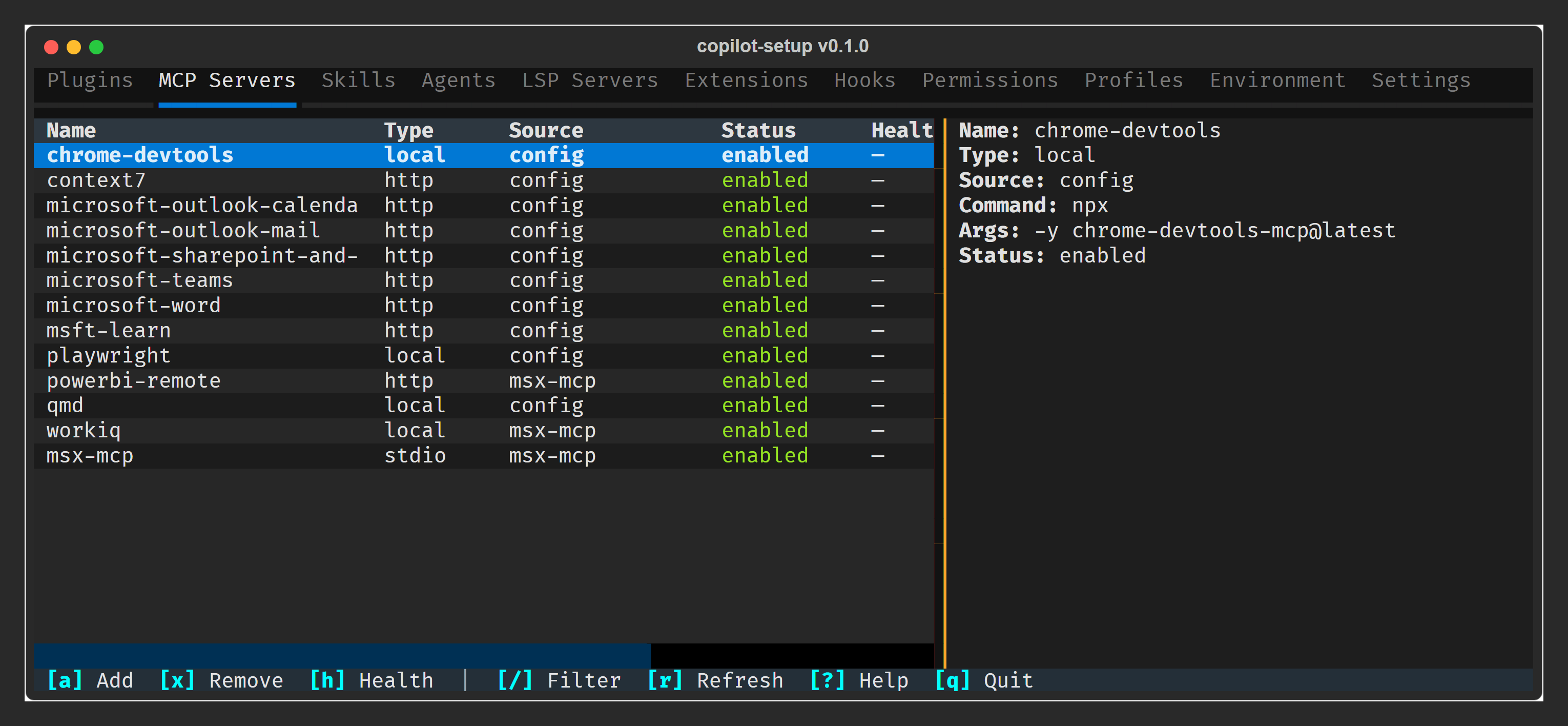
A Textual TUI dashboard for viewing and managing your GitHub Copilot CLI configuration. Browse MCP servers, plugins, skills, agents, settings, and more — toggle, upgrade, and remove plugins or MCP servers without leaving the terminal.
Install as an isolated CLI tool with uv (recommended):
uv tool install copilot-setupOr run directly without installing:
uvx copilot-setupFor development from a local clone:
git clone https://github.com/ericchansen/copilot-setup.git
cd copilot-setup
uv tool install -e .           # editable install
uv tool install ruff pytest    # dev tools
The -e flag enables editable mode — code changes are reflected immediately without reinstalling.
Requires Python ≥ 3.10.
Why
uv tool installoverpip install? Global pip pollutes your system Python and causes version conflicts.uv tool installgives each tool its own isolated venv (likepipx, but faster). If you previously installed withpip install copilot-setup, clean it up withpip uninstall copilot-setupthen reinstall via uv.
copilot-setup           # Launch the TUI dashboard
copilot-setup doctor    # Probe MCP server health
11 tabs · Instant filter (/) · Detail pane · Plugin management · Doctor health probes
Releases are published to PyPI automatically via GitHub Actions when a version tag is pushed.
# 1. Update version in pyproject.toml
# 2. Commit and push
git commit -am "chore: bump version to X.Y.Z"
git push

# 3. Tag and push
git tag vX.Y.Z
git push origin vX.Y.Z
The workflow validates the tag matches pyproject.toml, runs lint + tests, builds the wheel, then publishes to TestPyPI and PyPI using Trusted Publishers (OIDC).