





A powerful, all-in-one Lovelace card for Home Assistant — combining control, monitoring, visualization and custom logic in one highly configurable card.
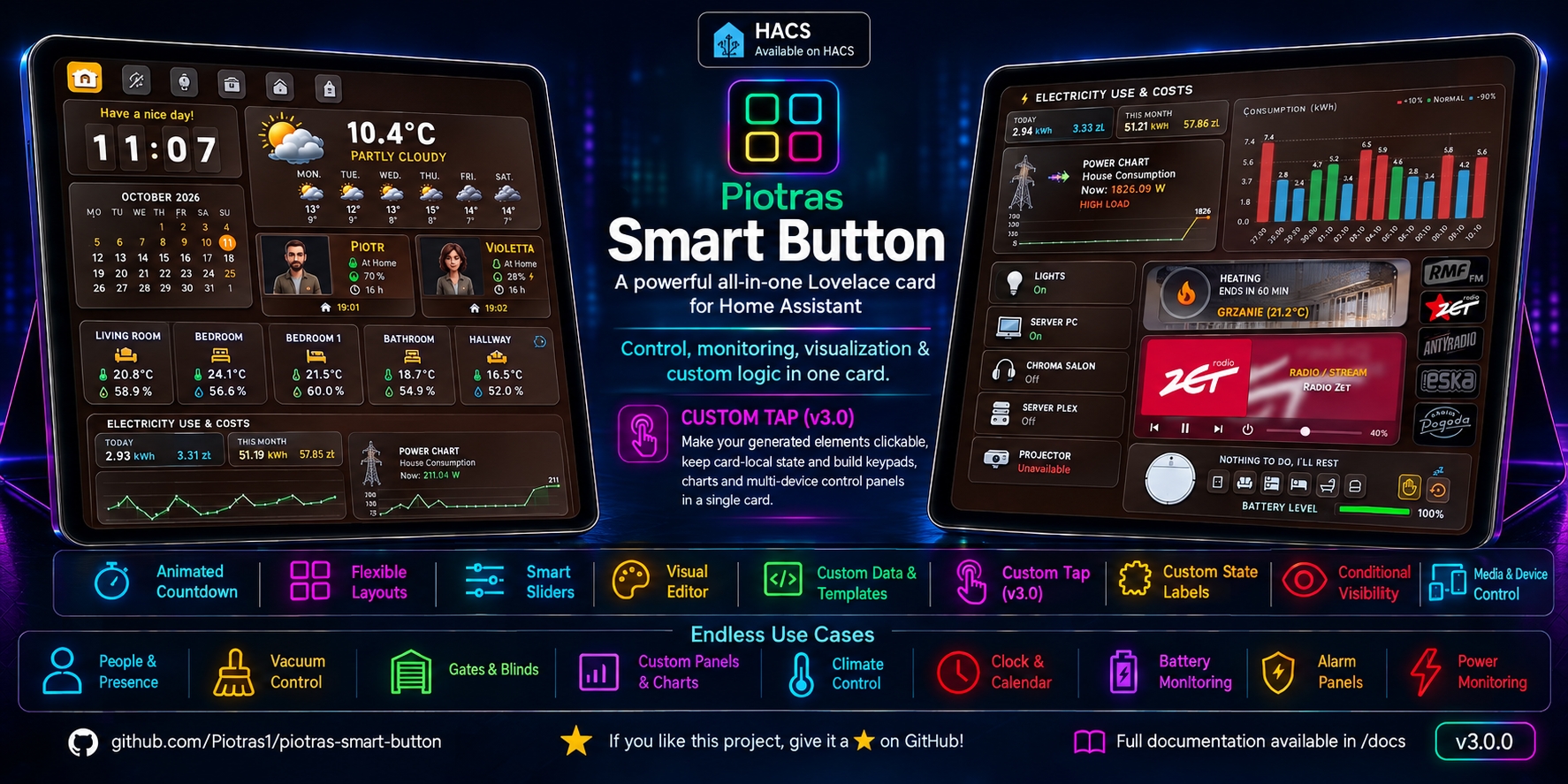
Piotras Smart Button is not designed for just one type of entity. It combines controls, status displays, visualizations and custom logic into a single card. Set it up in the visual editor — no YAML needed — or build your own panels with Custom Data.
🆕 v3.0 adds custom_tap: make any element you generate clickable, keep your own state on the card and build complete panels — keypads, charts, control boards — from a single card.
- Install through HACS and hard reload your browser.
- Add the card to your dashboard and pick an entity — light, cover, fan, vacuum, climate…
- Adjust the look and controls in the visual editor. Sliders and icons adapt to the entity.
Not sure where to start? Find your device in the table below. Levels 2 and 3 are optional.
One card, three levels — start simple and go as deep as you like. Each level builds on the previous one, and cards from earlier versions keep working.
Pick an entity and set everything up from the Home Assistant UI: layout, size, icon, text, background, sliders, actions and services. Sliders for brightness, color temperature, volume, position and fan speed are detected automatically. The table below lists the ready-made cards you get this way — lights, media players, thermostats, gates and blinds, vacuums, alarms, weather, clock, calendar, batteries, sockets, chip buttons and more.
No programming needed. Write your own text for each state (Custom State Labels, including HTML and time-of-day greetings), decide which states count as "on" and lock the card while something is running (Custom States On & Blockade), or hide the whole card when it doesn't matter (Conditional Visibility).
Write your own JavaScript to read any entities and compute values, text and colors (Custom Data), then make anything you generate clickable and keep your own state on the card (Custom Tap). No main entity is needed, so the card becomes a blank canvas for keypads, charts and multi-device control panels — all inside a single card.
Works with lights, media players, climate, covers, fans, vacuums, alarms, weather, sensors, scripts and more.
📦 Click here to view Installation Instructions (HACS & Manual)
- Open HACS in Home Assistant
- Search for "Piotras Smart Button" in the store
- Click Download
- Hard reload your browser (
Ctrl+Shift+R)
- Click the button below:

- Click Add → Download
- Hard reload your browser
- Download this repository as a ZIP file and extract it.
- Inside your Home Assistant
config/www/directory, create a new folder namedpiotras-smart-button. - Copy the compiled files (from
dist/folder) intoconfig/www/piotras-smart-button/. - Go to Settings → Dashboards → Resources.
- Click Add Resource and enter:
/local/piotras-smart-button/piotras-smart-button-loader.js?v=3.0.0
- Resource type: JavaScript Module
- Hard reload your browser (
Ctrl+Shift+R).
Each guide has screenshots and ready-to-use YAML.
| What you control | Entity type | Guide |
|---|---|---|
| 💡 Lights | light |
light |
| 🔊 Media players | media_player |
media |
| 🌡️ Thermostats & climate | climate |
thermostat |
| 🚪 Gates & garage doors | cover |
garage |
| 🪟 Blinds & shutters (position slider) | cover |
configuration |
| 🌀 Fans (speed slider) | fan |
configuration |
| 🧹 Vacuums | vacuum |
vacuum |
| 🚨 Alarm panels | alarm_control_panel |
alarm |
| 🌤️ Weather | weather |
weather |
| 👤 People & devices | person, device_tracker |
person |
| 🔋 Batteries | sensor + any entity you pick for charging state |
battery |
| 🎛️ Sockets & power monitoring | switch + power sensor |
socket |
| 🌡️ Temperature | sensor |
temperature |
| 💧 Humidity | sensor |
humidity |
| 📜 Scripts | script |
script |
| 🕒 Clock | on.clock |
clock |
| 📅 Calendar | on.calendar |
calendar |
| 🧭 Navigation menu | — | navigation |
| 🔘 Chip buttons | any entity | chip |
| 🧩 Anything else | no entity needed | Custom Data |
| Topic | Guide |
|---|---|
| 🖥 Visual Editor | Editor Guide |
| ⚙️ Configuration Reference | Configuration |
| 🧩 Custom Data & Templates | Custom Data |
| 🖱️ Custom Tap (v3.0) | Custom Tap |
| 🏷️ Custom State Labels | Labels |
| 🎛️ Custom States On & Blockade | States & Blockade |
| 👁️ Conditional Visibility | visible_if |
| 🤖 Write code with AI | AI helper |
| 💬 Show & Tell | Dashboards and setups shared by the community — good for ideas. |
| 🧩 Custom Data Modules | Ready-made custom_data modules to copy and paste. |
| 📈 PSB History Engine | Companion HACS integration that keeps a rolling history of any numeric entity, so you can build fast charts with custom_data. |
| 🎨 Assets Gallery | Backgrounds and images to use with the card. |
| 🔍 HA Icons | Searchable gallery of icons to use in the icon fields. |
| 🧰 My Kiosk | View all my cards in one place. |
MIT — free to use, modify, and share.
Created by Piotras. Strictly engineered for reliability.