A modern Pawchive/Kemono downloader userscript featuring a beautiful UI, multiple downloaders, and extensive customization options.




If you encounter any errors or have feature suggestions, feel free to open an issue for discussion.
- Modern UI design based on PrimeVue and Tailwind CSS
- Responsive layout supporting desktop and mobile devices
- Dark/Light theme support
- Multi-language support
- Multi-site support: Pawchive, Kemono
- Batch download support
- Multiple downloader options: browser built-in, File System API, Aria2
- Intelligent filename handling
- Download progress display
- Download task management
- Customization for different downloaders
- Custom filenames (supports directory structure creation)
- Modular architecture design
- Type-safe TypeScript development
- Modern Vue 3 Composition API
- Unit testing (Vitest) and code quality checks (ESLint)
- GitHub Actions automated build and release
- Automated build pipeline
- Development server with HTTPS support
The script core is decoupled from any specific website, adapting to arbitrary sites through two abstraction layers:
- Site Adapter: each supported website is implemented as an adapter, handling page detection (URL matching & lifecycle), resource extraction, and download intent submission;
- Download Provider: delivers download intents to the user, currently offering the built-in browser downloader, File System API, and Aria2.
Pawchive and Kemono adapters are implemented so far. Based on this architecture, support for arbitrary websites can theoretically be added.
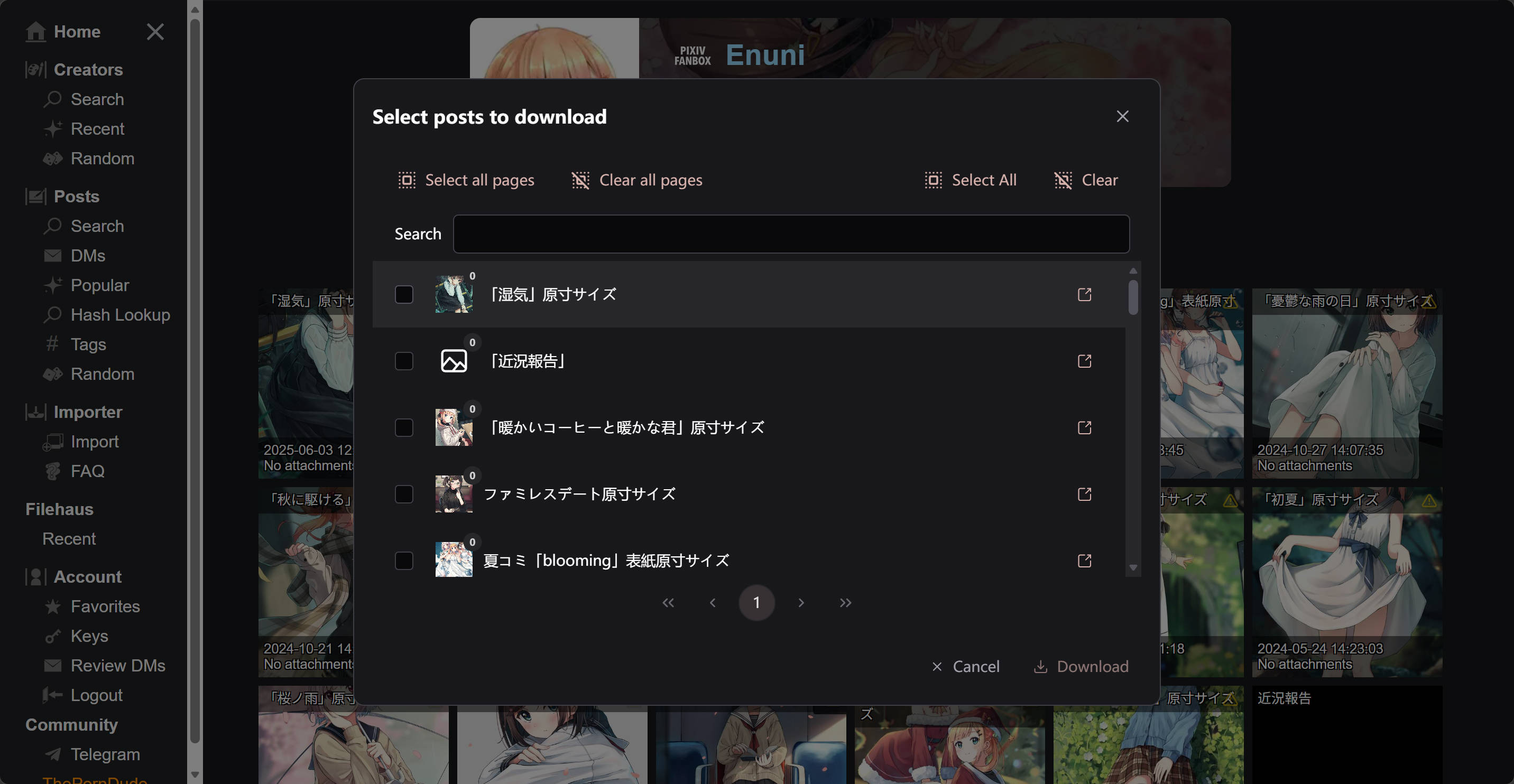
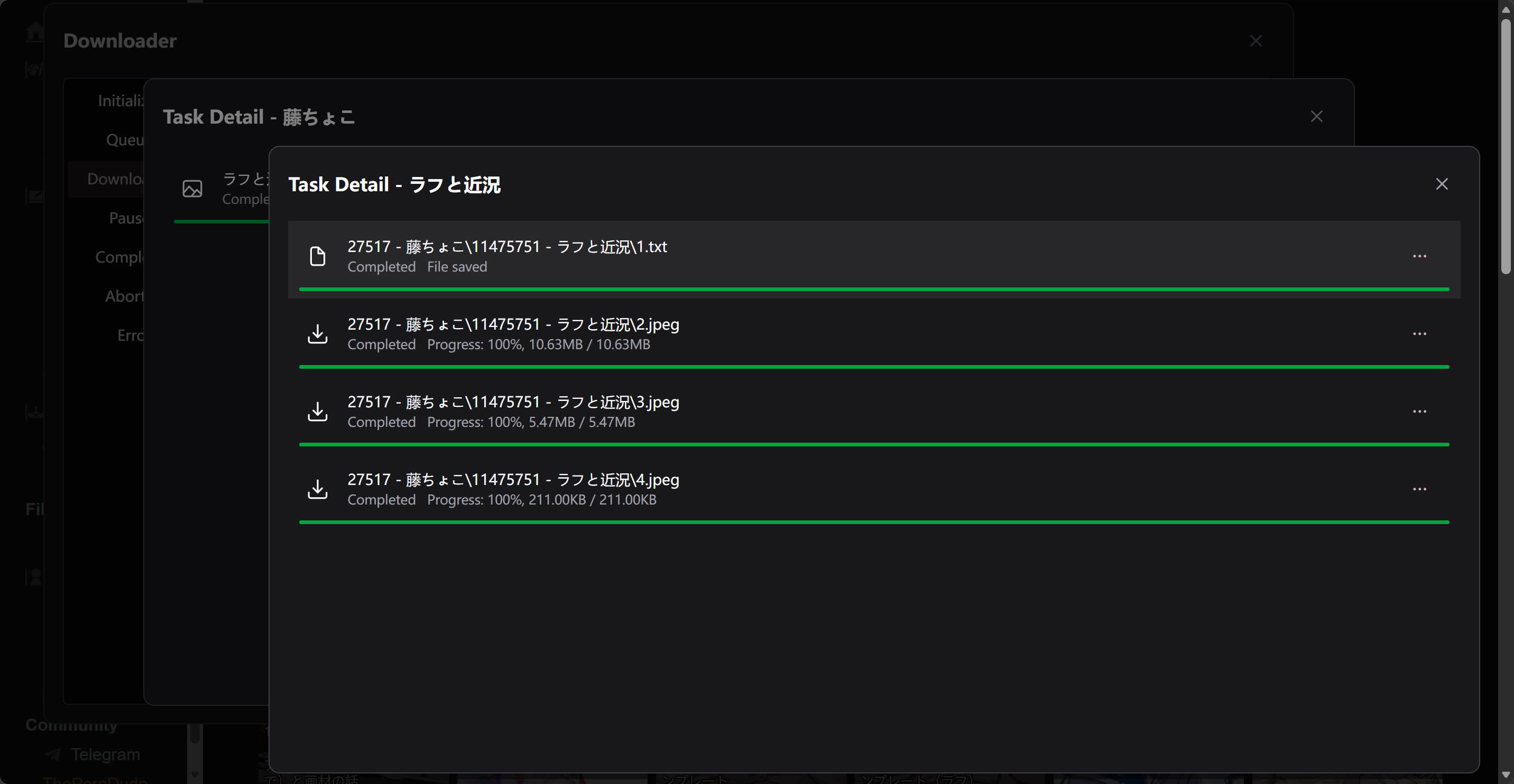
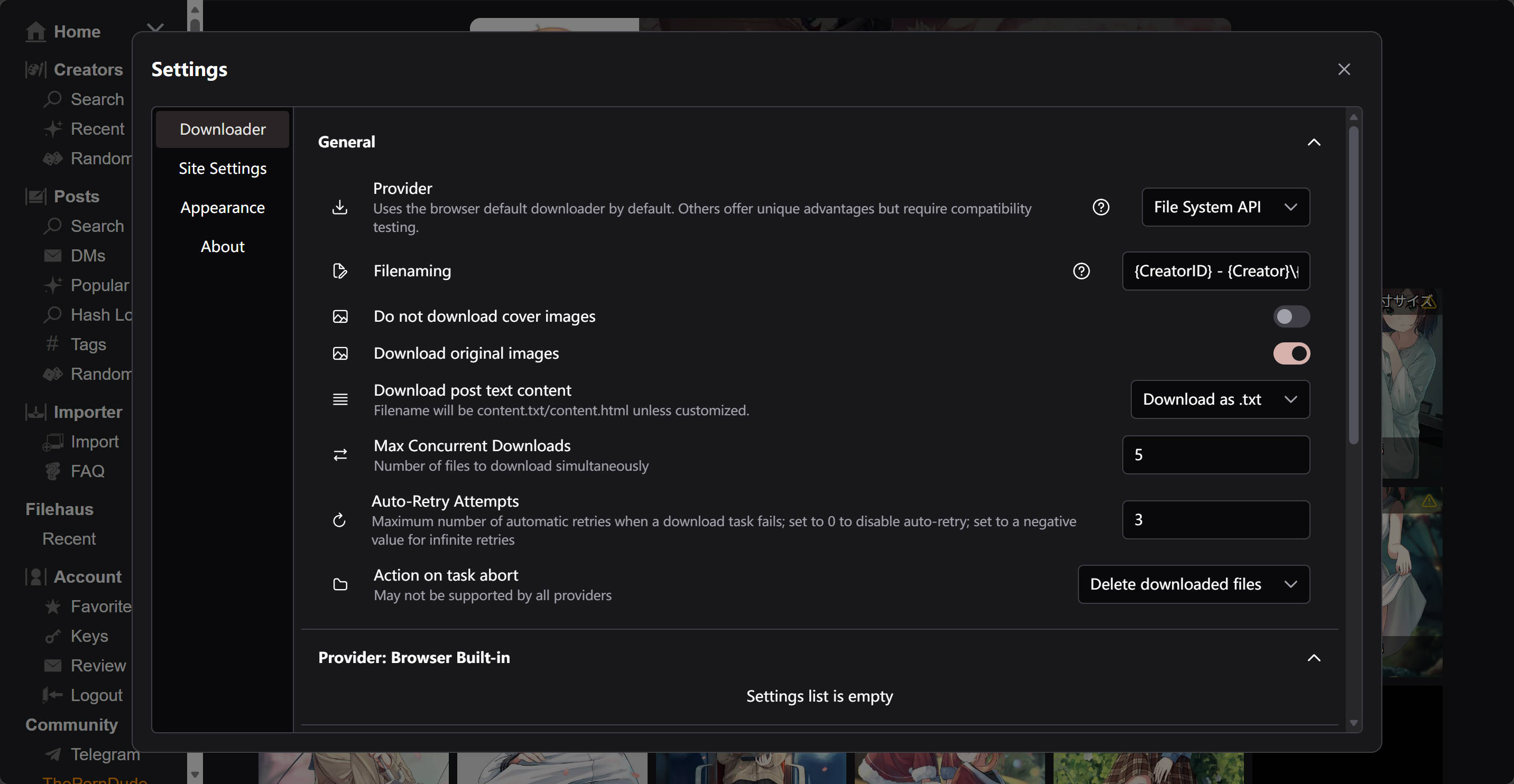
You can install using any of the following methods:
This project uses npm as the package manager for development; please try other package managers on your own.
- Node.js 18+
- npm or yarn
- Clone the Project
git clone https://github.com/PYUDNG/Kemono-Downloader.git
cd kemono-downloader- Install Dependencies
npm install
# or
yarn install- Start the Development Server
npm run dev
# or
yarn dev- Build the Userscript
npm run build
# or
yarn buildAfter the build completes, a kemono-downloader.(min|greasyfork)?.user.js file will be generated in the /dist/ directory. You can install it by following these steps:
- Open any build artifact and copy all the code content
- Install the Tampermonkey or Violentmonkey browser extension
- Click "Add New Script" in the extension manager
- Paste the generated userscript content
kemono-downloader/
├── src/
│   ├── components/         # Shared Vue components (DownloadButton/ListItem/TabLayout)
│   ├── modules/            # Internal script modules (settings/api/downloader/debugging/self)
│   ├── sites/              # Site adapter layer (pluggable, extensible to any website)
│   │   ├── types.ts        # Generic Site contract (hosts/modules/resolve/expand)
│   │   ├── main.ts         # Site registry and detectSite
│   │   ├── kemono.ts       # Kemono site adapter
│   │   ├── pawchive.ts     # Pawchive site adapter
│   │   └── kemono-family/  # Shared Kemono-family implementation (API/page flow/types/components)
│   ├── utils/              # Utility functions
│   ├── volt/               # PrimeVue component wrappers
│   ├── main.ts             # Application entry point
│   ├── loader.ts           # Module loader
│   └── loader-actions.ts   # Module lifecycle action determination
├── build-utils/            # Build utilities
├── scripts/                # Build scripts
├── server/                 # Development server configuration
├── package.json            # Project configuration
├── vite.config.ts          # Vite configuration
└── tsconfig.json           # TypeScript configuration
```## 🛠️ Tech Stack

- **Frontend Framework**: Vue 3 + TypeScript
- **Build Tool**: Vite
- **UI Component Library**: PrimeVue
- **Styling Solution**: Tailwind CSS
- **User Script**: vite-plugin-monkey
- **State Management**: Vue Composition API
- **Internationalization**: vue-i18n
- **Utility Libraries**: mitt, uuid, dedent

## 📦 Build & Deployment

### Development Testing
```bash
npm run dev
npm run buildThe production build output will be created in /dist/
You can contribute to this project by submitting Issues and Pull Requests.
- Describe the problem or feature request clearly
- Provide reproduction steps
- Include relevant screenshots or logs
- Fork the project repository
- Create a feature branch
- Commit your code changes
- Write clear commit messages
- Create a Pull Request
This project has no strict code style requirements, but please ensure your code at least:
- Contains appropriate comments
- Passes TypeScript type checking
Each commit can contain multiple updates, and each update should be written as a list item.
Each update should start with an update type at the beginning of the list item, separated by an English colon and a space (: ):
| Update Type | Description |
|---|---|
feat |
New feature added |
improvement |
Improvement to existing features |
code |
No functional changes, only code (including comments) modifications (code optimization, etc.) |
performance |
No functional changes, only performance improvements |
bug fix |
Bug fixes |
i18n |
No code changes, only language pack updates |
maintainence |
Other updates without code changes, such as: TODO list updates, dependency updates, etc. |
refactor |
No functional changes, complete code rewrite (refactoring) |
If an update corresponds to multiple types, use the most prominent type.
Commit messages should be written in English.
Commit message example:
- feat: new download provider `aria2`
- improvement: debounce TextInput for settings
- bug fix: download button no response after multiple clicks
- maintainence: updated TODO
- maintainence: updated README
- refactor: build script
The above commit messages are examples only. In actual commits, for such a large number of updates, you should try to split them into multiple commits.
This project is licensed under the GPL-3.0 license.
- vite-plugin-monkey - Vite plugin for building user scripts
- Pixiv Downloader - Downloader for multiple sites including Pixiv
- Vue.js - Progressive JavaScript framework
- PrimeVue - Next-generation Vue UI component library
- Tailwind CSS - Utility-first CSS framework
- Vite - Next-generation frontend build tool
- Tampermonkey - Popular user script manager
- Violentmonkey - Open-source user script manager
Feel free to reach out through the following channels:
- Submit a GitHub Issue
- Submit a Pull Request
- Submit a Greasyfork Discussion
Note: This project is for learning and research purposes only. Please comply with the terms of use and copyright regulations of the relevant websites.