


🚀 Public Beta – This is beta software, provided as-is. Expect bugs, rough edges, and missing documentation. Use at your own risk.
SpoolmanScale is an open-source ESP32-based filament scale with NFC reader, integrating directly with Spoolman.
Yes, another filament scale – but hear me out, this one might actually earn a spot next to your printer. 😄
Place a spool on the scale – it reads the NFC tag, pulls the spool data from Spoolman, and lets you update the remaining weight, log a drying date, or archive empty spools. All from a 3.5" touchscreen. No phone needed.
A running Spoolman instance on your local network is required – this is what stores all your spool data.
🎉 Public Beta is live! Firmware is released and available via the Web Flasher or as a direct download from Releases.


Please note: This is a beta release. A more detailed guide is in the works, but this README already covers all the essential steps to get your SpoolmanScale up and running. If you run into issues, join the Discord – happy to help.
Currently tested with a Spoolman library of 260+ active spools and running stable. If you have an even larger collection – I'd love to hear how it holds up!


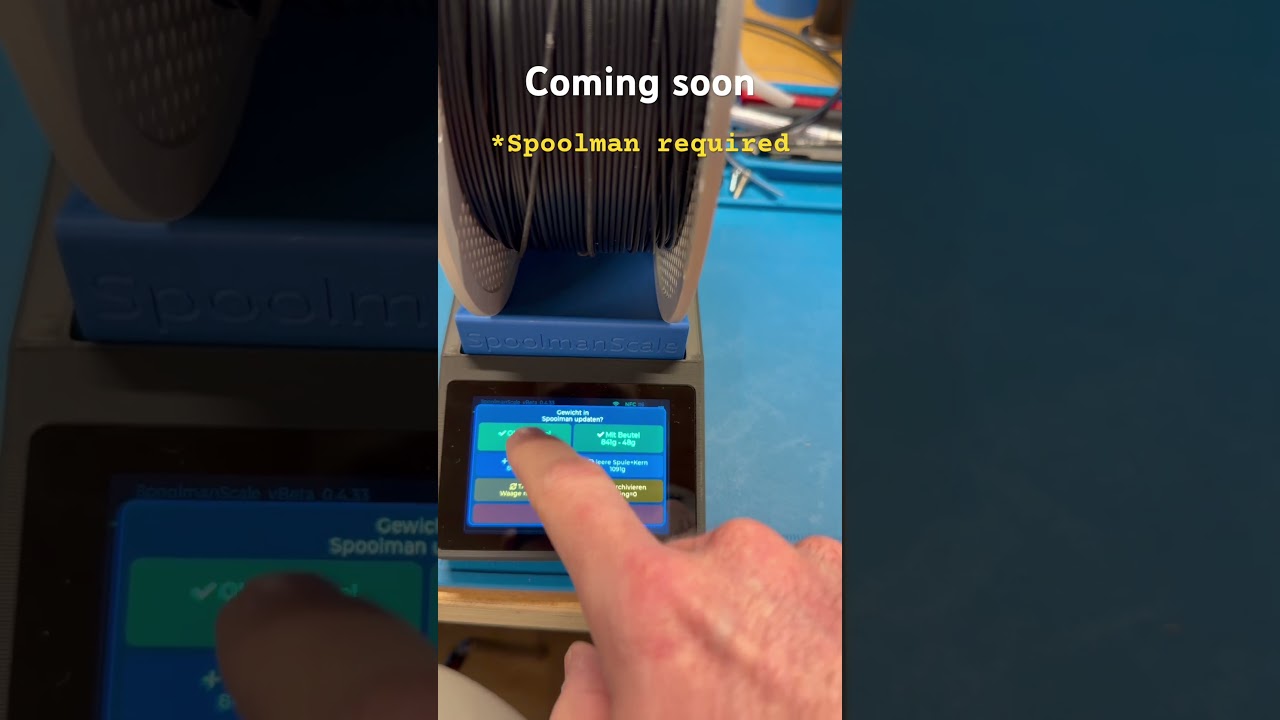
- 🏷️ Bambu Lab NFC tags – place a spool on the scale and SpoolmanScale reads it instantly: material, color, vendor, remaining weight and drying history appear automatically. No tapping required
- 🔗 Bambu Lab spool linking – SpoolmanScale finds the matching Spoolman entry automatically by filtering by material type, subtype (e.g. HF, CF, Matte) and color similarity — so you only see spools that actually match your tag
- 🔗 Third-party spool linking – place any NTAG sticker → select vendor and material → pick from a filtered list → linked in Spoolman via
extra.tag - 📋 Copy spool – running low? Place a new spool on the scale, tap Copy Spool, and SpoolmanScale creates an identical entry in Spoolman, tags the NFC chip, and logs the current weight — all in one step
- ⚖️ Live weight (NAU7802) – moving average filter, TARE, live diff vs. Spoolman remaining weight
- 📡 Spoolman REST API – update remaining weight, set initial weight, set spool weight (per spool / filament / vendor), log drying date, archive spools
- 📱 Touchscreen UI (LVGL 8.3, 480×320) – settings menu, confirmation popups, sleep/wake
- ⚙️ On-device Wi-Fi setup – scan networks, enter credentials and Spoolman IP directly on the touchscreen
- 🔄 Firmware updates (OTA) – check for updates and flash new firmware directly on the device – just tap the update button. No PC, no cables, nothing. Or upload a firmware file from any browser – PC or smartphone
- ⚡ Web Flasher – first-time flash via browser over USB. All you need is a browser and a USB cable – no software installation required: niko11111.github.io/SpoolmanScale
- 🌍 DE / EN language support – language selection on first boot, switchable in settings. Full umlaut support (ä, ö, ü) since v0.5.6
- 🌙 Power management – display dimming, deep sleep, wake via touch
- 🪵 SD card logging – insert a microSD card and SpoolmanScale logs all events automatically. Download logs via browser – no disassembly needed
| Component | Model | Link |
|---|---|---|
| MCU + Display | WT32-SC01 Plus (ESP32-S3, 480×320, ST7796) | AliExpress |
| Debug Board (not necessary) | ZXACC-ESPDB | AliExpress |
| NFC Reader | PN532 | AliExpress |
| Scale ADC | NAU7802 (Adafruit recommended) | AliExpress |
| Load Cell | YZC-133 2 kg beam cell (5 kg works too) | AliExpress |
| USB-C Panel Mount 90° | 30 cm, Left/Right Angled, full USB-C PD + data | AliExpress |
| Connector Cables | STEMMA QT / JST cables | AliExpress |
| Connector Cables (easier assembly) | Micro JST 1.0 SH 5-pin | Amazon |
The 3D printable enclosure is available on MakerWorld: 👉 makerworld.com/@FormFollowsF

📖 A detailed build guide, wiring diagrams, and setup instructions are available in the SpoolmanScale Documentation (work in progress)
1. Order parts & print the enclosure Order from the hardware list and print the enclosure while you wait for shipping.
2. Flash the board first Before assembling, flash via the Web Flasher. Verify it works before wiring.
3. Wire & assemble Full wiring tables and assembly tips: SpoolmanScale Documentation (work in progress)
4. Calibrate Settings → Scale → Calibration. Done.
SpoolmanScale uses Spoolman's extra fields to store NFC tag UIDs and drying dates. The following fields are required and created automatically during first-time setup:
| Field | Type | Used for |
|---|---|---|
tag |
Text | NFC tag UID (Bambu UUID or NTAG UID) |
last_dried |
DateTime | Last drying date |
Recommended add-on: OpenSpoolMan
OpenSpoolMan connects to your Bambu printer via MQTT and reads which filament is loaded in which AMS tray. It uses the same extra.tag field – so if your spools are already linked in SpoolmanScale, OpenSpoolMan will recognize them instantly.
- 📍 Location support (Phase 1 live in v0.5.8-beta) – assign and view storage locations directly on the scale via the More Info screen. Picks from all locations in Spoolman, supports clearing the location. Note: due to a Spoolman API limitation, only locations with at least one spool assigned are shown. Auto-popup after tag removal coming in a future update
- 🌡️ Drying reminder – color-coded
last_drieddate showing whether a spool needs drying. Thresholds configurable per material group or manually in the settings menu
- 🔌 FilaMan support – SpoolmanScale will get a FilaMan mode that creates compatible tokens and integrates natively with FilaMan. Early-stage, active development
-
🖥️ SpoolmanScale Pro – not yet a Spoolman or FilaMan user? No Raspberry Pi at home, and the words "terminal", "SSH", "Docker" and "YAML" make you want to close the tab? That's exactly what SpoolmanScale Pro is for. A Pi Zero 2W inside the same enclosure – or any other Pi outside – running Spoolman or FilaMan locally, set up almost entirely through a web UI. Only a few commands to get the Pi up and running – that's it. Sneak peek: github.com/Niko11111/SpoolmanScalePro-Pi
-
📦 SpoolmanScale Pro – pre-assembled – want all of that, but don't know how to solder and just want something that works straight out of the box? I'm considering a small production run of fully assembled, ready-to-use SpoolmanScale Pro units – no soldering, no setup headaches, just plug it in. Nothing is decided yet, a lot still needs to be figured out, and it all depends on interest. Would a finished, assembled unit be worth it to you? Let me know in the Discord or drop a comment on MakerWorld!
- Fix: occasional crashes during first-time setup and settings navigation
- Fix: crash on invalid Spoolman IP
- More ideas welcome – open an issue or join the Discord!
Occasional reboots / UI freezes during menu navigation In some cases, navigating between settings screens can cause the UI to freeze or the device to reboot. If the UI freezes, unplug to force a reboot – no data is lost. This is a known issue with the LVGL overlay architecture and is on the list to fix.
A lot of my free time – time I could have spent with my family – has gone into building SpoolmanScale. If you enjoy using it, please help spread the word:
- ⭐ Star this repo on GitHub – it helps more people discover the project
- ⭐⭐⭐⭐⭐ Rate 5 stars & boost on MakerWorld – every like, rating and boost helps: makerworld.com/@FormFollowsF
- ☕ Support on Ko-fi – even a single euro makes a difference: ko-fi.com/formfollowsfunction
- 💬 Join the Discord – share your build, report issues, or just say hi: discord.gg/GzQzGa5pBG
Have a feature request? Post it in the Discord or open an issue – I read every one of them and do my best to make it happen.
Thank you for your support. It means a lot. 🙏
- PandaBalance 2 by the MakerWorld community
- SpoolEase by yanshay
Not affiliated with Spoolman. Uses the Spoolman REST API.