
EchoWiki turns a subreddit wiki into a proper editing and reading environment. Moderators write and update pages inside the app with a live Markdown preview. Readers get richer formatting than Reddit's native wiki. Contributors can propose changes that moderators review before merging, and optionally the community votes on whether to accept each suggestion. For game communities specifically, the app resolves special echo:// links to in-game assets that each reader loads from their own copy of the game. No files are uploaded anywhere, so the original work's copyright is respected.
- Wiki
- Collaborative Editing
- Echo Links
- Asset Import
- Asset Browser
- Moderator Permissions
- Settings
- A Note to Game Developers
- Privacy
EchoWiki is a renderer on top of your subreddit's own native Reddit wiki, not a separate store. Every page is fetched live from the subreddit wiki (reddit.com/r/<subreddit>/wiki) via the Reddit API and rendered inside the app with a full Markdown engine. Saving a page from the app writes straight back to that same wiki, so the two stay in sync.
Because the data lives in the real wiki, you keep everything Reddit already gives you for it: the full revision history of every page (with author and reason for each edit) is visible at reddit.com/r/<subreddit>/wiki/revisions (and also from inside the app, see Page Management). New pages can be created in-app by moderators with the + Add page action, or the normal Reddit way (visit the page's wiki URL on Reddit and create it, or link to it from an existing EchoWiki page) and they show up in the app. EchoWiki never hides or replaces the underlying wiki; it just gives it a richer reading and editing surface.
Easy and powerful custom formatting based on Markdown:
- Tables, code blocks, lists, blockquotes, horizontal rules...
- GitHub-style alerts (
> [!NOTE],> [!TIP],> [!IMPORTANT],> [!WARNING],> [!CAUTION]) with colored borders and icons - Echo links resolved as inline images, audio players, and interactive 3D models
- Composition blocks: cards, stat-table infoboxes, layered scenes, and frame-by-frame or moving-sprite animations built from game assets
- Anchor links scrolling to the target heading within the page
- External links opening in the browser
- Remote images (
) from a small allowlist of trusted hosts, relayed through the app's server so the webview can display them - Raw HTML for custom layouts (floating infoboxes, multi-column grids, inline styles...)
Navigation uses a breadcrumb bar that slides down from the top when hovering the Wiki tab (see Breadcrumb Navigation), with sibling-page dropdowns, a full page index, the edit/suggest action, and moderator page tools all anchored to it.
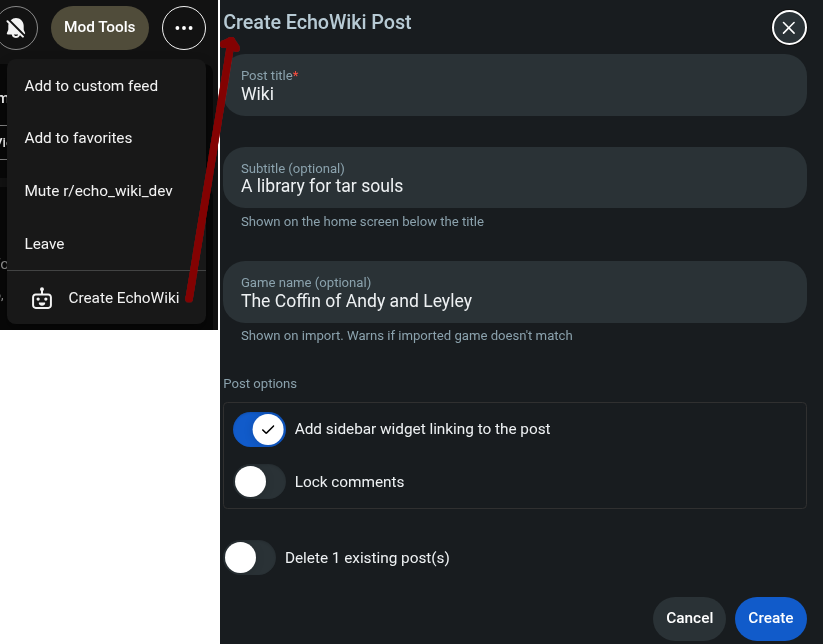
Create and set up the wiki for your subreddit from the moderator menu: it creates the wiki post, can remove previous ones, adds a sidebar widget linking to it, and sets the basic configuration (title, subtitle, game name) in one form.
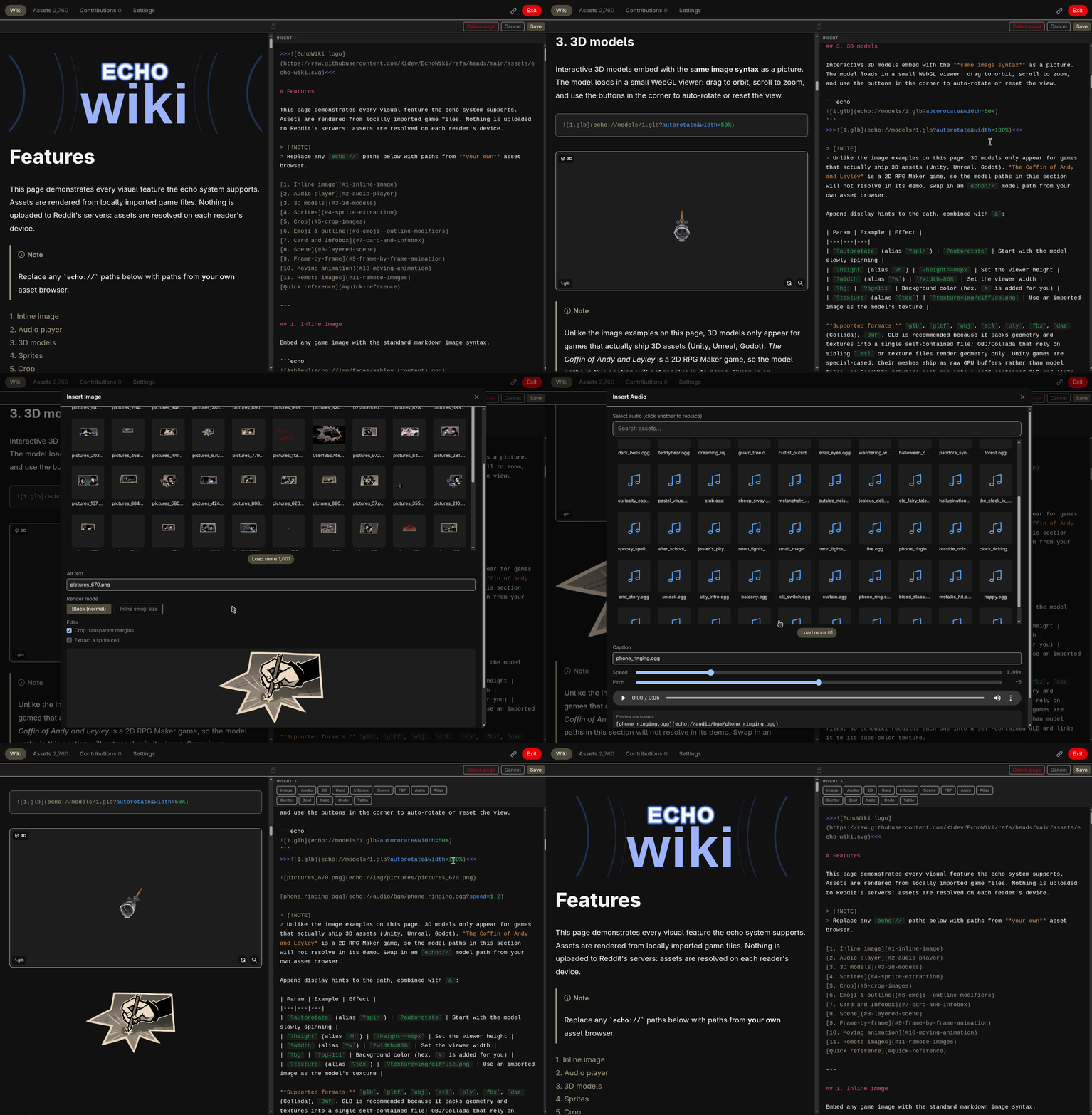
Moderators can edit wiki pages directly inside the app. The Edit page button lives on the breadcrumb bar (right side); it collapses to a pen icon when space is tight and follows the breadcrumb's visibility. Clicking it opens the editor, where the Markdown source sits next to a live preview that updates as you type. From the collapsed inline view the same button pops the app out to the expanded editor.
The source pane has syntax highlighting for EchoWiki's Markdown dialect: headings, links, blockquotes, list markers, ::: block fences and phase separators, echo:// links, and key=value block params are all colored as you type (the same highlighter colors the read-only Source review panes). A Scroll lock toggle above the source, on by default, keeps the two panes aligned: it anchors them on matching headings so the source follows the preview (and vice-versa) to the same section rather than yoking the scrollbars by raw proportion. Toggle it off to scroll each pane independently.

An Insert toolbar above the editor builds the trickier syntax for you: dialogs for inserting an image (with an asset picker and an inline emoji-size mode), an interactive 3D model, a card, an infobox, a layered scene, a frame-by-frame or moving animation, and :::def path aliases, plus quick buttons for centered text, bold, italic, inline code, and a table template.
Saving requires a short description of the change (at least 10 characters). When collaborative mode and voting are both enabled, the save dialog shows a "Bypass public vote" checkbox to moderators, unchecked by default: leaving it unchecked sends the edit through the suggestion and voting flow, while checking it writes straight to the wiki without a vote post.
When saving directly, the reason is prefixed with the moderator's username and stored in the Reddit wiki revision history. Navigating away while editing prompts for confirmation before discarding changes.
Unsaved work also survives the app closing: as you type, the editor auto-saves your changes to a private draft on the server. Each user keeps one draft at a time, for either a direct edit or a suggestion. Reopen the page and EchoWiki offers to resume the draft or discard it and start fresh; if the draft belongs to another page, it points you there instead, since only one can be open at once. Drafts are kept for 30 days, and one started as a direct edit becomes a suggestion automatically if you no longer have edit rights when you resume it.
Inside the editor, a Delete page button (moderators, direct-edit mode, never the index) is a press-and-hold control: hold it for three seconds, watching it fill, and a confirmation dialog opens that requires typing the page's path to proceed. Reddit has no true wiki delete, so "delete" tombstones the page content, unlists it, and removes its link from the index; the Reddit revision history is preserved.
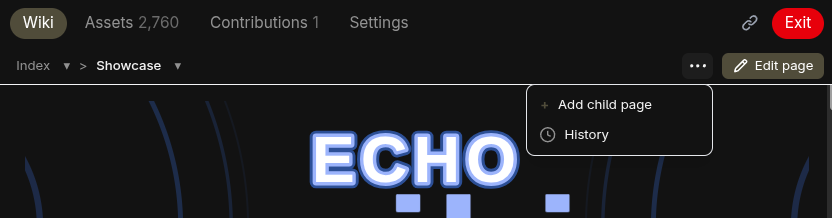
Several page-level tools live on the breadcrumb bar:
-
Index dropdown (everyone): the first breadcrumb crumb opens a scrollable list of every wiki page, including orphaned and unlisted ones, for quick navigation. Right-click any entry to copy its
echolink://. -
+ Add page (moderators): from the moderator actions menu, creates a child page of the current page from a title, seeds it with a heading, links it from the index so it is not orphaned, and opens it.
-
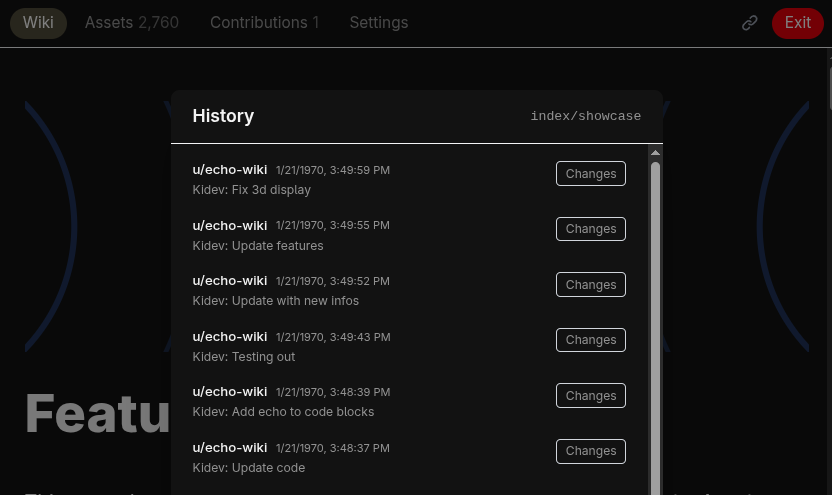
History (moderators): opens the page's Reddit revision history (author, timestamp, and reason for each of the most recent revisions). Each revision has a Diff button that shows a side-by-side comparison of that revision against the previous one (the oldest revision is compared against an empty page).
-
Delete page: see the Live Editor above.

The breadcrumb bar slides down (and fades) from the top when hovering the Wiki tab, showing the path to the current page. It packs a lot into one line:
- Each segment navigates to that ancestor page; right-clicking any segment copies its
echolink://to the clipboard. - Segments with siblings show a caret dropdown listing the sibling pages at that level; the first (index) crumb's dropdown lists every page (see Page Management).
- The Edit page / Suggest change action and the moderator page actions menu (+ Add page, History) sit on the right of the bar.
- When the trail is too long to fit alongside the buttons, the start of the path is elided (faded) so the current page and the action buttons always stay visible.
Every heading has a copy-link button that appears on hover. Clicking it copies an echolink:// URL pointing to that specific section. These links can be shared with other users of the same subreddit's EchoWiki. To open one, use the link icon in the top bar to open the EchoLink dialog, then paste the URL. When opened from a wiki page, the dialog also shows the current page's echolink:// with a one-click copy button. It also accepts echo:// asset paths to jump directly to a file in the asset browser.
Beyond game assets, ordinary remote images embed with standard Markdown pointing at a normal URL: . These need no game import and work on any page, game-backed or not.
Reddit's webview cannot load images from external origins directly, so EchoWiki relays them through its own server: the server fetches the image and streams the bytes back to the reader's browser same-origin. Nothing is stored or re-hosted; the server only proxies the bytes for that one request (the response is cacheable by the browser).
Because the relay is the only way out, remote images only work from an allowlist of trusted hosts. This covers Reddit's own domains and Reddit's global fetch allowlist, plus a few EchoWiki adds out of the box (i.imgur.com, raw.githubusercontent.com, and github.com); an image from any other host is refused. The live editor helps here: as you type, an  whose host is not on the allowlist is flagged in red with a wavy underline, so you know it will not load before you save. echo:// assets, data: URIs, and relative links are never flagged.
When collaborative mode is enabled, users who meet the subreddit's eligibility thresholds (karma and account age, both configurable) can suggest changes to any wiki page. Each user can have one active suggestion at a time.
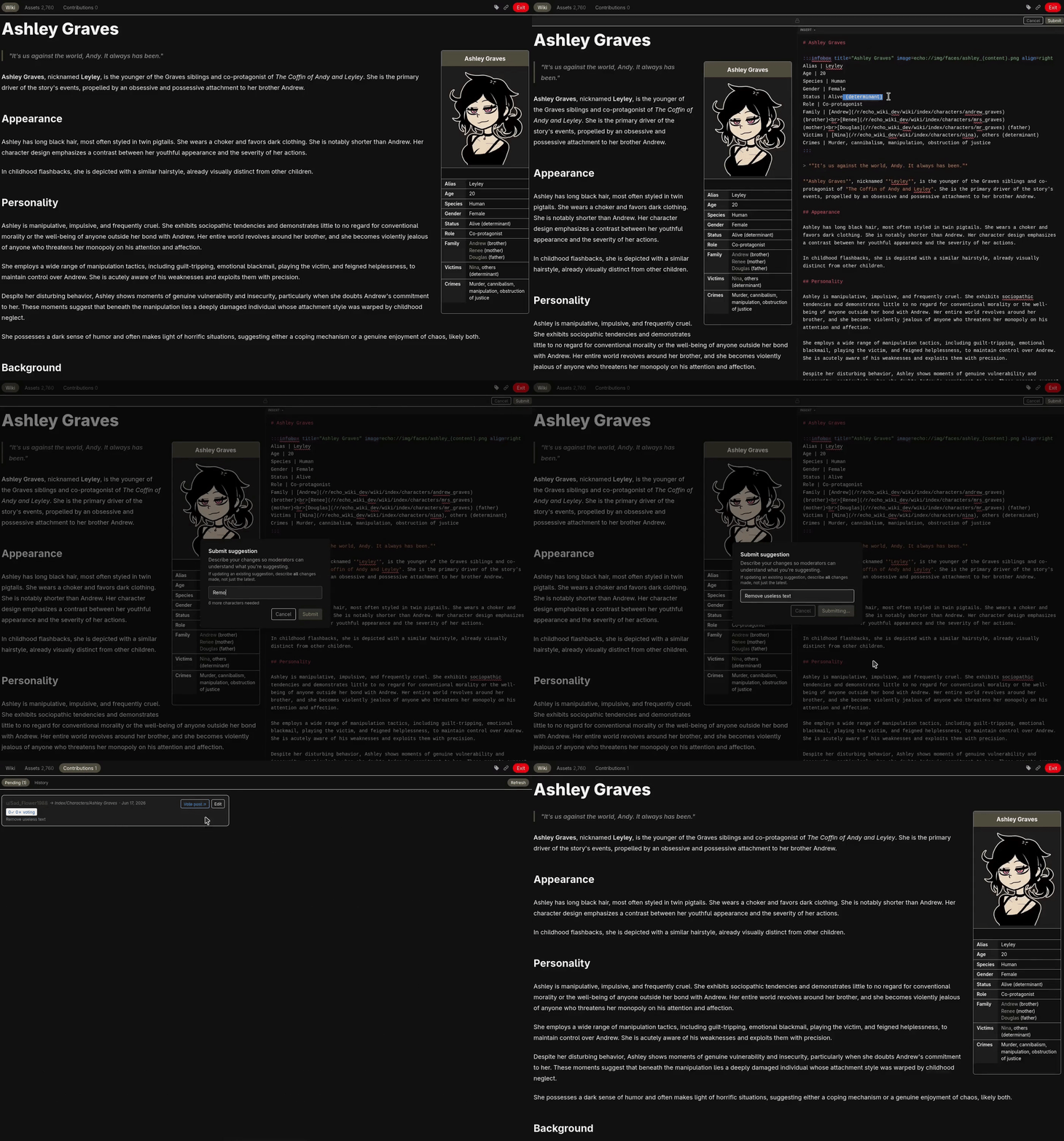
Suggesting a change opens the same editor moderators use, with a live preview of the rendered Markdown on the left and the source editor on the right.
Submitting requires a description of what changed (at least 10 characters). The suggestion is then queued for moderator review or community voting, depending on configuration.
A user can update their pending suggestion from the Contributions tab. Each update resets any votes already cast on the suggestion. The maximum number of updates and the minimum time between updates are both configurable in the settings.
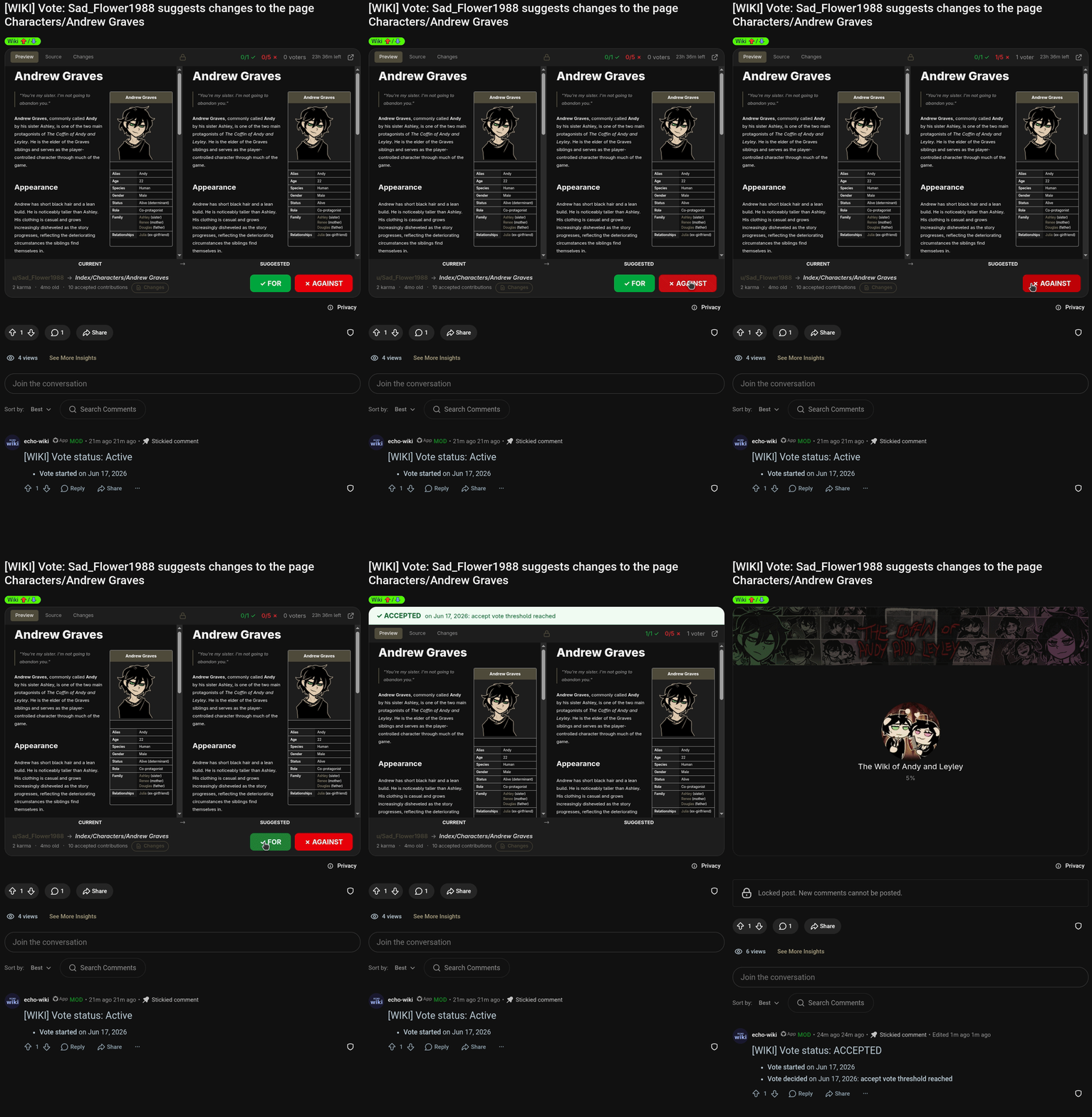
When voting is enabled, submitting a suggestion creates a separate Reddit post where community members cast votes. The voting post embeds a side-by-side comparison of the current page and the suggestion, switchable between Normal, Source, and Diff views, so voters can review exactly what is changing, then vote ✓ FOR or ✗ AGAINST; clicking the chosen side again retracts the vote. Running tallies, the thresholds, and the time remaining are shown along the top.
A suggestion is finalized automatically when any of the following conditions are met:
- The accept vote count reaches the configured threshold
- The reject vote count reaches the configured threshold
- The voting deadline passes and the percentage of accept votes meets the configured time-based threshold
A minimum number of voters can be required before the time-based threshold applies. The suggestion author cannot vote on their own suggestion. Voter eligibility (karma and account age) is configurable separately from contributor eligibility.
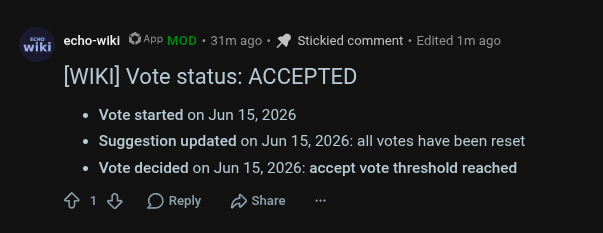
The voting post includes a pinned bot comment that records vote events: when the vote opened, when the suggestion was updated, and when the vote concluded with the outcome and reason. The comment is updated as events occur, and the post is locked once the vote concludes (or, if Delete completed vote posts is enabled in the Voting settings, deleted from the subreddit instead). Either way the suggestion's content and the decision are preserved in the user contributions history, so a concluded vote stays reviewable even after its post is gone.
Voting posts are public, so a voter who has not imported the game can still review the change: the import prompt on a voting post offers a Continue without assets option. Choosing it opens the suggestion with its text and Diff fully readable, while echo:// references render as inert placeholders rather than resolved assets. The choice is session-only and is never persisted, so each visit opts in again.
Suggestions are tracked from a Contributions tab with two sub-tabs, Pending and History. Both moderators and eligible contributors get the tab; what each sees in it differs by role, described below.
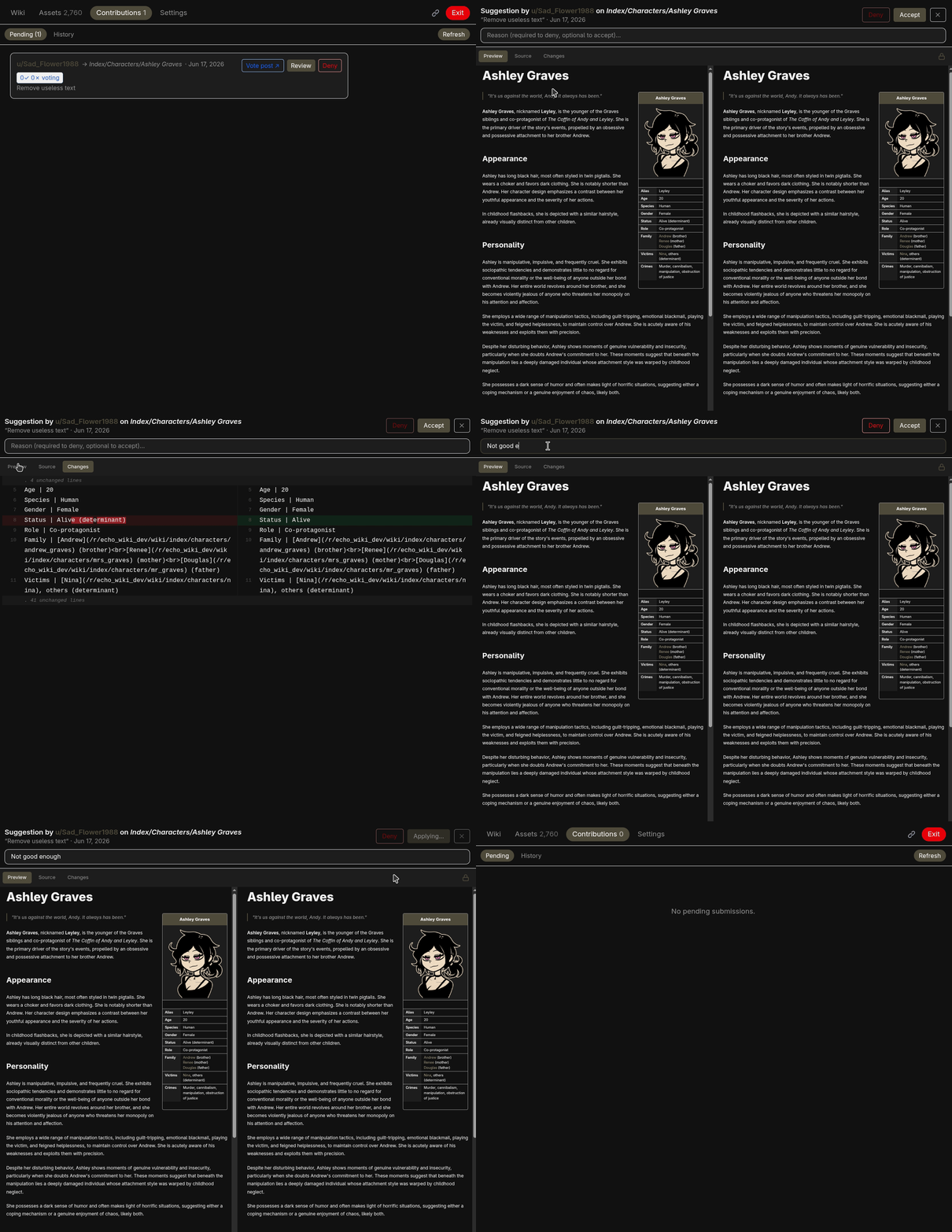
Moderators with "wiki" or "config" permissions see every contribution across the subreddit.
The Pending sub-tab lists all pending suggestions, each with the contributor, target page, description, and vote status if voting is enabled. Clicking Review opens a full-screen modal comparing the current page (left) and the suggestion (right), switchable between Normal, Source, and Diff views. Moderators can Accept or Deny from the review modal, or Deny a suggestion straight from the list, at any time and regardless of the vote result. When a voting post exists, a link to it is shown. Accepting writes the suggested content to the Reddit wiki with the contributor's username in the revision reason.
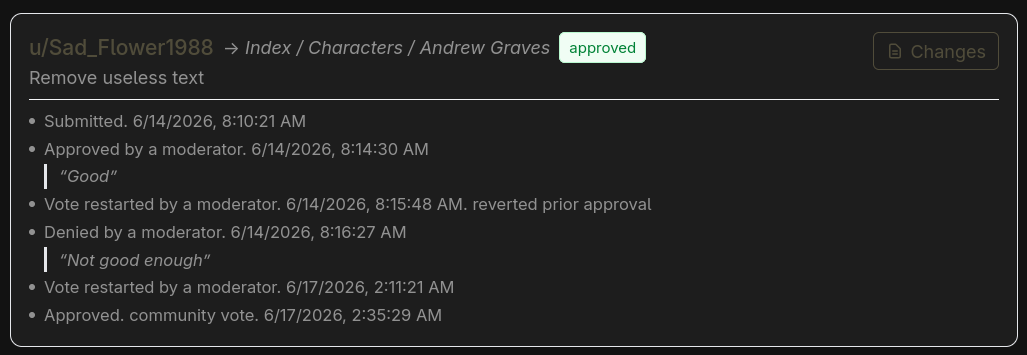
The History sub-tab is an audit trail of every decided suggestion in full detail: who submitted it, who decided it (including which moderator approved or denied each one, and which were settled by community vote), and any later moderator actions. Each entry's Changes button opens a side-by-side diff of what the contribution proposed against the page as it stood when the decision was made; because that content is stored with the entry itself, it stays viewable even after the original vote post has been deleted (see Delete completed vote posts). The history is the durable record of what each contribution changed.
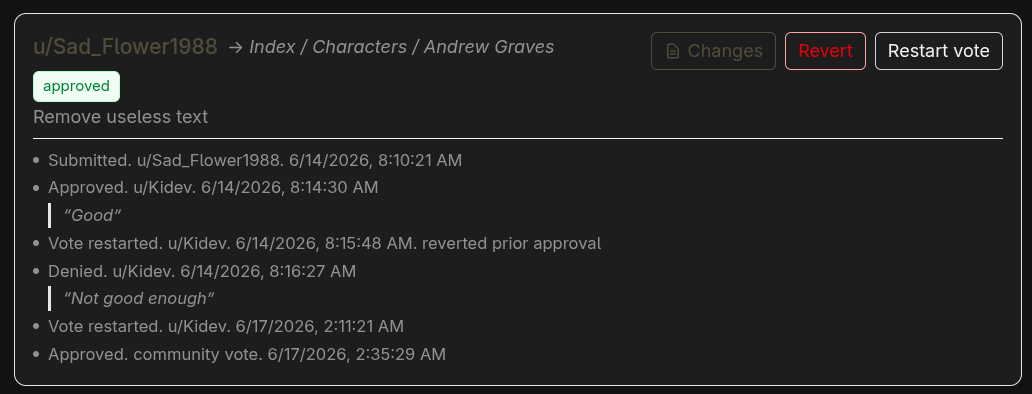
Moderators can act on a past decision from the History list without erasing it: the entry stays and moves to the top, logging each new state (e.g. "denied by X", then "approved post-mortem by Y"):
- Approve a previously denied suggestion (post-mortem), applying it to the page now.
- Revert a previously approved suggestion, restoring the page to its pre-suggestion state.
- Restart vote to re-open a decided suggestion as a fresh pending submission.
Because the page may have changed since the original decision, the Approve and Revert actions perform a Git-style three-way auto-merge of the change against the live page. A clean merge is applied silently; if it conflicts, EchoWiki warns first and, on confirmation, applies the merged content with standard conflict markers (<<<<<<<) for the moderator to resolve by editing the page. The list shows the ten most recent entries.
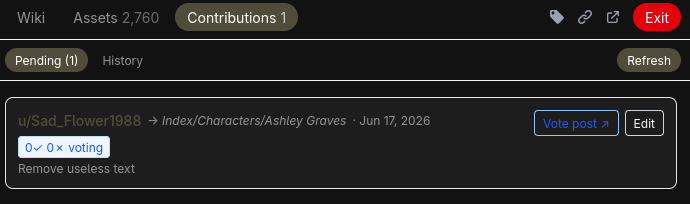
Eligible contributors see the same Contributions tab from their own side, with the same Pending and History sub-tabs scoped to their own work.
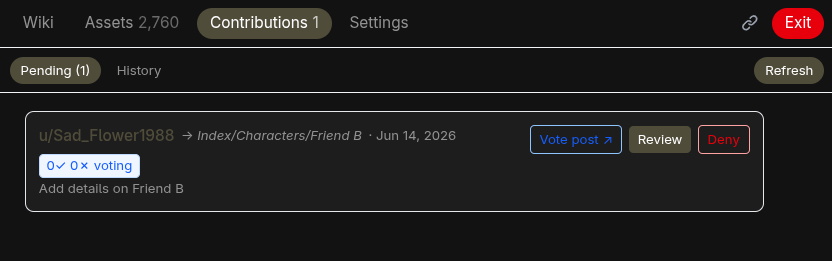
The Pending sub-tab shows the contributor's active suggestion with its target page, submission date, description, and, when voting is enabled, the live vote tally and a link to the vote post. From there they can Edit its content and description; each update resets any votes already cast and is subject to the configured update limit and cooldown. A suggestion can be withdrawn entirely from the suggest dialog, which offers to delete the current one when you start another.
The History sub-tab lists the contributor's own decided suggestions. They see only that a moderator acted, not which one (moderator identities are redacted), and each entry's Changes button opens the same diff of what they proposed against the page at decision time, so they can always review what their contribution changed.
Moderators can configure two flair templates in the Collaborative settings: one for contributors and one for advanced contributors (awarded after a configurable number of accepted suggestions). When a suggestion is accepted, the contributor earns the appropriate flair based on their acceptance count.
Flairs are not assigned automatically. Users choose when to equip them using a dropdown in the top bar, to the left of the EchoLink button. The dropdown lists all earned flairs with their styled previews. Users can switch between earned flairs at any time or remove their flair.
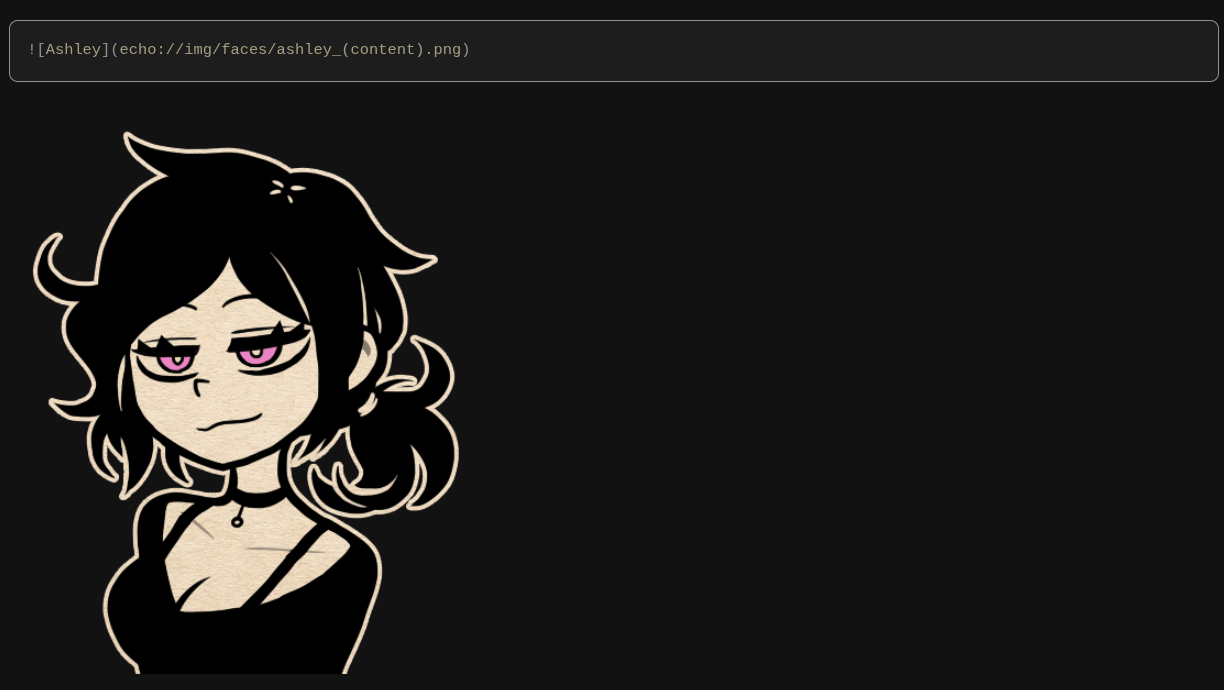
Echo links are standard Markdown image or link syntax using the echo:// scheme:


Images render inline, audio files become a native player, and 3D models open an interactive WebGL viewer. Users who have imported their copy of the game see assets resolved inline. Everyone else, including those reading the raw wiki on Reddit, sees only the alt text. Nothing is uploaded to any server.
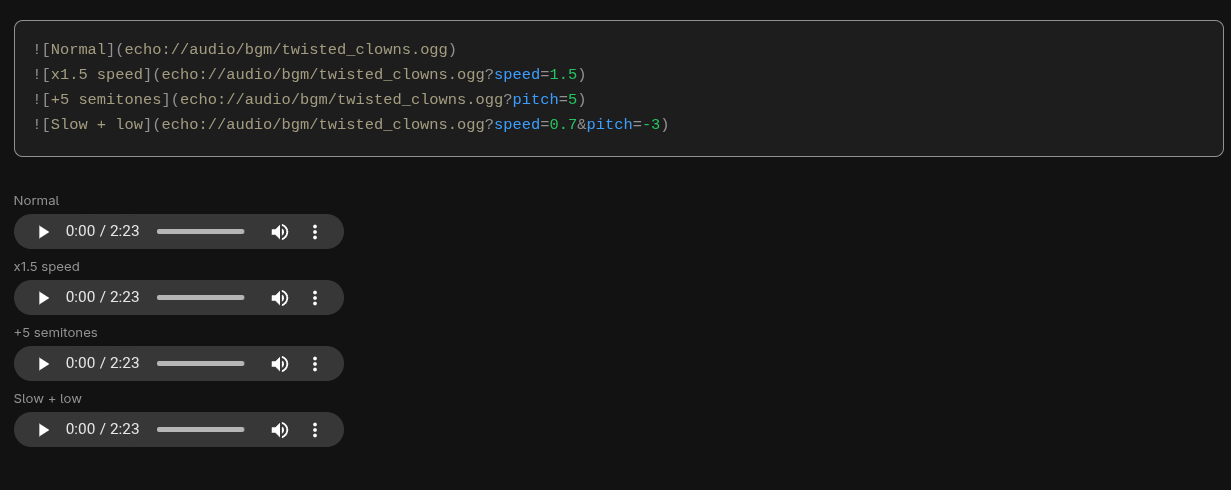
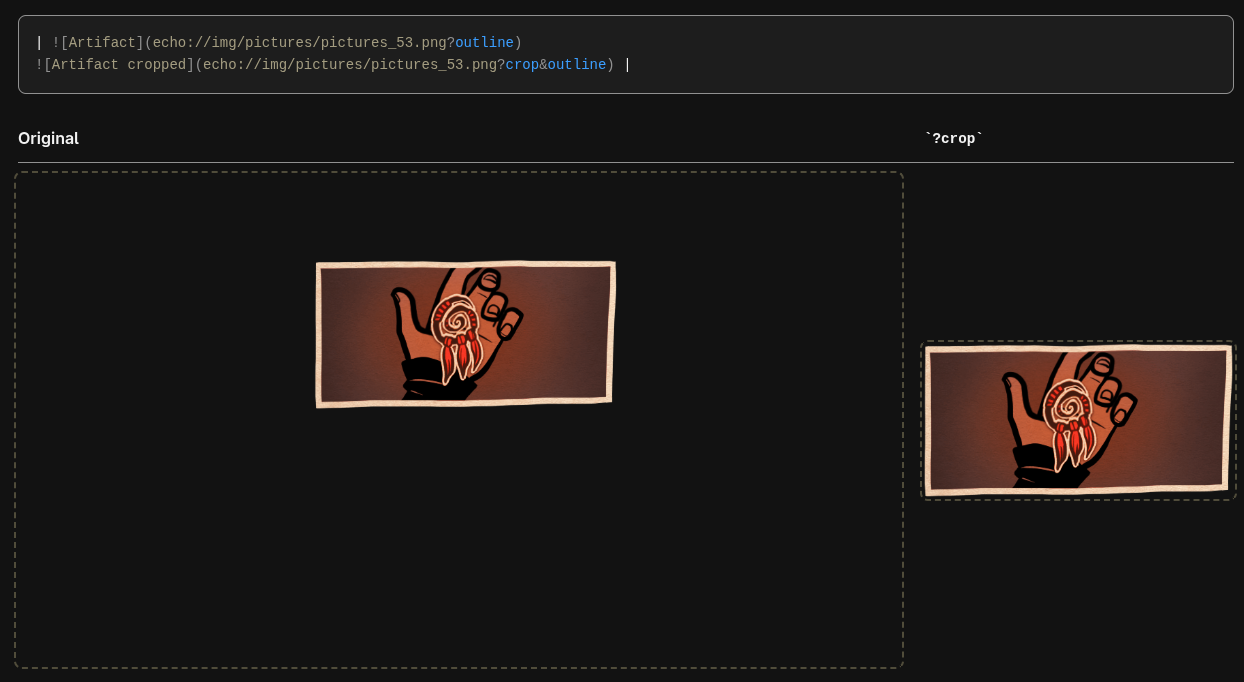
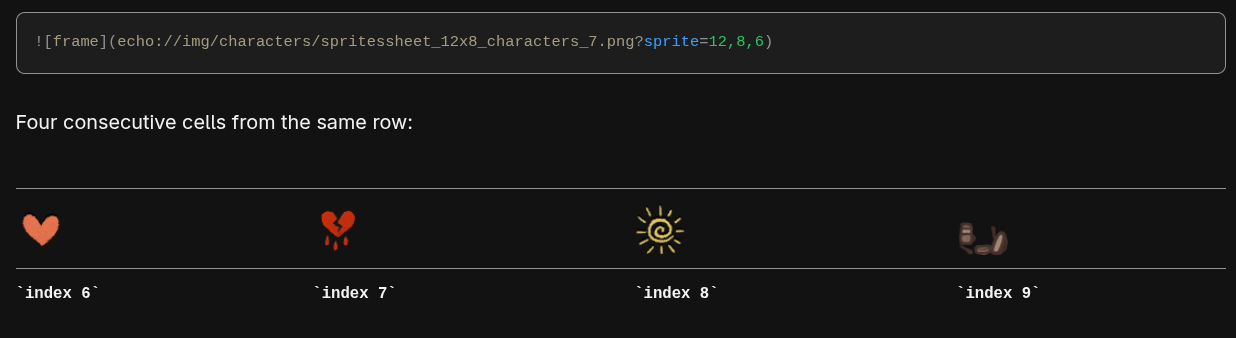
Echo links support edition parameters that transform how assets are displayed, using URL query-parameter syntax appended to the path. Editions are applied client-side in real-time.
| Edition | Syntax | Description |
|---|---|---|
| Crop | ?crop |
Trims transparent pixels from all edges of the image |
| Sprite | ?sprite=cols,rows,index |
Extracts a single cell from a sprite sheet grid |
| Speed | ?speed=value |
Sets audio playback speed (0.25 to 4.0, default 1.0) |
| Pitch | ?pitch=value |
Shifts audio pitch in semitones (-12 to +12, default 0) |
Editions combine with &:

Two further display hints change how an inline image sits in the surrounding text rather than the pixels themselves: ?emoji shrinks the image to the height of the text so it reads as an inline icon, and ?outline draws a dashed accent-colored outline around it. They are appended exactly like editions and combine with editions and with each other (e.g. echo://img/icons/coin.png?crop&emoji).
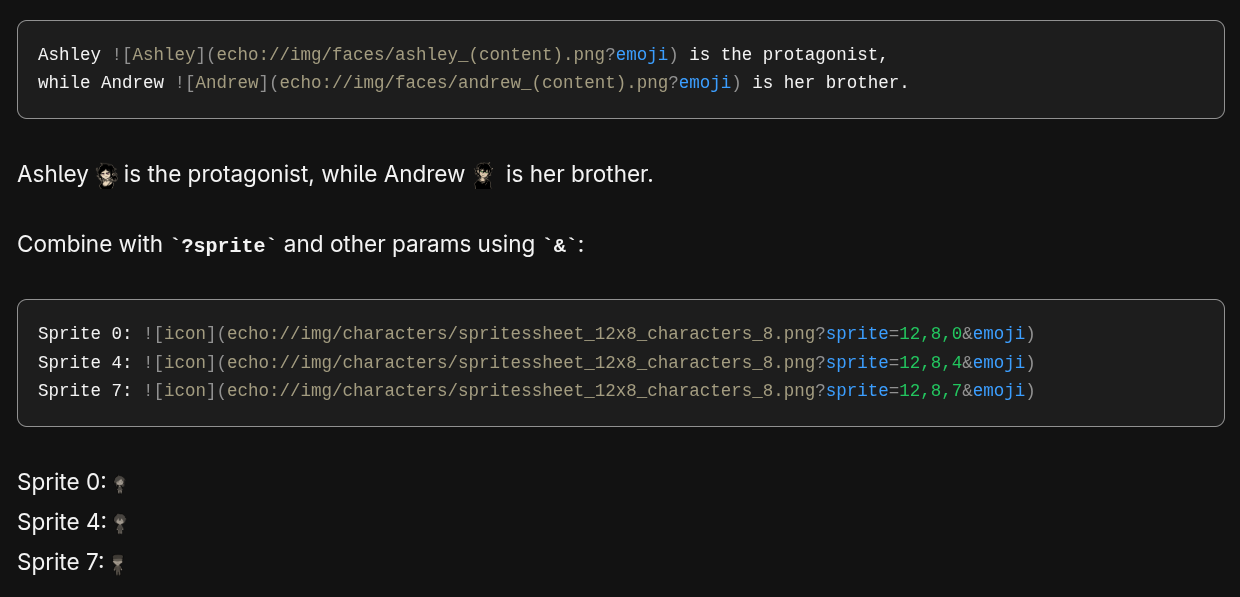
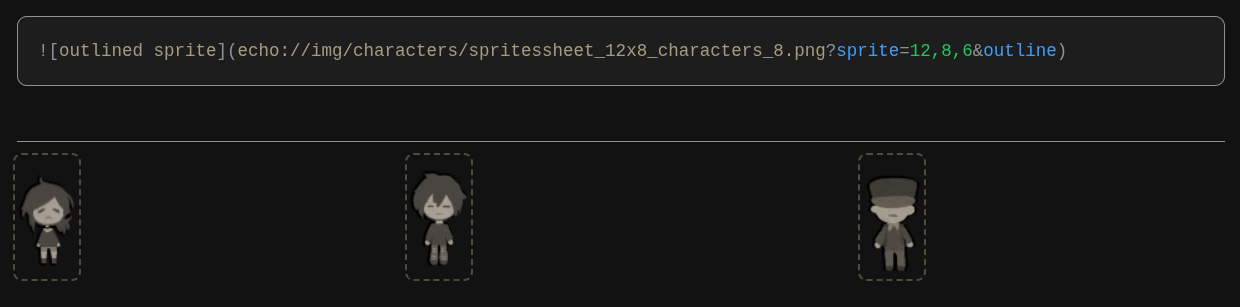
The asset preview lightbox includes interactive controls for applying editions. The generated echo link (copied via the copy button) includes the active edition suffixes.
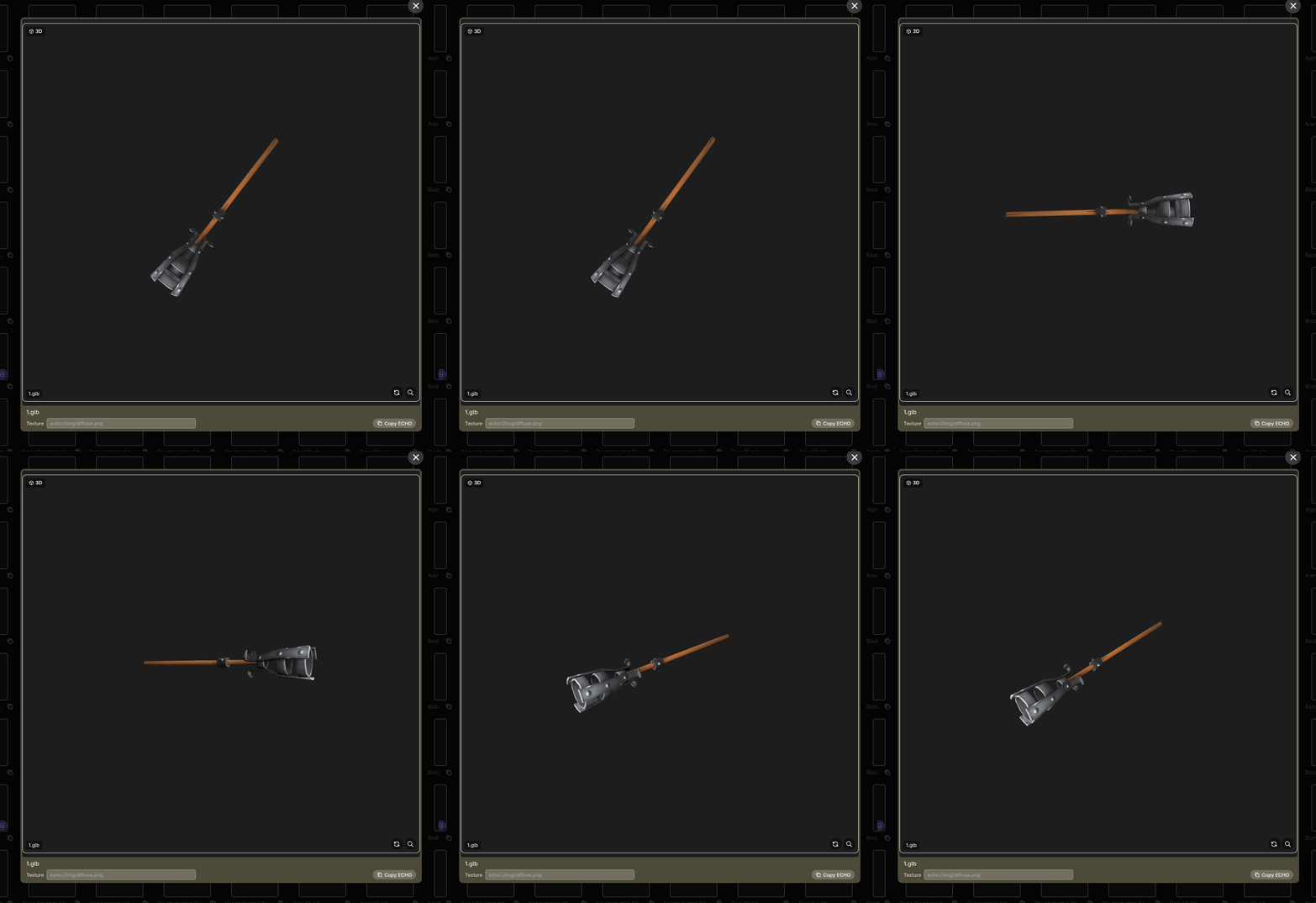
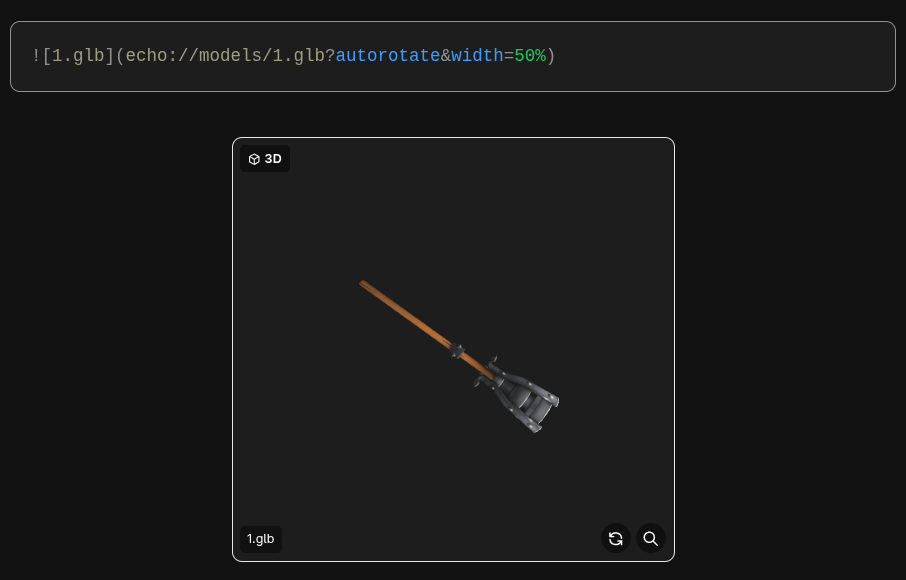
Interactive 3D models are a first-class echo asset, embedded with the same Markdown image syntax as a picture:
The model loads in an inline WebGL viewer (powered by three.js): drag to orbit, scroll to zoom, and use the corner buttons to auto-rotate or reset the view. Display hints can be appended to the path like editions and combined with &:
| Hint | Syntax | Description |
|---|---|---|
| Auto-rotate | ?autorotate |
Start the model slowly spinning (alias ?spin) |
| Width | ?width=60% |
Viewer width as a share of the container (alias ?w) |
| Height | ?height=75% |
Viewer height as a share of its width (alias ?h) |
| Background | ?bg=111 |
Background color, hex (the # is added for you) |
| Texture | ?texture=img/diffuse.png |
Use an imported image as the model's texture (alias ?tex) |
Percentages keep the viewer responsive (100% height is square, 50% a 2:1 landscape, 200% a 1:2 portrait); fixed pixel sizes like ?width=350px&height=400px also work for an exact footprint.
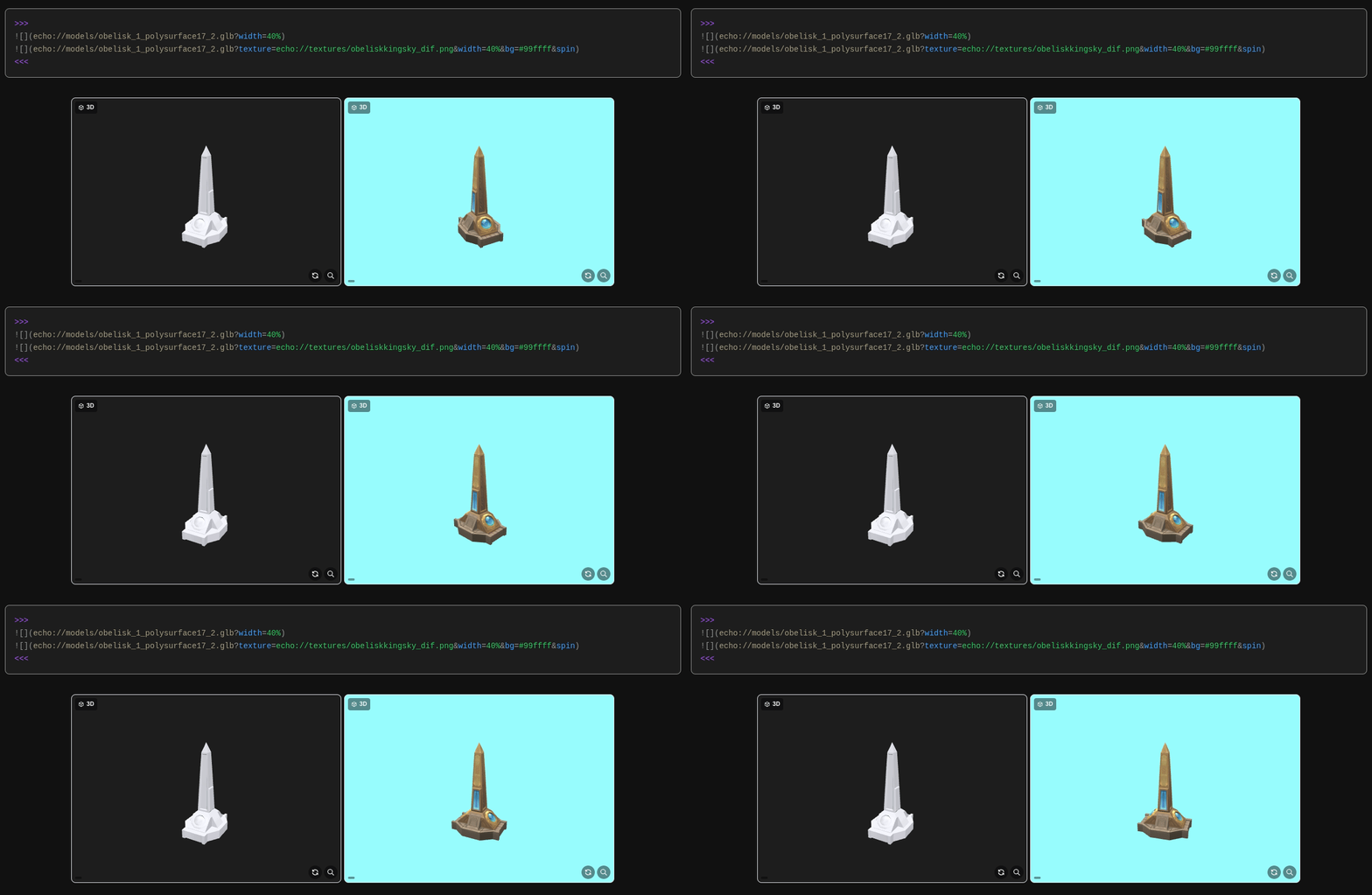
Supported formats are glb, gltf, obj, stl, ply, fbx, dae (Collada), and 3mf. GLB is recommended because it packs geometry and textures into a single self-contained file; formats that rely on sibling .mtl or texture files render geometry only. When a model loads untextured, the ?texture= hint, or the Texture field in the asset browser's model preview, applies any imported image as its texture. That field also accepts a Markdown link pasted straight from another asset's copy button (e.g. ), stripping it down to the echo:// path automatically, so a texture can be grabbed from the browser and dropped onto a model without hand-editing the path.
Models appear in the asset browser under their own Models category, which surfaces only when the game ships 3D assets; those carrying an attached texture are flagged with a small badge. Like every other asset, they resolve from each reader's own copy of the game and are never uploaded.
The viewer and its format loaders are lazy-loaded: the three.js runtime is only fetched the first time a reader opens a model, so pages without 3D content carry no extra weight.
Wiki pages support a set of fenced block directives for building richer layouts and animations without writing raw HTML. Each block opens with :::type [params] and closes with :::. Parameter values containing spaces must be quoted: key="some value".
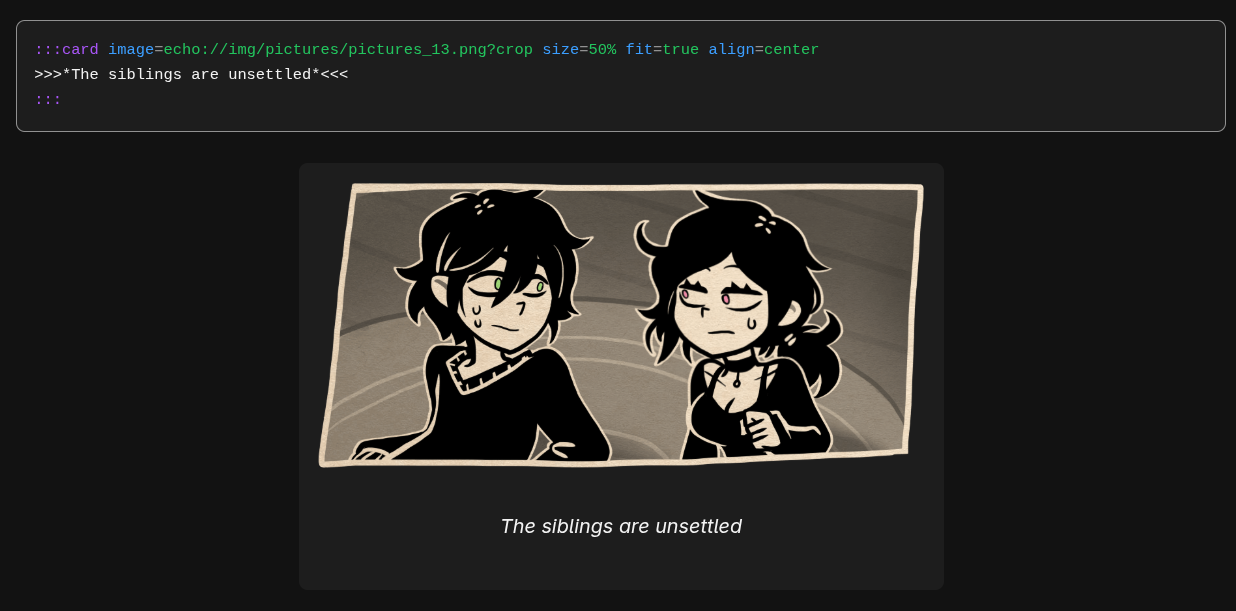
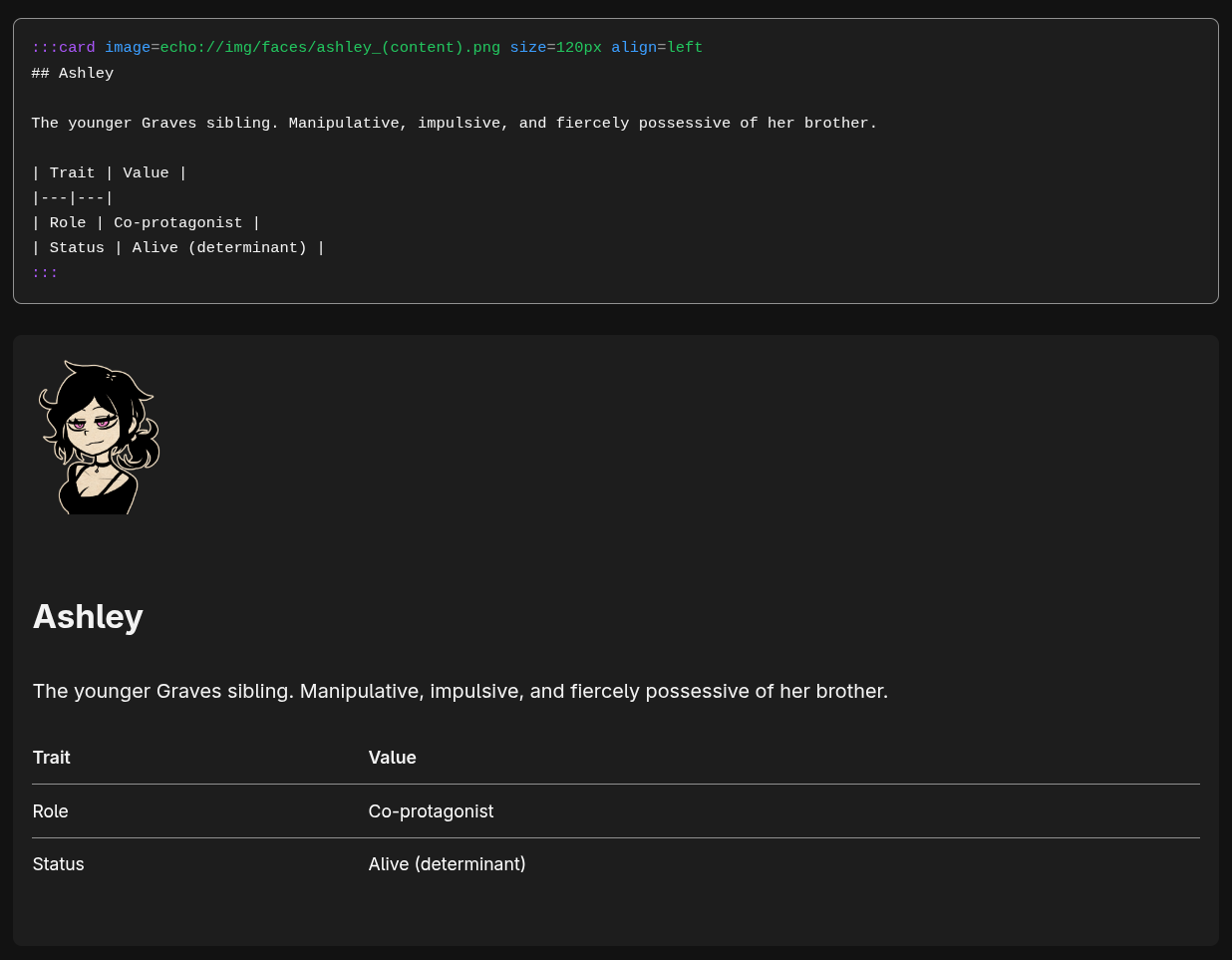
:::card floats an image beside free-form Markdown content (headings, tables, prose). image= is the echo path, size= sets the image width (default 30%, accepts % or px), and align= places it right (default), left, or center. Add fit=true to shrink the card so it hugs the image: a self-contained captioned illustration rather than a body-wrapping float.
:::card image=echo://img/faces/hero.png size=96px align=right
## Hero

A short character blurb beside the portrait.

| Attribute | Value |
|---|---|
| Role | Protagonist |
:::
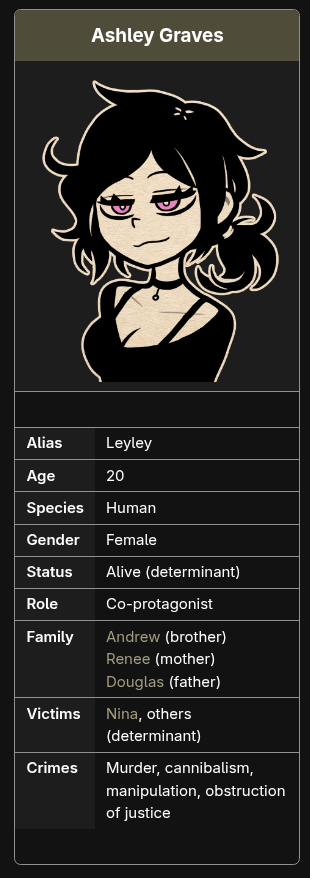
:::infobox renders a classic stat-table infobox: an optional title header and image on top of a list of Label | value rows, floated to one side of the page. Values support inline Markdown links and <br> for multi-line cells.
:::infobox title="Character Name" image=echo://img/faces/hero.png align=right
Class | Hero
HP | 9999
Weapon | Echo Blade
:::
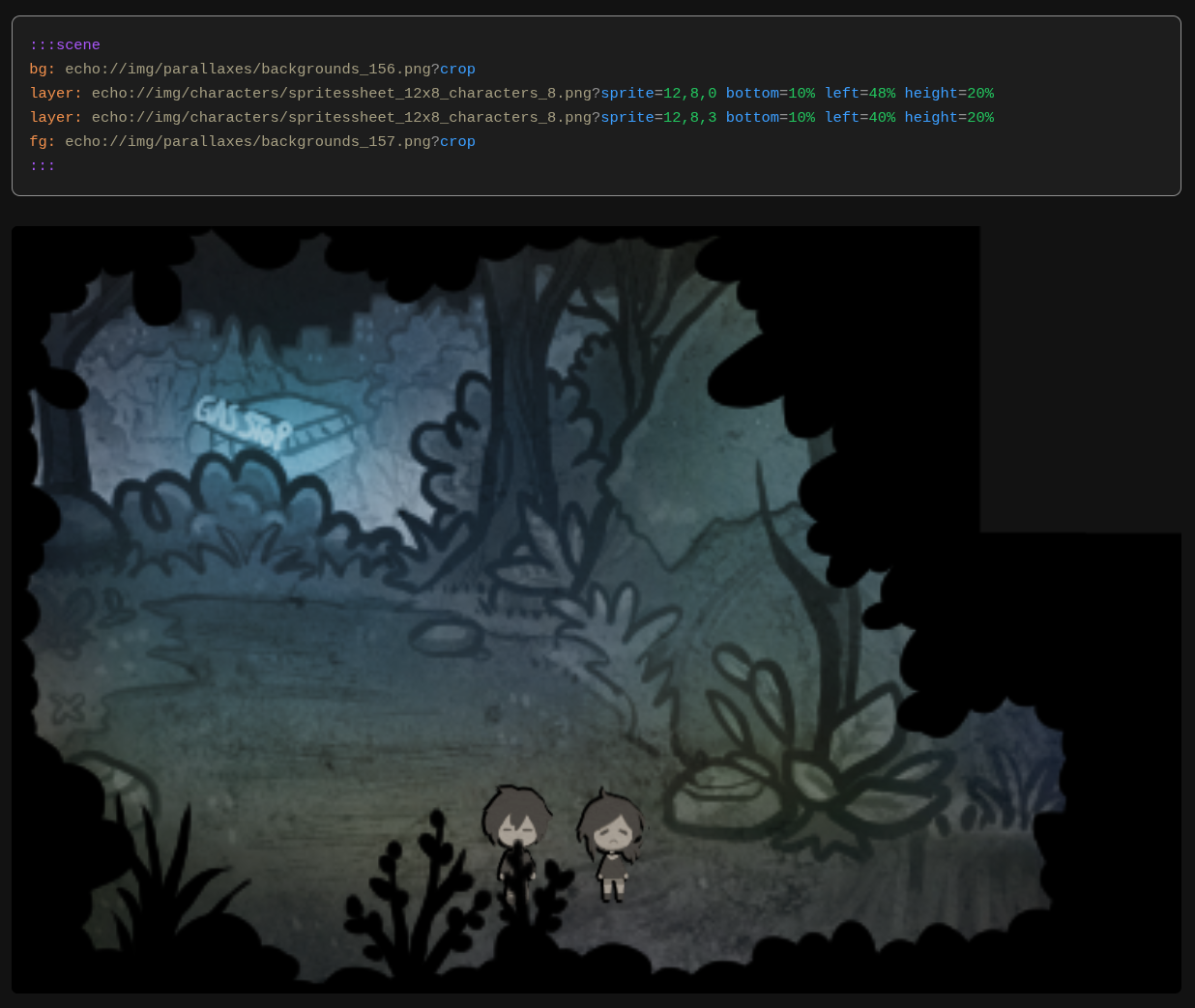
:::scene stacks images at absolute positions over a background. bg: is the background layer, layer: places a sprite at custom CSS coordinates (append bottom=, left=, height=, etc., or size= to pin its width as a fraction of the background so it scales with the scene), and fg: is a foreground overlay with pointer-events: none. The background is composed at its natural size and scaled to fit width/height without ever being cropped, so the whole image is always visible; size layers in % so they scale with it. Like :::fbf and :::anim, a scene can be centered by wrapping it in >>> ... <<<.
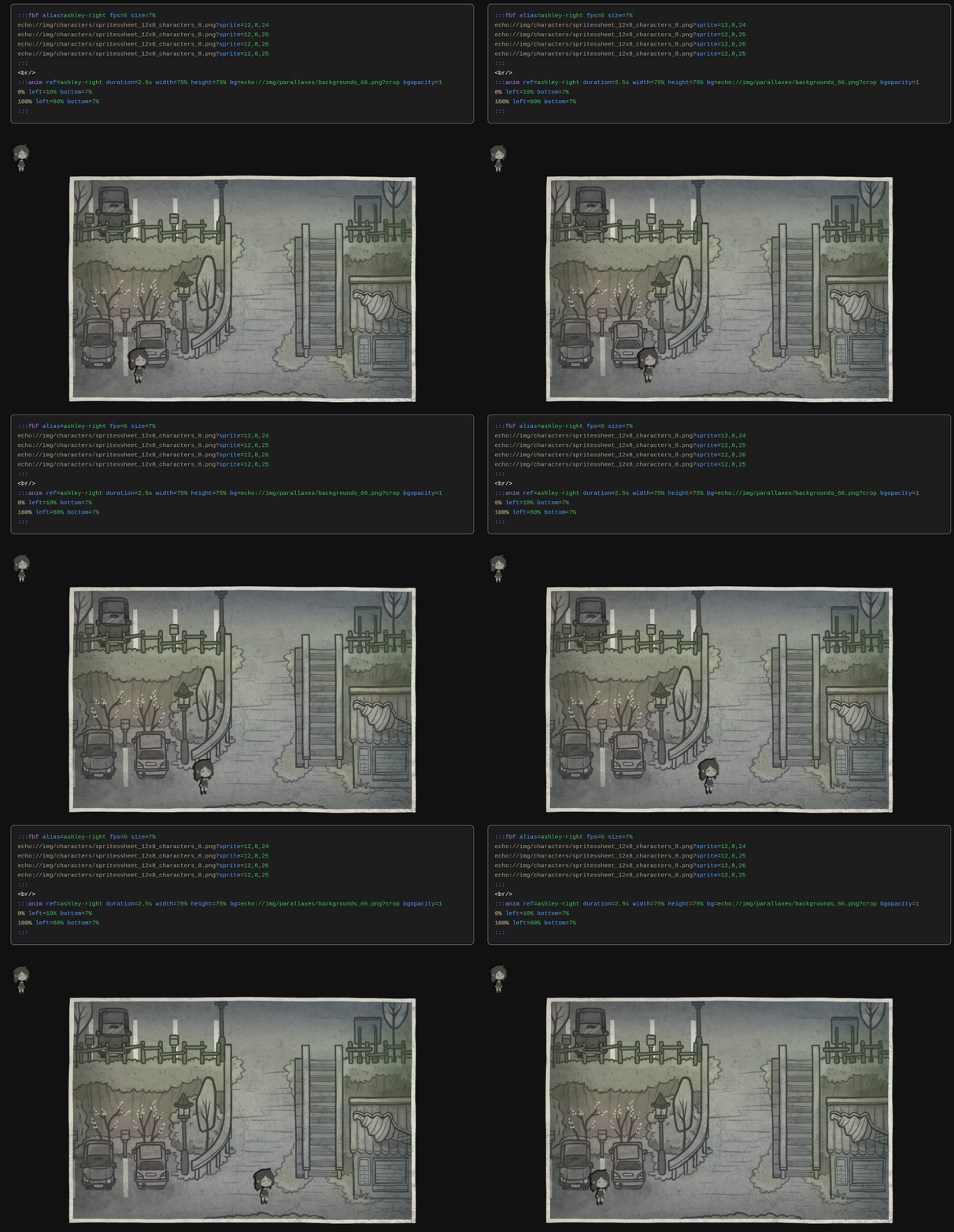
:::fbf (frame by frame) cycles through sprite frames using CSS opacity animation. List one echo:// path per line. Use fps to set playback speed, size for the box pixel dimensions, and alias=name to name the block for use in :::anim.
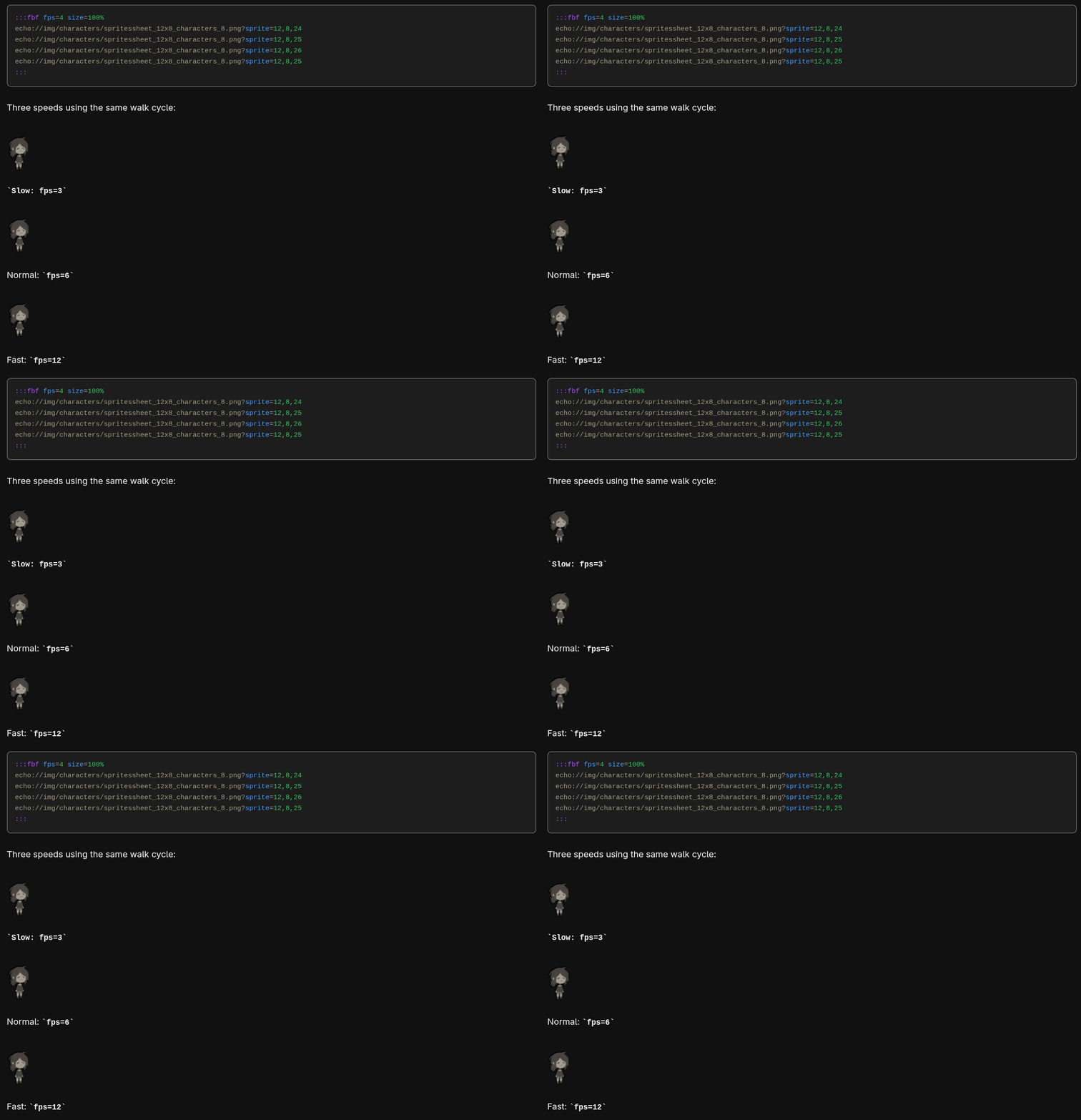
:::anim moves a sprite across a background scene. Reference an :::fbf block via ref=alias, or supply frames inline. Define the movement path as one or more keyframe lines (N% key=value ...).
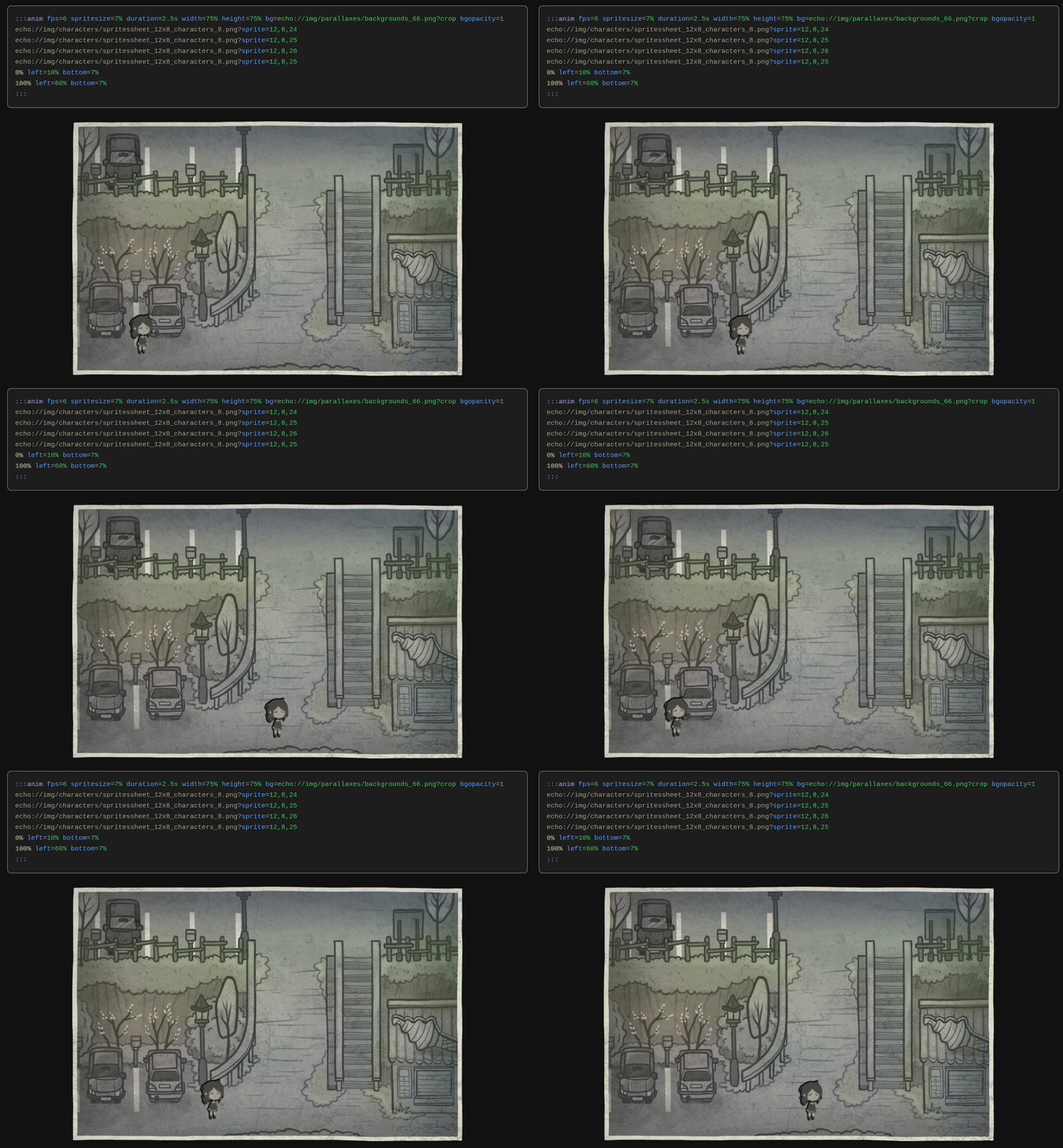
| Param | Default | Description |
|---|---|---|
ref |
Alias of an :::fbf block to use as the sprite |
|
fps |
2.5 |
Frames per second. Treated as a target: see hold. Ignored when ref is set |
spritesize |
natural | Sprite size: a pixel value (e.g. 48) fixes the size; omit it (or use a %) to render the sprite at its natural size. Ignored when ref is set |
loops |
1 |
Number of whole walk cycles per movement; movement time is derived as loops × frames ÷ fps. Ignored when duration is set |
duration |
3s |
Explicit time for one full movement. Overrides loops |
hold |
true |
Locks the walk to the movement: the cycle is snapped so a whole number of cycles exactly fills the movement, so the sprite never switches direction mid-stride. hold=false keeps the raw fps and lets the cycle drift |
pingpong |
false |
true reverses direction at the end of each cycle instead of jumping back to start (sprite does not flip) |
width / height |
50% |
Block size. width is the share of the container; height is taken relative to width. Equal (or height omitted) keeps the natural aspect ratio; an unequal height stretches the block vertically. The background is scaled, never cropped (given only height, width defaults to 100%) |
bg / bgopacity |
Background image path and opacity (0-1) |
:::fbf alias=hero fps=11 size=48
echo://img/characters/actor.png?sprite=12,8,0
echo://img/characters/actor.png?sprite=12,8,1
echo://img/characters/actor.png?sprite=12,8,2
echo://img/characters/actor.png?sprite=12,8,1
:::

:::anim ref=hero loops=3 width=60% height=120px pingpong=true bg=echo://img/parallaxes/bg.png bgopacity=0.6
0% left=8px bottom=24px
100% left="calc(100% - 56px)" bottom=24px
:::
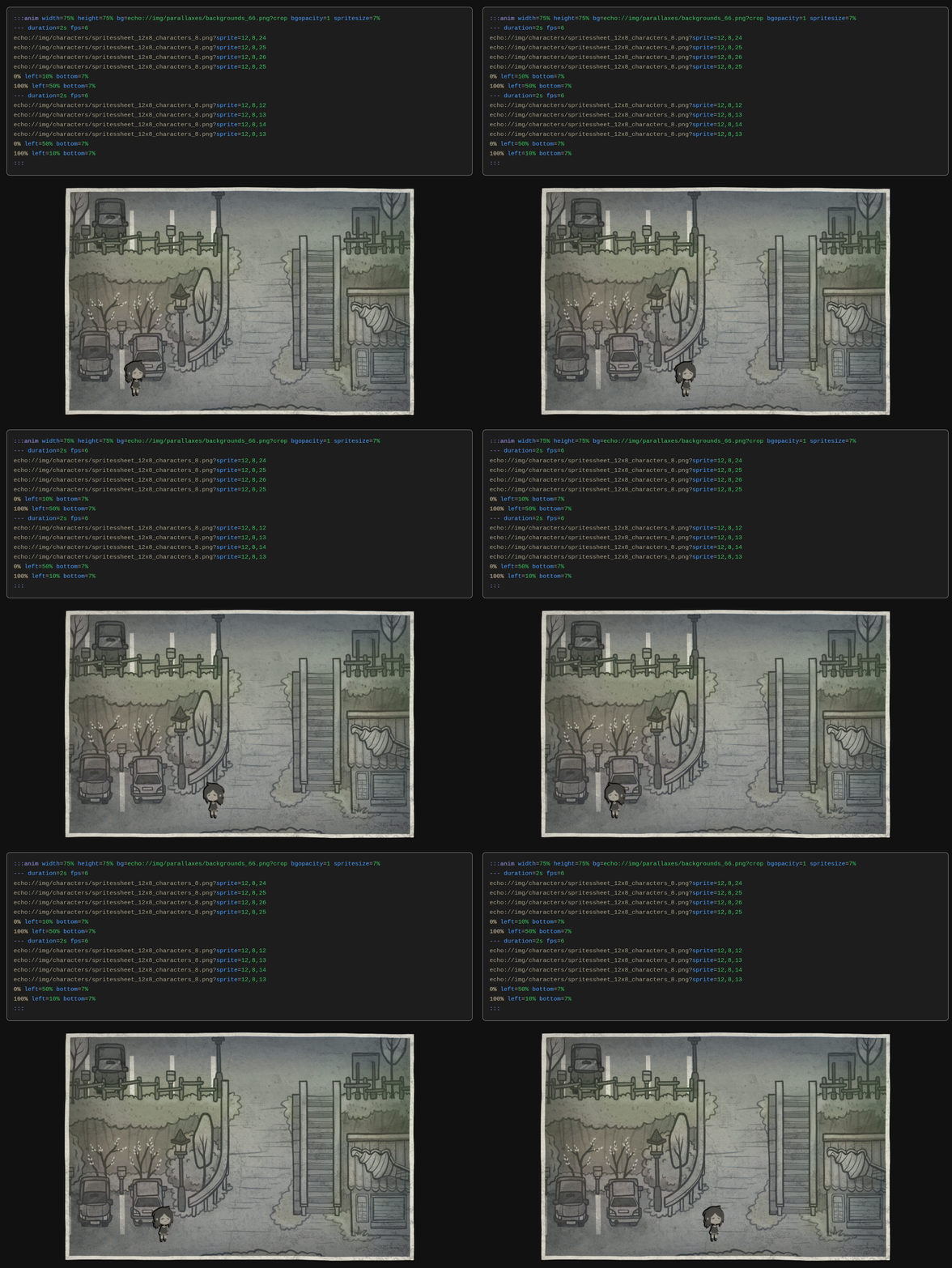
Multi-phase animations swap the sprite mid-loop: add --- separators inside :::anim, each with its own frames and movement keyframes (and optional fps, spritesize, loops, duration, hold). They composite into one seamless loop: e.g. a right-facing walk left-to-right, then a left-facing walk back, so the character always faces the way it is walking.
:::anim width=75% height=50% bg=echo://img/parallaxes/bg.png?crop bgopacity=1
--- fps=6 spritesize=100% loops=3
echo://img/characters/actor.png?sprite=12,8,24
echo://img/characters/actor.png?sprite=12,8,25
echo://img/characters/actor.png?sprite=12,8,26
echo://img/characters/actor.png?sprite=12,8,25
0% left=10% bottom=5%
100% left=60% bottom=5%
--- fps=6 spritesize=100% loops=3
echo://img/characters/actor.png?sprite=12,8,12
echo://img/characters/actor.png?sprite=12,8,13
echo://img/characters/actor.png?sprite=12,8,14
echo://img/characters/actor.png?sprite=12,8,13
0% left=60% bottom=5%
100% left=10% bottom=5%
:::
:::def defines reusable aliases for long echo paths. List name = echo://path lines inside the block, then reference them anywhere on the page as echo://~name.
:::def
hero = echo://img/characters/actor1.png
theme = echo://audio/bgm/battle.ogg
:::
Content can also be centered with >>>content<<<, which wraps anything between the markers in a centered div.
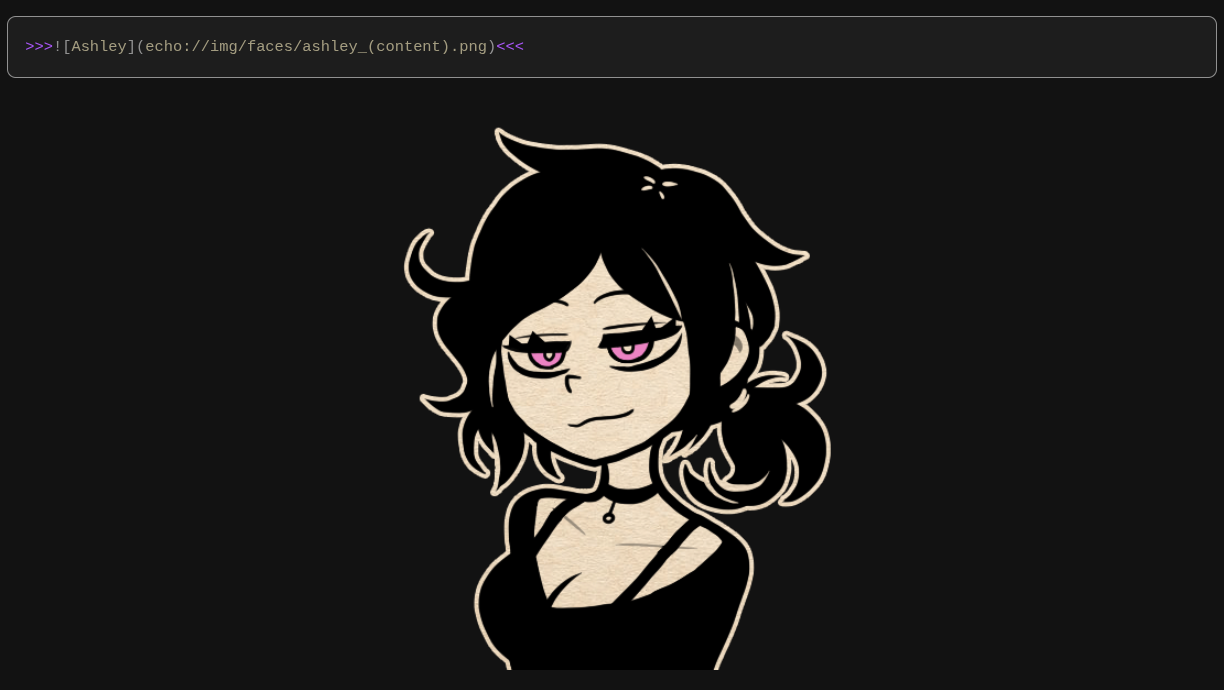
The file docs/showcase.md in the repository is a full showcase of all these features with live examples.
If enabled, users select their game folder. The app auto-detects the engine, extracts assets entirely in the browser, and stores them in IndexedDB. Nothing is uploaded. During import a progress bar shows a live status under the percentage (detecting the engine, the running count of extracted assets, then how many are being saved), so a large archive that sits near a percentage still makes its ongoing work visible.
If no game is configured, EchoWiki runs as a plain wiki: there is no "Import game" prompt, no asset browser, and no echo links. The app works entirely as a collaborative Markdown wiki without any of the asset machinery.

Engine detection is automatic: EchoWiki fingerprints the folder, picks the right reader, and extracts everything in the browser. If yours doesn't work, or some assets fail to load, report it on the EchoWiki Discord, linked from Settings in the General tab.
See it in action: a video walkthrough importing Half-Life 2 (Source engine) and browsing its extracted assets.
Two ideas recur in the tables below:
- Decoded -> PNG: textures that ship in GPU or palettized formats are decoded to PNG in the browser. The DXT/BCn block-compression families (DXT1/3/5, BC4/5) and the per-engine pixel layouts are supported; formats that need heavyweight decoders (BC6H/BC7, ASTC, ETC, crunch) are skipped. Audio and video pass through unchanged.
- Carved: some engines wrap their assets in compressed or encrypted containers that can't be unpacked in the browser without proprietary libraries. For those, EchoWiki scans the raw bytes for self-contained media (OGG, WAV, PNG, JPEG) and rebuilds each file from its own length fields; cooked or compressed data is never matched, so it extracts only what it safely can rather than producing garbage. Carving is the slow path, and a notice warns that these imports take longer.
| Engine | Formats | What's extracted |
|---|---|---|
| Unity | .assets, .bundle, .unity3d, globalgamemanagers, levelN |
Textures -> PNG; meshes rebuilt into self-contained GLB models with their base texture; audio |
| Unreal | .pak, .utoc/.ucas (IoStore), .upk/.u (UE3/UE2) |
Carved media |
| Godot | .pck (Godot 3 & 4) |
Images, audio |
Unity ships meshes as raw geometry rather than model files, so each is rebuilt into a GLB linked to its base-color texture; skinned or compressed meshes are skipped. Unreal's .pak and IoStore archives are compressed and frequently encrypted, so its media is carved.
| Engine | Formats | What's extracted |
|---|---|---|
| Source / Source 2 | .vpk (+ .vtf, .bsp) |
VTF textures -> PNG; audio; embedded map pakfile contents |
| GoldSrc | .wad (WAD3), .bsp, .spr |
Palettized textures and sprites -> PNG |
| Quake / Quake II | .pak (PACK), WAD2, .bsp, .lmp, .wal |
Palettized textures -> PNG (engine palette read from the archive) |
| Doom (id Tech 1) | .wad (IWAD/PWAD) |
Graphics, flats, and sprites -> PNG (PLAYPAL palette) |
| id Tech 3 / 4 | .pk3, .pk4 |
TGA/DDS -> PNG; JPEG and audio |
| Call of Duty | .iwd |
Textures and media |
| CryEngine | .pak (ZIP) |
TGA/DDS -> PNG; media |
| GTA / RenderWare | .img, .dir, .txd |
TXD texture dictionaries -> PNG |
| RAGE / id Tech 5 | .rpf, .resources, .streamed |
Carved media |
| Frostbite | cas/sb bundles |
Carved media |
| Bethesda Creation | .bsa, .ba2 |
DDS textures -> PNG |
The .vpk, .img, and .bsa readers stream from multi-gigabyte archives without loading them whole. Loose .dds, .tga, .vtf, and .txd files anywhere in the folder are decoded too. Quake's palettized formats need the engine palette, which EchoWiki reads from gfx/palette.lmp (or colormap.pcx) inside the same PAK rather than guessing it.
RPG Maker games are decrypted natively, including their archive formats:
| Engine | Format |
|---|---|
| RPG Maker MV | Individual files |
| RPG Maker MZ | Individual files |
| RPG Maker VX Ace | RGSS3A v3 archive |
| RPG Maker VX | RGSSAD v1 archive |
| RPG Maker XP | RGSSAD v1 archive |
| RPG Maker 2003 | XYZ image format |
Encrypted MV and MZ projects are handled too, and a few title-specific readers, such as TCOAAL (The Coffin of Andy and Leyley) 3.0+, are built in.
When no engine is matched, EchoWiki falls back to a generic scan that picks up image and audio files from anywhere in the folder, using each file's parent folder as its category. Along the way it unpacks common archives:
| Engine | Format | What's extracted |
|---|---|---|
| RenPy | .rpa archive |
Image/audio files |
| GameMaker | data.win / FORM |
Texture pages + audio blobs |
| NW.js | .nw, .zip |
Image/audio files |
For anything unusual, moderators can supply a custom transform: a short snippet of JavaScript that receives each file and returns the decoded asset. This lets a community add support for an engine EchoWiki doesn't recognize on its own.
When forcing the engine in the Game settings, the choices are: Auto-detect (recommended), then Unity, Unreal, and Godot, a Native engines group (Source, GoldSrc, Quake, Doom, id Tech 3/4, GTA/RenderWare, RAGE, Bethesda, Call of Duty, Frostbite), the RPG Maker family, Other (Generic scan, TCOAAL), and Advanced (Custom transform).
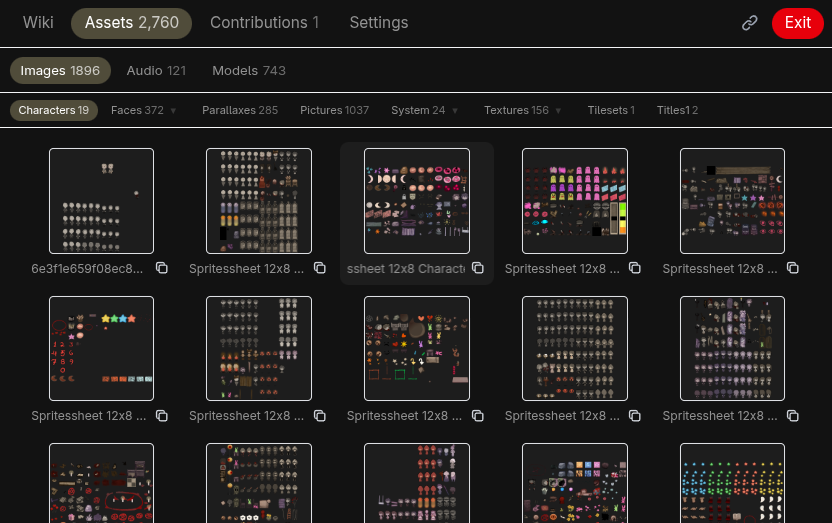
A gallery view with filter tabs (Images, Audio, and a Models tab that appears once the game ships 3D assets) and subfolder navigation. Each card has a copy button that copies its echo Markdown to the clipboard (Ctrl/Cmd+click copies the link with the original, unmapped filename instead). When a filename mapping is configured, cards display their mapped names. A "Load more" button pages in additional assets on demand.
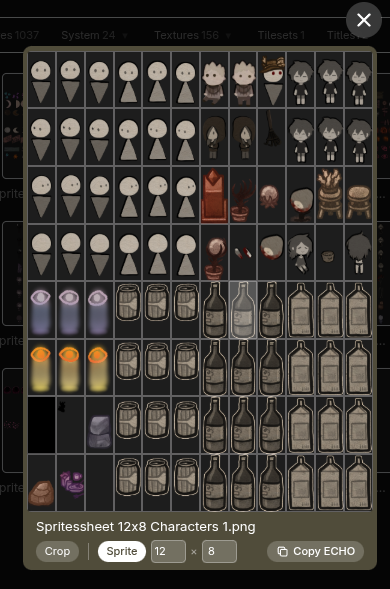
Clicking any asset opens a full preview: an image lightbox, an audio player with a waveform you can click to seek, or the interactive 3D model viewer (with a Texture field for retexturing models). The lightbox carries interactive edition controls (crop, sprite-cell picker, audio speed and pitch); the copy button there bakes the active editions into the link, and right-clicking the preview copies it directly.
EchoWiki maps its capabilities onto Reddit's native moderator permissions, so you decide who can do what from the subreddit's mod-team settings rather than from any in-app role list. Two levels matter:
- Wiki: moderators who hold Reddit's Manage Wiki Pages permission (
wiki). - Config: moderators who hold Manage Settings (
config), or full moderators with no permission restrictions (all).
Config is a superset of Wiki: a config moderator can do everything a wiki moderator can, plus everything in the Settings tab. Access is granted strictly from these Reddit permissions: a moderator who holds only unrelated permissions (such as flair or posts), or whose effective permissions are otherwise limited, gets no EchoWiki moderator access and is treated as a regular reader. This matters because the Settings tab can store import code that runs in every reader's browser, so config access is never inherited merely by being a moderator of some kind.
| Capability | Required level |
|---|---|
| Read the wiki and resolve echo links | Anyone |
| Browse the full page index and view contribution history | Anyone |
| Suggest changes and vote (when collaborative mode is on) | Any eligible user |
| Edit wiki pages directly in the live editor | Wiki |
| Save directly to the wiki / bypass the public vote | Wiki |
| Add, delete, or view the revision history of a wiki page | Wiki |
| Review, accept, or deny suggestions (Contributions tab) | Wiki |
| Revert / restart / post-mortem-approve past decisions | Wiki |
| Create or delete EchoWiki posts (mod menu) | Config |
| Open the Settings tab | Config |
| Game, engine, and asset-import configuration | Config |
| Style, theme, and filename mapping | Config |
| Collaborative settings (eligibility, flairs, bans) | Config |
| Voting settings | Config |
The Settings tab is visible only to config-level moderators (see Moderator Permissions). Wiki-level moderators can edit, add, and delete wiki pages and use the Contributions tab, but not the Settings tab.
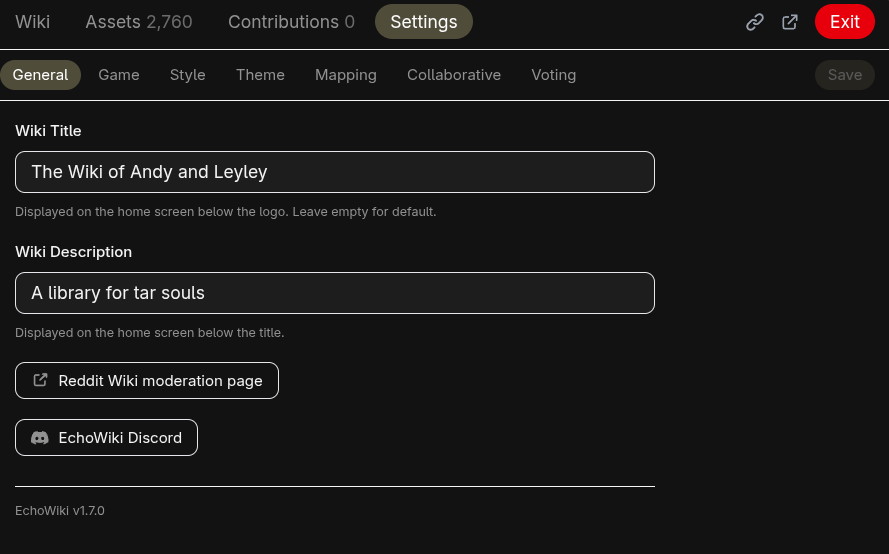
- Wiki Title: Displayed on the home screen below the logo. Leave empty for default.
- Wiki Description: Short text shown below the title.
- Reddit Wiki moderation page: A shortcut that opens the subreddit's underlying Reddit wiki moderation page (
reddit.com/mod/<subreddit>/wiki), for revision management and settings that live on Reddit itself. - EchoWiki Discord: Opens the EchoWiki Discord server in the browser to ask for help, request features, or report bugs. The running app version is shown beneath it.
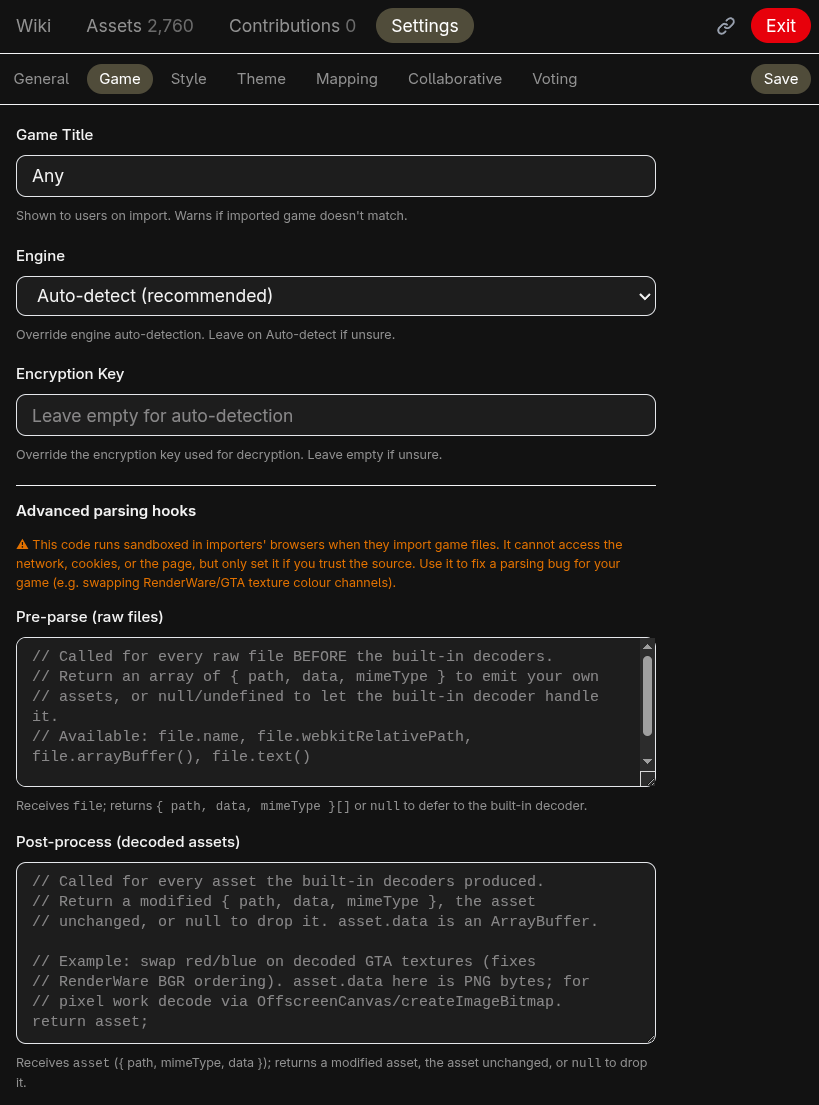
- Game Title: Displayed to users during import. If the imported files look like a different game, a non-blocking notice is shown on the wiki page itself: the wiki stays fully usable and nothing is hidden, only some
echo://references may not resolve. - Engine: Leave on Auto-detect, or force a specific engine. The dropdown lists Unity, Unreal, and Godot first, then groups the rest for clarity: Native engines (Source, GoldSrc, Quake, Doom, id Tech 3/4, GTA/RenderWare, RAGE, Bethesda, Call of Duty, Frostbite), RPG Maker (MV, MZ, VX Ace, VX, XP, 2003, with encrypted variants for MV/MZ), Other (Generic scan covering RenPy, GameMaker, and any other game; plus TCOAAL), and Advanced (Custom transform). See Supported Engines for what each reader extracts.
- Encryption Key: Override the decryption key for games with encrypted assets. Leave empty for auto-detection. Used only by the RPG Maker family; the native-engine, Unity, Unreal, Godot, Generic, and TCOAAL readers ignore it.
- Custom Transform Code: Shown when the engine is set to Custom. See Custom transform below.
- Advanced parsing hooks: Shown for any non-Custom engine. Optional pre-parse / post-process snippets for fixing a parsing quirk in a specific game (e.g. texture colours). See Advanced parsing hooks below.
When no built-in reader fits, set the engine to Custom transform and provide a JavaScript snippet. The snippet is a function body that runs in each reader's browser during import. It is called once for every file in the selected game folder and receives a single file argument (a File object). Return { path, data, mimeType } to include the decoded asset, or null/undefined to skip the file. Read raw bytes with await file.arrayBuffer() and apply any custom decryption there.
The snippet is untrusted: it is written by the subreddit's moderators but runs in the browser of every reader who imports their own files. To make that safe, EchoWiki never executes it in the app's page. It runs inside a hardened sandbox (a sandboxed, opaque-origin <iframe> with a strict connect-src 'none' Content-Security-Policy, with the code itself running in a Worker). In that sandbox the snippet can read the file it is handed and return a result, but it cannot reach the network, the page, cookies, storage, or the app's session: it can only produce the asset object it returns. A snippet that loops forever is timed out and the sandbox is rebuilt, so it cannot freeze the reader's tab.
// Called for every file in the game folder.
// Return an object to include the file, or null/undefined to skip it.
// Available: file.name, file.webkitRelativePath, file.arrayBuffer(), file.text()

const rel = file.webkitRelativePath;
const parts = rel.split("/").slice(1); // strip root folder
if (parts.length === 0) return null;

const name = parts[parts.length - 1] ?? "";
if (!name.match(/\.(png|jpg|jpeg|gif|ogg|mp3|wav|m4a)$/i)) return null;

const parent = parts.length > 1 ? parts[parts.length - 2] : "root";
const mime = name.endsWith(".png")
  ? "image/png"
  : name.endsWith(".ogg")
    ? "audio/ogg"
    : name.endsWith(".mp3")
      ? "audio/mpeg"
      : name.endsWith(".wav")
        ? "audio/wav"
        : "application/octet-stream";

return {
  path: parent + "/" + name.toLowerCase(),
  data: await file.arrayBuffer(),
  mimeType: mime,
};
⚠ This code runs sandboxed in users' browsers when they import game files. The sandbox blocks network, page, and storage access, but only set it from a source you trust.
For the built-in engines, an advanced moderator can fix a parsing quirk for their specific game without switching to a full custom transform, for example correcting a texture colour-channel order. Two optional hooks are available under the Game settings (shown for any non-Custom engine), and both run in the same hardened sandbox as the custom transform above:
- Pre-parse (raw files): called for every raw file before the built-in decoders. Receives
fileand returns an array of{ path, data, mimeType }to emit your own assets, ornull/undefinedto let the built-in decoder handle the file as usual. Use it to fully re-parse a format the built-in reader mishandles. - Post-process (decoded assets): called for every asset the built-in decoders produced. Receives
asset({ path, mimeType, data }, wheredatais anArrayBuffer) and returns a modified asset, the asset unchanged, ornullto drop it. This is the place to tweak decoded output, e.g. swapping the red and blue channels to fix the BGR ordering some RenderWare/GTA.txdtextures use. For pixel work, decode the bytes withOffscreenCanvas/createImageBitmap(available inside the sandbox), edit, and re-encode.
A pre-parse result wins over the built-in decoder for the same path, and a post-process hook that throws leaves the original asset untouched, so a buggy hook degrades gracefully rather than breaking the import.
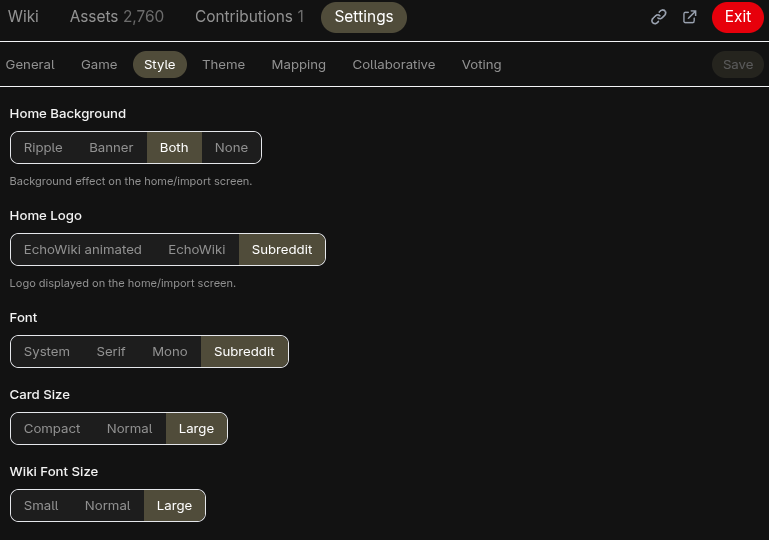
- Card Size: Compact, Normal, or Large thumbnails in the asset browser.
- Wiki Font Size: Small, Normal, or Large.
- Font: System, Serif, Mono, or Subreddit (uses the subreddit's configured font).
- Home Background: Ripple animation, subreddit banner, both, or none.
- Home Logo: EchoWiki logo static, EchoWiki animated logo, or subreddit icon.
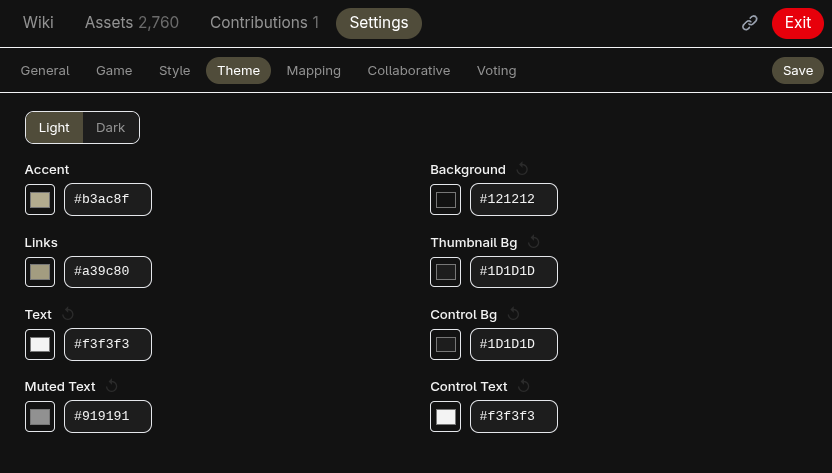
Separate light and dark mode configuration. Each color has a reset button to restore the default derived from the subreddit's appearance settings. The app follows the user's system light/dark preference.
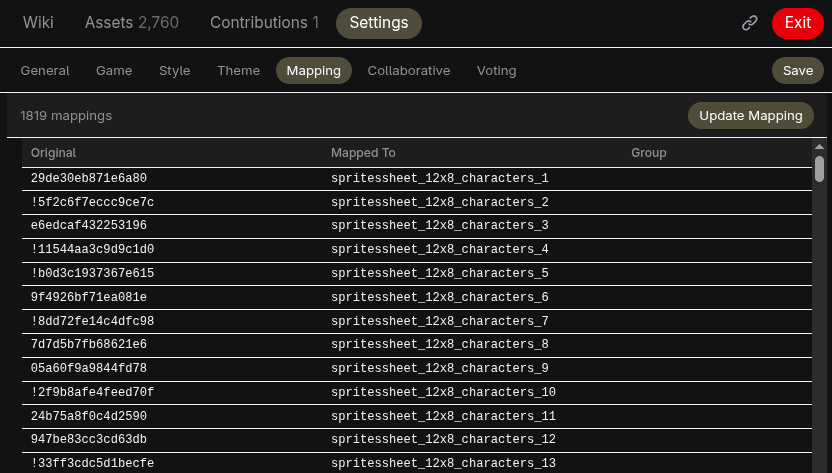
Moderators define "original": "mapped" pairs (one per line, comments supported), with a live preview table showing how each pair is parsed (Original / Mapped To). Mapped names replace raw filenames in the asset browser and in echo links.
When a mapping is changed or removed, any wiki echo links referencing the old mapped name are automatically replaced with the original filename. A notification shows how many replacements were made and which pages were updated.
Example:
// Character sprites
"actor1": "hero"
"actor2": "villain"

// Tilesets
"dungeon_a1": "cave_floor"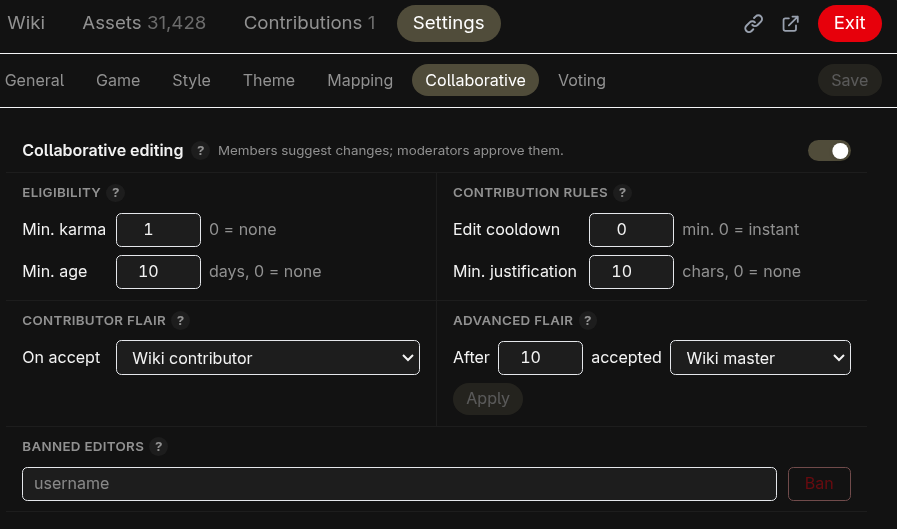
The collaborative feature lets users suggest changes to the wiki.
- Collaborative mode: Toggle to enable or disable community suggestions.
- Eligibility thresholds: Minimum karma and account age required to submit suggestions.
- Edit cooldown: Minimum number of minutes a user must wait between edits to their pending suggestion.
- Min. justification: Minimum number of characters required to justify a change. It applies to the contributor describing their suggestion and to moderators when they accept or deny one (0 disables the requirement).
- Contributor flair: Flair template awarded to users after their first accepted suggestion.
- Advanced contributor flair: Flair template and acceptance count threshold for the advanced tier.
- Banned contributors: List of users banned from submitting suggestions.
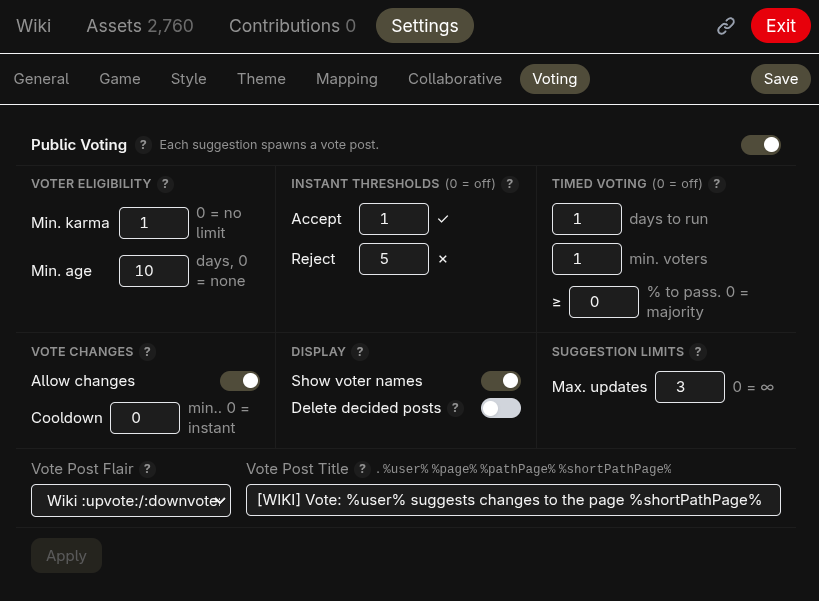
Voting builds on collaborative mode, which it requires, engaging your community with a vote on each suggested change.
- Voting: Toggle to enable or disable community voting on suggestions (requires collaborative mode).
- Accept threshold: Number of accept votes that approve a suggestion immediately. 0 disables the instant accept.
- Reject threshold: Number of reject votes that reject a suggestion immediately. 0 disables the instant reject.
- Duration: Voting period in days. Set to 0 to disable deadline-based finalization.
- Minimum voters for timing: Number of voters required before the time-based threshold applies.
- Time-based threshold: Percentage of accept votes required to pass when the deadline is reached. 0 means a simple majority wins.
- Allow vote changes: Whether voters can change their vote after casting, with an optional cooldown between changes.
- Show voter names: Whether voter names are visible to other users. Moderators and the suggestion author always see names.
- Delete completed vote posts: When enabled, a vote post is deleted from the subreddit once its vote concludes, instead of being locked and left up. This only removes the Reddit post; the decision and its content remain in the user contributions history, where they stay viewable.
- Max suggestion updates: Maximum number of times a pending suggestion can be updated (0 for unlimited).
- Voter eligibility: Minimum karma and account age required to vote (separate from contributor eligibility).
- Voting post flair: Flair template applied to voting posts on creation.
- Voting post title: Template for the title of created voting posts. Supports
%user%,%page%,%pathPage%, and%shortPathPage%placeholders.
Fan wikis happen. For any game with a dedicated community, players will build wikis filled with screenshots, ripped sprites, and re-hosted audio. Assets end up scattered across third-party sites, reposted without context, and stripped of any connection to the original product.
EchoWiki takes a different approach. No asset is ever uploaded, hosted, or distributed by anyone. Each user loads files from their own purchased copy of the game, and those files never leave their machine. The wiki references assets by filename, but every reader must own and import the game themselves for anything to appear. There is no server hosting the art, no CDN serving the music, no download link anywhere. If someone does not own the game, they see nothing. The app encourages ownership rather than working around it.
All game files are processed locally in the browser using IndexedDB. No assets are uploaded anywhere. Server-side storage (Redis) holds only moderator configuration (game title, style settings, filename mappings, collaborative and voting settings) plus the text of pending suggestions, vote records, and a capped history of decided suggestions (the contribution audit trail). The one case where the server touches image bytes is the remote-image relay, which fetches an allowlisted remote URL on demand and streams it straight back to the reader without storing it. See PRIVACY_POLICY.md and TERMS_AND_CONDITIONS.md.
EchoWiki is available on GitHub
A wiki that doesn't store assets but echoes them