


Cross-platform generative UI — from live widgets to team Kanban boards
Ask an LLM to visualize something and get a live interactive widget — sliders, charts, animations, dashboards — rendered in an Electron window or browser tab. Not a screenshot. Not a code block. A real HTML application streaming live as the LLM generates it.
Born as a Windows port of pi-generative-ui, now evolved into a comprehensive development toolkit with MCP server integration, persistent Kanban boards, task dispatch, and cross-session collaboration.
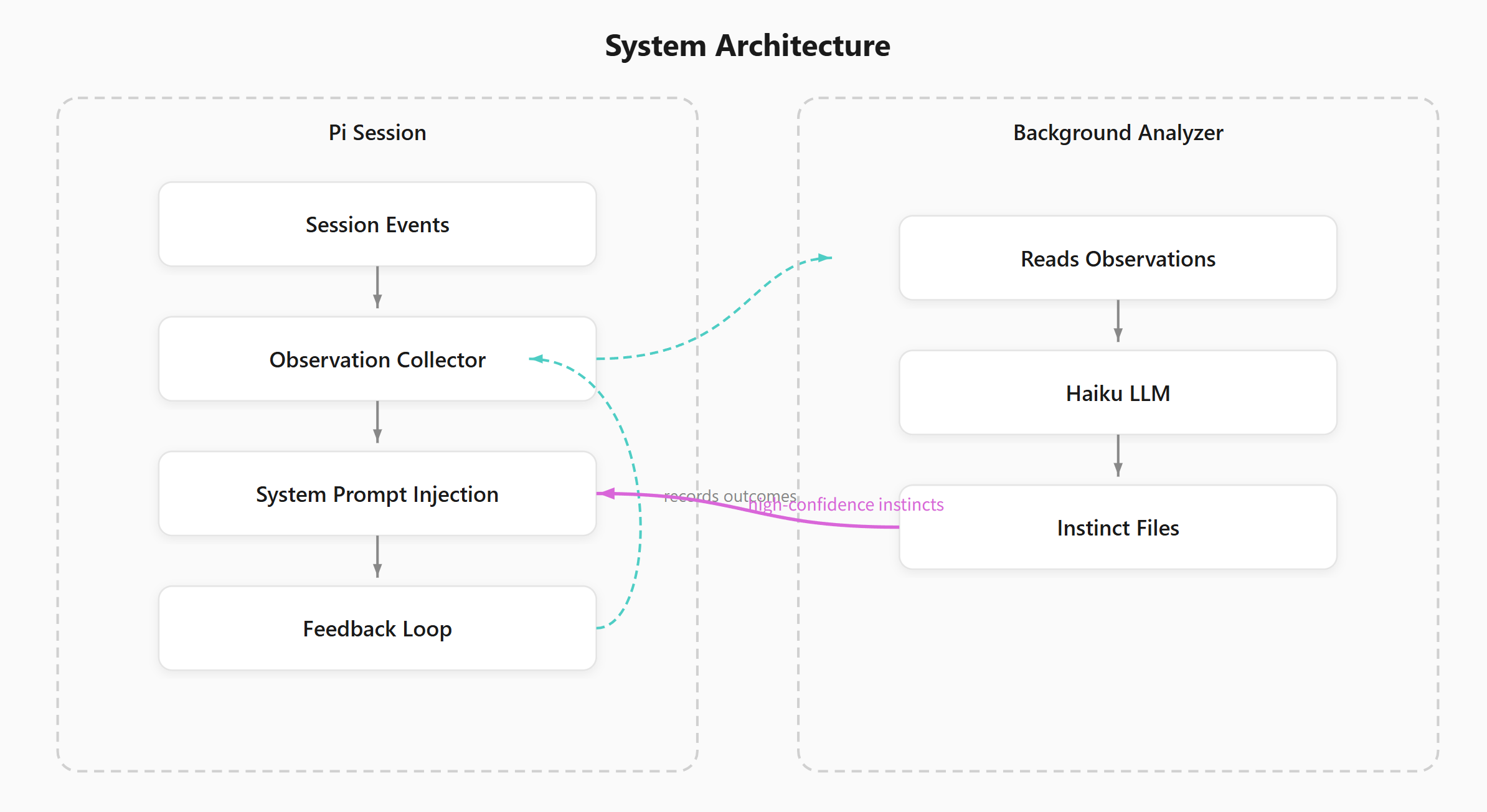
- Live widget rendering — morphdom DOM diffing, streaming HTML, full browser capabilities (Canvas, WebGL, Chart.js, D3, Three.js)
- Bidirectional communication — widgets send data back via WebSocket (~1ms latency)
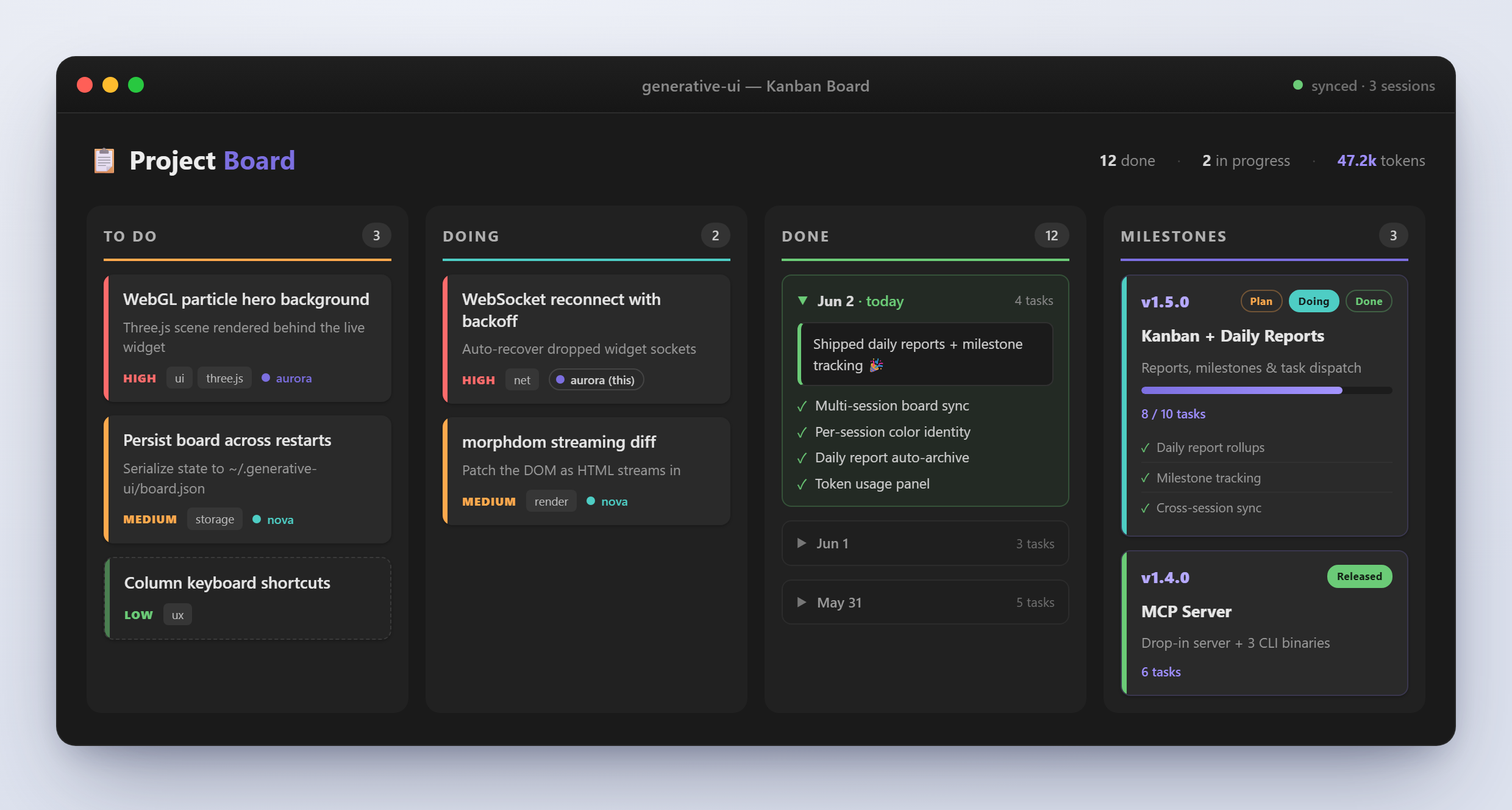
- Visual Kanban board — cross-session monitoring, daily reports, milestone tracking, task dispatch
- MCP server — drop-in server with 3 CLI binaries:
generative-ui-win,generative-ui-kanban,generative-ui-sync
npm install -g generative-ui-winWorks with any MCP-compatible IDE — Claude Code, OpenAI Codex, PI, Cursor, Windsurf, or any tool that speaks the Model Context Protocol.
Claude Code setup (~/.claude/settings.json):
{
  "mcpServers": {
    "generative-ui": {
      "command": "npx",
      "args": ["-y", "generative-ui-win"]
    }
  }
}
For other IDEs, point their MCP config to the same npx -y generative-ui-win command. Same setup, same tools.
Requires Node.js 18+. Electron is optional — browser mode works without it.
Full documentation is available in multiple languages:
| Language | File |
|---|---|
| 🇺🇸 English | en/README.md |
| 🇨🇳 中文 | zh/README.md |
| 🇫🇷 Français | fr/README.md |
| 🇯🇵 日本語 | ja/README.md |
| 🇳🇿 English (NZ) | nz/README.md |
| 🇮🇹 Italiano | it/README.md |
| 🇪🇸 Español | es/README.md |
Full English and Chinese docs include: overview, core features, install, quick start, architecture, API reference, Kanban board docs, comparison, and project structure. Other languages include the core sections.
MIT