



A web interface to PuppetDB for open source Puppet: which nodes failed, changed or stopped reporting, what each Puppet run did, and which facts your nodes have.
This is a fork of voxpupuli/puppetboard by Vox Pupuli. It adds a read-only JSON API and an MCP server for AI assistants, runs on ASGI only, keeps its dependencies current and ships a hardened container image, a Helm chart and Compose examples.
- Read-only JSON API under
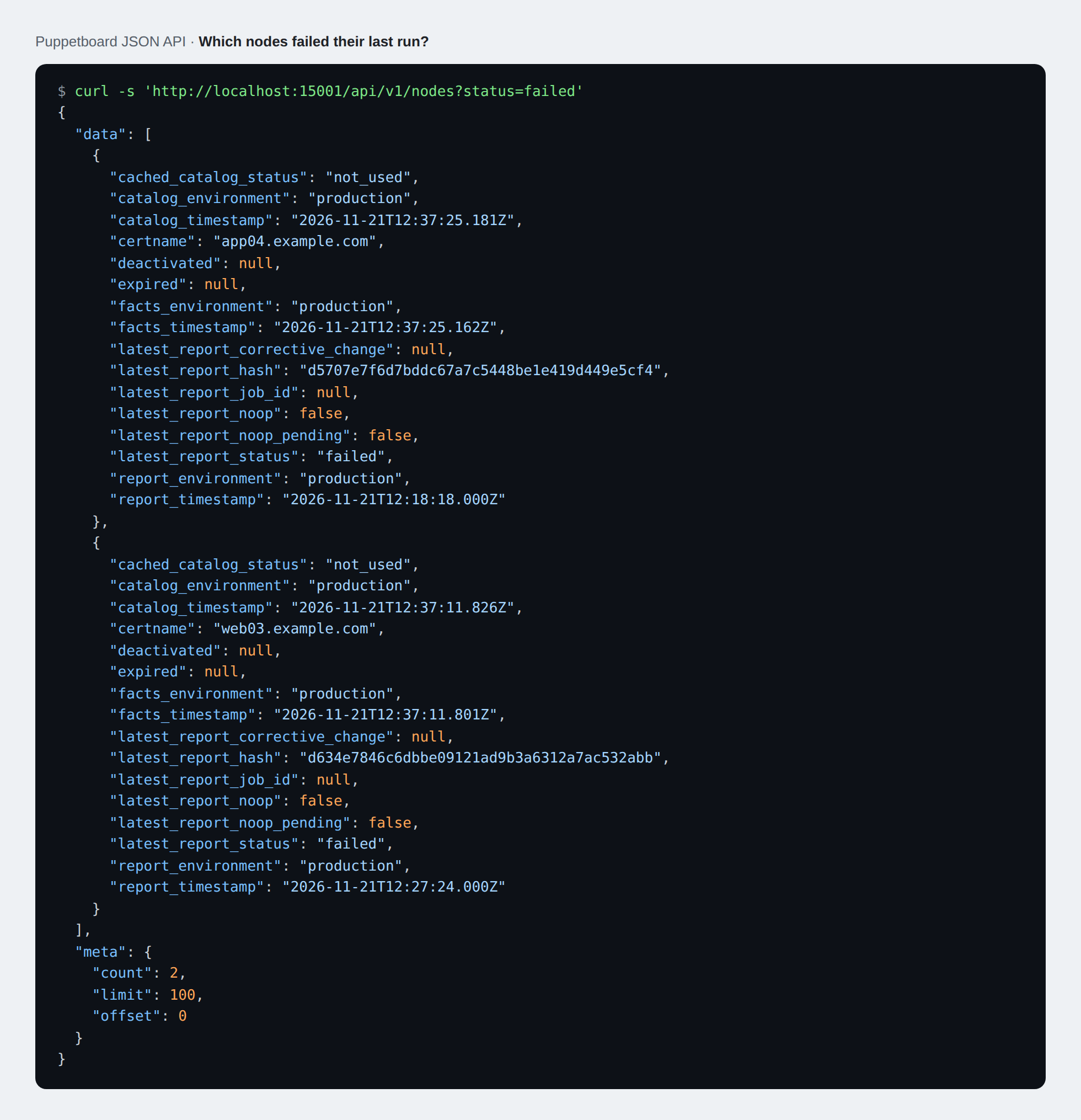
/api/v1/(ENABLE_API): nodes, facts, reports, catalog resources and PQL queries,GETonly, described as OpenAPI 3.1 at/api/v1/openapi.jsonand browsable at/api/v1/docs. docs/API.md - MCP server under
/mcp(ENABLE_MCP): Claude and other MCP clients read nodes, facts, reports and catalog resources. Thirteen read-only tools that discover your facts first, so no fact of its own is needed. docs/MCP.md - Built along the CIS benchmarks: API and MCP follow the CIS API Security Guide and the CIS MCP Server
Benchmark: every parameter validated, paging and result limits, rate limit, audit log, DNS rebinding
protection for
/mcp. Authentication belongs in the reverse proxy in front. docs/API.md - One package, one entry point:
pip install puppetboard-dpbrings gunicorn and the MCP dependencies;gunicorn -k asgi puppetboard.asgi:appserves web interface, API and MCP. WSGI is gone. - Hardened container image
ghcr.io/dennispohlmann/puppetboard: officialpython:3.15-alpinepinned by digest, no compiler and no pip, unprivileged user (uid 10001), port 8080. - Kubernetes and Compose: a Helm chart released as
oci://ghcr.io/dennispohlmann/charts/puppetboard, and docker-compose examples for Puppetboard alone or behind nginx with TLS and Basic-Auth. - Ready for RHEL: Python 3.12 is enough (the system Python of RHEL 10); a systemd unit, SELinux labels and nginx or Apache in front are in docs/Deployment-setups.md.
- Security fixes: stored and reflected XSS through node data and URL parameters closed on every page; forged audit log lines and spoofed client addresses for the rate limit prevented.
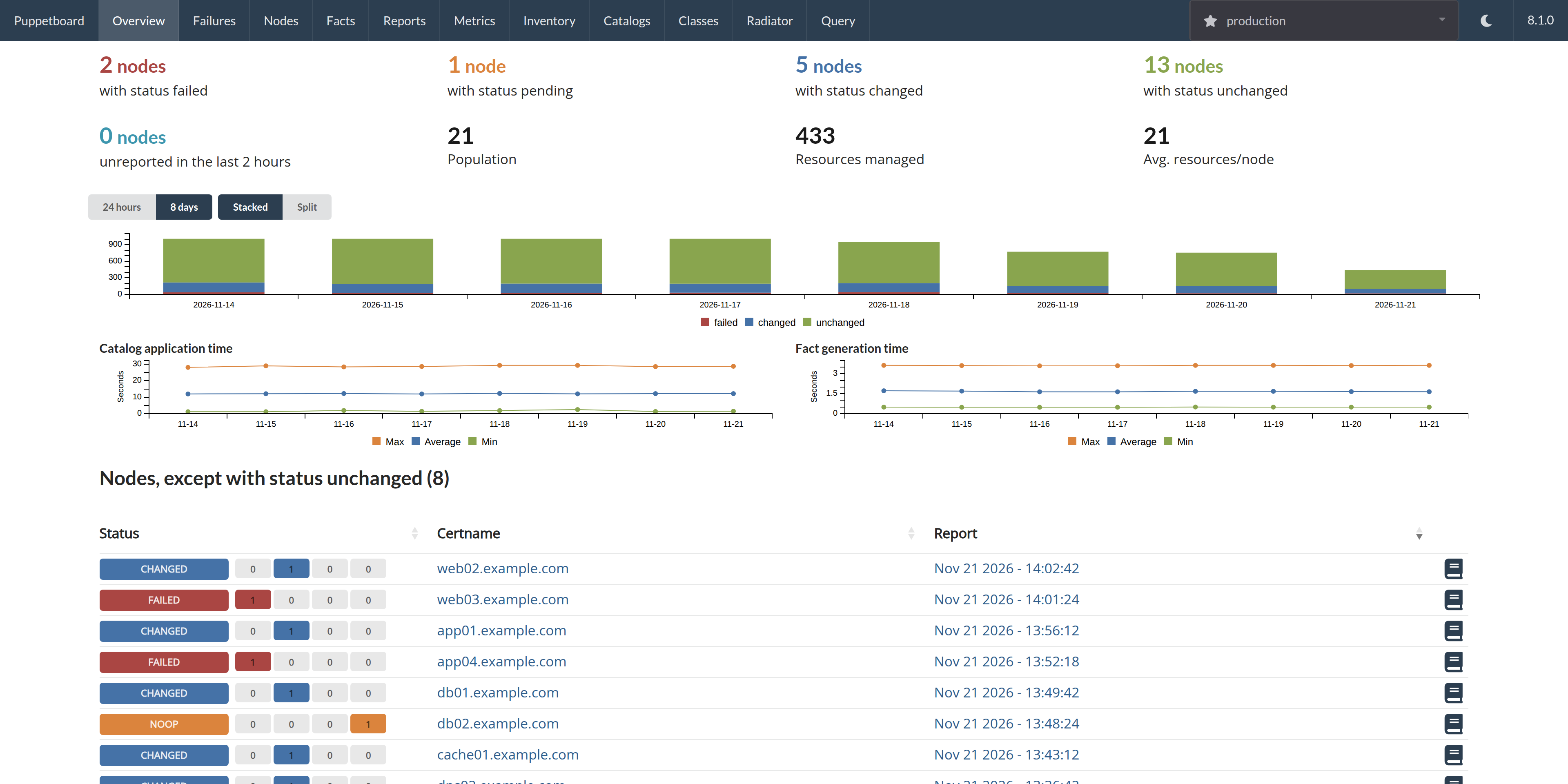
- Run times on the overview: charts of the fastest, slowest and average catalog application and fact generation time per day, and a switch for all overview charts between the last 24 hours and the last days.
- Faster with many nodes: quicker facts overview, failures, inventory, nodes and daily chart; the environment list is cached for 60 seconds and the run time charts per hour.
- Current libraries: DataTables, Fomantic-UI, jQuery, billboard.js and the Python dependencies kept up to date; Python 3.12 to 3.15.
Everything Puppetboard already does stays: overview, nodes, reports, failures, facts with charts, query page with saved presets, metrics, inventory, classes, a radiator for wall displays, offline mode and dark mode. The full list of changes is in the CHANGELOG.
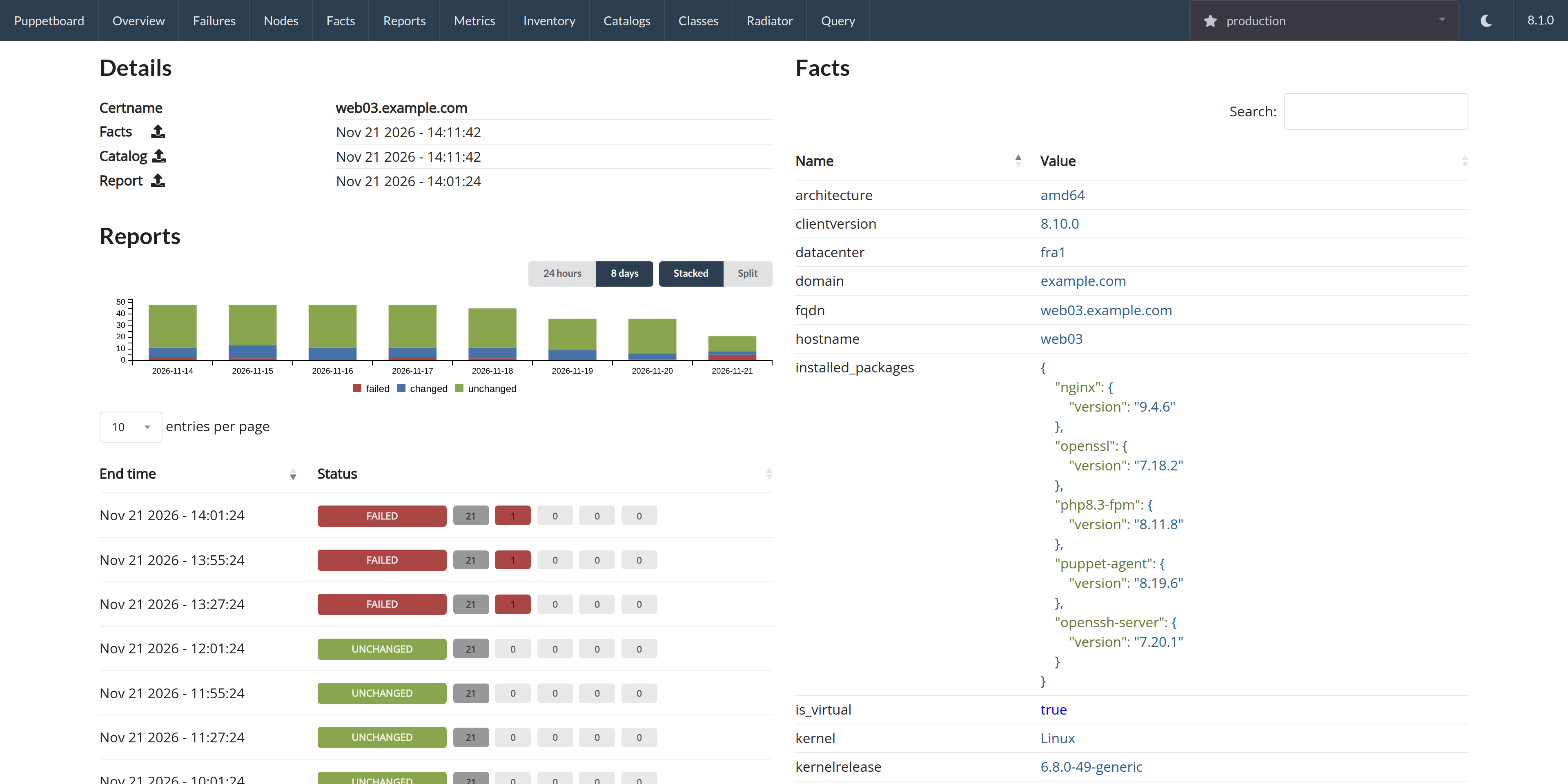
Single node with its reports
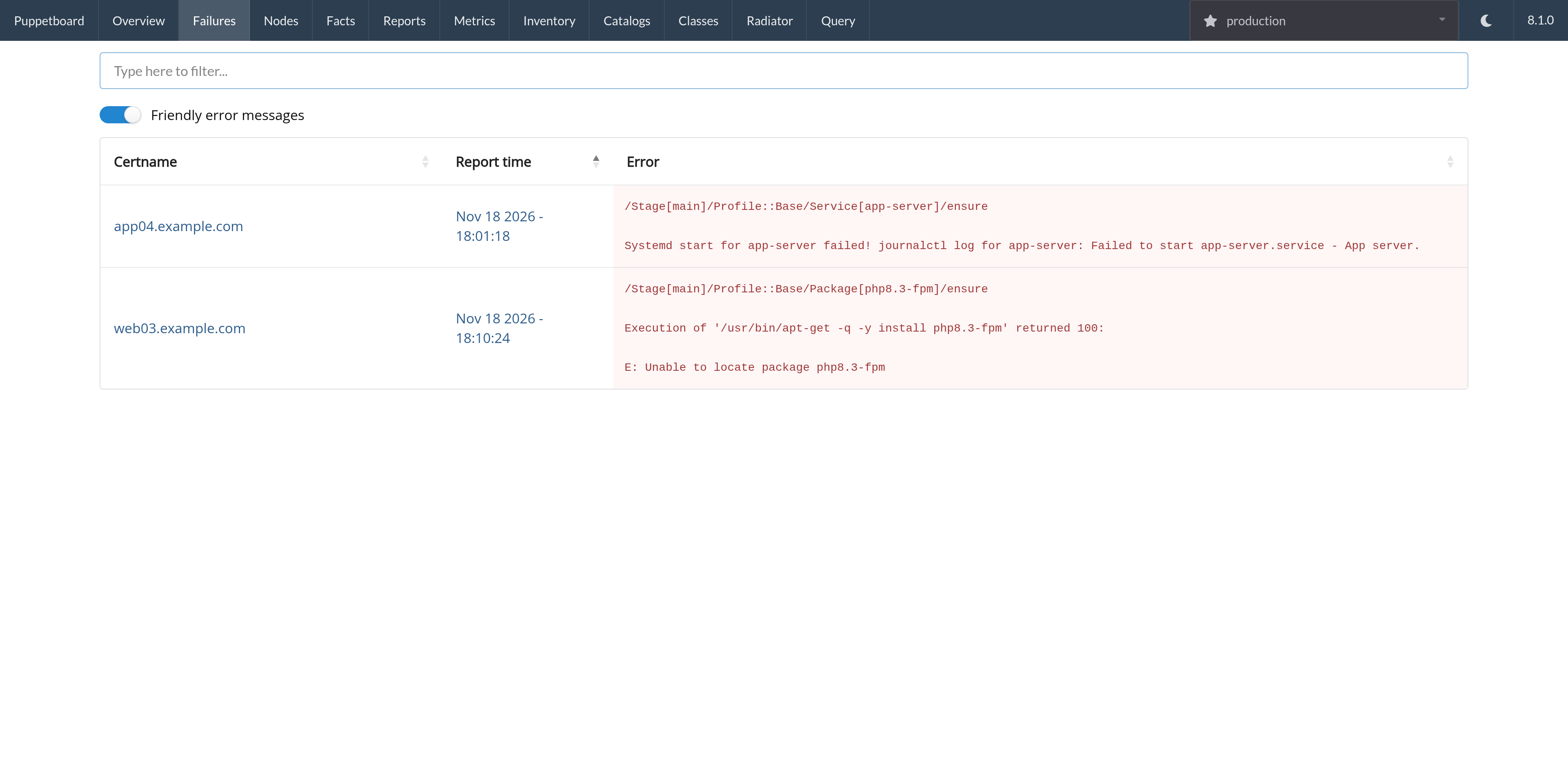
Failures: the errors of all failing nodes
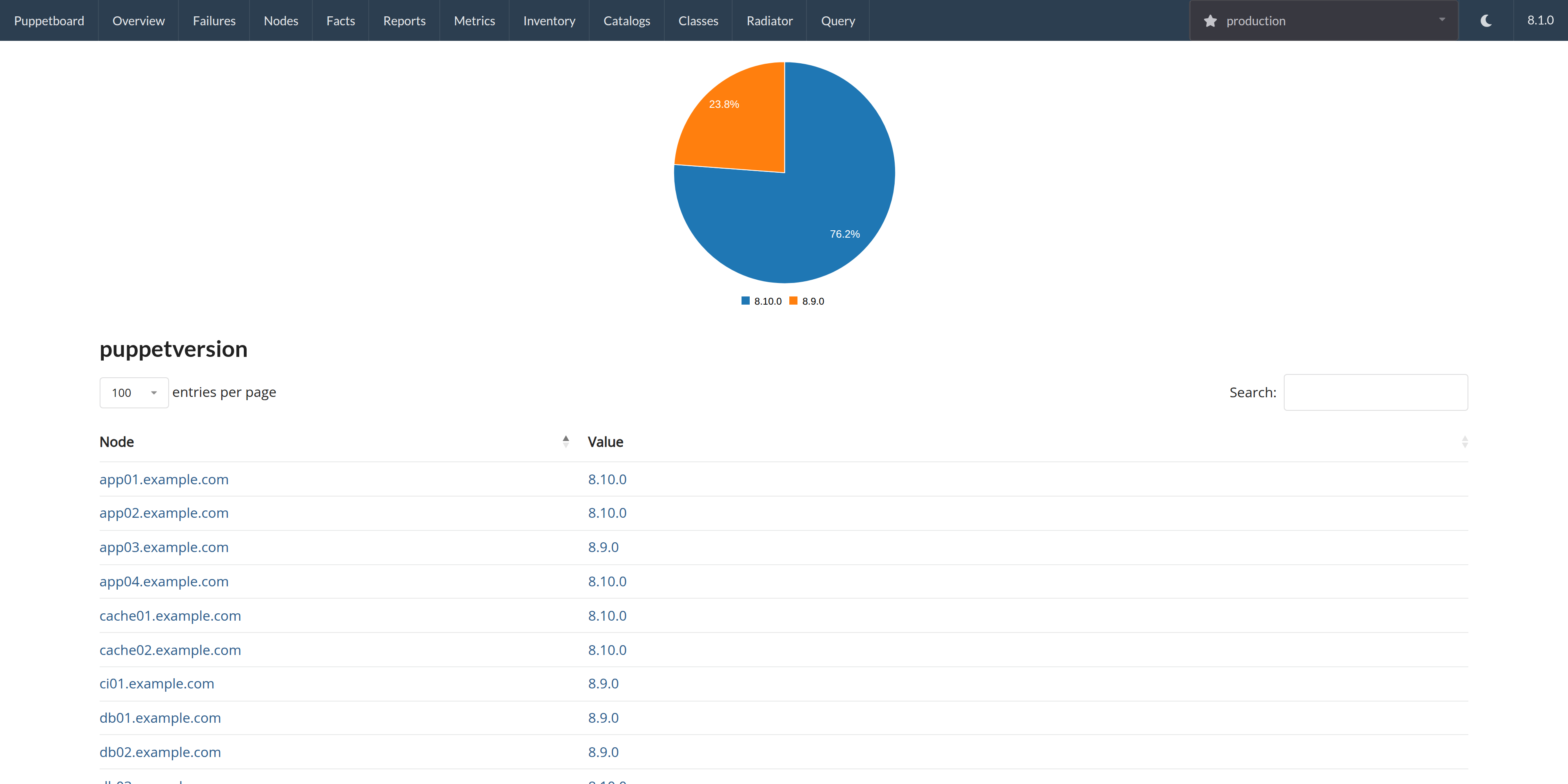
A fact with its chart
MCP server: real questions from Claude, answered from PuppetDB (docs/MCP.md)
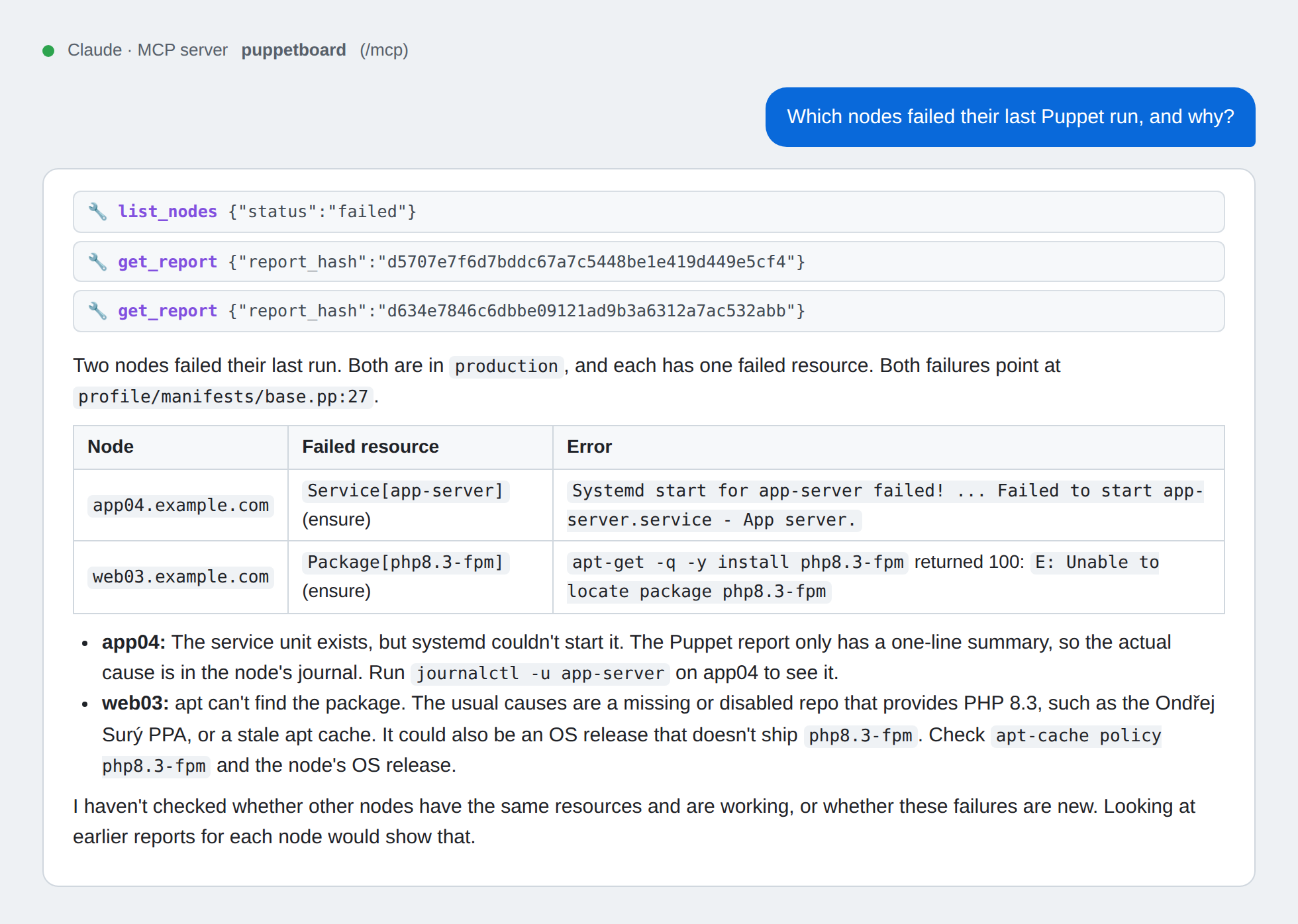
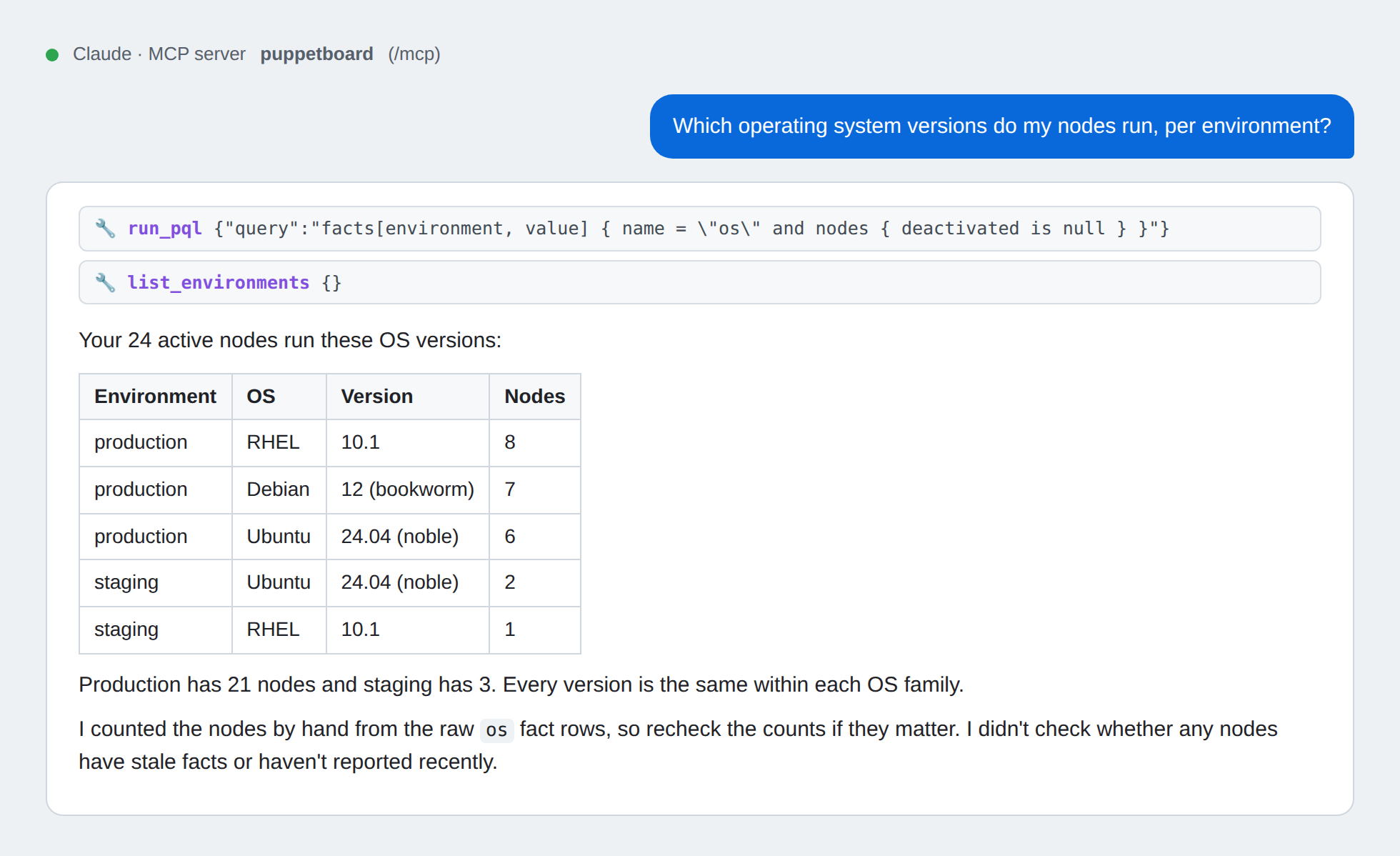
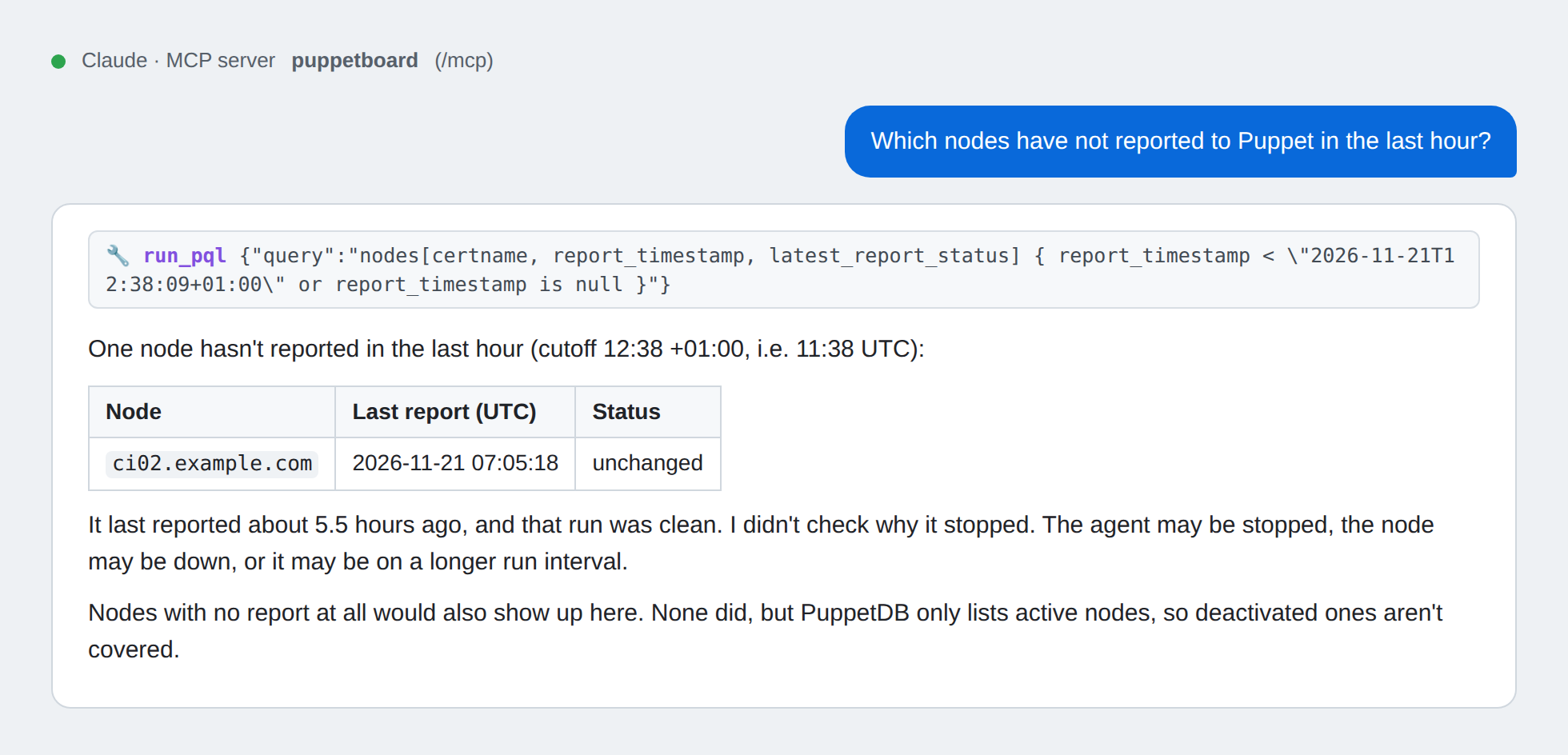
JSON API: real curl calls and their answers (docs/API.md)
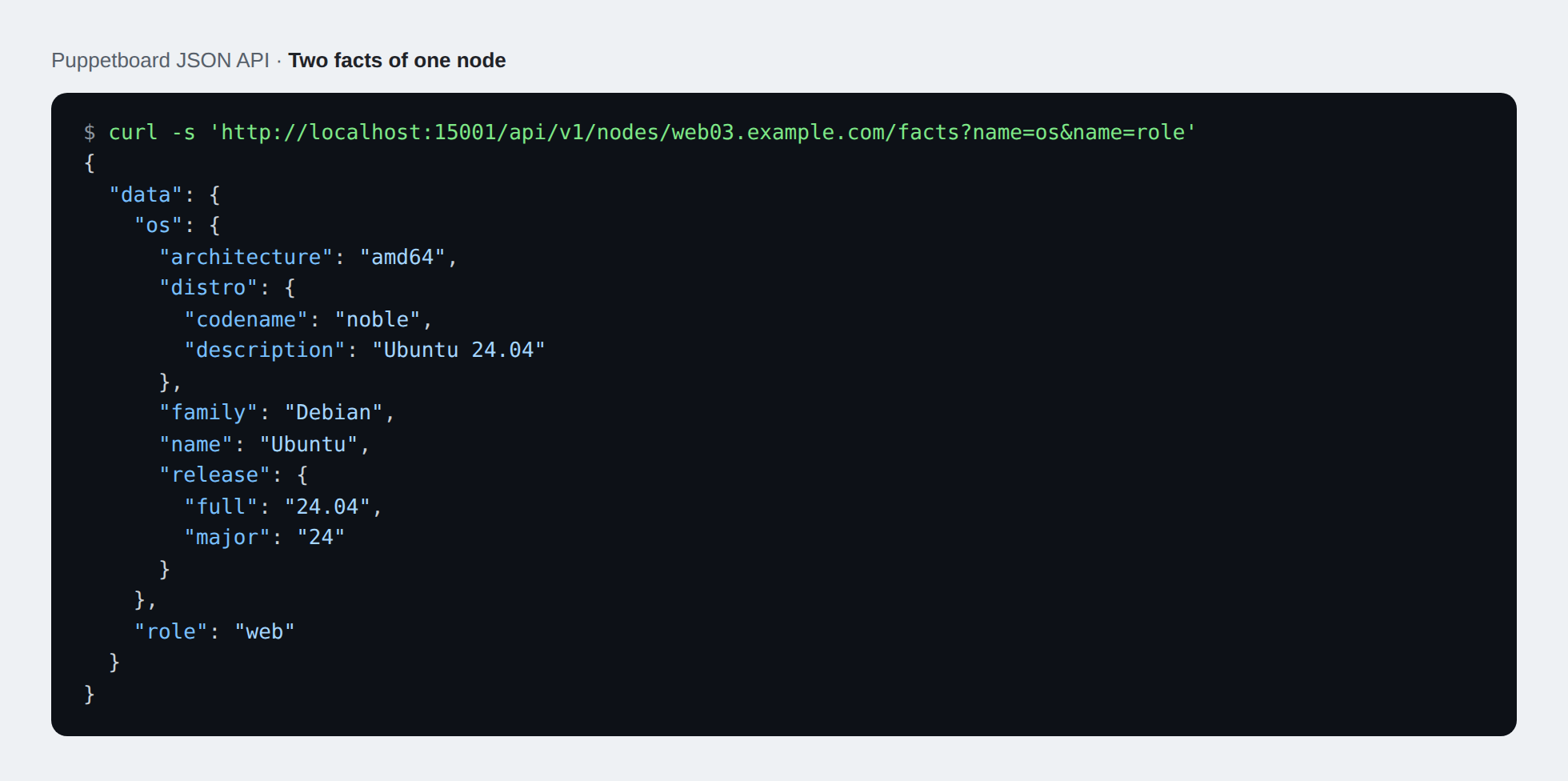
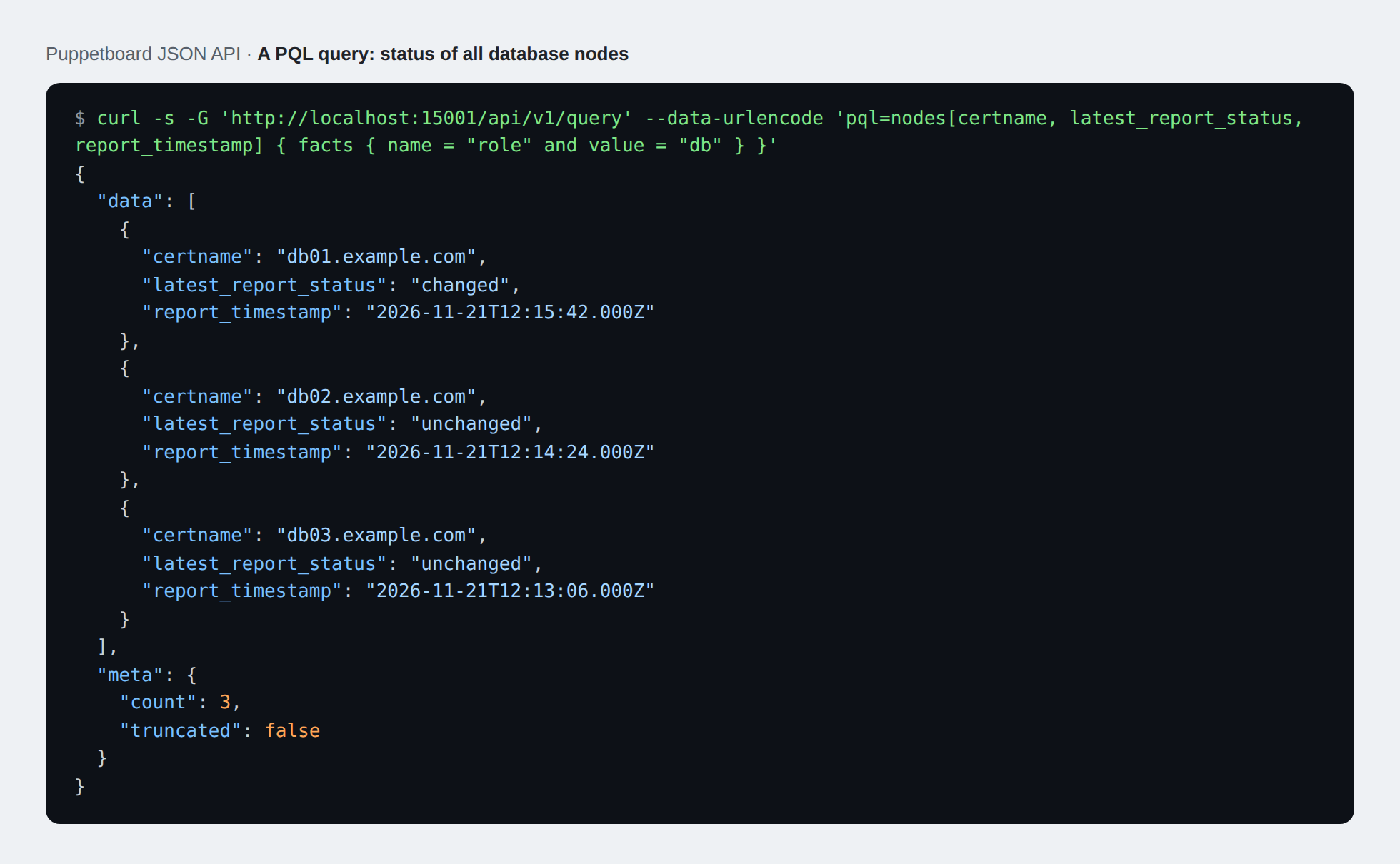
All views: docs/Screenshots.md.
- PuppetDB 5.2 to 8.x (not 8.1.0 because of this bug, use 8.1.1 or newer), with the Puppet Server storing its reports in PuppetDB
- Docker or Podman, Kubernetes with Helm, or Python 3.12 to 3.15
- A reverse proxy with TLS in front; with API or MCP enabled it must also authenticate clients
On the PuppetDB host, with the container image:
docker run -d --name puppetboard --net=host \
  -e PUPPETDB_HOST=localhost -e PUPPETDB_PORT=8080 \
  -e PUPPETBOARD_PORT=8088 \
  -e SECRET_KEY="$(openssl rand -hex 32)" \
  ghcr.io/dennispohlmann/puppetboard
Then open http://localhost:8088. With --net=host next to PuppetDB, PUPPETBOARD_PORT must differ from
PuppetDB's port 8080.
From PyPI, in a virtual environment (the package is puppetboard-dp, the module is still puppetboard):
python3 -m venv /opt/puppetboard
/opt/puppetboard/bin/pip install puppetboard-dp
PUPPETBOARD_SETTINGS=/etc/puppetboard/settings.py \
  /opt/puppetboard/bin/gunicorn -k asgi -b 127.0.0.1:8080 puppetboard.asgi:app
On Kubernetes, for an existing PuppetDB (certificate Secret and all values: charts/puppetboard):
helm install puppetboard oci://ghcr.io/dennispohlmann/charts/puppetboard \
  --namespace puppetboard --create-namespace \
  --set secretKey="$(openssl rand -hex 32)" \
  --set puppetdb.host=puppetdb.example.com \
  --set puppetdb.tls.existingSecret=puppetboard-puppetdb-tls
With Compose, for Puppetboard alone or behind nginx with TLS and Basic-Auth: docker-compose/.
To turn on the JSON API and the MCP server, add ENABLE_API=true, ENABLE_MCP=true and
MCP_ALLOWED_HOSTS=puppetboard.example.com (your host name). Both have no authentication of their own,
so put a TLS reverse proxy with authentication in front, see
Securing API and MCP.
Outside the container Puppetboard reads a Python file named by PUPPETBOARD_SETTINGS that overrides only
what differs from default_settings.py; the container image, the Helm
chart and Compose take the same names as environment variables. On the PuppetDB host the defaults are
enough. Elsewhere set at least PUPPETDB_HOST, PUPPETDB_PORT and the client certificate
(PUPPETDB_SSL_VERIFY, PUPPETDB_KEY, PUPPETDB_CERT), and always a SECRET_KEY.
Every setting: docs/Configuration.md.
| File | Content |
|---|---|
| docs/Configuration.md | all settings, PuppetDB certificates, Puppet agent and PuppetDB configuration |
| docs/Deployment-setups.md | container, Puppet-managed container, pip with gunicorn and systemd, SELinux on RHEL, nginx and Apache in front |
| docs/API.md | JSON API endpoints, securing API and MCP, CIS benchmark coverage |
| docs/MCP.md | MCP server, its settings and tools, example questions |
| docker-compose/ | Compose examples: standalone and proxy (nginx with TLS and Basic-Auth) |
| charts/puppetboard/ | Helm chart: install from ghcr.io, PuppetDB certificate, all values |
| QUERY_PRESETS.md | saved queries on the Query page |
| docs/Screenshots.md | every view |
| docs/Development.md | local development, tests, commit messages |
| RELEASE.md | how a release is built |
| CHANGELOG.md | changes per version, including the upstream history |
| .github/SECURITY.md | security policy, how to report a vulnerability |
| THIRD_PARTY.md | bundled third-party files and their licenses |
Questions and bug reports go to the issues. Security problems please report privately, see SECURITY.md.
Puppetboard is licensed under the Apache License, Version 2.0. Bundled third-party files and their licenses are listed in THIRD_PARTY.md.
The original Puppetboard is developed by Vox Pupuli at voxpupuli/puppetboard; this fork builds on their work. It relies on pypuppetdb and Flask.
The favicon has been created based on the icon created by ShellyCoen under the Creative Commons Attribution-ShareAlike 4.0 International License, downloaded from the voxpupuli/logos, resized and centered.