Native Mac driver for Wacom drawing tablets that no longer have official support on macOS.


Wacom hardware tends to outlast its driver support. MockTab aims to be a small, focused driver for Wacom tablets from the early 2000s through the early 2020s, on macOS Ventura and later.
Several Wacom models across multiple protocol families:
- Intuos 1–5 / Intuos Pro Gen 1 (PTH-x50/x51, PTZ, PTK series) — USB
- Intuos Pro Gen 2 (PTH-460, PTH-660, PTH-860) — USB and Bluetooth Classic
- Intuos Pro Gen 3 (PTK-470, PTK-670, PTK-870) — USB, experimental
- Cintiq pen displays (CintiqV1 and IntuosV2-format models)
- DTU / DTUS small pen displays — USB, experimental
- Bamboo and consumer CTL/CTH tablets
Full list: mocktab.org/hardware
MockTab covers a small set of hardware so far and may not work with your configuration. Filing an issue with a diagnostic detail can help improve support.
macOS 13 (Ventura) or later.
- Download the latest
.dmgfrom Releases. - Drag
MockTab.appto Applications and launch it. - Grant Accessibility when prompted — click "Open System Settings", toggle MockTab on, relaunch. MockTab needs this to provide pen pressure.
- Grant Input Monitoring if prompted.
- Plug in or pair your tablet. It appears in the menu bar.
If permissions don't seem to take effect: remove MockTab from the pane and re-add it. Moving or reinstalling the app may invalidate previous approvals.
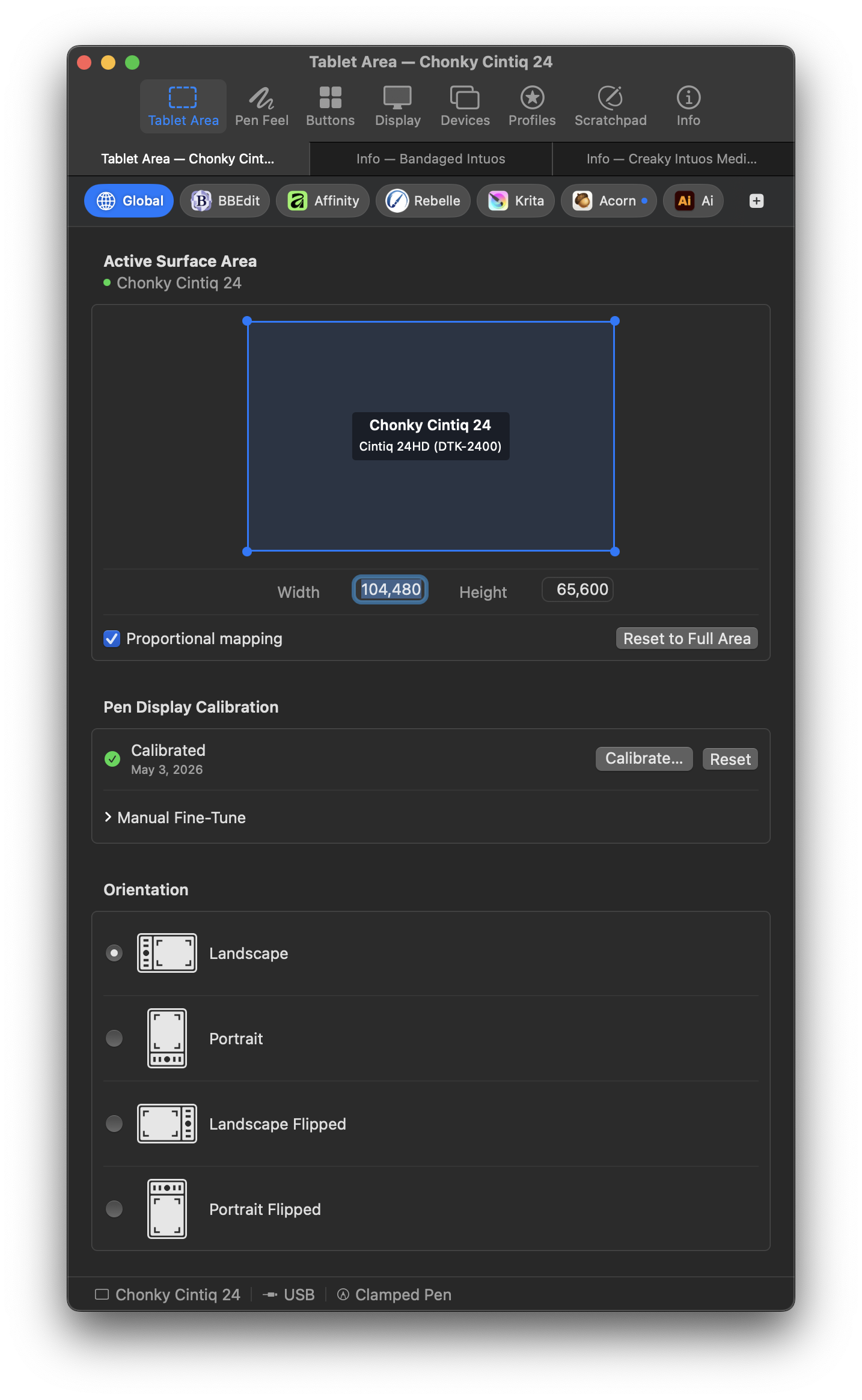
- Tablet area mapping — choose which part of the surface maps to the screen; proportional lock keeps circles round at any aspect ratio
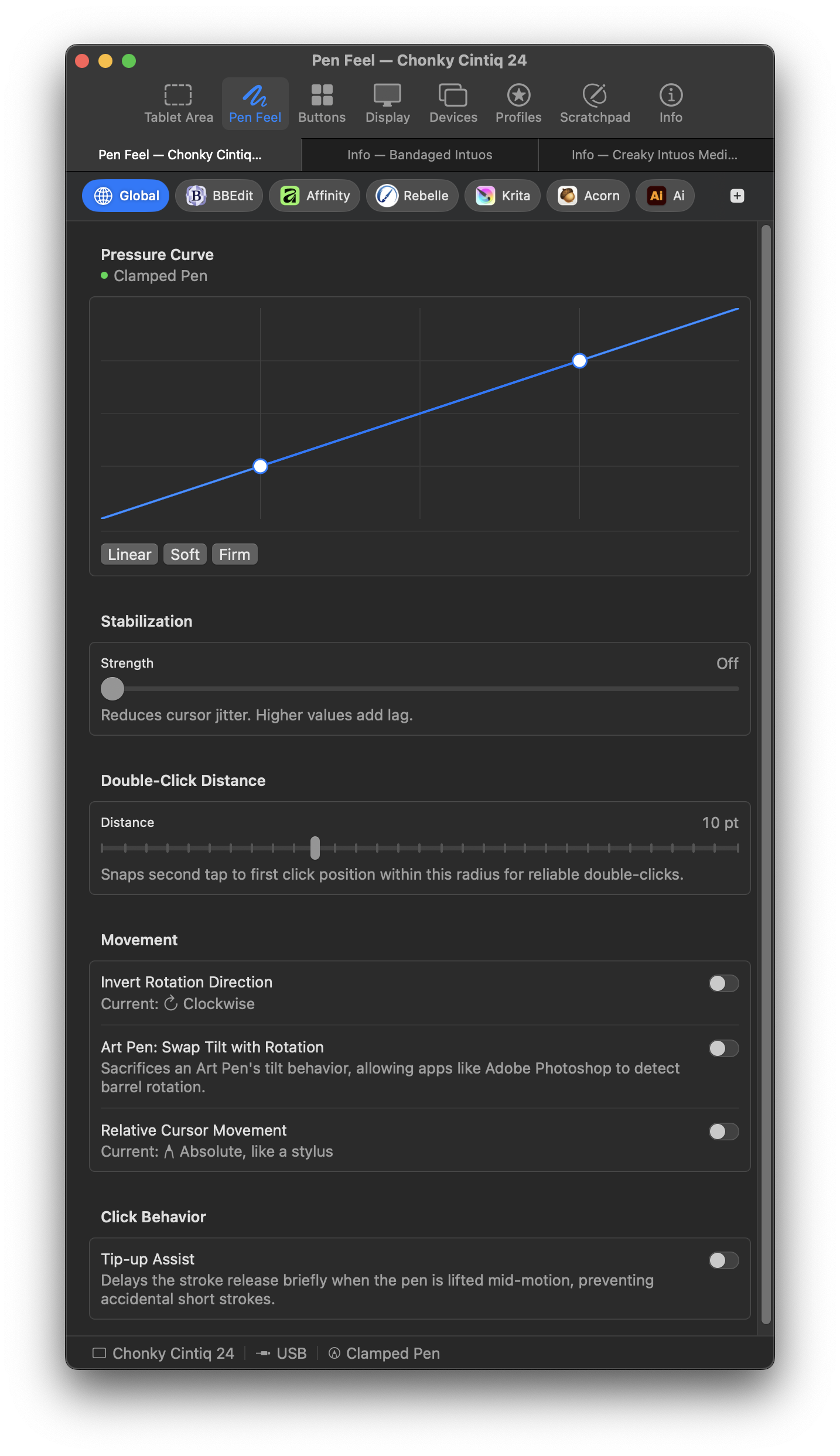
- Pressure curve — two-point Bézier editor with Linear, Soft, and Firm presets; tested with Photoshop, Affinity, Krita, and Clip Studio
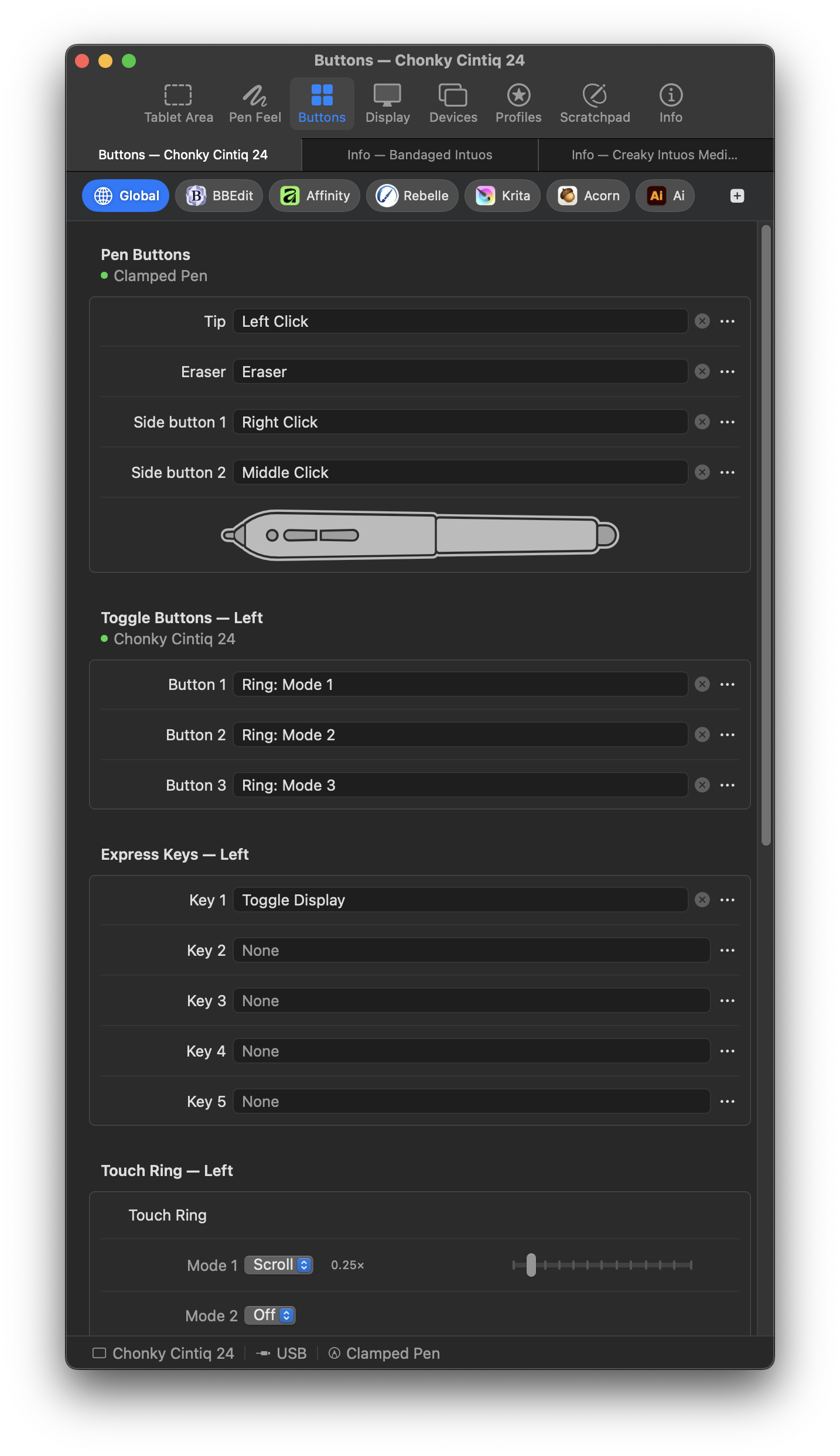
- Button mapping — remap barrel buttons, express keys, and touch ring to any modifier + key combination; live key capture
- Per-app overrides — different area, pressure curve, buttons, and display routing per app; switches automatically when the app comes forward
- Touch ring — multi-slot modes with per-slot clockwise/counter-clockwise actions; cycle slots with a button assignment
- Display mapping — route the tablet to any connected display; Display Toggle action cycles displays from a button
- Live scratchpad — test pressure, tilt, and button assignments before opening your real work
- Profile import/export — drag a profile card to Finder to export as JSON; drag a file back in to import
- Multiple tablets — connect several tablets simultaneously; switches automatically based on which one you pick up
- Wireless — USB dongle and Bluetooth where hardware supports it
- Capacitive touch — two-finger scroll, tap-to-click, and adjustable touch area on models with a touch surface
- Undo everywhere — ⌘Z across every settings pane
- Menu bar mode — hides the Dock icon
- Native AppKit app, signed and notarized, without kernel extensions
- Huion, XP-Pen, Xencelabs, or any non-Wacom hardware
- Wacom tablets from recent product cycles not listed above (Cintiq Pro 2023 refresh, Intuos Pro with USB-C, etc.)
- Windows, Linux, or iPad
MockTab's HID report decoders — the pure-logic layer that turns raw tablet reports into pen / aux / touch events — live in a sibling repository, mocktab-kit, and are consumed here as a SwiftPM dependency named TabletKit. Anything in MockTab/Driver/ that's still here is the app-specific glue (IOKit transport, event injection, device routing) that depends on TabletKit but isn't part of it.
// Package.swift of a consumer project
dependencies: [
    .package(url: "https://github.com/Cyzor/TabletKit", from: "0.1.0"),
],
targets: [
    .target(name: "MyApp", dependencies: [
        .product(name: "TabletKit", package: "TabletKit"),
    ]),
],
import TabletKit
var state = DecoderState()
var decoder: any TabletReportDecoder = IntuosV2Decoder()
let results = decoder.decode(report: ptr, length: len, spec: spec, state: &state, deviceFamily: "intuosProGen2")Scope. TabletKit is pure Swift — no AppKit, no event injection. It decodes; you bring the HID transport and the event sink.
Stability. The public API surface (see mocktab-kit/CHANGELOG.md) is at 0.1 — workable but pre-1.0. Expect breaking changes until the first vendor outside Wacom (Xencelabs likely first) lands and the protocol shape is validated against more than one family.
Tests. TabletKit's 259-test suite runs from its own repo (cd ../mocktab-kit && swift test).
The app is GPL-3.0-or-later — see LICENSE. Free to run, study, modify, and share; modifications must stay under the same license.
The TabletKit Swift package lives in ../mocktab-kit and is MPL-2.0 — see mocktab-kit/LICENSES/MPL-2.0.txt. File-level copyleft: changes to TabletKit's own files must stay open, but consumers can link it from any-licensed app.
Per-file licenses are declared via SPDX headers (SPDX-License-Identifier:) at the top of each source file.
- mocktab.org — website and FAQ
- Hardware compatibility — full device list
- Issues — bug reports and feature requests