Location
The Location property is a key Configuration property which tells the Tabular plugin which AQUARIUS Time-Series location should be receiving the new field visit data.
The Location property should be an AQUARIUS location identifier.
If your location has an identifier of "GX0340078" and a name of "Flathead Lake Dam ", your TOML configuration should be trying to use the shorter "GX0340078", not the longer name.
Location = '@Location'
Time = '@Time'

[Reading]
Value = '@Value'
ParameterId = 'TA'
UnitId = 'degC'
That configuration will parse this CSV with location identifiers in the first column.
Location, DateTime, Value
GX0340078, 2020-04-01 18:35:00, 21.5What if this is your temperature CSV data?
DateTime, Value
2020-04-01 18:35:00, 21.5
1988-04-01 18:35:00, 4.5
You've got two choices available when your CSV data has no location information:
Location = 'GX0340078' # Always use this location identifier. Weird, but doable.
Time = '@Time'

[Reading]
Value = '@Value'
ParameterId = 'TA'
UnitId = 'degC'
That configuration will always create temperature readings in the GX0340078 location. That is not very useful in real life production systems, but it is a possible option.
2. Omit any Location from your TOML configuration. Upload files only from the Location Details page.
Your other choice is to leave your TOML configuration without any explicit Location property set.
Time = '@Time'

[Reading]
Value = '@Value'
ParameterId = 'TA'
UnitId = 'degC'
This tells the Tabular plugin that the location information will need to come from somewhere else. That "somewhere else" is supplied when you drag and drop a file onto one.
Normally, your user's will drag and drop their files on the Springboard drop target:
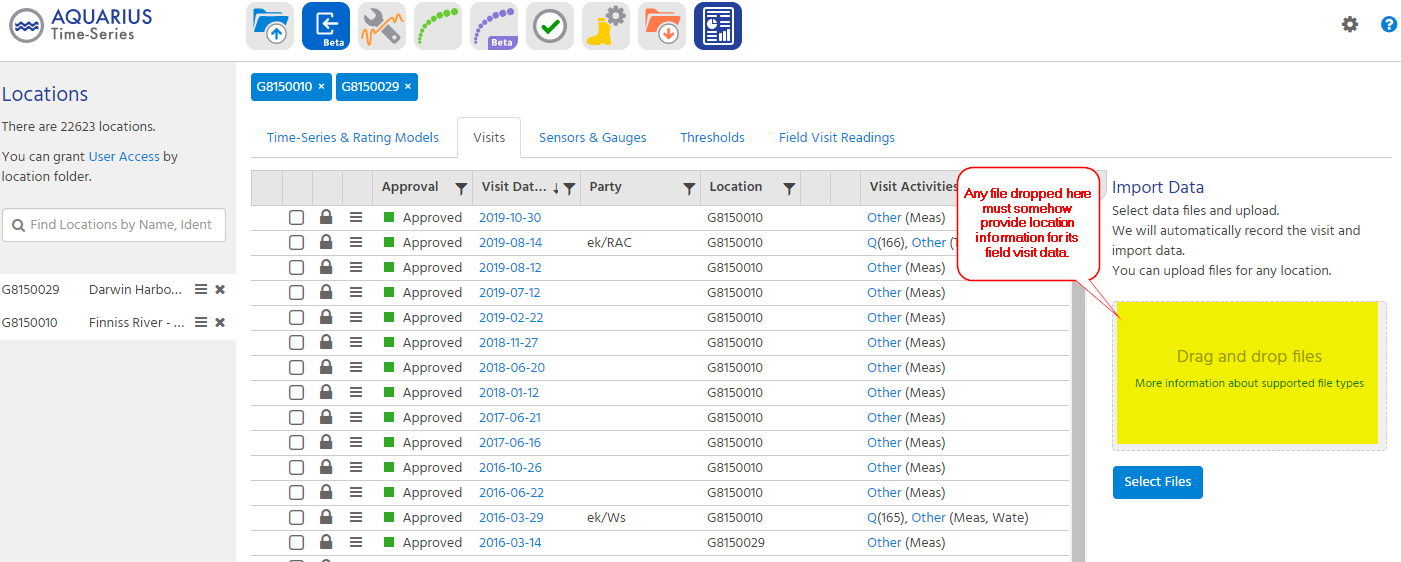
When your file contains no location information, that drop target can't be used. But there are two other drop targets which can be used to supply the missing location context.
You can launch the Location Details page for a location, and use the Location Upload panel:
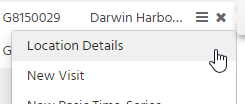
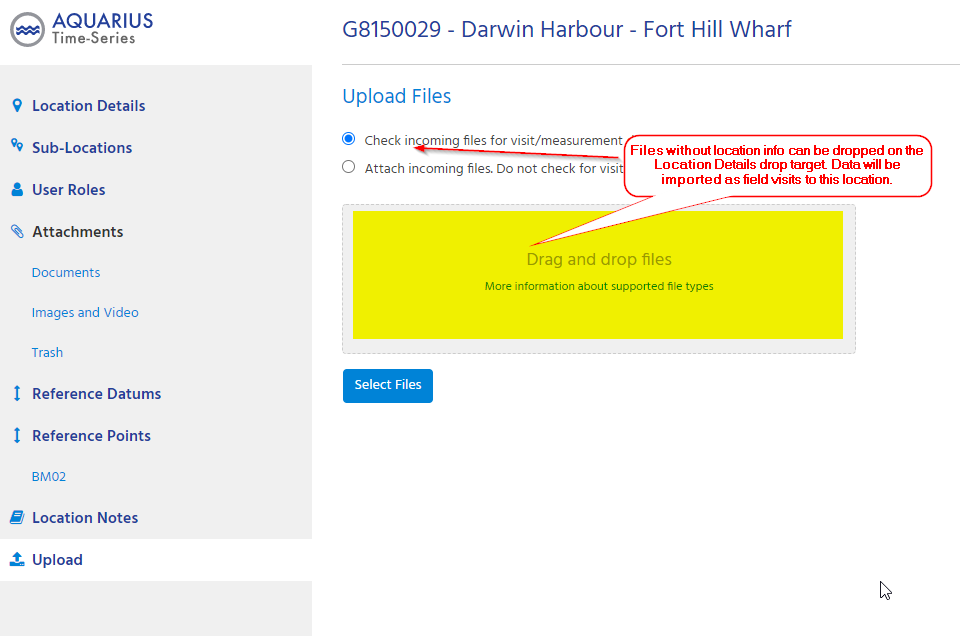
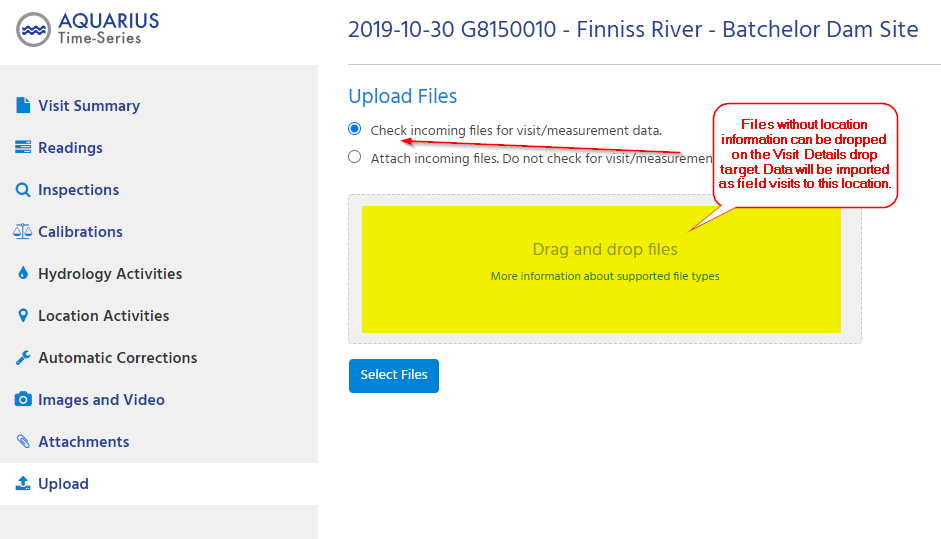
Or you can open any field visit in the desired location, and use the Field Visit Upload panel:
My file has location information, but it doesn't match the AQUARIUS location identifier. What can I do?
It is quite common for data coming from external systems to have a different way of identifying a location. Maybe a different ID or number. And often you have no control over how the external system produces its output. This is where the Aliases feature of the Tabular plugin can come in handy.
Append a "{alias name}" to the end of the @column selector to route all locations through a alias table. If an alias is found, the plugin will substitute it for the value from the file. If no match is found, the value from the file will be used.
Location = '@Location{Locations}'
Time = '@Time'

[Reading]
Value = '@Value'
ParameterId = 'TA'
UnitId = 'degC'

[Aliases.Locations]
'Loc1' = 'LOCATION1'
'Loc2' = 'GX0340078'
That configuration, with location-aliasing enabled, will treat this CSV file:
Location, DateTime, Value
Loc2, 2020-04-01 18:35:00, 21.5
Loc1, 2019-04-01 18:35:00, 22
Loc88, 1888-04-01 18:35:00, 4.7
as if the data was actually this, using aliases for the first 2 rows, and allowing the unmatched Loc88 from the third row to flow through unmodified:
Location, DateTime, Value
GX0340078, 2020-04-01 18:35:00, 21.5
LOCATION1, 2019-04-01 18:35:00, 22
Loc88, 1888-04-01 18:35:00, 4.7
There is no limitation to the length of the aliases tables. They can grow to hundreds or thousands of entries if needed.
Check out the Aliases example on the test-drive page for more info.