




🛡️ QScan Automated PQC Scanner for Banking Infrastructure
Evaluate the cryptographic security of banking systems and assess readiness for Post-Quantum Cryptography (PQC) — powered by AI/ML risk scoring, anomaly detection, NIST-standardized migration advisories, regulatory compliance mapping, and an AI assistant chatbot.
Due to Render's free-tier limitations (backend may sleep after inactivity), the live deployment might take time to respond or may not always be available.
👉 For a complete walkthrough of all features, please refer to the deployed application demo video below:
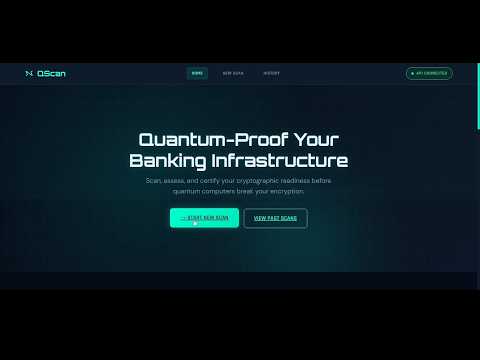
This video demonstrates:
- Full deployed QScan application walkthrough
- Quantum Risk Scoring & Dashboard
- CBOM generation & PDF export
- PQC Migration recommendations and plan
- Compliance mapping & analytics
- Quanta AI chatbot interaction
- Previous scans history
QScan is a full-stack Quantum Readiness Assessment Platform built for the PNB Cybersecurity Hackathon 2026. It provides an end-to-end pipeline to:
- 🔍 Discover public-facing banking assets (subdomains, APIs, VPN endpoints) via DNS enumeration & certificate transparency
- 🔐 Analyze TLS/cryptographic configurations with deep cipher suite inspection
- 📦 Generate a structured Cryptographic Bill of Materials (CBOM) in JSON format
- 🤖 Score quantum vulnerability using both rule-based and AI/ML-driven risk analysis (XGBoost + Isolation Forest anomaly detection)
- 📋 Recommend NIST-standardized PQC migration paths with urgency timelines
- 🛡️ Issue PQC Readiness Certificates to verified quantum-safe assets
- 📜 Map scan findings to RBI, CERT-In, NIST, and PCI DSS regulatory requirements
- 🩺 Generate Engineer's Remediation Playbooks with copy-paste config templates
- 📄 Export PDF reports with full scan results and compliance summaries
- 🤖 Chat with Quanta, the embedded AI assistant for scan-aware quantum security guidance
- 📊 Visualize all results through an interactive, real-time Quantum Readiness Dashboard
| Readiness Score | Risk Matrix |
|---|---|
 |
 |
| Asset Scan Results (TLS, Cipher, Anomaly Detection) | Quantum Threat Assessment & PQC Migration Recommendations |
|---|---|
 |
 |
| PQC Migration Plan | Engineer's Remediation Playbook & CBOM |
|---|---|
 |
 |
| Cryptographic Analytics | Regulatory Compliance Assessment |
|---|---|
 |
 |
| Mosca Inequality Breach Window | Quanta AI Chatbot Assistant |
|---|---|
 |
 |
| Asset Discovery Results | PQC Certificate Details |
|---|---|
 |
 |
                        ┌──────────────────────┐
                        │   React Frontend     │
                        │   (Dashboard UI)     │
                        └──────────┬───────────┘
                                   │ REST API
                        ┌──────────▼───────────┐
                        │   FastAPI Backend     │
                        │   + Redis Cache       │
                        └──────────┬───────────┘
                                   │
              ┌────────────────────▼────────────────────┐
              │           QScan Core Engine              │
              │                                         │
              │  ┌─────────────┐  ┌──────────────────┐  │
              │  │   Asset     │  │   Port Scanner   │  │
              │  │  Discovery  │  │                  │  │
              │  └──────┬──────┘  └────────┬─────────┘  │
              │         └────────┬─────────┘            │
              │                  ▼                      │
              │         ┌────────────────┐              │
              │         │  TLS Scanner   │              │
              │         └───────┬────────┘              │
              │                 ▼                       │
              │    ┌────────────────────────┐           │
              │    │   Crypto Parser +      │           │
              │    │   PQC Classifier       │           │
              │    └────────────┬───────────┘           │
              │                 ▼                       │
              │  ┌──────────────────────────────────┐   │
              │  │        AI/ML Engine              │   │
              │  │  ┌──────────┐ ┌───────────────┐  │   │
              │  │  │ XGBoost  │ │  Isolation    │  │   │
              │  │  │ Risk     │ │  Forest       │  │   │
              │  │  │ Scoring  │ │  Anomaly Det. │  │   │
              │  │  └──────────┘ └───────────────┘  │   │
              │  └──────────────┬───────────────────┘   │
              │                 ▼                       │
              │  ┌──────────────────────────────────┐   │
              │  │   Post-Processing & Reporting    │   │
              │  │  ┌──────────┐ ┌───────────────┐  │   │
              │  │  │  CBOM    │ │  Compliance   │  │   │
              │  │  │Generator │ │  Mapper       │  │   │
              │  │  └──────────┘ └───────────────┘  │   │
              │  │  ┌──────────┐ ┌───────────────┐  │   │
              │  │  │   PDF    │ │  PQC Cert     │  │   │
              │  │  │ Exporter │ │  Issuer       │  │   │
              │  │  └──────────┘ └───────────────┘  │   │
              │  └──────────────────────────────────┘   │
              └─────────────────────────────────────────┘
QScan/
├── main.py                          # CLI entry point (5-phase pipeline)
├── setup.py                         # pip-installable package + `qscan` command
├── requirements.txt                 # Python dependencies
│
├── config/
│   └── settings.py                  # Global configuration
│
├── scanner/
│   ├── asset_discovery.py           # Subdomain & asset enumeration (DNS + CT logs)
│   ├── tls_scanner.py               # TLS handshake & certificate analysis
│   └── port_scanner.py              # Port scanning module
│
├── crypto/
│   ├── cipher_parser.py             # Cipher suite parsing & classification
│   └── pqc_classifier.py           # PQC readiness classification (rule-based)
│
├── ai_ml/
│   ├── risk_scoring_model.py        # XGBoost quantum risk scoring
│   ├── feature_engineering.py       # Feature extraction from scan data
│   ├── anomaly_detection.py         # Isolation Forest anomaly detection
│   ├── training_data.py             # Training dataset generation
│   └── models/                      # Saved trained models (.joblib)
│
├── cbom/
│   └── cbom_generator.py            # CBOM JSON generation
│
├── compliance/
│   └── compliance_mapper.py         # RBI, CERT-In, NIST, PCI DSS mapping
│
├── reporting/
│   └── pdf_exporter.py              # PDF report generation
│
├── utils/
│   └── logger.py                    # Centralized logging
│
├── qscan-backend/                   # FastAPI REST API server
│   ├── main.py                      # API routes + background scan worker
│   ├── config.py                    # Redis & server settings (Pydantic)
│   └── requirements.txt             # Backend-specific dependencies
│
├── qscan-frontend/                  # React 19 Dashboard
│   ├── src/
│   │   ├── pages/
│   │   │   ├── Landing.jsx          # Home / landing page
│   │   │   ├── NewScan.jsx          # Start new scan form
│   │   │   ├── Results.jsx          # Full scan results dashboard
│   │   │   ├── History.jsx          # Scan history list
│   │   │   └── Certificate.jsx      # PQC Certificate detail view
│   │   ├── components/
│   │   │   ├── Quanta.jsx           # AI Chatbot assistant widget
│   │   │   ├── CompliancePanel.jsx  # Regulatory compliance display
│   │   │   ├── RemediationPlaybook.jsx # Engineer remediation templates
│   │   │   └── AnalyticsCharts.jsx  # CRQC timeline & vulnerability charts
│   │   ├── api/                     # Axios API client
│   │   ├── hooks/                   # Custom React hooks
│   │   ├── styles/                  # CSS stylesheets
│   │   └── utils/                   # Frontend utilities
│   └── package.json
│
├── demo_results/                    # Sample scan outputs
├── results/                         # Scan output directory
└── Run Snapshots/                   # Application screenshots
| Requirement | Version |
|---|---|
| Python | 3.11+ |
| Node.js | 18+ |
| Redis | 7+ |
| nmap | Latest (for port scanning) |
# Clone the repository
git clone https://github.com/Akarsh-1A1/Qscan.git
cd QScan

# Create virtual environment
python -m venv venv
source venv/bin/activate        # Linux/Mac
venv\Scripts\activate           # Windows

# Install core dependencies
pip install -r requirements.txt

# Install qscan as a CLI tool
pip install -e .QScan's backend requires Redis for caching, scan queue management, and storing scan results.
Install Redis using the instructions below depending on your operating system.
Install Redis
sudo apt update
sudo apt install redis-server -y
Start Redis
sudo systemctl start redis
sudo systemctl enable redis
Verify Redis
redis-cli ping
Install Docker Desktop first if not installed:
https://www.docker.com/products/docker-desktop/
Run Redis container
docker run -d -p 6379:6379 --name qscan-redis redis:7
Verify Redis is running
docker ps
You should see a container named qscan-redis.
Test Redis
docker exec -it qscan-redis redis-cli ping
Before starting the backend server, make sure Redis is running.
Linux:
sudo systemctl start redis
Docker (Windows):
docker start qscan-redis
cd qscan-backend

# Install backend dependencies
pip install -r requirements.txt

# Configure Redis credentials in .env file
# See config.py for available options:
#   REDIS_HOST, REDIS_PORT, REDIS_DB, REDIS_PASSWORD, REDIS_SCAN_TTL
#   SERVER_HOST, SERVER_PORT, QSCAN_TIMEOUT, CORS_ORIGINS

# Start the API server
uvicorn main:app --host 0.0.0.0 --port 8000 --reload
API Docs: Swagger UI → http://localhost:8000/docs | ReDoc → http://localhost:8000/redoc
cd qscan-frontend

# Install dependencies
npm install

# Start the development server
npm start
The frontend runs at http://localhost:3000 and connects to the backend API at port 8000.
QScan is deployed across three cloud platforms for production use:
| Component | Platform | Purpose |
|---|---|---|
| Backend API | Render | FastAPI server hosting quantum risk engine |
| Frontend Dashboard | Vercel | React 19 static site with global CDN |
| Redis Cache | Upstash | Serverless Redis with REST API |
Live Demo: [https://q-scan-psi.vercel.app/]
# Scan a single domain
python main.py --domain example.com

# Scan with asset discovery (subdomains, SAN assets)
python main.py --domain example.com --discover

# Scan and generate CBOM
python main.py --domain example.com --discover --cbom

# Custom ports and verbose output
python main.py --domain example.com --discover --cbom --ports 443,8443,993 --verbose- Start Redis server
- Start the backend:
uvicorn main:app --reload(fromqscan-backend/) - Start the frontend:
npm start(fromqscan-frontend/) - Navigate to http://localhost:3000
- Enter a target domain in New Scan and monitor progress in real-time
- View results, risk matrix, CBOM, compliance report, remediation playbook, and PQC migration recommendations
- Chat with Quanta for AI-powered scan insights and migration guidance
- Download the PDF Report or CBOM JSON directly from the results page
| Module | Description |
|---|---|
| Asset Discovery | Enumerates subdomains, APIs, and public endpoints using DNS resolution, certificate transparency logs, and SAN extraction |
| Port Scanner | Multi-threaded port scanning to identify TLS-enabled services |
| TLS Scanner | Deep TLS handshake analysis — protocol versions, cipher suites, certificate details, key exchange |
| Cipher Parser | Classifies cipher suites by quantum vulnerability level |
| PQC Classifier | Evaluates quantum readiness and assigns risk levels (CRITICAL / HIGH / MEDIUM / LOW / SAFE) |
| CBOM Generator | Produces a structured Cryptographic Bill of Materials with risk matrix and migration plan |
| Module | Description |
|---|---|
| XGBoost Risk Scoring | ML model that learns quantum risk patterns from labeled scan data and synthetic training sets |
| Feature Engineering | Extracts and transforms raw crypto scan data into ML-ready feature vectors |
| Anomaly Detection | Isolation Forest model that flags unusual or suspicious cryptographic configurations |
| Training Data Generator | Generates labeled datasets from real scans and synthetic crypto configs for model training |
| Feature | Description |
|---|---|
| Quanta AI Chatbot | Embedded AI assistant (Quanta) that answers questions about scan results, migration strategies, PQC algorithms, and step-by-step remediation guidance in real time |
| PQC Certificate Issuer | Issues a verifiable PQC Readiness Certificate for assets that meet quantum-safe standards; viewable from the Certificate page |
| Regulatory Compliance Assessment | Automatically maps scan findings to RBI, CERT-In, NIST, and PCI DSS requirements with per-control pass/fail status and an overall compliance score |
| Engineer's Remediation Playbook | Generates copy-paste server configuration templates (Nginx, Apache, AWS ALB) to instantly enable ML-KEM-768 Hybrid PQC on infrastructure |
| PDF Report Export | One-click export of the full scan results, compliance summary, and CBOM metadata as a downloadable PDF |
| Advanced Analytics Charts | CRQC Algorithm Vulnerability Timeline, Mosca Inequality Breach Window visualization, Cryptographic Posture radar chart, and Quantum Vulnerability Breakdown donut chart |
| Mosca Inequality Calculator | Interactive sliders to adjust Migration Lead-Time (X) and Data Shelf-Life (Y) parameters; computes breach window against CRQC arrival (Z) with real-time recommendations |
| Page | Description |
|---|---|
| Landing | Home page with platform overview and API connection status |
| New Scan | Form to initiate scans with domain input, discovery toggle, and port selection |
| Results | Full scan results — Quantum Readiness Score, HNDL Mosca Inequality Risk, Risk Matrix, Asset details, Cipher suites, Anomaly flags, PQC Migration Plan, Remediation Playbook, Compliance Assessment, Analytics Charts, Certificate info, and Threat Assessment |
| History | Browse and manage past scan records |
| Certificate | Detailed PQC Certificate view with Post-Quantum Migration Recommendations per cryptographic layer |
| Endpoint | Method | Description |
|---|---|---|
/api/v1/scan |
POST |
Start a new scan (async, returns scan ID) |
/api/v1/scan/{id} |
GET |
Poll scan status and progress |
/api/v1/scan/{id}/results |
GET |
Retrieve full scan results |
/api/v1/scan/{id}/cbom |
GET |
Get Cryptographic Bill of Materials |
/api/v1/scan/{id}/compliance |
GET |
Get regulatory compliance report |
/api/v1/scan/{id}/certificate |
GET |
Get PQC Readiness Certificate |
/api/v1/scan/{id}/pdf |
GET |
Download PDF report |
/api/v1/history |
GET |
List all past scans |
/api/v1/scan/{id} |
DELETE |
Remove a scan record |
/api/v1/health |
GET |
Health check (verifies Redis connectivity) |
Each asset is assigned a Quantum Risk Score (0–100) using a hybrid approach:
Weighted formula evaluating:
- Cryptographic algorithm type (RSA, ECC, AES, etc.)
- Key length and effective strength
- TLS protocol version (TLS 1.2 vs 1.3)
- Certificate properties and validity
- Forward secrecy support
XGBoost model that:
- Learns from labeled scan data and synthetic training sets
- Discovers hidden risk patterns beyond manual rules
- Provides confidence-scored predictions
- Falls back to rule-based scoring when model is unavailable
Assets that pass quantum readiness thresholds receive a QScan PQC Readiness Certificate containing:
- Subject domain and scan ID
- Certificate validity window
- Per-layer PQC migration status (Key Exchange, Authentication, TLS Handshake)
- Current algorithms vs. recommended PQC replacements (e.g., ECDHE/DHE → ML-KEM-768)
- Hybrid transition paths (e.g., X25519+ML-KEM-768, RSA+ML-DSA-65)
The platform automatically maps scan findings to major banking security frameworks:
| Framework | Controls Checked |
|---|---|
| RBI Cyber Security Framework | §3.1 Encryption Standards, §3.4 Certificate Management, §9.3 Cryptographic Agility |
| CERT-In Directions 2022 | §6 Cryptographic Controls & CBOM logging |
| NIST PQC Standards | ML-KEM (FIPS 203), ML-DSA (FIPS 204), SLH-DSA (FIPS 205) readiness |
| PCI DSS | TLS version, cipher strength, certificate validity |
Each control shows a Compliant ✅ / Non-Compliant ❌ status with evidence from the scan. An overall compliance score (e.g., 71% — 5/7 Controls) is displayed as a progress ring.
After each scan, QScan generates a ready-to-use Remediation Playbook with copy-paste configuration snippets for:
- Nginx (OpenSSL 3.x) — Enable
ssl_ecdh_curve X25519:X25519+Kyber768for Hybrid PQC - Apache HTTP Server — Equivalent SSLOpenSSLConfCmd directives
- AWS App Load Balancer — Security policy and listener rule configuration
Each playbook includes numbered implementation steps and a configuration snippet panel with a Copy Code button.
The platform recommends NIST-standardized Post-Quantum Cryptography algorithms with urgency timelines:
| Algorithm | Use Case | Standard | Replaces |
|---|---|---|---|
| ML-KEM (Kyber) | Key Encapsulation | FIPS 203 | RSA, ECDH |
| ML-DSA (Dilithium) | Digital Signatures | FIPS 204 | RSA, ECDSA |
| SLH-DSA (SPHINCS+) | Hash-based Signatures | FIPS 205 | RSA, ECDSA |
| FN-DSA (Falcon) | Digital Signatures | NIST Standardized | RSA, ECDSA |
Each asset receives:
- Estimated Quantum Threat timeline (e.g., 2030–2035)
- Migration Deadline with urgency level (NEAR-TERM / MID-TERM / MONITOR)
- Hybrid transition paths (e.g., X25519+ML-KEM-768)
The analytics section provides four visualizations powered by real scan data:
| Chart | Description |
|---|---|
| CRQC Algorithm Vulnerability Timeline | Bar chart showing years until a CRQC can break each detected algorithm (RSA-2048, ECDSA, ML-KEM, etc.) with a Mosca Danger Zone threshold line |
| Cryptographic Posture Radar | Multi-axis radar comparing your posture vs. ideal PQC-ready across TLS Version, Key Exchange, Forward Secrecy, Cipher Strength, Certificate Health, and PQC Readiness |
| Mosca Inequality Breach Window | Gantt-style timeline overlaying Migration Window (X), Data Shelf-Life (Y), and CRQC Capability (Z) to visualize when breach risk opens |
| Quantum Vulnerability Breakdown | Donut chart showing the ratio of Quantum Vulnerable vs. Quantum Safe cryptographic components across all scanned assets |
Quanta is QScan's embedded AI chatbot, context-aware of your scan results. Ask it:
- "What are the top risks in this scan?"
- "How do I migrate from ECDHE to ML-KEM-768?"
- "Explain the Mosca Inequality and what it means for my data."
- "Give me a week-by-week PQC migration plan."
Quanta responds with structured, step-by-step guidance including specific FIPS standards, hybrid algorithm choices, and implementation timelines tailored to your scan findings.
| Layer | Technology |
|---|---|
| Core Scanner | Python 3.11+ — cryptography, pyOpenSSL, dnspython, python-nmap |
| AI/ML | scikit-learn, XGBoost, NumPy, Pandas, joblib |
| Backend API | FastAPI, Uvicorn, Pydantic |
| Cache/Store | Redis (via Upstash in production) |
| Frontend | React 19, React Router, Recharts, Framer Motion, Axios |
| UI | Lucide React icons, interactive designs |
| PDF Export | jsPDF |
| AI Chatbot | Groq API (Quanta assistant) |
| Deployment | Render (backend), Vercel (frontend), Upstash (Redis) |
- Core scanning pipeline (Asset Discovery → TLS Scanner → Port Scanner)
- Cryptographic parsing and PQC classification
- CBOM generation with detailed risk matrix
- AI/ML risk scoring engine (XGBoost)
- Anomaly detection (Isolation Forest)
- Feature engineering pipeline
- FastAPI REST backend with async scan execution
- Redis integration for persistent scan storage
- React 19 interactive dashboard
- Quantum Readiness Score visualization
- Risk Matrix with per-asset breakdown
- PQC Migration Plan with urgency timelines
- Quantum Threat Assessment display
- Certificate information viewer
- Scan history & management
- Real-time scan progress tracking
- PQC Readiness Certificate issuance
- Quanta AI Chatbot assistant
- Regulatory Compliance Assessment (RBI, CERT-In, NIST, PCI DSS)
- Engineer's Remediation Playbook with copy-paste config templates
- PDF Report export
- Advanced Analytics Charts (CRQC Timeline, Posture Radar, Mosca Breach Window, Vulnerability Breakdown)
- Interactive Mosca Inequality Calculator with adjustable parameters
- HNDL (Harvest Now, Decrypt Later) vulnerability assessment
- Production Deployment (Render + Vercel + Upstash)
This project is developed for the PNB Cybersecurity Hackathon 2026.
| Member | GitHub |
|---|---|
| Akarsh Raj | @Akarsh-1A1 |
| Subhanshu Kumar | @Subhansh-1-u |
| Naman V Shetty | @namanshetty25 |
| Tanish Yadav | @tanpsi |
⚛️ Built for a quantum-safe future
PNB Cybersecurity Hackathon 2026 — Team CacheMe