
AI Travel Studio is a professional-grade Multi-Agent AI Travel Planner built using LangChain, LangGraph, and Groq (Llama 3.3). It orchestrates a team of specialized AI agents to transform simple natural language requests into comprehensive, high-quality travel itineraries.
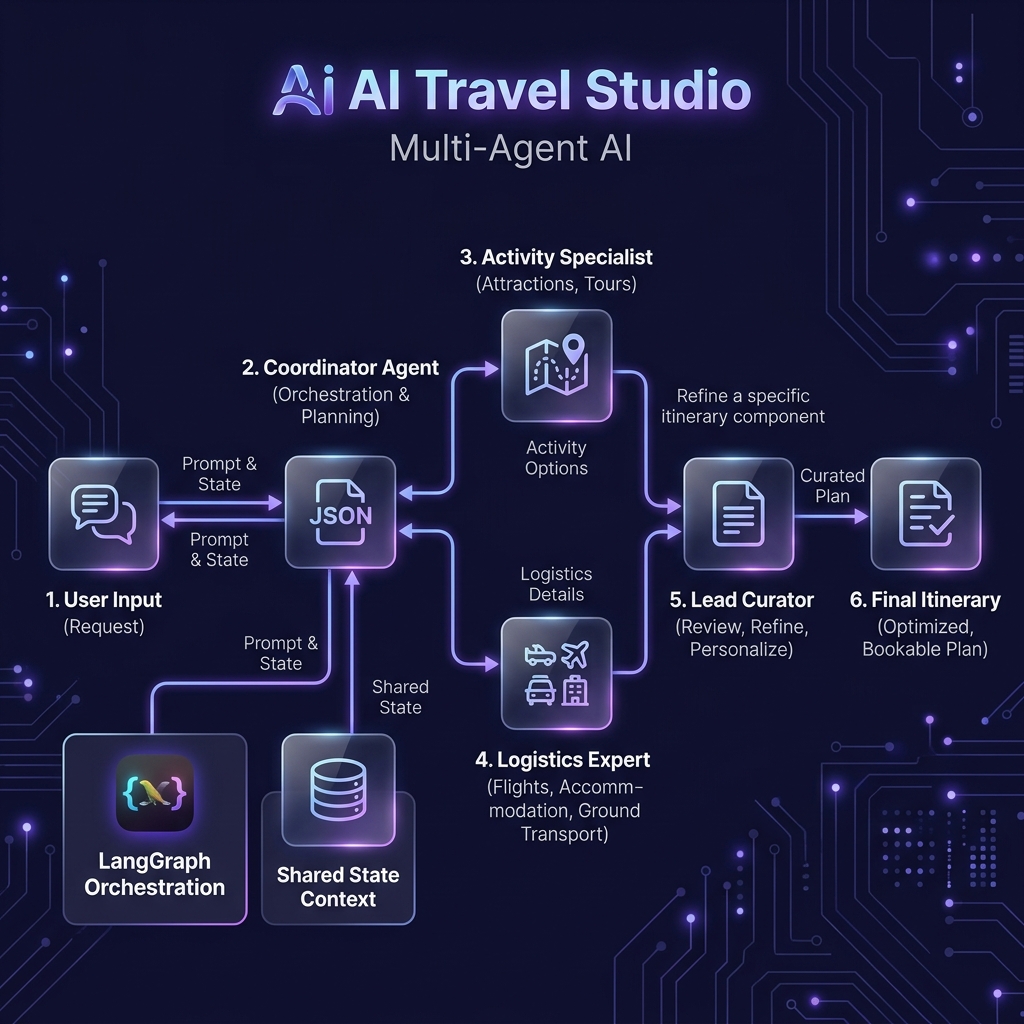 (Note: Placeholder link, replace with actual image after upload)
- Multi-Agent Collaboration: 4 specialized agents (Coordinator, Activity Specialist, Logistics Expert, Lead Curator) working in sync.
- Shared State Management: Agents communicate via a shared context passed through a LangGraph workflow.
- Premium UI: Modern, glassmorphism-inspired React frontend with real-time progress tracking.
- Lightning Fast: Powered by Groq's high-speed Llama-3 inference engine.
- Structured Output: Sophisticated parsing of natural language into structured JSON data.
The system uses a Directed Acyclic Graph (DAG) to manage agent execution:
- Coordinator Agent: Parses the user's intent, destination, and duration into structured JSON.
- Activity Specialist: Research and suggests high-quality tours and attractions based on user interests.
- Logistics Expert: Handles neighborhood recommendations and local transport methods.
- Lead Curator: Compiles all research into an elegant, master Markdown itinerary.
- Framework: LangChain & LangGraph
- LLM: Groq (Llama 3.3 70B)
- Backend: FastAPI (Python)
- Frontend: React (Vanilla JS/Tailwind CSS)
- State Management: Python TypedDict
- Python 3.9+
- A Groq API Key (Get one at console.groq.com)
-
Clone the repository:
git clone https://github.com/ANUPAM4545/Multi--Agent-System.git cd Multi--Agent-System -
Set up a virtual environment:
python3 -m venv venv source venv/bin/activate -
Install dependencies:
pip install -r requirements.txt
-
Configure Environment Variables: Create a
.envfile in the root directory:GROQ_API_KEY=your_api_key_here
- Start the FastAPI server:
python backend.py
- Open your browser to
http://localhost:8000.
Run the agent orchestration directly in your terminal:
python multi_agent_system.pyA detailed presentation script and walkthrough guide can be found in walkthrough.md.
Built with ❤️ for the AI Agentic Coding Assignment.