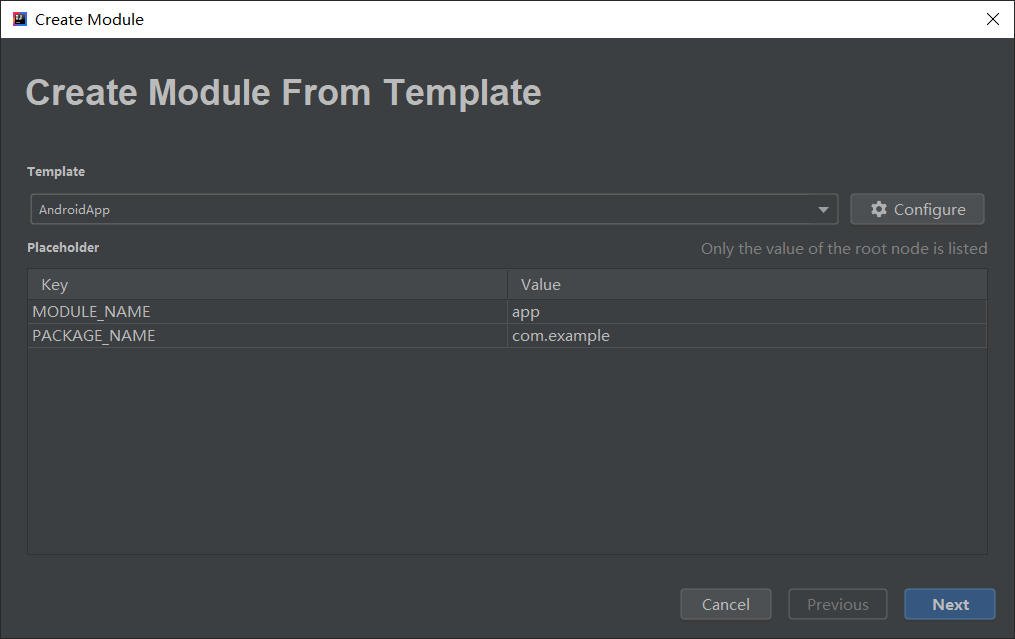
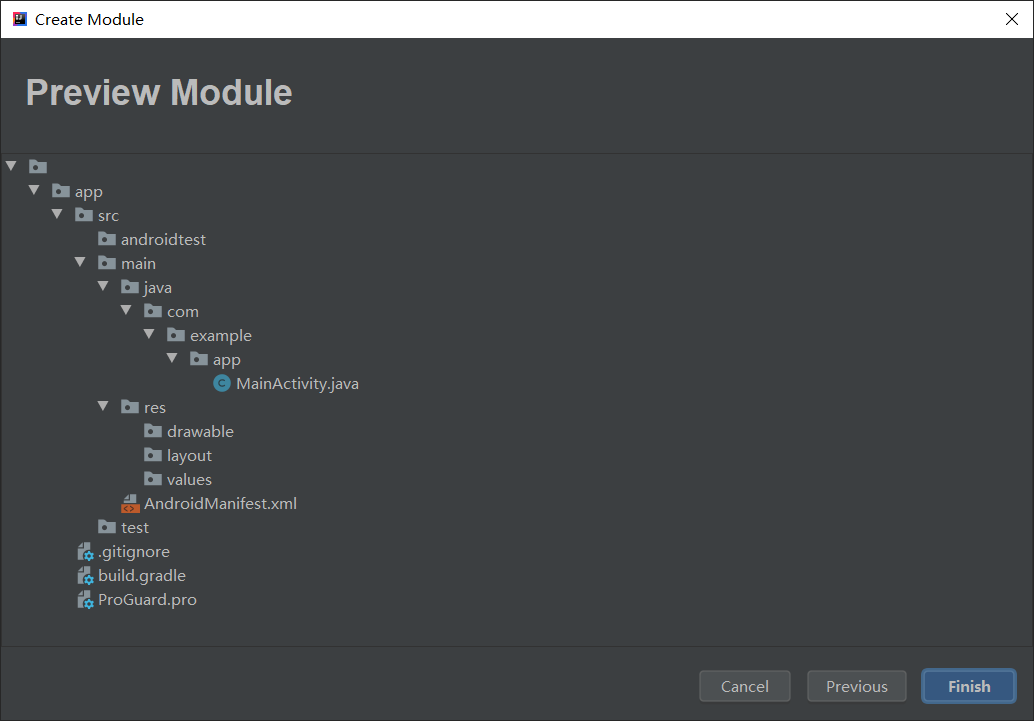
使用这个用于 IntelliJ IDEs 的目录模板插件, 帮助你从模板生成任何目录结构
- 自定义目录结构
- 目录, 文件名, 文件模板支持配置占位符
- 支持文件模板配置
- 与小伙伴分享你的模板
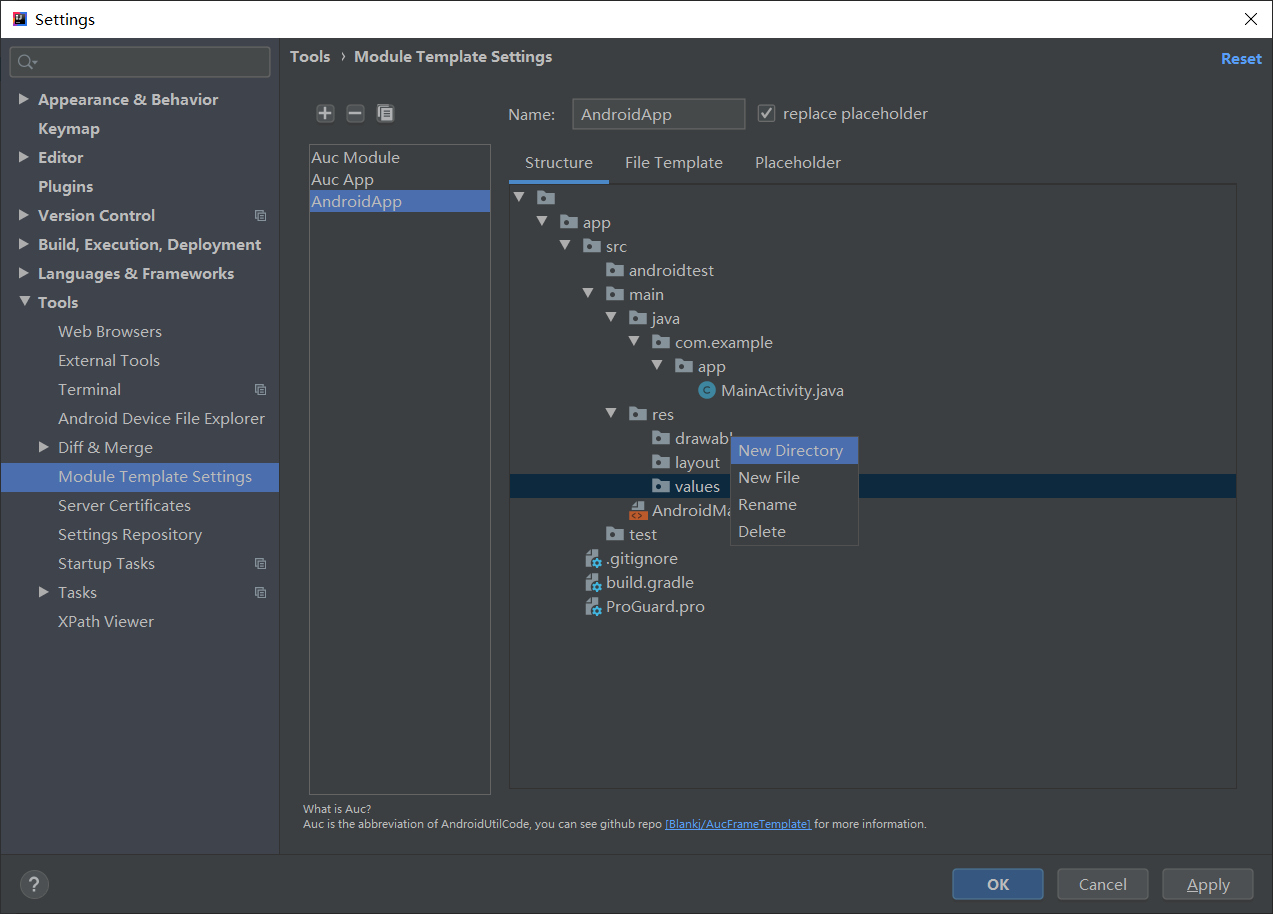
- 在设置中配置插件的模板: File > Settings > Tools > Module Template Settings
- 在 Structure 中配置目录树, 右键编辑树结构.
- 目录树可以使用占位符, 占位符是这样的 -> ${YOUR_PLACEHOLDER_HERE}.
- File Template 中可以配置指定文件的模板, 文件名中可以使用占位符, 会自动替换成你创建时配置的.
- Placeholder 中列出了你目录树中所有的占位符, 你可以给他们设置默认值.
- 插件中使用的模板是在 IDE 本身 Editor>File And Code Templates 中的模板.
- 如果插件更新升级了, 则之前配置保存的模板可能会存在不兼容问题.
- 你的 star, 是我更新的动力.
- 已存在的文件和目录将被跳过
- 如果目录名包含
/将被分割展开. - 占位符可以无限嵌套, 例如
${${A}_${B}}, A=a, B=b 则会变成一个新的占位符 ${a_b}.
- 1.4.0: feature: Support export and import template to file, adjust action button position.
- 1.3.1: fix: AucFrame module template bugs.
- 1.3: fix: Placeholder don't work when call FileTreeNode.include.
- 1.2: feature: all IntelliJ platform IDEs support, file template selection support when edit module template.
- 1.1: feature: support create module template, placeholder, file template
- 1.1: feature: support create module template, placeholder, file template 1.0: basically feature, generate module directories from template
- 1.0: basically feature, generate module directories from template